


SimGearForever
- By
new.png
Screenshot 2026-10-19 195430.png
Description
SimGear Forever
SimGear Forever answers one question at every level from 1 to 60: what should I actually be wearing in this slot, and why?
Other Forever gear addons rank items too, but by their own account the stat weights behind them are estimates. SimGear Forever publishes its weights and shows where each one came from: simmed by the engine, derived from that sim for your level, measured in game, or a labelled placeholder where the engine can't sim yet. If a number can't be fully trusted, it's labelled, not hidden.
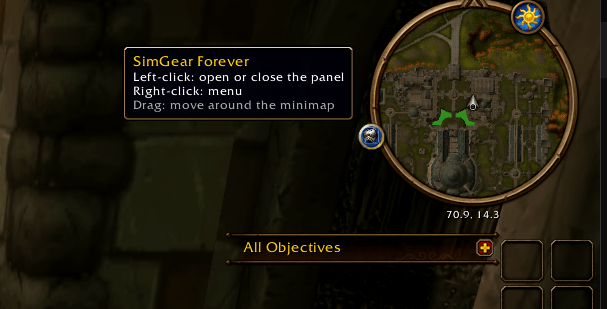
Left-click the minimap button to open the panel.
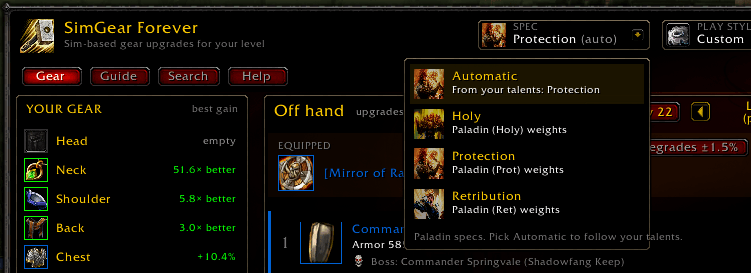
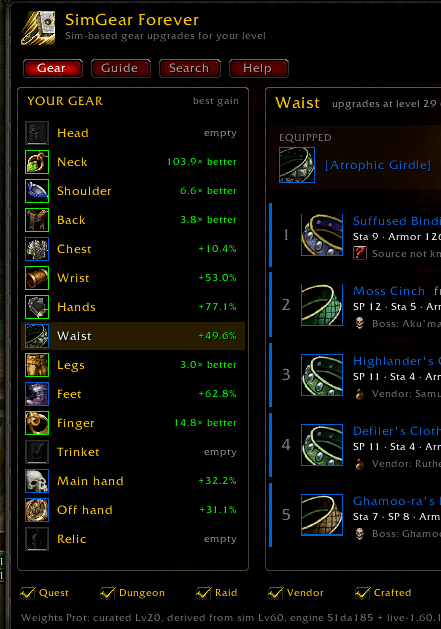
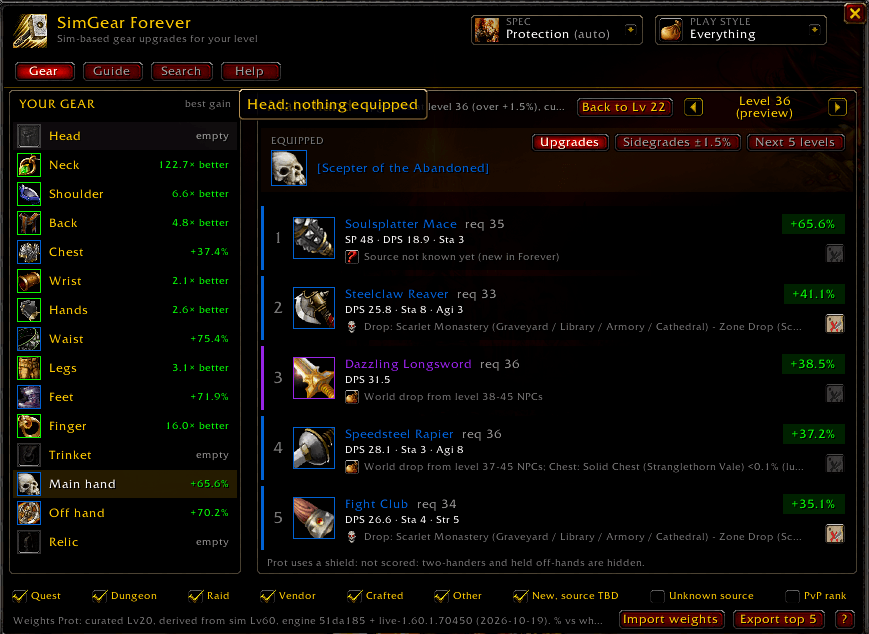
Your upgrades
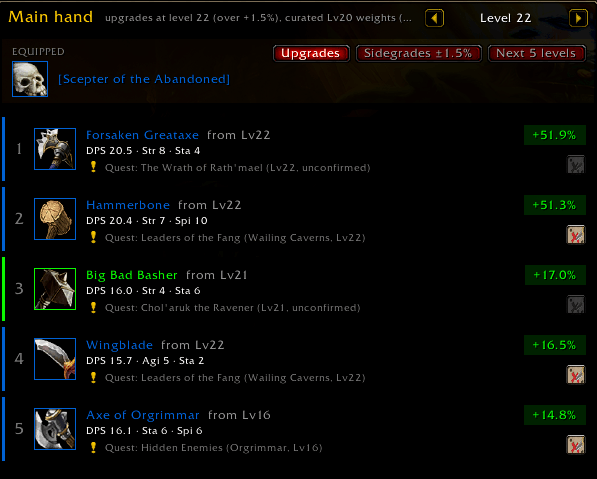
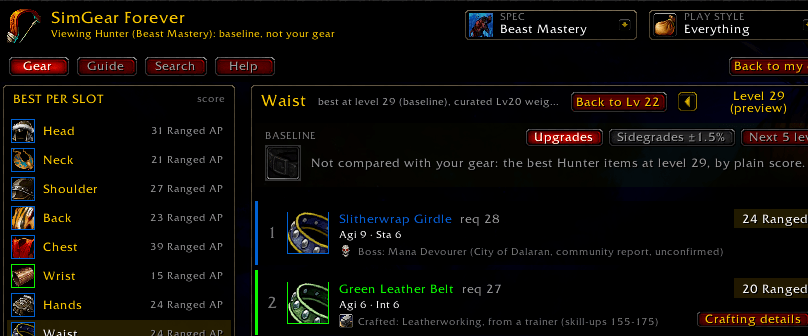
- Top 5 per slot: pick a slot and see the best items for your class, spec and level, as Upgrades, Sidegrades (within 1.5%) or the Next 5 levels.
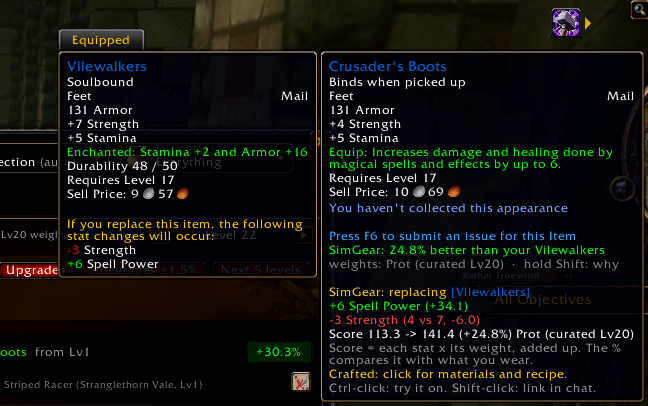
- Tooltips: hover any item for the % gain or loss against what you wear. Hold Shift to see which stat changes cause it.
Class-correct lists: armor you learn later, two-handers versus a one-hander plus off hand, dual wield once you know it, shields for Protection, and no other classes' quest rewards.
Where a piece comes from
- Every row shows the item's source: quest, dungeon boss, vendor, crafted or world drop, with the level you can realistically get it.

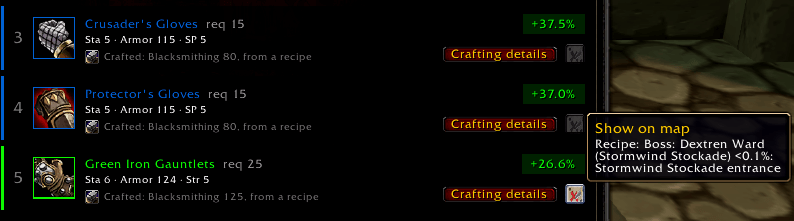
- Map button: sets a waypoint to the source.
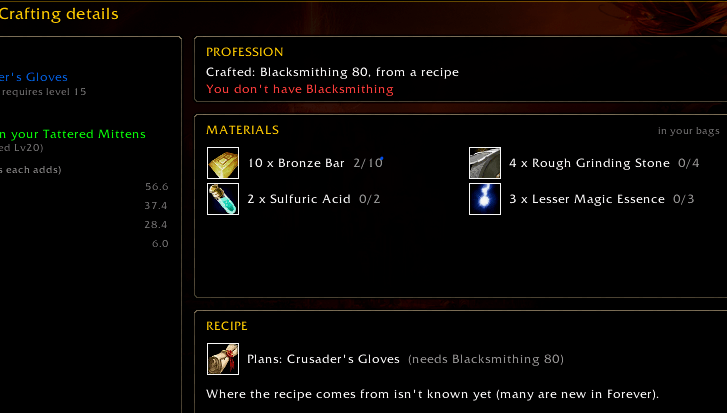
- Crafted items: open a page with materials and the recipe.
- Filters: choose which sources count (PvP-rank gear is off by default).

- No invented sources: drops from Forever's new dungeons are marked unconfirmed until they're seen in game. Turn on the built-in recorder (/sgf seen) to help confirm them. (make the addon your own :D )
How we score
- The math: score = each stat × its weight, added up. The % compares that with the item you wear.
- Level 60: weights are simmed per spec with the MythicSim engine, tagged with the engine build and date.
- Below 60: they're derived from that sim using the game's own per-level tables, or measured in game, and labelled "curated" or "measured".
- Healers: the engine can't sim healing yet, so healing specs use hand-picked weights labelled "curated placeholder".
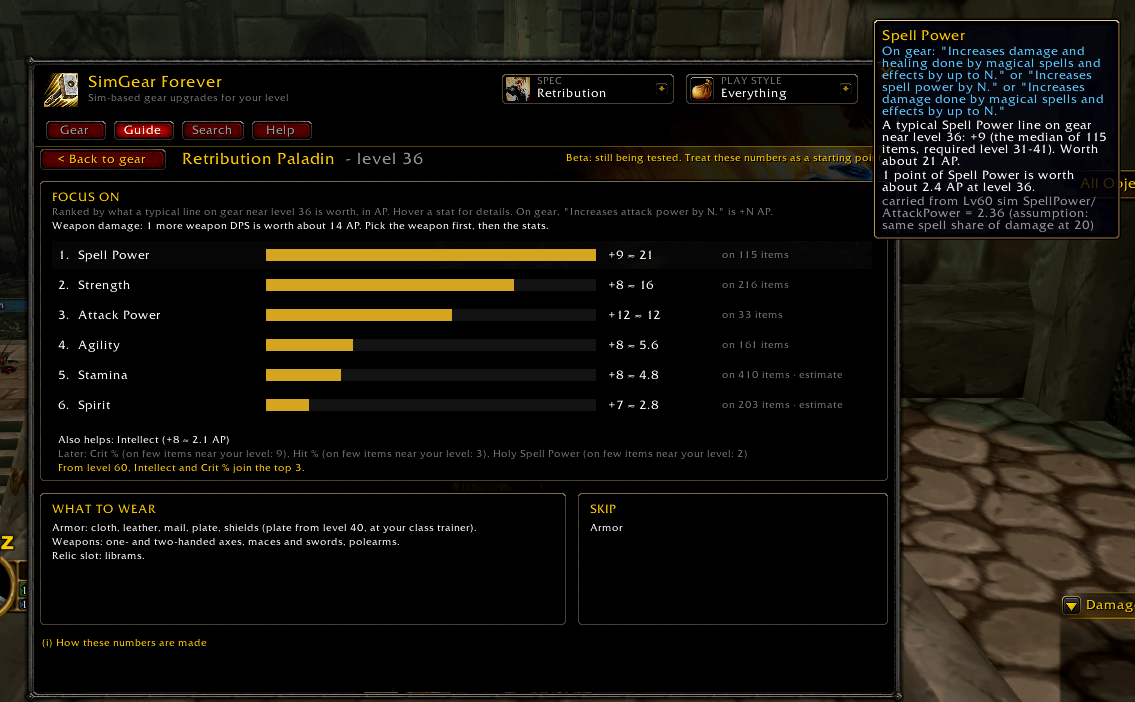
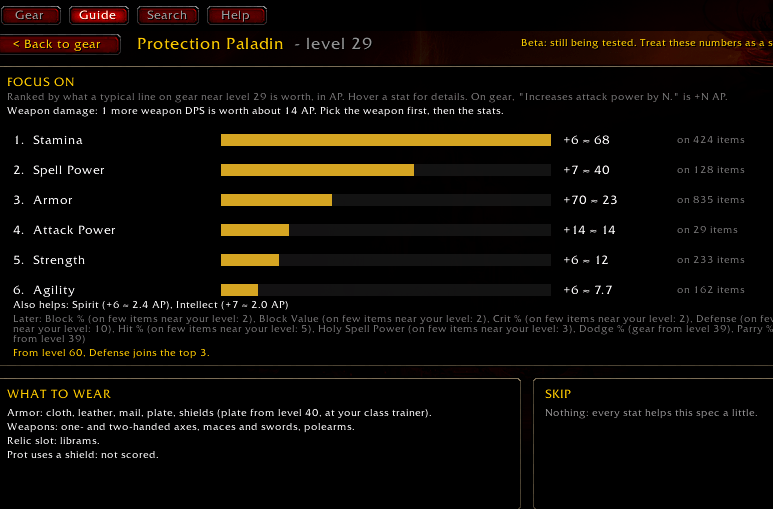
- Where to see it: every % names its weight set. The Guide tab shows each weight and how it was made.
Works with MythicSim
- Import weights: paste your own MythicSim stat weights for your spec, and SimGear scores your gear with them instead of its defaults. /sgf import clear switches back.
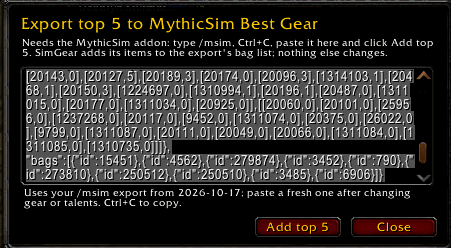
- Export top 5: adds SimGear's top 5 picks per slot to your MythicSim addon export (/msim). Paste the result into mythicsim.com's Best Gear import to sim each item against your exact character.
Look ahead
- Other levels: use the level arrows to preview your upgrades at another level.
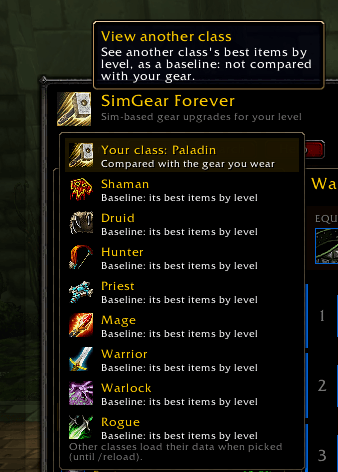
- Other classes: click the class icon to see their best items by level, as a baseline that isn't compared with your gear.
FAQ
Why is this the best piece for my slot?
Hold Shift on its tooltip. You'll see the stat changes that move the score and the weight set used.
Can I see the weights themselves?
Yes. The Guide tab lists them for your spec and level, with how each was made and the engine build.
Why does this healing spec look different from the others?
The engine can't sim healing yet, so they use hand-picked weights, labelled "curated placeholder" wherever they appear.
Does the addon move or equip my items?
No. It only recommends. Ctrl-click previews an item on your character.
How much memory does this use?
Each class's item data loads only when it's needed: your own class, or a class you choose to view (until /reload).
Getting started
1. Install with the CurseForge app, or copy all ten SimGearForever folders into Interface/AddOns.
2. /reload.
3. Click the minimap button, or type /sgf help.
World of Warcraft: Forever, levels 1–60. Not affiliated with Blizzard Entertainment.
Credits
SimGear Forever's stat weights are generated using an open-source simulation engine built on the wowsims (https://github.com/wowsims) project (MIT), adapted for Forever by ElliotWood/Forever (https://github.com/ElliotWood/Forever) and MythicSim (https://mythicsim.com/wow-forever). We're grateful to those projects for making transparent, sim-based gear scoring possible outside retail WoW.
Quest, vendor, drop and map data comes from cMaNGOS classic-db (https://github.com/cmangos/classic-db) (GPL-3.0). Drops in Forever's new dungeons are shown as unconfirmed leads from community reports.
This addon embeds no third-party libraries.
SimGear Forever's code is MIT-licensed; its class item data is GPL-3.0-or-later.
SimGear Forever is an independent project and is not affiliated with wowsims, ElliotWood/Forever, MythicSim, cMaNGOS, or Blizzard Entertainment.
SimGearForever Team
