


SilentUI
- By
Description
SilentUI
Less interface. More Azeroth.
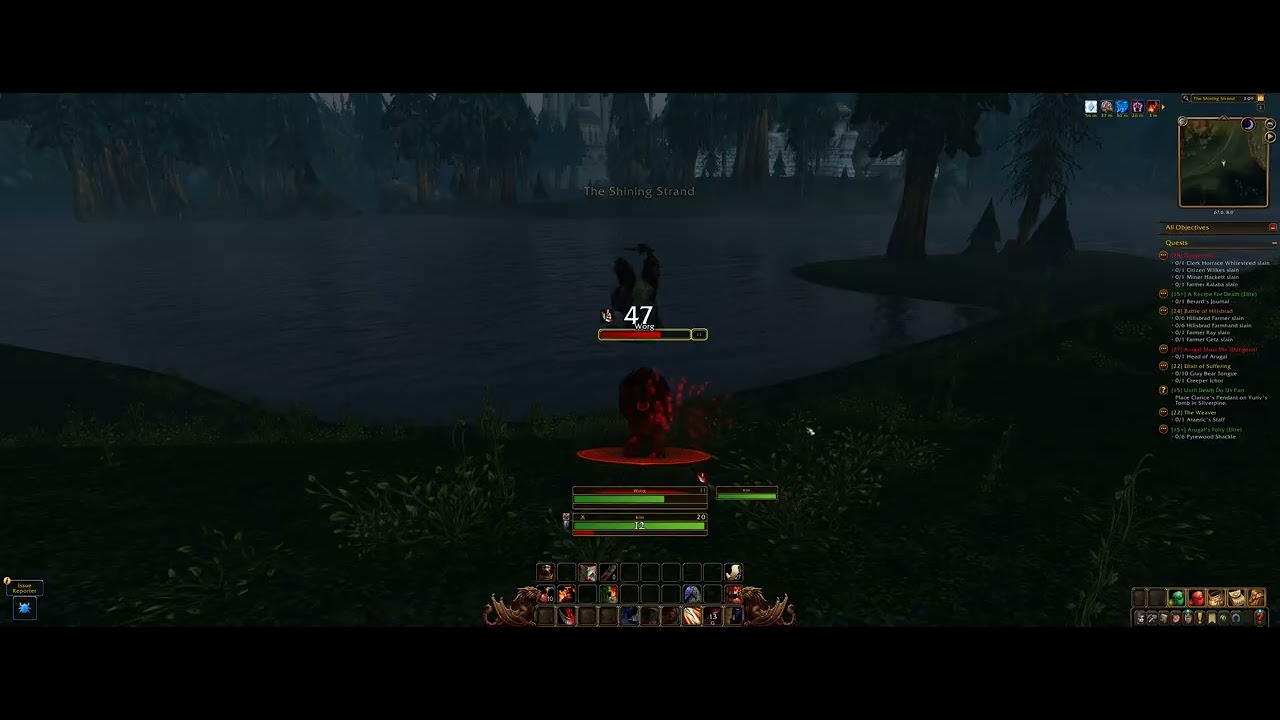
An opinionated, selective refinement of Blizzard’s interface for WoW Forever. Practical improvements and UI elements that appear when you need them. Features can be toggled individually, with a handful of settings to adjust the fit. The design stays true to Blizzard’s original UI style.
Main features
An interface that gives the world more room
UI elements fade away when idle and return on mouseover or relevant activity. Combat brings back the controls you need, and buffs remain visible throughout combat. The XP bar behaves independently, appearing on mouseover or when opening character-related screens.
A square minimap
A square view of your surroundings that keeps the game’s familiar border styling and tracking icons.
Useful additions to the original bags
Drag bag windows and keep their positions between sessions. Sort items by rarity, then item level, highest first. Review gray items in a confirmation window and delete one stack per click, starting with the lowest total vendor value.
Streamlined unit frames
Keep Blizzard’s health and power displays while removing the portrait and level circles. Adjust the main frames’ width and height, see player targets in their class colours, and independently position and resize a compact target-of-target frame showing name and health.
Clean, four-tab chat
- Main: Say, yell, character and Battle.net whispers, guild, party, raid, and system messages.
- General: General, Trade, and Local Defense.
- Looking for Group: A dedicated LFG tab.
- Combat Log: Blizzard’s native combat log and filters.
Scroll with the mousewheel and move or resize the panel. The input field appears inside the window only while focused. Public channels are joined where the server offers them; hover the General or Looking for Group tab, or use /silentui channels, to check their connection status.
Quest tracking for where you are
Filter Blizzard’s quest tracker to your current zone, including matching dungeon areas. Changes briefly reveal the tracker before its usual fade. Disabling zone filtering restores your previous tracking.
Cleaner action bars
Optionally hide keybind labels while keeping the buttons and their bindings intact.
Simple settings
Open /silentui or use the minimap button. Settings are saved per character, with feature switches and a few size and visibility controls. Some changes apply immediately; others use Apply & Reload.
SilentUI follows a consistent visual design with limited customization. Enable the features you want and adjust their fit while keeping the original Blizzard UI style.
Designed for WoW Forever.
SilentUI Team
