


Sightline Threat Meters
- By
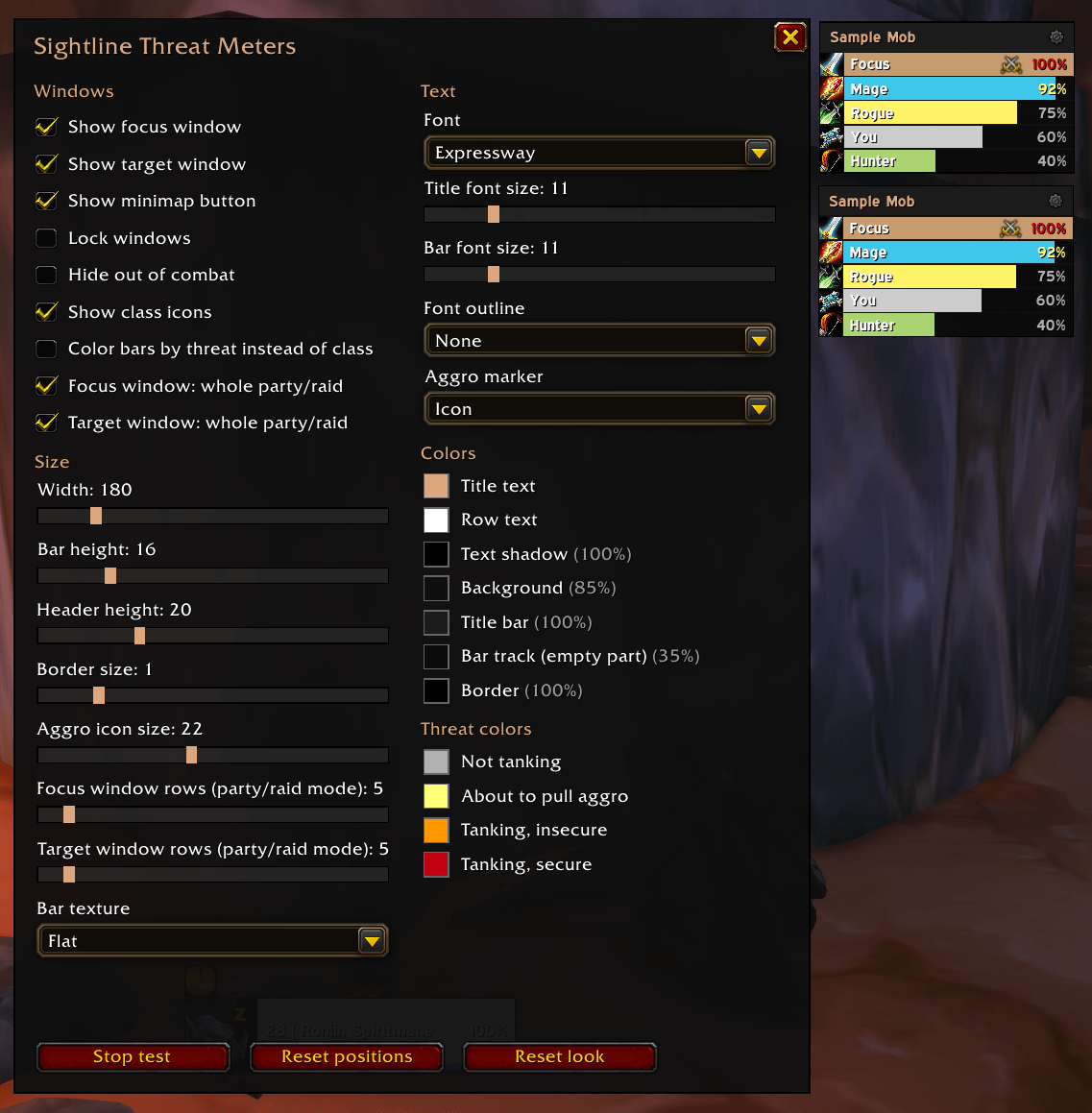
Screenshot 2026-11-26 143014.png
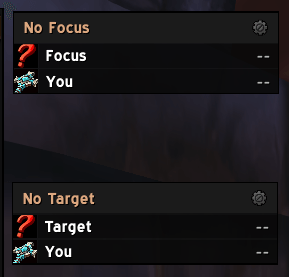
Screenshot 2026-11-26 143044.png
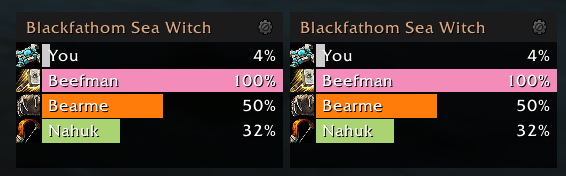
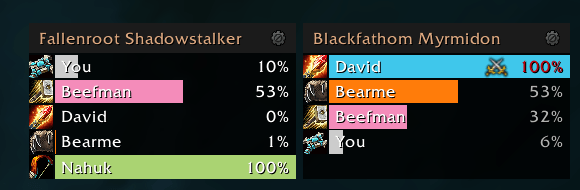
Description
Sightline Threat Meters
Sightline is a threat meter for healers who need to keep an eye on the fight while they target their party.
Most threat meters only show threat on your current target. Healers spend most of a pull targeting friendly players, so those meters go blank right when you need them. Sightline gives you two small windows that follow your focus and your target, and it figures out which mob to read from either one.
How it works
Each window follows one simple rule:
- Hostile unit: shows threat on that mob.
- Friendly unit: shows threat on whatever that player is fighting.
| Window | Your focus or target is… | Sightline shows threat on… |
|---|---|---|
| Focus window | an enemy | your focus |
| Focus window | a friendly player (your tank) | what your focus is fighting |
| Target window | an enemy | your target |
| Target window | a friendly player | what your target is fighting |
Focus your tank once and the focus window tracks whatever they are tanking. Click a party member to heal them and the target window shows the mob they are fighting.
Features
- Who has aggro, plus you. By default each window shows the player the mob is attacking and your own threat, so you can see a DPS pulling the mob before it happens.
- Whole party or raid (optional). Turn it on per window to list everyone on the mob's threat list, highest first. Each window has its own row count and keeps a fixed size, so it never jumps around mid-fight.
- Aggro marker. The player the mob is attacking gets a crossed-swords icon, or an "AGGRO" tag if you prefer text.
- Class icons and class colors, with threat shown in the percentage text. You can switch the bars to threat colors instead.
- Fully customizable look: font, title and bar text sizes, outline, text and shadow colors, bar texture, width, bar height, header height, border size, and background, title bar, bar track, border and threat colors with opacity.
- Test mode shows sample bars so you can position and style the windows out of combat.
- Hide out of combat if you only want the windows while fighting.
- Works with LibSharedMedia fonts and bar textures when another addon provides them. Nothing extra is required.
Commands
/stmopens the options window (also in Options > AddOns, or the gear icon on each window)/stm testturns test mode on or off/stm lockand/stm unlocklock or unlock the windows for dragging/stm resetresets all settings/sightlineworks as the long form of/stm
Minimap button and Addon Compartment: left-click opens the options, Shift + left-click toggles test mode, and right-click locks or unlocks the windows. Hover over it for a reminder.
Supported versions
Retail, WoW: Forever, Mists of Pandaria Classic, Titan, Burning Crusade Classic Anniversary and Classic Era. One download works in all of them.
About hidden threat
On retail and WoW: Forever, the game limits what addons can see inside dungeons. It gives full threat details only for your own target. When a window reads a mob through another player (your focus's target, or your target's target), the details are hidden. Sightline only uses the game's own threat data and never estimates or guesses.
When details are hidden:
- bars and percentages still show,
- party lists are ordered by role (tanks, then healers, then damage) instead of by threat,
- the percentage text stays white instead of using threat colors,
- the aggro marker doesn't appear.
To get full details on a dungeon mob, including threat sorting, colors and the aggro marker, target it directly.
Feedback
Sightline is new, so bug reports and suggestions are very welcome in the comments. Please include your game version and what you were targeting when the problem happened.
Sightline Threat Meters Team
