en1.png
en2.png
en3.png
kr1.png
kr2.png
kr3.png
Description
Warning: The sole purpose of ShumPang is pure entertainment! This is a fan-made addon designed to be a well-made addition to World of Warcraft, utilizing the voice of the talented YouTuber Calmgee, who creates amazing WoW videos.
Currently, only the Korean WoW client is supported. An English version will be updated soon.
Now supports both English and Korean WoW clients, along with multilingual support for select features.
The moment you install Shumpang, you will find yourself jumping with joy! Install it now to focus entirely on the fun of the game. You can check out the original voice source at the link below for more hidden fun:
- Official Channel: CalmgeeWoW YouTube
Features
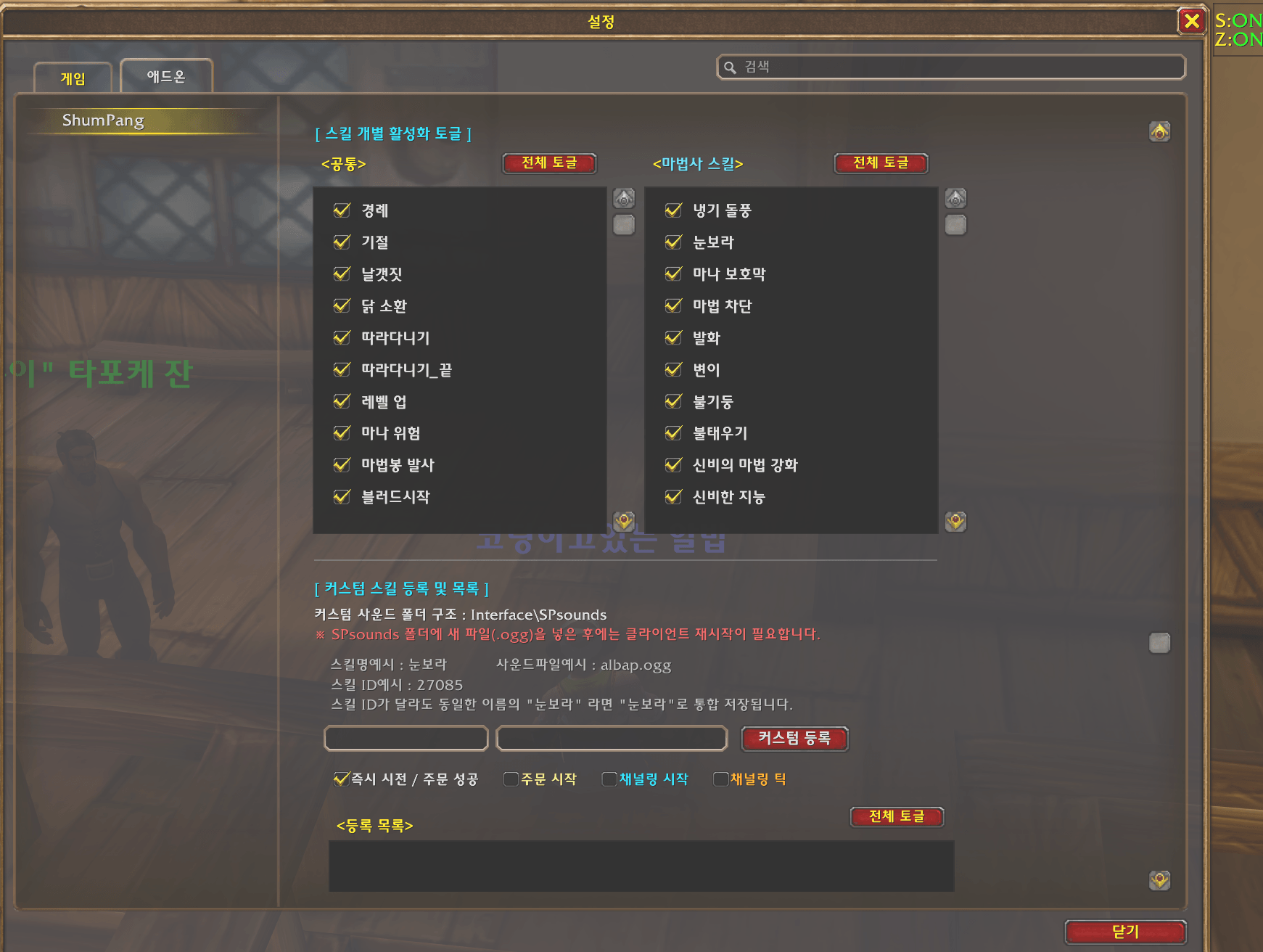
- General Skills: Plays audio cues for basic actions like jumping, ending combat, low health, low mana, etc.
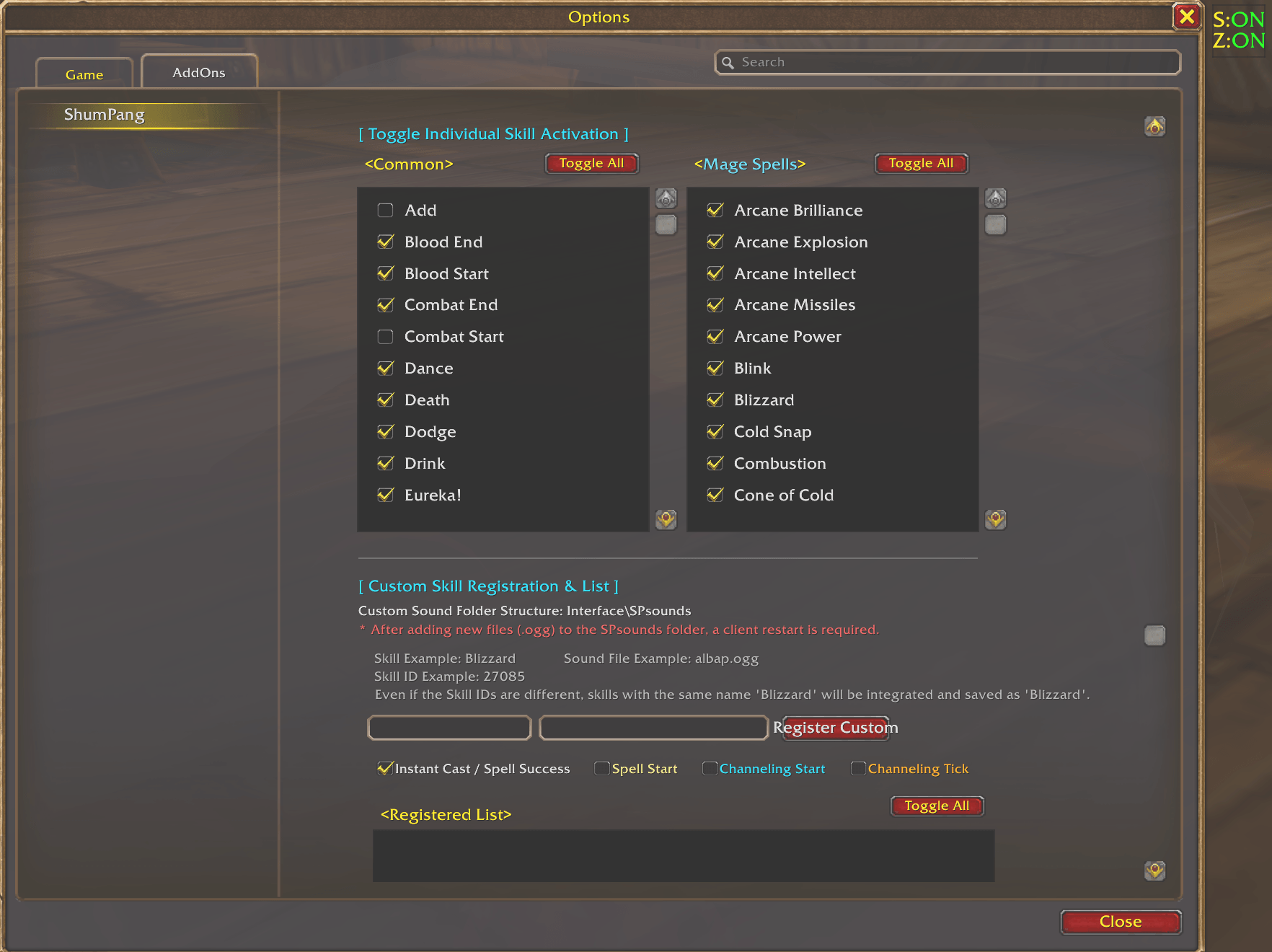
- Class Skills: Plays audio cues when using specific class spells (Currently supports Warrior, Mage and Rogue only, featuring spells like Frostbolt, Blizzard, etc.).
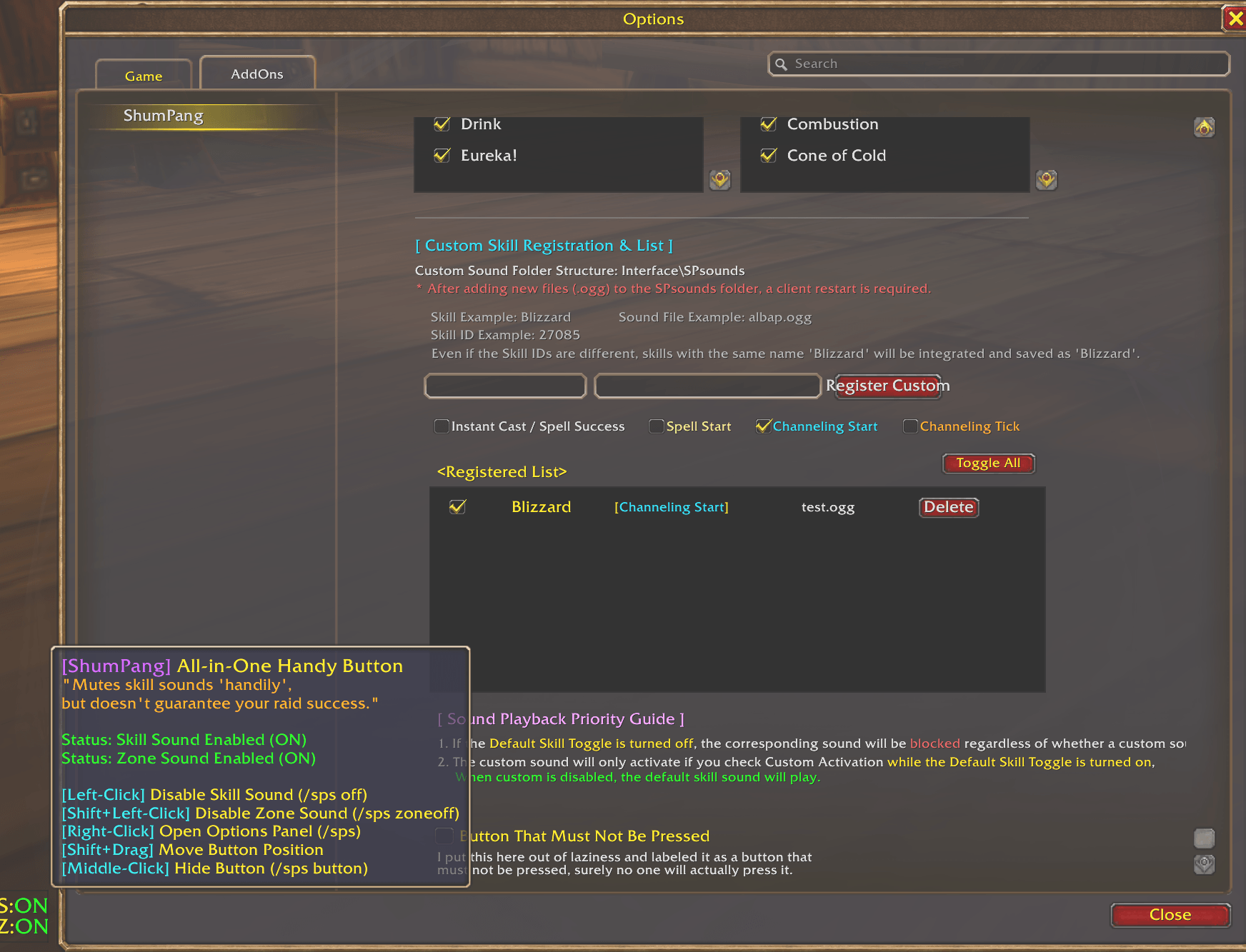
- Custom Skills: Allows you to register your own custom sounds by creating a folder named
Interface\SPsoundsand placing.oggfiles into it.
Slash Commands
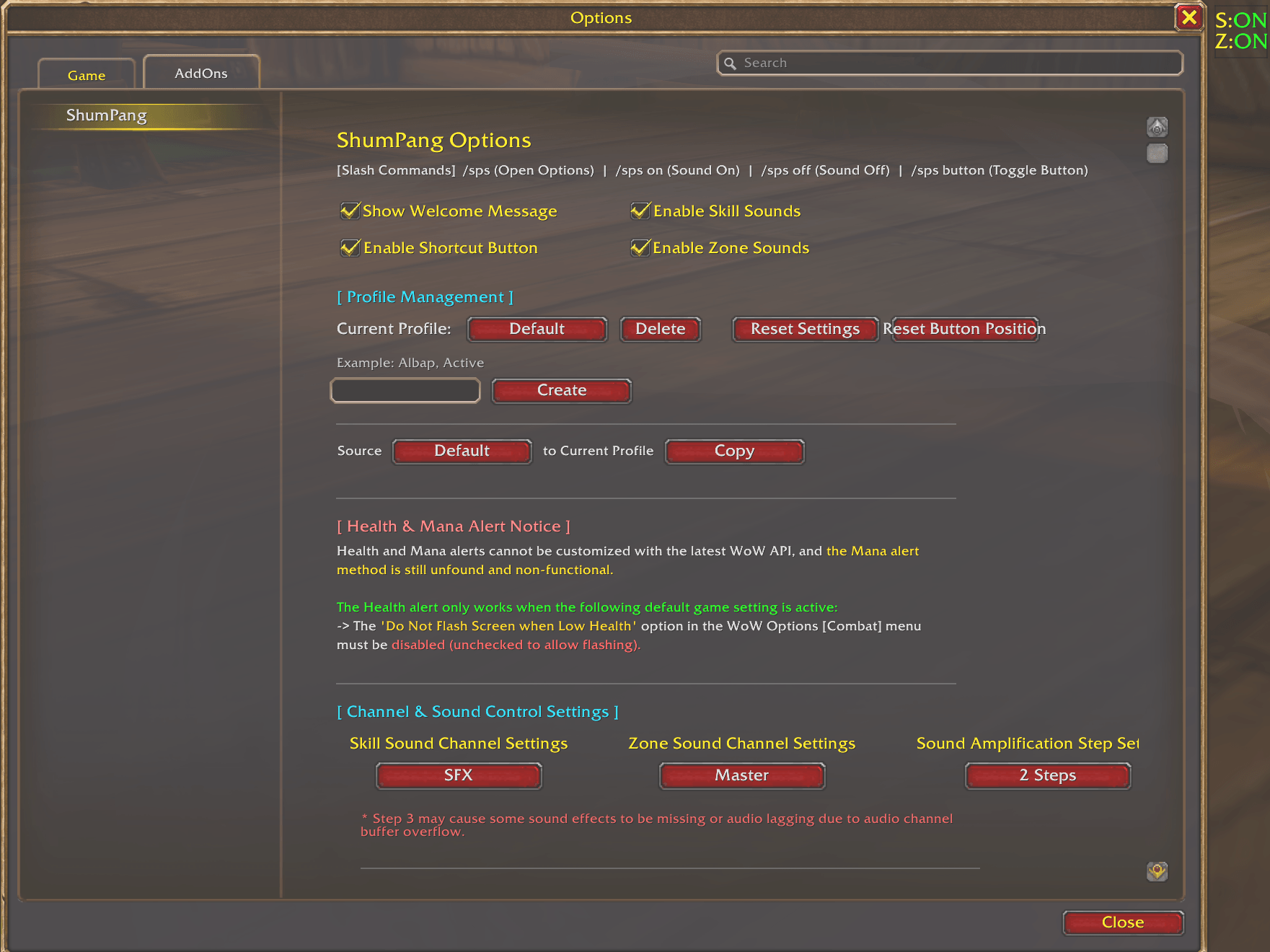
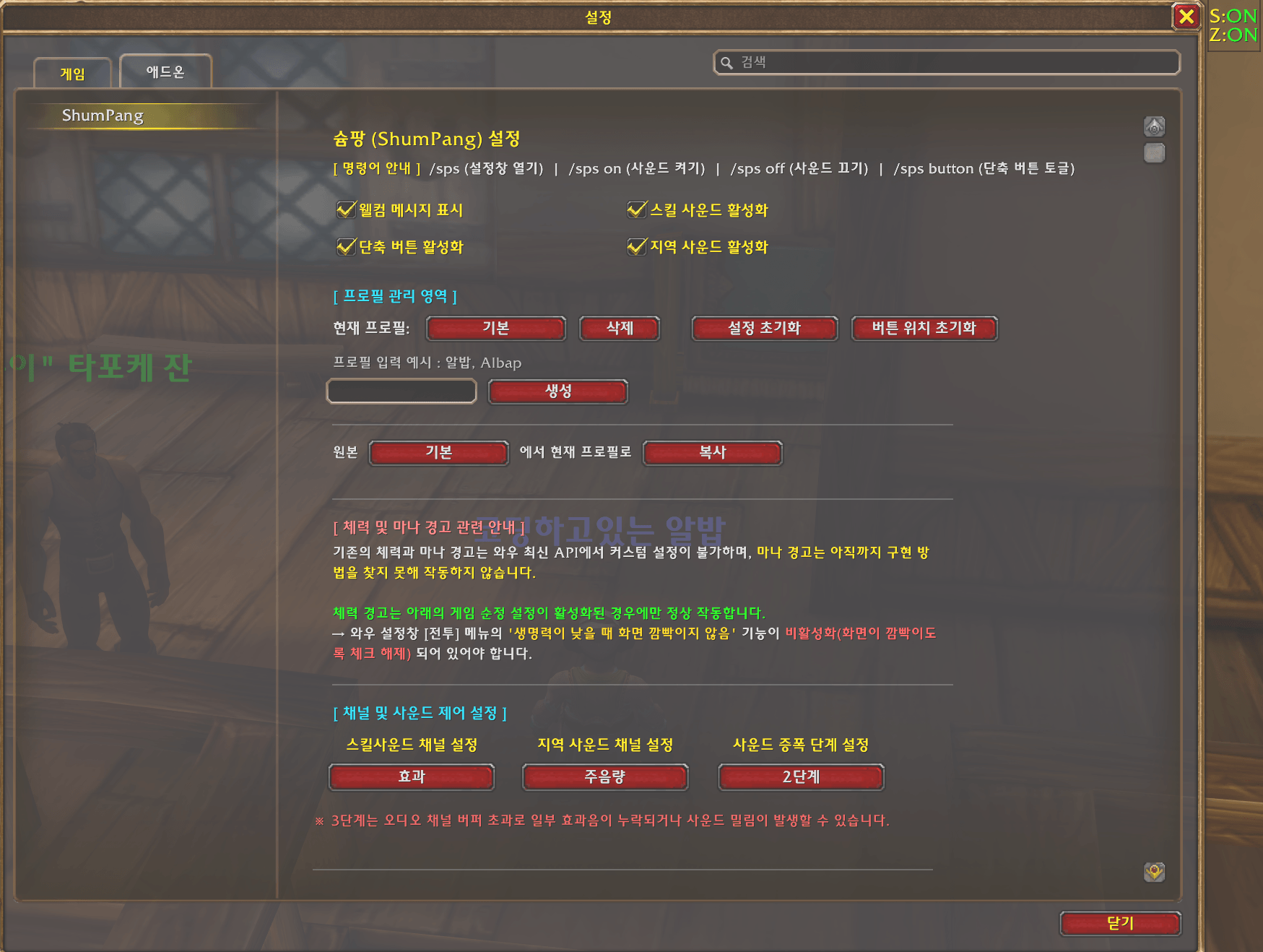
/sps: Opens the addon settings menu./sps on: Enables all addon sounds./sps off: Disables all addon sounds.- /sps button : Toggle sound control shortcut buttons.
- You can also toggle individual sounds on or off inside the configuration menu after typing
/sps.
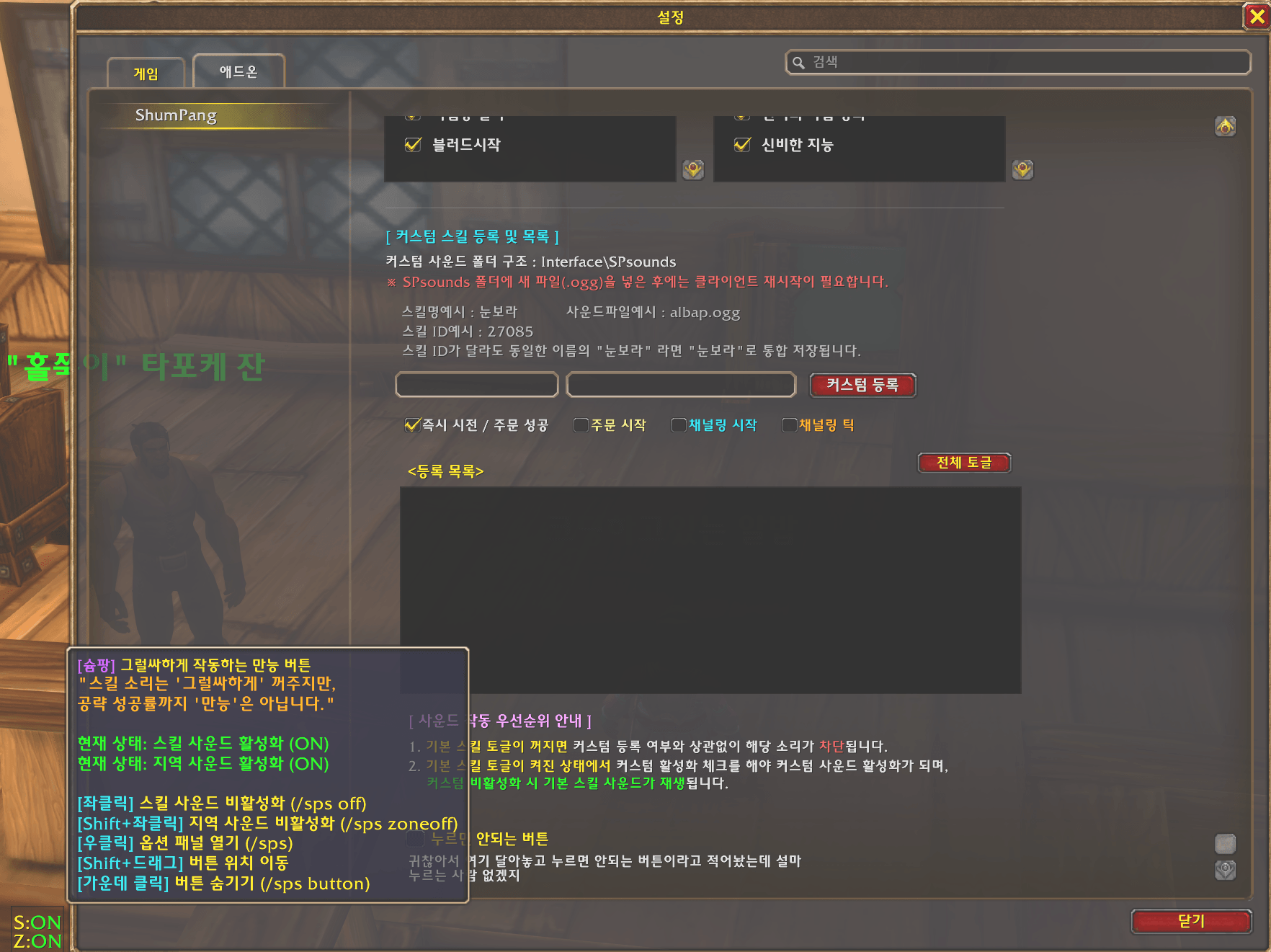
Custom Sound Setup Guide
- World of Warcraft natively supports only .ogg sound files.
- Place your chosen
.oggfiles into theInterface\SPsoundsfolder, then register the skill name with the corresponding.oggfilename inside the in-game configuration window.
Examples:
- Spell Name: Frostbolt
- File Name in SPsounds:
icebolt.ogg - Timing: Instant Cast / On Cast Success (The sound needs to play exactly when the spell finishes casting)
- File Name in SPsounds:
- Spell Name: Fire Blast
- File Name in SPsounds:
fireblast.ogg - Timing: Instant Cast / On Cast Success (Since it is an instant cast spell)
- File Name in SPsounds:
- Spell Name: Heroic Strike
File Name in SPsounds:hstrike.oggTiming: Next Melee On-Hit (Since this skill replaces and empowers your next auto-attack)- Timing: Instant Cast / On Cast Success (Since it is an instant cast spell)
- Spell Name: Blizzard
- File Name in SPsounds:
blizzard.ogg - Timing: Channeling (Check this option to prevent the audio from looping or repeating on every single damage tick for channeled spells)
- File Name in SPsounds:
경고 : 슘팡의 유일한 목적은 즐거움입니다.
웰~메이드 유튜브 영상을 만드는 깜지님 목소리를 활용한 웰~메이드 애드온을 지향하는 팬~메이드 애드온 슘~~~팡~~~
-----
이제 영어 및 한국어 와우 클라이언트를 공식 지원하며, 일부 기능에 대한 다국어 지원이 가능합니다.
-----
설치하는 순간 당신은 점프를 뛸 것이야
오로지 게임의 재미만을 추구하는 슘팡 설치하고 즐거운 게임 하세욧
원본 음성은 아래에서 확인할 수 있습니다. 구석구석 찾아보는 재미가 있습니다!
** 영상은 더 재밌어요. 구독 좋아요!!
** 캐릭터가 노움 여성, 타우렌 남성, 트롤 여성, 언데드 여성이라면 춤을 춰보세요 :)
이제 설명
공통스킬 사용 시 사운드 재생
- 점프, 전투 종료, 생명력 위험, 마나 위험 등등
직업 스킬 사용 시 사운드 재생
- 공통 사운드는 전 직업 이벤트가 발생됩니다.
- 직업 전용 스킬은 현재 마법사, 전사, 도적만 가능합니다.
커스텀 스킬 등록으로 원하는 사운드 재생
- Interface\SPsounds 폴더 생성 후 *.ogg를 넣어서 등록
명령어
- /sps 애드온 설정 열기
- /sps on 모든 소리 on
- /sps off 모든 소리 off
- /sps button 단축버튼 활성화/비활성화
- /sps 진입 후 개별 소리 on/off 가능
custom sound 설정
- 기본적으로 와우는 *.ogg 사운드 파일만 지원됩니다.
- ogg 사운드 파일을 Interface\SPsounds에 넣고 설정창에서 스킬 이름과 *.ogg 파일을 등록하시면 됩니다.
예시)
- 스킬이름 : 얼음 화살\
- SPsounds 폴더 내 파일명 : icebolt.ogg
- 타이밍 : 즉시 시전 / 주문 성공 (시전 완료되면 소리가 나야하므로...)
예시)
- 스킬이름 : 화염 작열
- SPsounds 폴더 내 파일명 : fireblast.ogg
- 타이밍 : 즉시 시전 / 주문 성공 (즉시시전 스킬이므로...)
예시)
- 스킬이름 : 영웅의 일격\
SPsounds 폴더 내 파일명 : hstrike.ogg타이밍 : 평타강화 (평타를 대체하는 스킬이므로...)- 타이밍 : 즉시 시전 / 주문 성공 (즉시시전 스킬이므로...)
예시)
- 스킬이름 : 눈보라
- SPsounds 폴더 내 파일명 : blizzard.ogg
- 타이밍 : 채널링 (채널링 스킬은 틱 데미지마다 소리 안나게 이걸 체크...
The ShumPang(슘팡) Team