
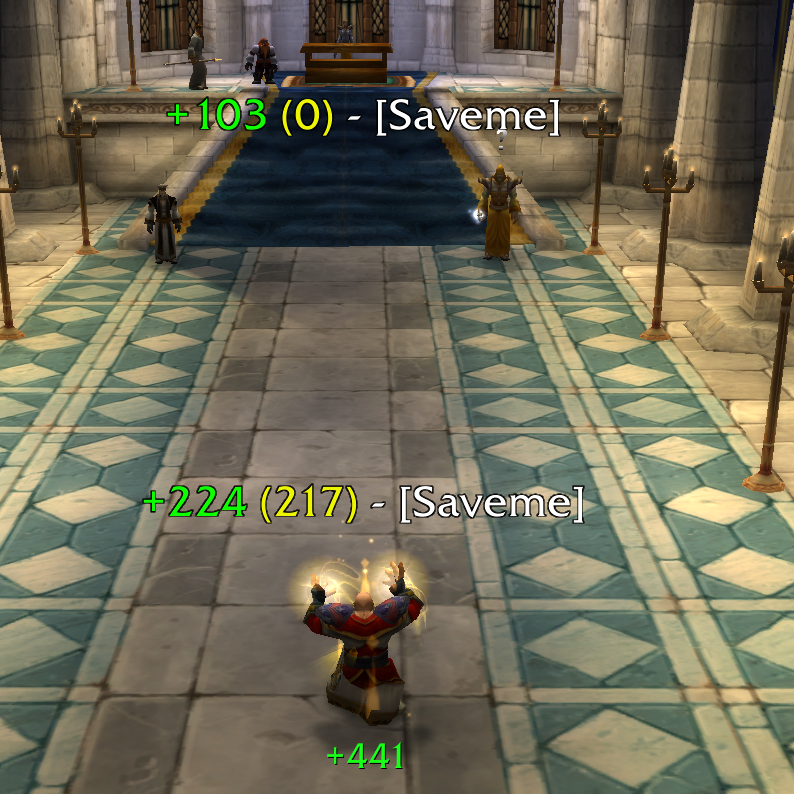
Colors: Green: normal heal Red: crit heal Yellow: excess heal White: target name
Description
ShowMeMyHeal
Show the heal done on the target with floating text.
Caption colors
- Green: normal heal less excess heal
- Red: crit heal less excess heal
- Yellow: excess heal
- White: target name
Examples
With normal heal and excess heal

With critical heal and excess heal

Full example

Update to V1.0.0 : Add UI for some settings :

For show this menu please use this commands:
/smmh show
/smmh hide
Or use minimap button :

With version 1.0.0 you can:
- Configure the colors of : Normal heal, Critical heal, Excess, Target name
- Configure the lenght of the scroll
- Configure the offset X and Y
- Show/Hide for the Vampiric Embrace (Priest)
- Show/Hide minimap button
- Show all heals of all healers
- Show/Hide overheal
- Threshold for overheal
- Show/Hide when heal is equal to 0
- Show/Hide self heal
- Split scroll heal between my heal and other healers
You must play with "Animation duration" and "Font size...." to not have an overlapping text, you can try with "Test" button who simulate 20 simultaneous heal.
If you encounter a problem with this version, delete these files.
{INSTALL_FOLDER}\_classic_\WTF\Account\{ACCOUNT_NAME}\SavedVariables\ShowMeMyHeal.lua and ShowMeMyHeal.lua.bak
I am open to any proposal of evolution and improvement, let me know in comment :).
ShowMeMyHeal Team

