


ShiftPlate
- By
cat.jpg
docked.jpg
Description
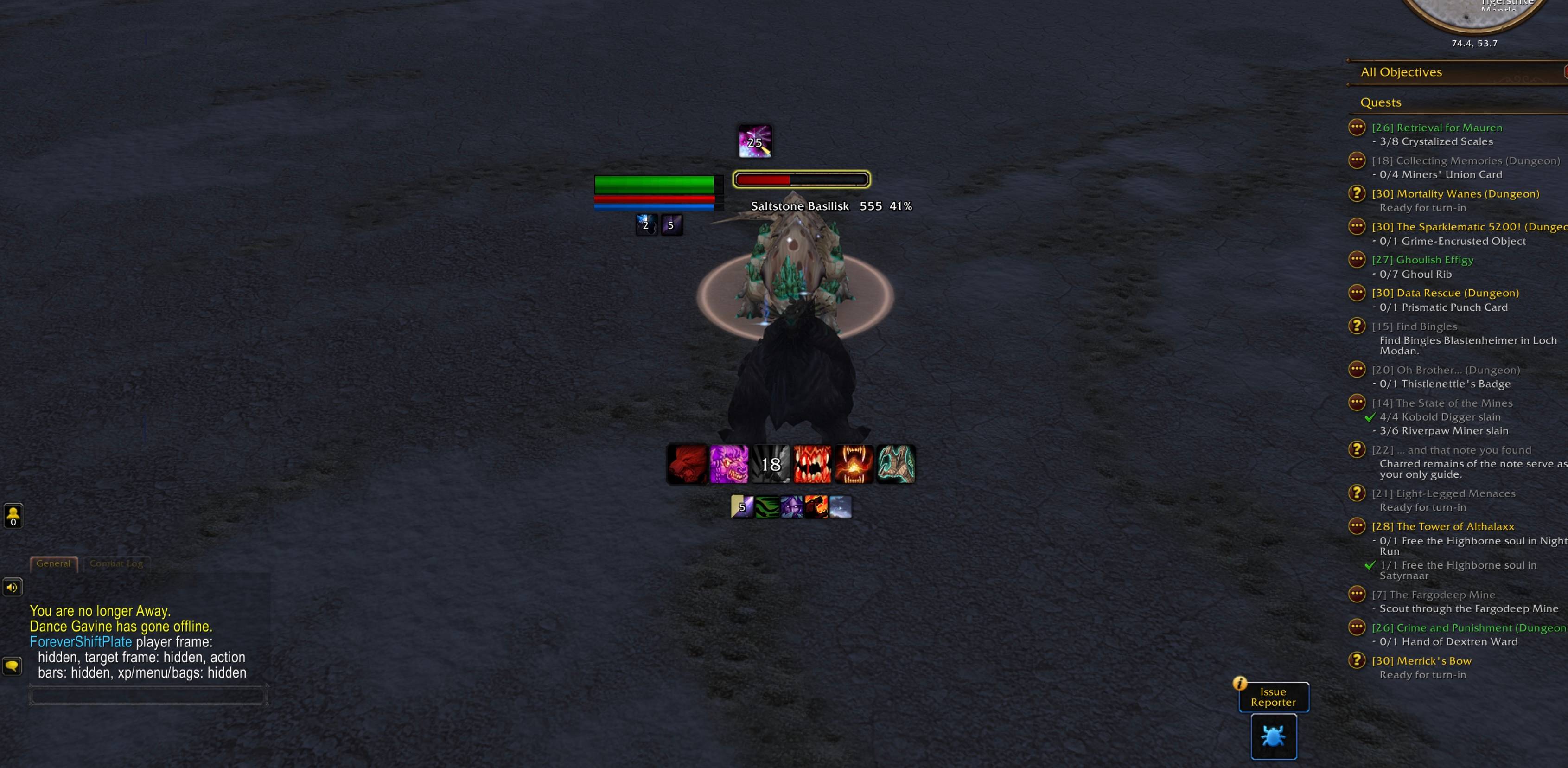
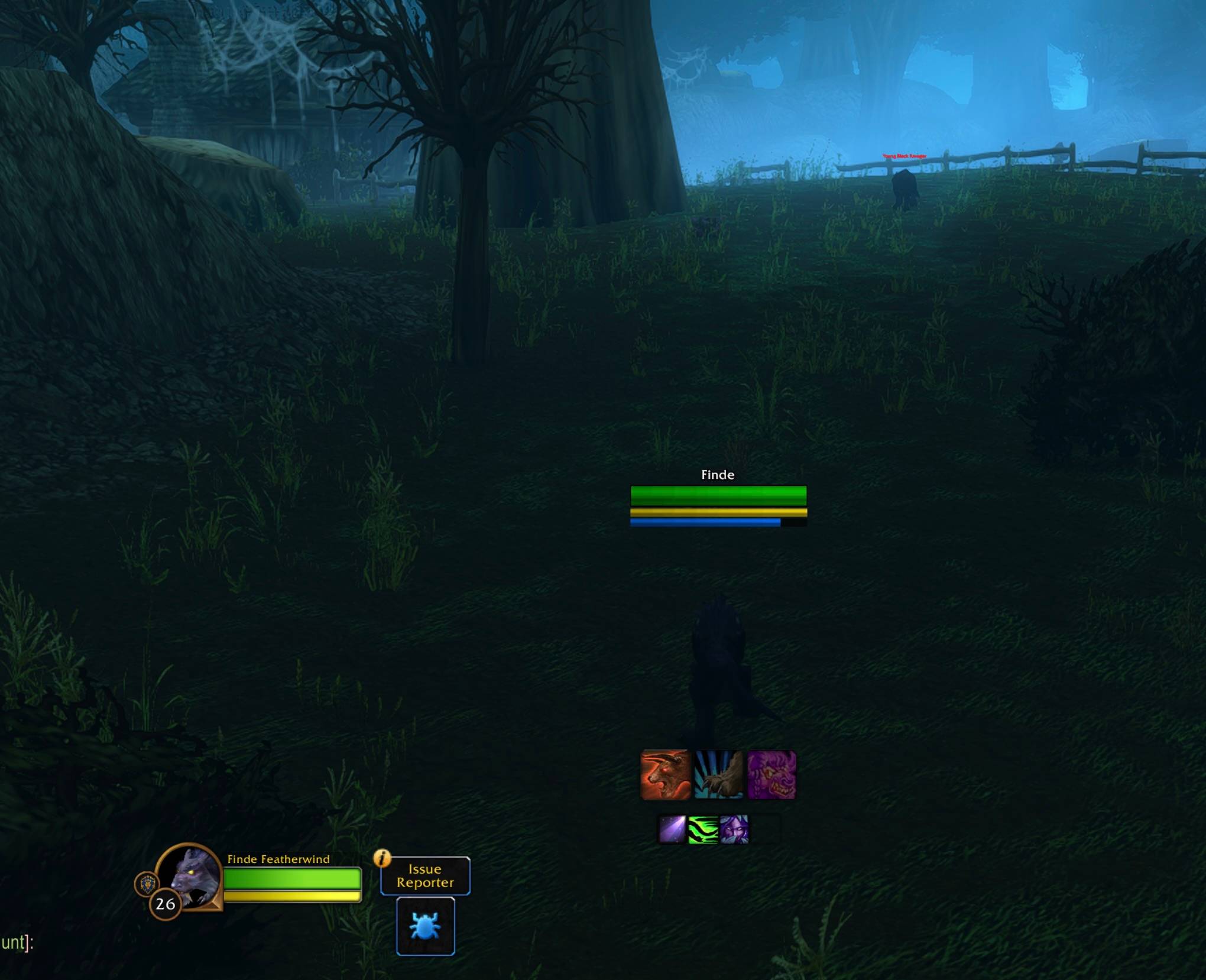
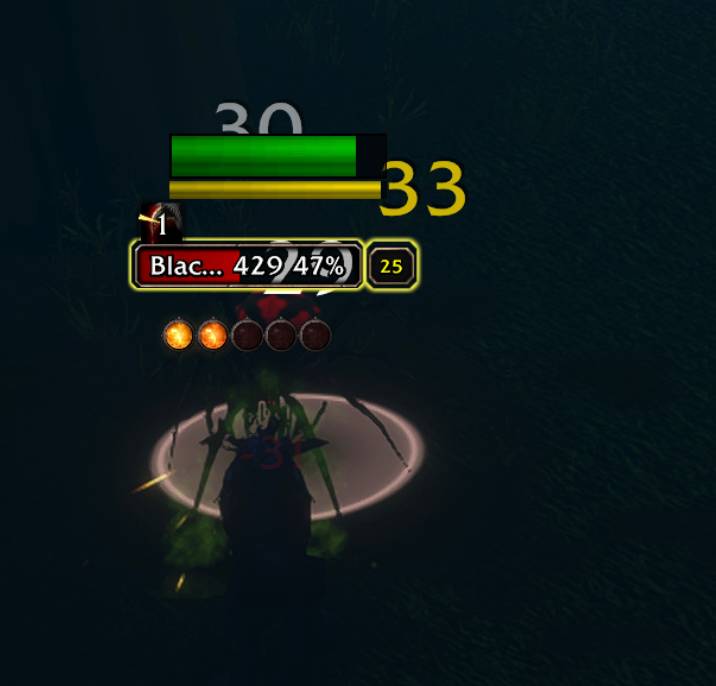
Your own health and power bars, styled like an enemy nameplate, for WoW Forever. They stay with you in every form, and in combat they dock right next to your target's nameplate, so your health and theirs are in one place.
Made for druids and shapeshifters, and works for every class.
Features
- Personal nameplate: health bar, power bar (energy / rage / mana) and an optional extra mana bar, styled like an enemy nameplate.
- Docks to your target: when you target a living enemy, your bars move next to its nameplate (above, left, right or below).
- Fades while fighting: when it isn't docked, the plate turns partly see-through so you can still see the enemy's model.
- Bigger enemy debuffs: makes the debuff icons on enemy nameplates larger (150% by default) and lets you resize or hide their countdown numbers.
- Tracked Buffs docking (new in 1.2.0): Blizzard's Cooldown Manager Tracked Buffs icons hang under your lowest bar: under energy in Cat Form, under mana in caster form, under the extra mana bar when it's on. They follow your form changes automatically.
- Hide Blizzard frames: hide the player frame, target frame, action bars and XP/menu/bag bar, either all the time or only in combat.
- Works with Edit Mode: everything hidden or moved goes back to normal while Edit Mode is open, and comes back when you close it.
Updating
Exit World of Warcraft completely before updating, then start the game again afterwards. A /reload is not enough: the game often won't pick up a new version until it's fully restarted.
Your settings are kept when you update.
Commands
Use /fsp or /shiftplate. Type /fsp on its own to see the list in game.
Size
| Command | What it does | Default |
|---|---|---|
/fsp width <n> |
Bar width (minimum 40) | 160 |
/fsp health <n> |
Health bar thickness | 20 |
/fsp power <n> |
Power bar thickness | 8 |
/fsp scale <n> |
Overall scale when not docked | 1.0 |
Position
| Command | What it does | Default |
|---|---|---|
/fsp offset <n> |
Height above your character when not docked | 150 |
/fsp dock |
Turn docking to the enemy nameplate on/off | on |
/fsp dock above / left / right / below |
Choose which side of the enemy plate to dock on | above |
/fsp gap <n> |
Space between your bars and the enemy plate | 6 |
Tracked Buffs
| Command | What it does | Default |
|---|---|---|
/fsp buffs |
Turn Tracked Buffs docking on/off (off returns them to their Edit Mode spot) | on |
/fsp buffs <n> |
Gap between your lowest bar and the buff icons | 2 |
Tracked Buffs must be turned on in the Cooldown Manager / Edit Mode. /fsp buffs tells you whether the frame was found.
Fading (while fighting, when not docked)
| Command | What it does | Default |
|---|---|---|
/fsp healthalpha <0-100> |
How visible the health bar and name are | 50% |
/fsp alpha <0-100> |
How visible the power bars are | 40% |
Enemy debuffs
| Command | What it does | Default |
|---|---|---|
/fsp debuffs <percent> |
Size of debuff icons on enemy nameplates (50–300) | 150% |
/fsp timers |
Show/hide the countdown numbers on those debuffs | shown |
/fsp timersize <percent> |
Size of the countdown numbers (30–200) | 70% |
Hide Blizzard frames
| Command | What it does |
|---|---|
/fsp hide player |
Hide/show the player frame |
/fsp hide target |
Hide/show the target frame (and target-of-target) |
/fsp hide bars |
Hide/show the action bars, stance bar and pet bar |
/fsp hide menu |
Hide/show the XP/reputation bar, micro menu and bags |
/fsp hide all |
Hide all of the above |
/fsp hide <group> combat |
Hide that group only in combat (works with all too) |
/fsp show all |
Bring everything back |
Toggles
| Command | What it does | Default |
|---|---|---|
/fsp text |
Health numbers on the bar | off |
/fsp power |
Power bar on/off | on |
/fsp mana |
Extra mana bar while in Cat or Bear Form | off |
/fsp class |
Class-colored health bar | off |
Other
| Command | What it does |
|---|---|
/fsp status |
Shows whether the plate is attached, the dock side, whether it's docked right now and whether the enemy health bar was found |
/fsp frames |
Lists which Blizzard frames your client has for the hide groups |
/fsp reset |
Resets all settings to defaults |
Notes and limitations
- WoW Forever doesn't let addons move parts of enemy nameplates, so Blizzard's own debuff row can't be repositioned. ForeverShiftPlate can resize it, but not move it.
- Frames hidden in combat use the game's combat-safe method. If you change a hide setting mid-fight, it finishes applying when combat ends.
- If your plate doesn't appear, check
/fsp status. The addon turns on your own nameplate automatically (nameplateShowSelf).
Changelog
1.2.0 - New: Tracked Buffs (Cooldown Manager) icons dock under your lowest bar and follow your form changes (/fsp buffs, /fsp buffs <gap>).
1.1.1 - Fix: /fsp dock left and right no longer end up below the enemy plate when its health bar can't be found. - /fsp status now shows dock details.
1.1.0 - New: hide player frame, target frame, action bars and XP/menu/bags, always or only in combat. - Fix: no more Edit Mode errors when frames are hidden.
1.0.0 - First release: personal nameplate, docking to the enemy plate, fading, bigger enemy debuffs, countdown number controls.
ShiftPlate Team
