ShetcanWilly's Battle Music
- By
A dynamic combat music engine featuring three-tier shuffle logic, stealth and health-based volume ducking, and immersive audio feedback, all designed to integrate seamlessly with high-intensity custom keybind setups without UI interference.

SCW_BattleMusic
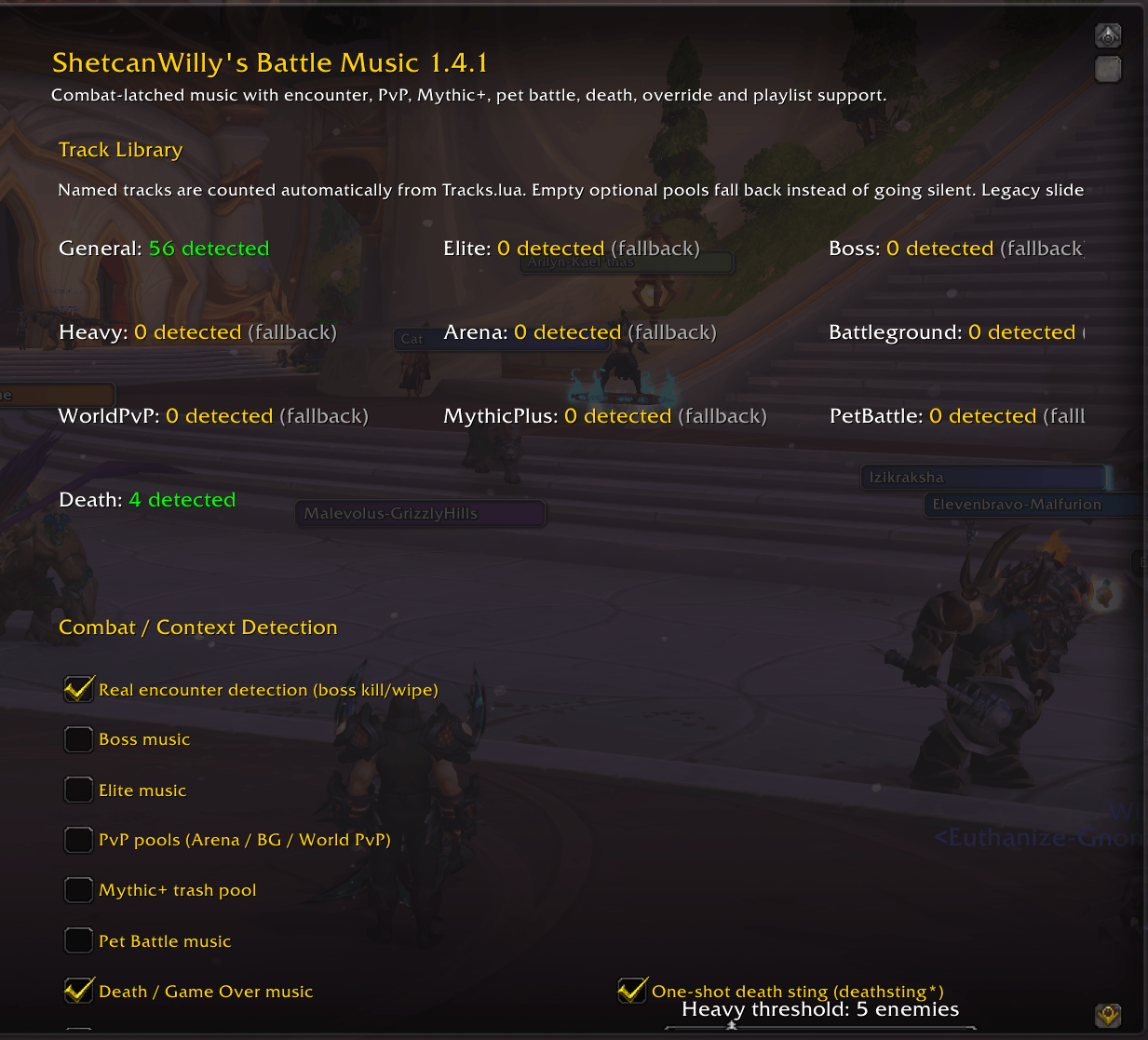
SCWBM menu 1.png
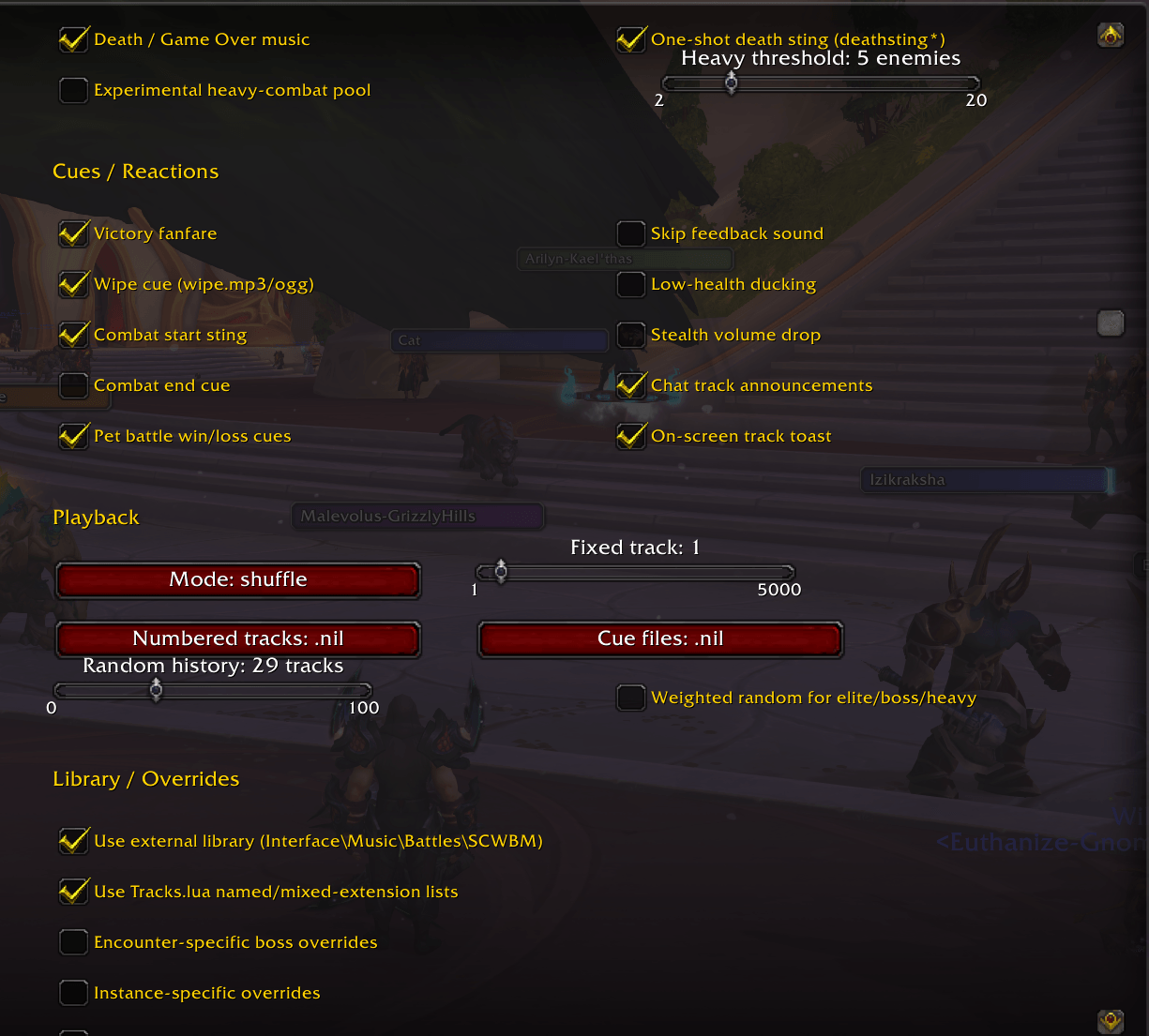
SCWBM menu 2.png
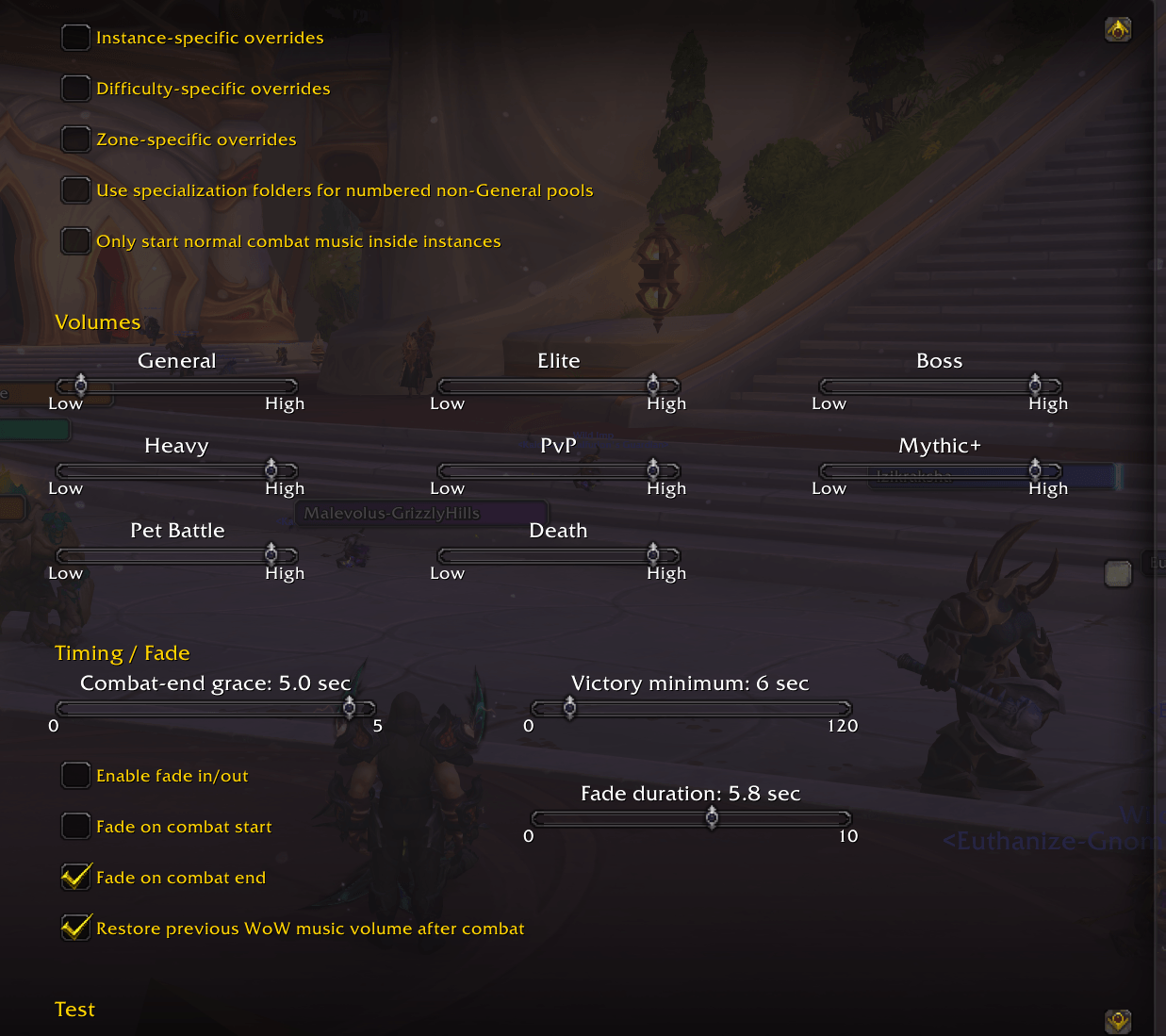
SCWBM menu 3.png
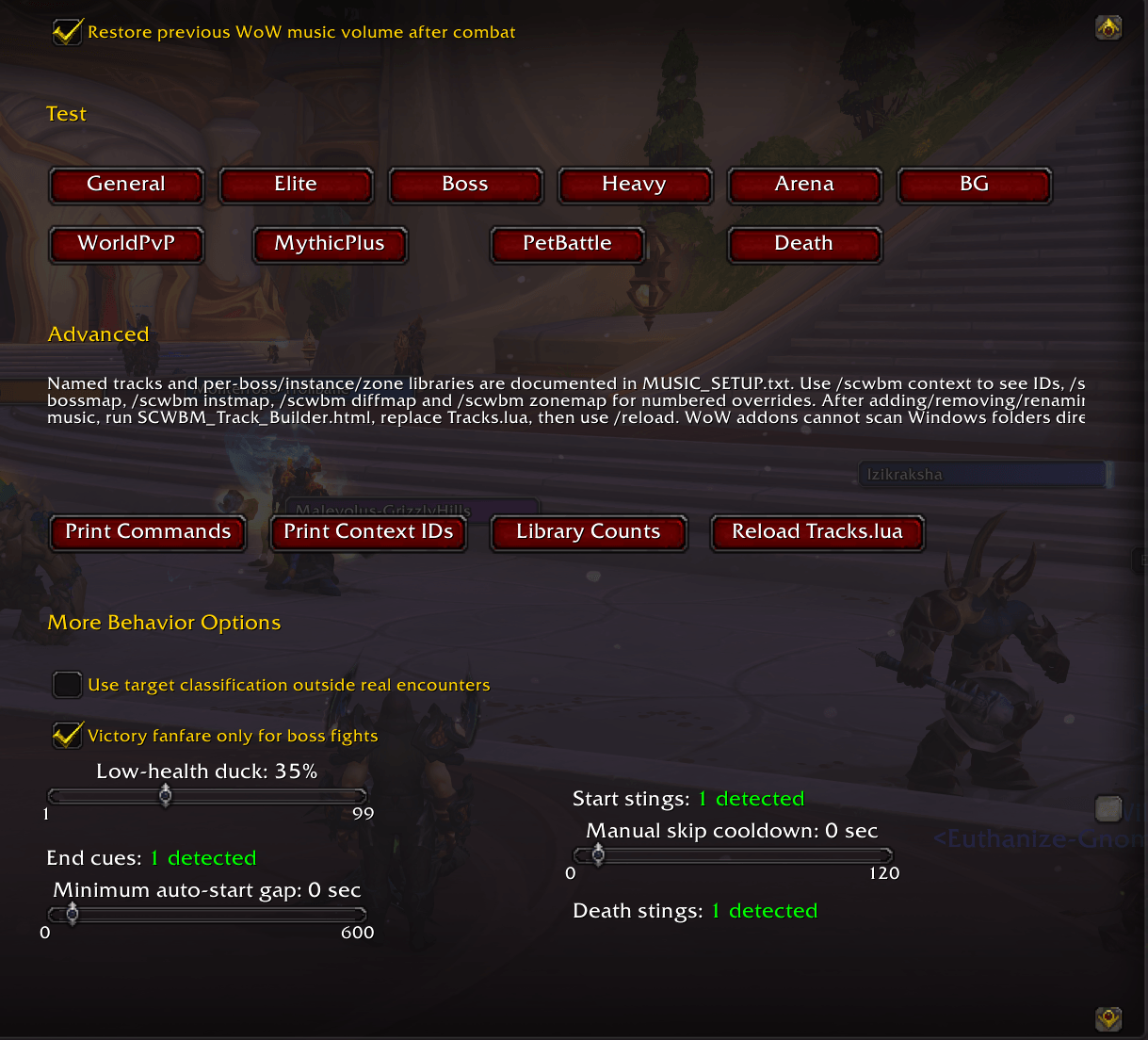
SCWBM menu 4.png
Description
ShetcanWilly's Battle Music
=====================================================================
Using SCWBM in the Forever beta? If you run into any issues, please leave a comment with what you were doing when it happened. Forever-specific feedback is especially helpful while the client is still in beta.
=====================================================================
ShetcanWilly's Battle Music replaces WoW's normal combat music behavior with your own custom music library.
At its simplest, it can still work exactly like the original version:
Combat starts -> music starts.
Combat ends -> music stops.
You can keep one big General music folder, or split things up into Elite and Boss music if you want.
The addon has grown quite a bit since then, though.
It can now use different music for boss encounters, Mythic+, PvP, Pet Battles, heavy combat, death/game-over states, specific bosses, specific instances, certain difficulties, and even individual zones.
You can keep it simple, or make it ridiculously specific. That's pretty much the point.
MAIN FEATURES
- Custom combat music
- General, Elite, and Boss music pools
- Proper dungeon and raid encounter detection
- Boss kill vs wipe detection
- Boss-specific music using encounter IDs
- Mythic+ music
- Arena music
- Battleground music
- World PvP music
- Pet Battle music
- Heavy combat music
- Death / Game Over music
- One-shot death sting
- Victory and wipe sounds
- Pet Battle win/loss sounds
- Instance-specific music overrides
- Difficulty-specific overrides
- Zone/map-specific overrides
- MP3 and OGG support
- Named music files
- Random playback
- Shuffle Bag playback
- Sequential playback
- Fixed-track playback
- Recent-track repeat protection
- Combat-start sting
- Combat-end sound
- Low-health volume ducking
- Stealth volume ducking
- Fade in/out
- Track skipping
- Spec-based music folders
- Native WoW settings panel
- Debug/context commands for setup and testing
YOUR MUSIC, YOUR FILENAMES
You can still use the old numbered format:
1.mp3
2.mp3
3.mp3
But you don't have to anymore.
You can use normal filenames:
One Winged Angel.ogg
Rip and Tear.mp3
Boss Fight Theme.mp3
I Regret Pulling This.ogg
MP3 and OGG files can be mixed.
The addon uses the actual filename when displaying tracks.
BASIC MUSIC FOLDER
Music is stored outside the addon itself:
World of Warcraft\_retail_\Interface\Music\Battles\SCWBM\
A basic setup can look like this:
SCWBM\
├─ Song One.mp3
├─ Song Two.ogg
├─ Elite\
│ └─ Elite Song.mp3
└─ Boss\
└─ Boss Song.ogg
Music placed directly in SCWBM is the General pool.
That's all you need if you just want custom battle music.
MORE MUSIC POOLS
Optional folders include:
SCWBM\Elite\
SCWBM\Boss\
SCWBM\Heavy\
SCWBM\MythicPlus\
SCWBM\Death\
SCWBM\PetBattle\
SCWBM\PvP\Arena\
SCWBM\PvP\Battleground\
SCWBM\PvP\World\
You only need to create the folders you actually want to use.
If an optional pool is empty, SCWBM falls back to another appropriate pool instead of trying to play a file that doesn't exist.
For example:
Boss
-> Elite
-> General
So you do not need a complete set of folders just to use the addon.
BOSS ENCOUNTERS
SCWBM now uses WoW's actual encounter events for dungeon and raid bosses.
That means boss music no longer relies only on whichever mob you happened to target when combat started.
You can also give individual encounters their own music.
Example:
SCWBM\Boss\Encounters\3012\One Winged Angel.ogg
If encounter 3012 starts, that music is preferred over the normal Boss pool.
If no encounter-specific music exists, the addon falls back normally.
INSTANCE, DIFFICULTY, AND ZONE OVERRIDES
You can get more specific if you want.
Supported override folders include:
SCWBM\Instances\<instanceID>\
SCWBM\Difficulties\<difficultyID>\
SCWBM\Zones\<mapID>\
The addon generally prefers:
Specific Encounter
-> Specific Instance
-> Specific Difficulty
-> Specific Zone
-> Normal Pool
You can use:
/scwbm context
to see the current encounter ID, instance ID, difficulty ID, map ID, and other useful information while setting things up.
DEATH / GAME OVER MUSIC
SCWBM supports both a death sting and a Death music playlist.
Put the one-shot death sound here:
SCWBM\deathsting.mp3
Put music that should play while you're dead here:
SCWBM\Death\
Example:
SCWBM\deathsting.mp3
SCWBM\Death\Game Over.ogg
The sequence is:
You die
-> deathsting.mp3 plays
-> Death music begins
-> you resurrect
-> Death music stops
You can use either feature by itself or both together.
SPECIAL CUE FILES
These files are treated as one-shot sounds instead of normal playlist music:
sting.mp3
scratch.mp3
end.mp3
win.mp3
wipe.mp3
deathsting.mp3
petwin.mp3
petloss.mp3
They belong directly in the main SCWBM folder.
They are kept out of the General music playlist automatically.
PLAYBACK MODES
Random
Random track selection with repeat protection.
Shuffle Bag
Every song in the pool plays once before tracks start repeating.
Sequential
Plays through the current pool in order.
Fixed
Always plays one selected track.
Useful for testing or for a pool where you always want the same song.
TRACK BUILDER
SCWBM supports named MP3 and OGG files through Tracks.lua.
The addon includes:
SCWBM_Track_Builder.html
The Track Builder runs locally in your web browser.
Nothing is uploaded anywhere.
To update your music library:
1. Add, remove, move, or rename your MP3/OGG files.
2. Open SCWBM_Track_Builder.html.
3. Select your SCWBM music folder.
4. Let it scan your music.
5. Generate Tracks.lua.
6. Replace Tracks.lua in the addon folder.
7. Type /reload in WoW.
The addon folder is:
World of Warcraft\_retail_\Interface\AddOns\ShetcanWillys_BattleMusic\
The music folder is:
World of Warcraft\_retail_\Interface\Music\Battles\SCWBM\
WHY AN HTML TRACK BUILDER?
Earlier development versions used a BAT/PowerShell updater to build the track list automatically.
CurseForge does not allow .bat files in uploaded addon archives, so that version of the updater could not be included in the public release.
The HTML builder does the same basic job without requiring a separate executable script.
It scans the selected folder locally and generates Tracks.lua for you.
IMPORTANT WHEN UPDATING
Tracks.lua contains the generated list for YOUR personal music library.
If you replace the entire addon folder with a new version, the included blank/default Tracks.lua may overwrite your generated one.
If your track names suddenly change back to things like:
Track 1
Track 16
Track 42
your music is not gone.
Just run SCWBM_Track_Builder.html again, generate a fresh Tracks.lua, replace the old one, and /reload.
SETTINGS
SCWBM has its own page under WoW's normal AddOns settings.
Most numeric settings use sliders.
Generated music libraries show detected track counts automatically.
Examples:
General: 56 detected
Elite: 18 detected
Boss: 0 detected
Death: 4 detected
Optional legacy track counts can also be set to 0.
0 means the pool is not configured and normal fallback behavior should be used.
USEFUL COMMANDS
/scwbm context
Shows current encounter, instance, difficulty, map, and activity information.
/scwbm library
Shows the music and cue counts currently loaded.
/scwbm status
Shows the current addon/music state.
There are also test/debug commands for checking individual pools and paths.
SKIPPING MUSIC
SCWBM supports manual track skipping.
The default binding is NUMPAD+ if enabled/bound.
This keeps the current combat active but changes the music without needing to leave combat and re-enter it.
THE SHORT VERSION
If you want something simple:
Put songs in:
Interface\Music\Battles\SCWBM\
Generate Tracks.lua.
Play WoW.
Done.
If you want to go nuts with it:
Give bosses their own themes.
Give specific raid encounters their own music.
Use separate Mythic+ music.
Use different Arena and Battleground playlists.
Play a Game Over theme when you die.
Give one dungeon its own soundtrack.
Give one zone its own combat music.
Set Pet Battles to something completely stupid.
It's up to you.
The addon is designed so the extra systems stay optional. You can use SCWBM as a simple custom battle music addon or build a much more detailed soundtrack setup around it.
ShetcanWilly's Battle Music Team