
Screenshot 2026-10-20 at 3.05.06â¯PM.png
Description
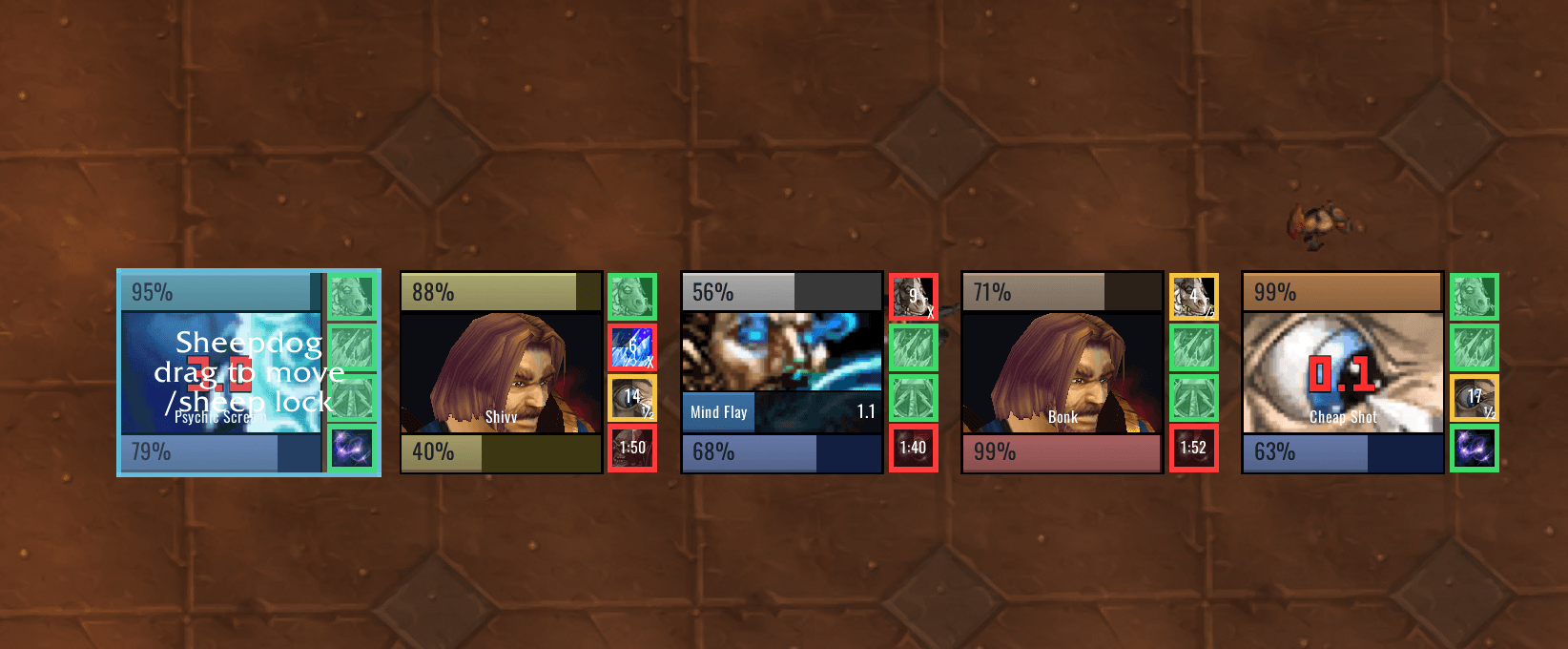
Sheepdog Arena Frames are enemy arena frames for TBC Anniversary, built around what a mage needs to see at a glance. Other classes work too; the defaults are tuned for a mage.
What you get
One square frame per enemy:
- Health bar on top in the class color.
- Portrait in the middle, a live 3D model, replaced by whatever matters more:
- a breakable CC (Polymorph, Sap, fear, stun) shows its icon with a big red countdown
- an active cast shows the spell icon with a cast bar (blue for channels, grey when uninterruptible, red flash on interrupt)
- roots and silences show below those
- Power bar on the bottom.
- Diminishing returns on the right, one slot per category. The border answers "can I CC this now?": green full duration, yellow half, orange quarter, red immune, with seconds until the category resets.
- Trinket slot: the whole frame flashes when the enemy trinkets or uses Will of the Forsaken, then the slot counts down the cooldown.
Click casting
Left click targets, right click Polymorph, middle click Counterspell, Shift + right click Frost Nova. All of it is editable: any modifier plus mouse button to target, focus, a spell or a macro.
Settings
/sheep opens the panel. It starts on a Welcome tab with an annotated picture of the frame. Layout (scale, growth direction, spacing, lock and drag), bar texture, portrait style, cast style and colors, DR categories, trinket flash, fonts for every text, and profiles.
/sheep test 5 shows five fake opponents casting, getting CC'd and trinketing on a loop, so you can set everything up outside an arena.
Notes
- Hides the default Blizzard arena frames (can be turned off).
- DR data comes from DRList-1.0.
- Frames are secure unit buttons: layout and binding changes made in combat apply when combat ends.
Source and issues: https://github.com/frostbolt/Sheepdog
Sheepdog Arena Frames Team
