shot.jpg
Description
Why is it called ShardaceCata and what is this addon?
Shardace is an old addon that many different people took the helm of once the original author left. I couldn't stand to live without it so I decided to keep fixing it since the Cataclysm expansion.
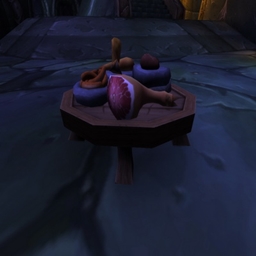
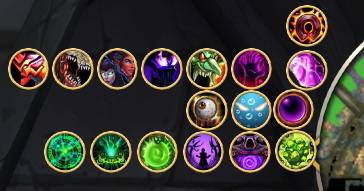
ShardAceCata keeps certain Warlock spells in one compact place. It provides a main set of buttons which include Soulstone plus Healthstone and flyout rows of additional Warlock spells that appear when you interact with the main shard button. Also allows for custom messages when casting certain spells.
First Time Setup
On a fresh install (no saved profile), ShardAceCata will place the main buttons near the center of your screen so you can immediately find them.
Drag the MOVE button to reposition the entire cluster.
Options to setup the addon type /shardace in the chat window
Each set of buttons has a slider to move the buttons where you like in options (X,Y), play around with it until you find the placement you prefer.
When you’re happy with placement, lock the buttons in the main buttons tab so you don’t move them accidentally.
Only spells you can actually use should appear (learned spells show; unlearned spells stay hidden).
As you level and learn new spells, the new flyout buttons will begin appearing automatically.
Announce Options — How They Work
The Announce section in ShardAceCata allows you to automatically send chat messages depending on if your are in a raid or party such as:
Soulwell creation
Soulstone cast on someone
Ritual of Summoning
When you get Resurrected
Can use these options as well in your messages
<target> — the player you are casting on
<player> — your character name
Default channel is set to AUTO which seems to work the best.
These messages are of course restricted where blizzard says you can't use them. But if you are in a raid or party they should work all the time.
You can add more messages and they all are randomized each time it is used, pick your favorite sayings! Default ones are included but you can delete those and add your own. There is really no limit to the amount of messages you can add.
Some basic useful hints:
Left click on the shard button to bring out the flyout buttons for Warlock specific spells to use.
Left click on the shard button to close the flyout buttons
Select your target and right click on the Soulstone button to Soulstone a target.
Right click on the Healthstone button to create a Healthstone.
The first row has a Felsteed or Dreadsteed mount button (depending on level).
The ShardAceCata Team