ShamanPower
- By
Totems, done right: the all-in-one totem bar made by a Shaman for every Shaman, with timers, range, cooldowns and raid coordination
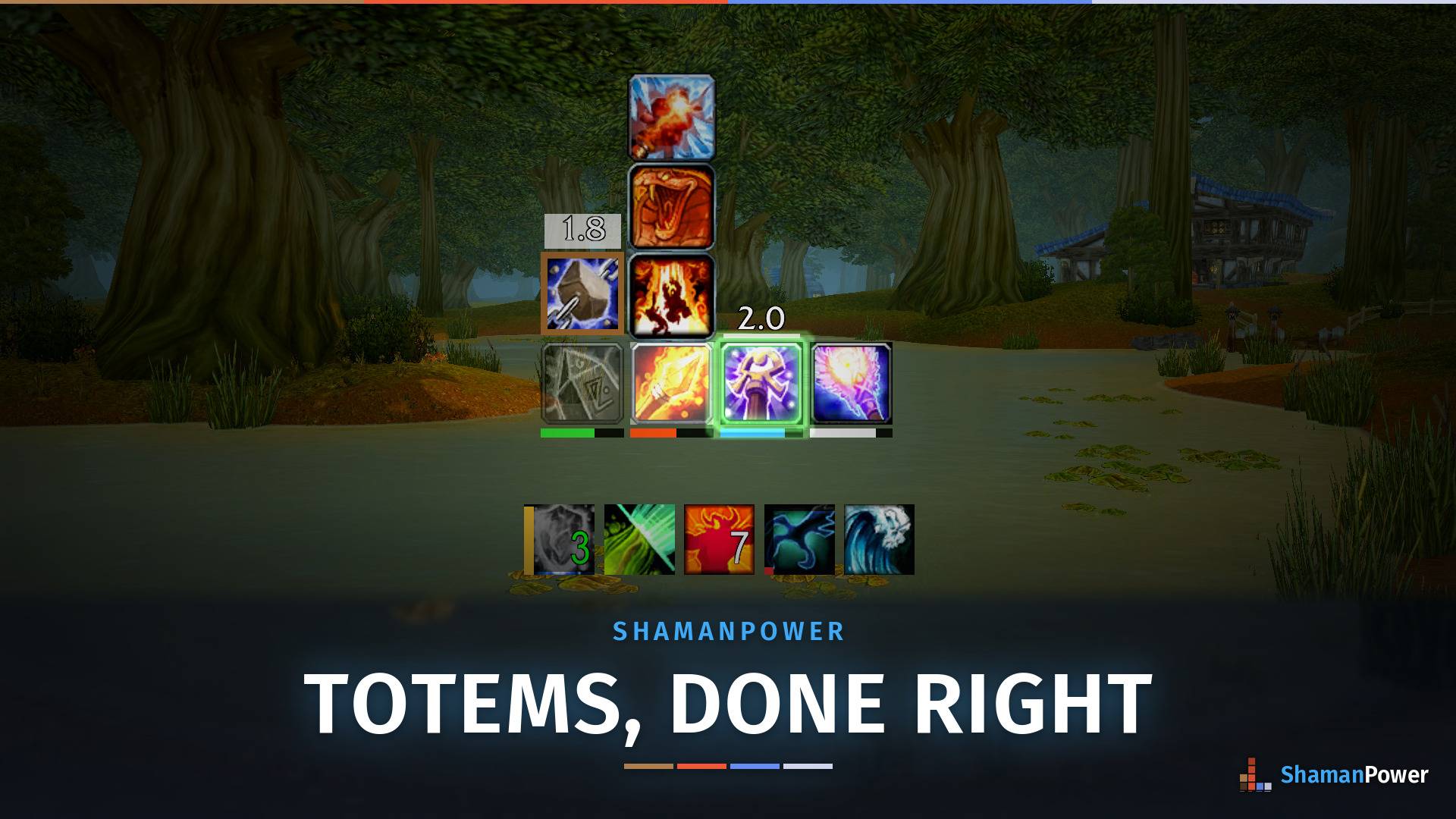
Your whole totem kit on one bar: duration bars, pulse timers, a second totem popped up above its slot, and your cooldown bar underneath. One download for WoW: Forever and TBC Anniversary.
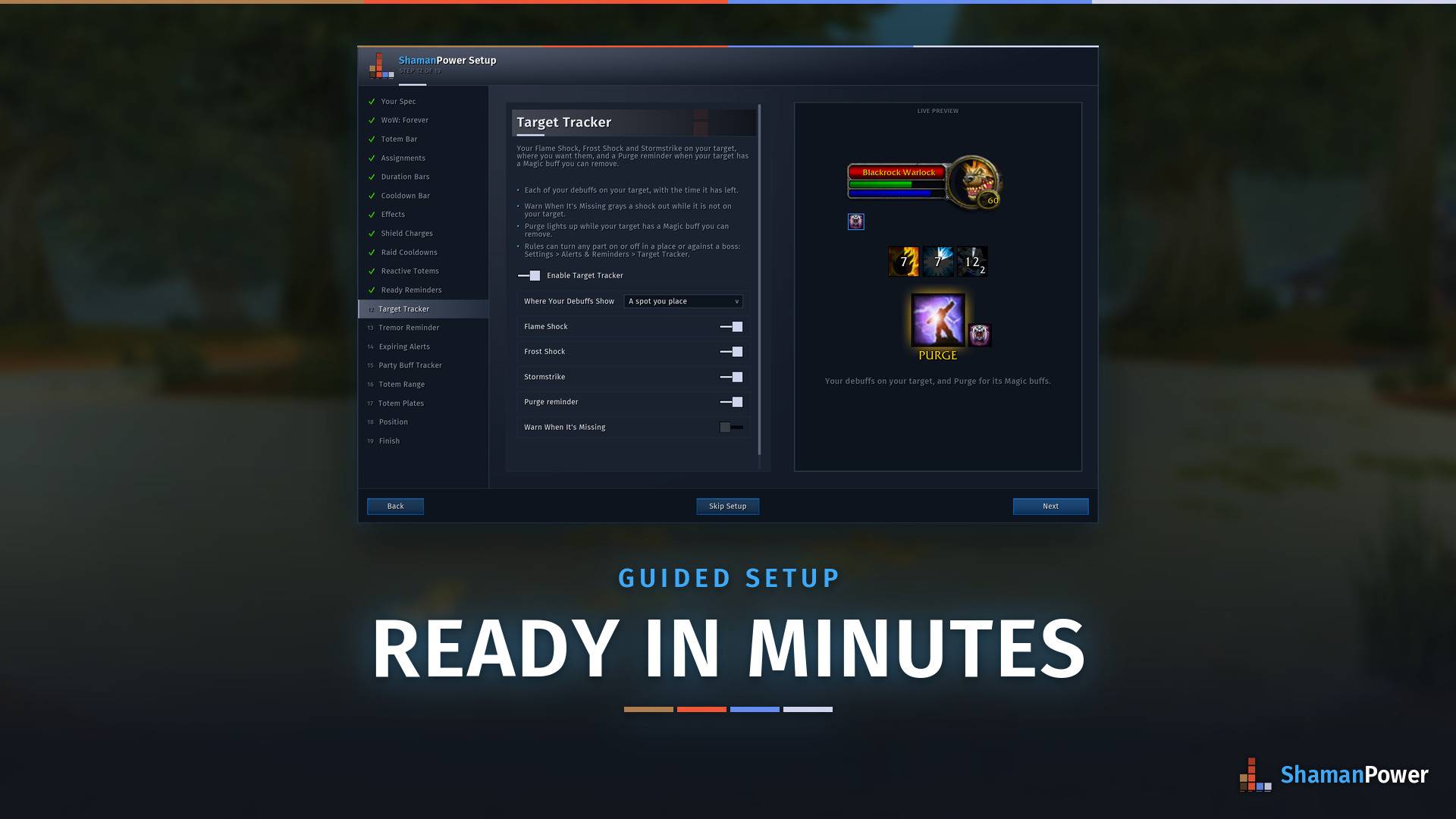
The setup tour walks you through every feature with a live, animated preview and its options right there. Or apply Srumar's Layout in one click and just move things into place.
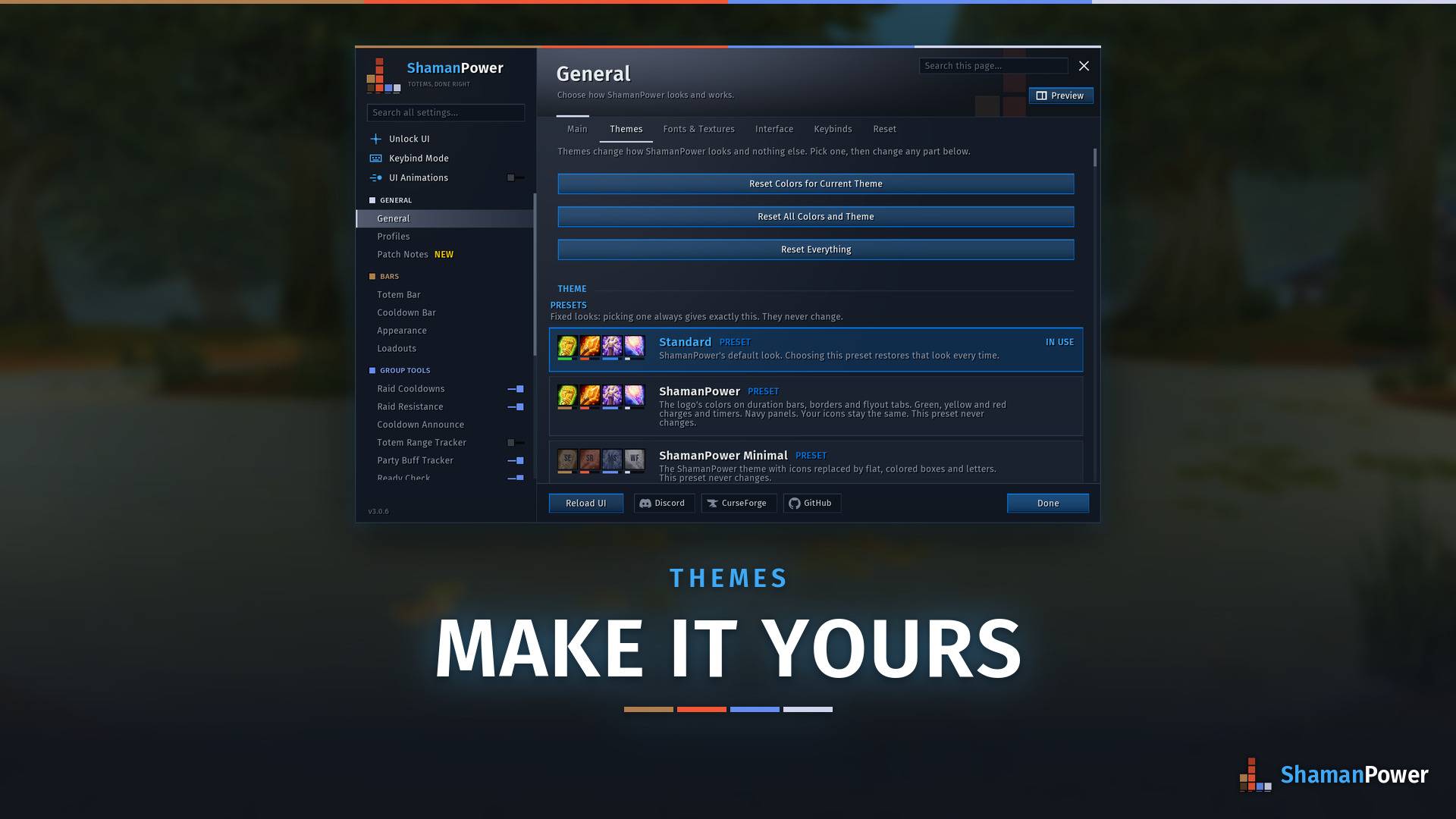
One searchable settings window for everything, with a live preview of every page. Pick your bar style, fonts, colors and layout, and switch any module on or off right from the sidebar.
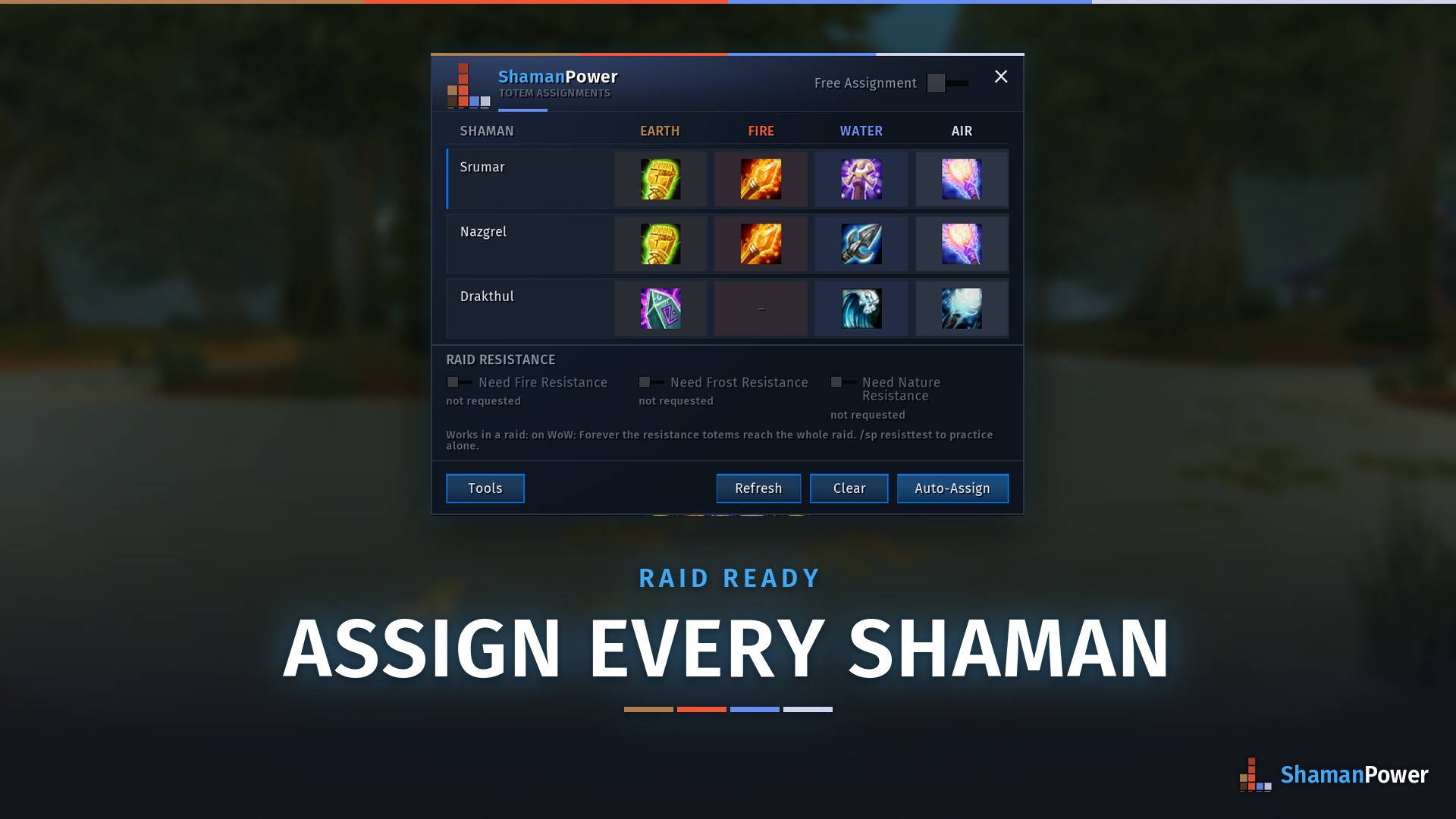
Assign totems for every shaman in your group or raid from one window, or let Auto-Assign do it for you.
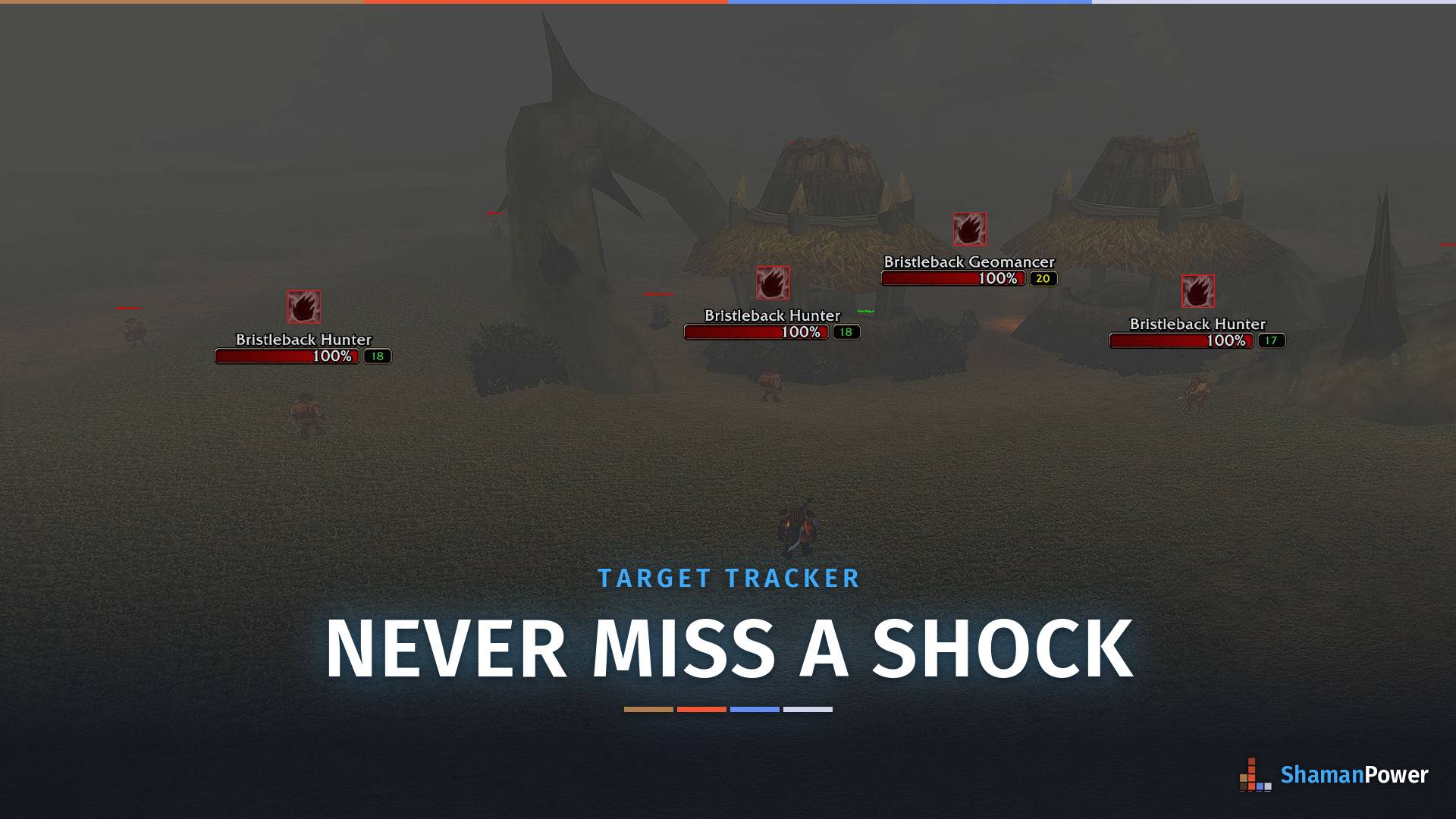
Your Flame Shock on every enemy's nameplate. A red edge means it's missing, so you can see at a glance which mobs still need one. It also tracks Frost Shock, Stormstrike and Purge.
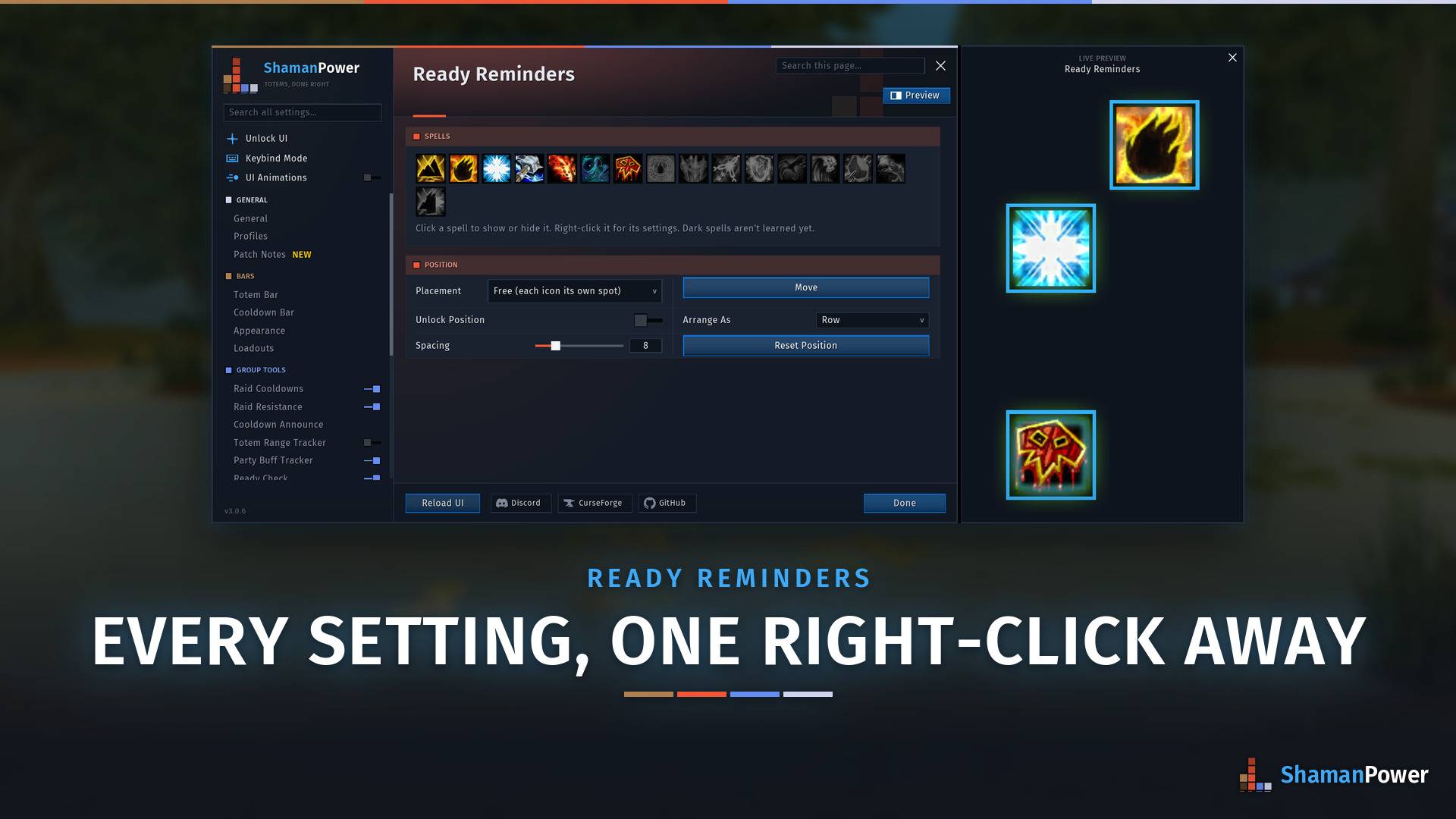
Place an icon for any spell and see it the moment it's ready. Every setting is in each icon's right-click menu, with Out of Range, Ready Flash and a sound per icon, and the live preview shows your changes as you make them.
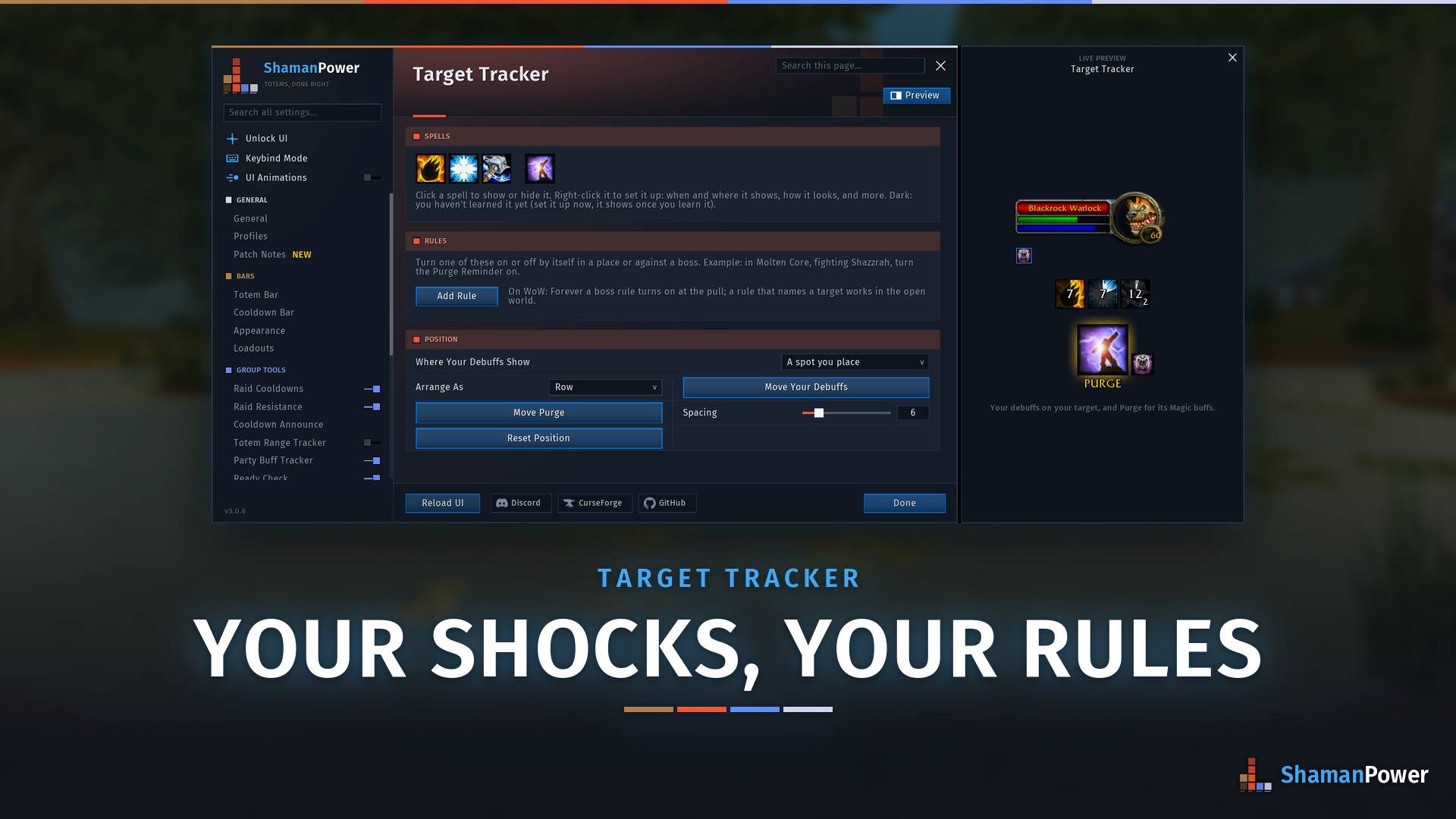
Pick which shocks to track and where they show: a spot you place, your target's nameplate or under the target frame. Add rules that turn any part on or off in a place or against a boss. The live preview shows your debuffs and Purge on a target.
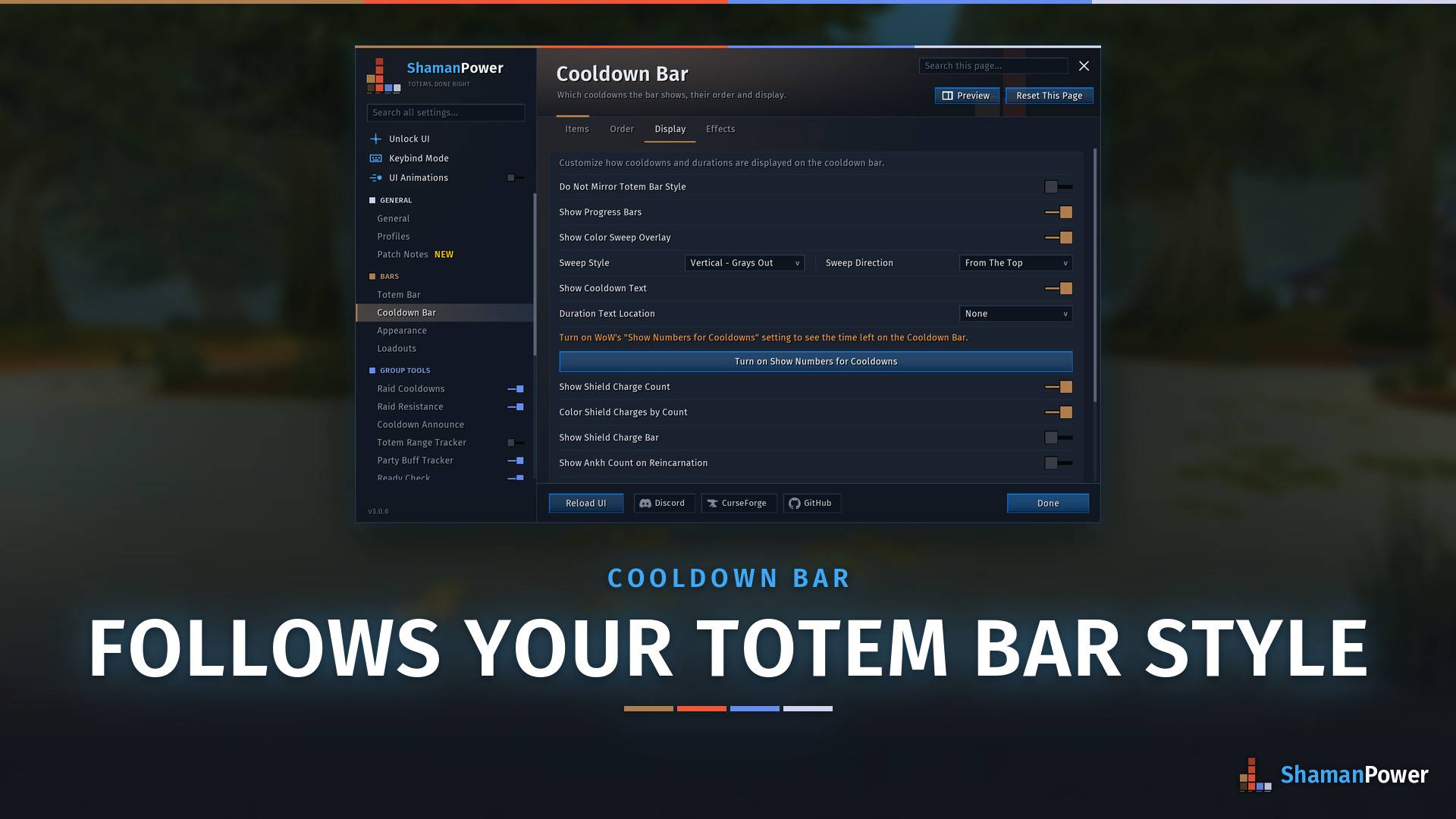
The cooldown bar's shield and imbue buttons work the way your totems do in your style: Normal, TotemTimers, Single, Dynamic or Grid. Turn on Do Not Mirror Totem Bar Style to pick a different one.
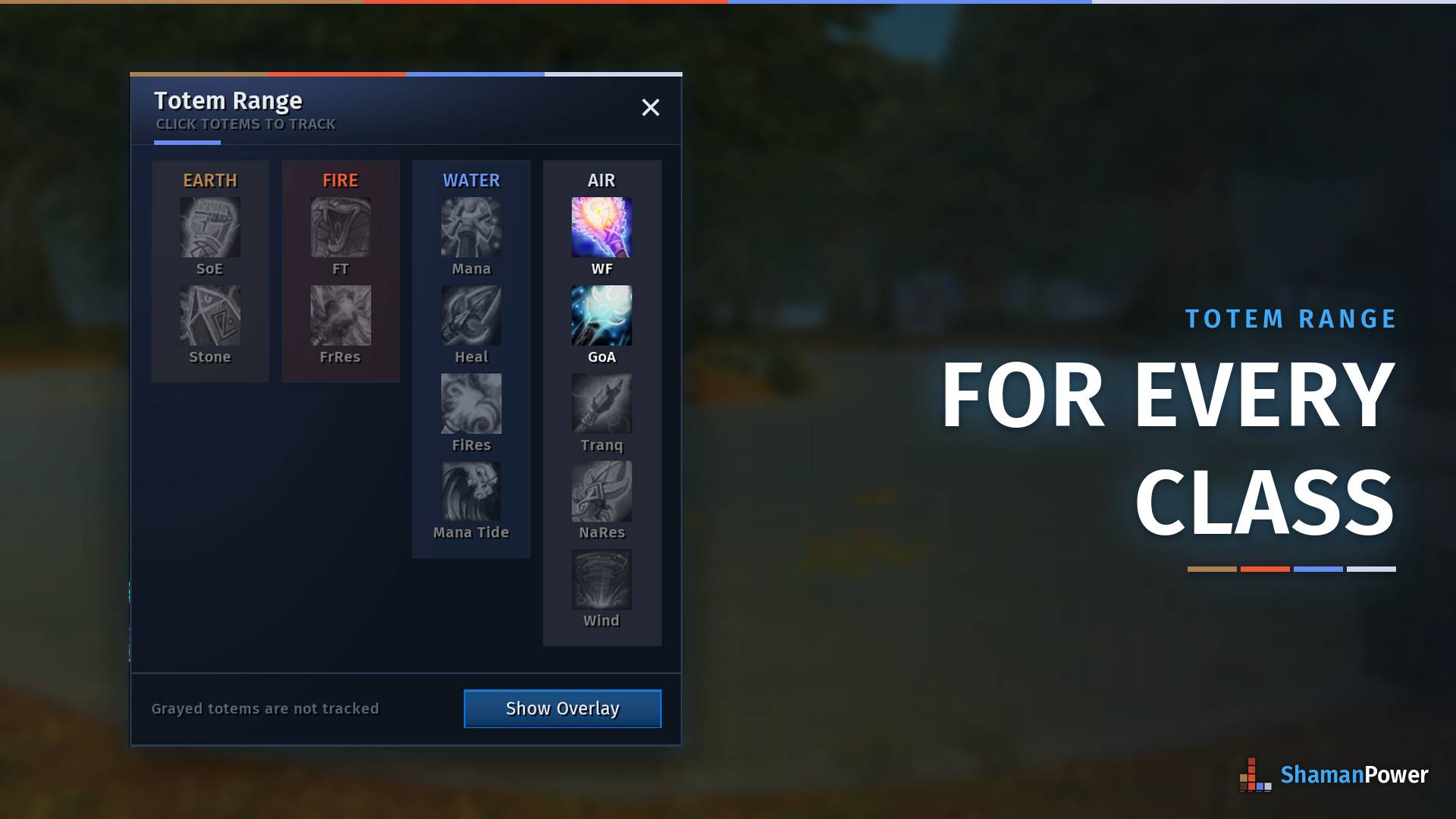
Any class can track the shaman totems they care about: green when you are in range, red when you are not, gray when nobody has it down. It shows up on its own when you group with a shaman.
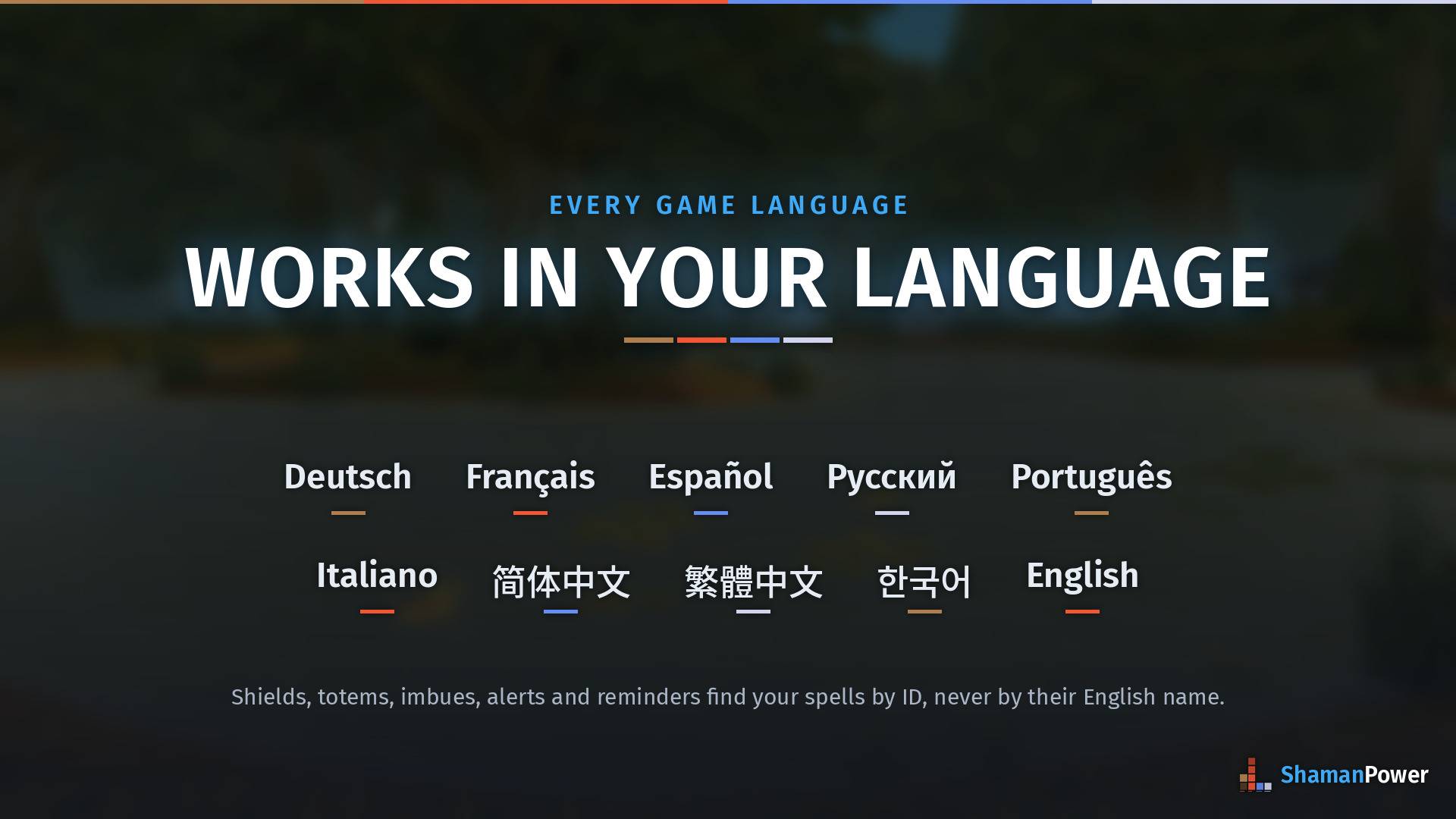
Shields, totems, imbues, alerts and reminders work in German, French, Spanish, Russian, Portuguese, Italian, Chinese and Korean. ShamanPower finds your spells by their ID, never their English name.
Description
ShamanPower
Now on WoW: Forever and TBC Anniversary, from one download.
All-in-one totem management, cooldown tracking and raid coordination for Shamans, with a guided setup that shows you every feature working before you turn it on.
One compact, powerful interface for your totems, your cooldowns and your raid's big moments, instead of a pile of separate addons.
Questions, bugs or ideas? Join the ShamanPower Discord: help with setup, bug reports straight to the developer, feature voting and early builds.
Why ShamanPower?
One bar, everything you need
- Drop all four totems with one button or keybind
- See every totem's duration, pulse timer and cooldown at a glance, in combat too
- Track your shield, weapon imbues, Ankh, Nature's Swiftness, Mana Tide and more on one cooldown bar
- Know exactly which party members your totems reach, and who is missing your buff
- Save totem loadouts and switch in one click, or let ShamanPower switch for you by zone, target or boss
For the raid
- Assign every shaman's totems from one window, synced to everyone running the addon
- Call Mana Tide (and Bloodlust / Heroism and Drums of Battle on Anniversary) with assigned callers: callers can be any class
- Ask for raid-wide Fire, Frost or Nature Resistance and ShamanPower picks the shaman whose group loses least (WoW: Forever)
- Non-shamans get a Totem Range overlay showing which totem buffs they are inside
Set up in minutes
- Guided setup (
/spsetup): pick your spec and walk through every feature with a live, animated preview and its options right there - Srumar's Layout in one click: a complete, ready-made setup for your game, then move everything into place
- Settings window (
/sp): everything in one searchable window with a live preview of every page - Share a setup: export your profile as a string, or import someone else's live
Features
Totem Bar
- Six styles: Normal, TotemTimers Style (dropped totem big, assigned in the corner), Dynamic for PvP (the bar becomes whatever you last dropped), Compact (a colored line per element), Grid (every totem visible at once), and on WoW: Forever, Blizzard's own totem bar with ShamanPower's timers and dots on its slots
- Flyouts: hover for every totem of that element; click to drop, right-click to assign
- Duration bars, pulse timers and cooldowns: see exactly how long each totem has left and when it ticks next
- Drop All: cast every assigned totem in sequence, with per-element exclusions
- Fade rules: hide or fade the bar out of combat, and bring it back when you target something
- Every style keeps its own spot, and nothing hides behind the flyout arrows mid-fight
Cooldown Bar
- Shield button with charge count and a flyout for Lightning or Water Shield
- Weapon imbue flyout for both hands
- Ankh, Nature's Swiftness, Mana Tide, Shamanistic Rage, Elemental Mastery, Totemic Call and more
- Progress bars, sweeps and time text; every item can be turned off or reordered, and the bar floats free of the totem bar
Loadouts
- Save up to 8 totem loadouts and switch from the on-screen loadout bar, its flyout, or one click to cycle
- Auto-Switch: pick a loadout for raids, dungeons, battlegrounds and the open world, or add rules like an equipment manager (Blackwing Lair + Firemaw = Fire Resist). Never switches mid-fight
- Totem sets on WoW: Forever: Call of the Elements, Ancestors and Spirits stay in step with your loadouts
Party Buff Tracker
- A dot per party member on each totem: class-colored when your buff is on them, red when out of range, or a count, or both
- Totem Coverage (WoW: Forever): the names of the party members who do not have your buff, right under the totem
Ready Reminders
- Placeable icons that light up the moment a spell comes off cooldown: shocks, Stormstrike, Lava Burst, Riptide, Nature's Swiftness, Mana Tide, Grounding, Earthbind and more
- Show only when ready, always, or dimmed with a countdown
Raid Tools
- Raid Cooldowns (
/spraid): assign who uses Mana Tide (and Bloodlust / Heroism and Drums of Battle on Anniversary) and who calls it. One press and the assigned player gets a big alert with sound - Raid Resistance (WoW: Forever): tick a resistance and the right shaman is asked to drop it
- Cooldown Announce: tell your group when you use Mana Tide and shortly before it is back, and answer "tide" in chat
- Ready Check sweep: on a ready check, see what you are missing: shield, imbue, totem items, totems not down, low mana
Totem Range (/sprange)
- For all classes: green, red or gray per totem: in range, out of range, or nobody has it down
- Appears on its own when you group with a Shaman; pick which totems to track
Windfury Tracking
- Your Air slot counts which of your melee have Windfury and whether they are in range
- Your melee just install ShamanPower and pick Windfury-only mode: one button, no windows, bars or icons, only a quiet report to their shaman
- On TBC Anniversary, melee who do not run ShamanPower can use the Windfury Companion WeakAura instead (the string and wago.io link are in Settings)
Alerts and Reminders
- Expiring Alerts: a shield runs out, a totem is destroyed or expires, a weapon imbue fades: icon, text or both, with a sound per alert
- Reactive Totems: a big totem icon when party members are feared, poisoned or diseased, telling you which totem fixes it
- Tremor Reminder: shows Tremor Totem when you target a known fear caster, before anyone gets feared. 40+ mobs built in, plus your own
- Shield Charges: big on-screen numbers for your shield that turn yellow, then red, as they run low
- Trainer Reminder (WoW: Forever): what is waiting at your trainer when you level up
Totem Plates (optional module)
- Enemy totem nameplates replaced with their spell icons, so Grounding, Tremor or Windfury totems stand out in battlegrounds and arena, with a pulse countdown. Works for any class
Look and Feel
- Pick the font, outline and bar texture for everything, or per element: timers, shield charges, alerts and names. Ten bundled fonts and seven alert sounds, plus anything shared through LibSharedMedia
- Element colors (ShamanPower classic, Blizzard's totem bar colors, or your own), mana tint on buttons you cannot afford, and a clean frameless look out of the box
Built to stay out of your way
- Unlock UI (
/sp unlock): a labelled box on every frame ShamanPower draws, drag anything anywhere, snap to a grid - Keybind Mode (
/sp bind): hover any ShamanPower button and press a key - Enable ShamanPower: one switch turns the whole addon off (and Blizzard's totem bar comes back); the minimap icon turns it back on
- Built for 40-player raids: near-zero idle CPU, and animations run on the game engine instead of every frame
WoW: Forever and TBC Anniversary
One download works in both games. A few features belong to one game only:
| Feature | WoW: Forever | TBC Anniversary |
|---|---|---|
| Blizzard's totem bar as a style, totem sets | Yes | - |
| Totem Coverage, minimap totem markers | Yes | - |
| Raid Resistance requests, Trainer Reminder | Yes | - |
| Totem twisting | - | Yes |
| Earth Shield tracker and assignments | - | Yes |
| Bloodlust / Heroism and Drums of Battle calls | - | Yes |
| Windfury reports from melee running ShamanPower (Windfury-only mode) | Yes | Yes |
| Windfury Companion (WeakAura for melee without ShamanPower) | - | Yes |
| Everything else | Yes | Yes |
On WoW: Forever, where the game hides combat data from addons, the game itself draws ShamanPower's totem timers, party dots, alerts and cooldown sweeps, so they keep working in combat.
Slash Commands
| Command | What it does |
|---|---|
/sp |
Settings window |
/sp totems (or /spa) |
Totem assignments |
/spsetup |
Guided setup |
/sp unlock |
Move every frame |
/sp bind |
Keybind Mode |
/sp check |
What you are missing (shield, imbue, totem items) |
/sp share |
Your setup code for the Discord |
/spraid |
Raid cooldown assignments |
/sprange |
Totem range overlay |
/spl <name> |
Switch totem loadout |
/sptremor add <name> |
Add a mob to the Tremor Reminder |
Credits
ShamanPower started life as a shaman adaptation of https://www.curseforge.com/wow/addons/pallypower and has since been rewritten from the ground up. By taubut.
ShamanPower Team

Owner