


1.png
2.png
Description
Description
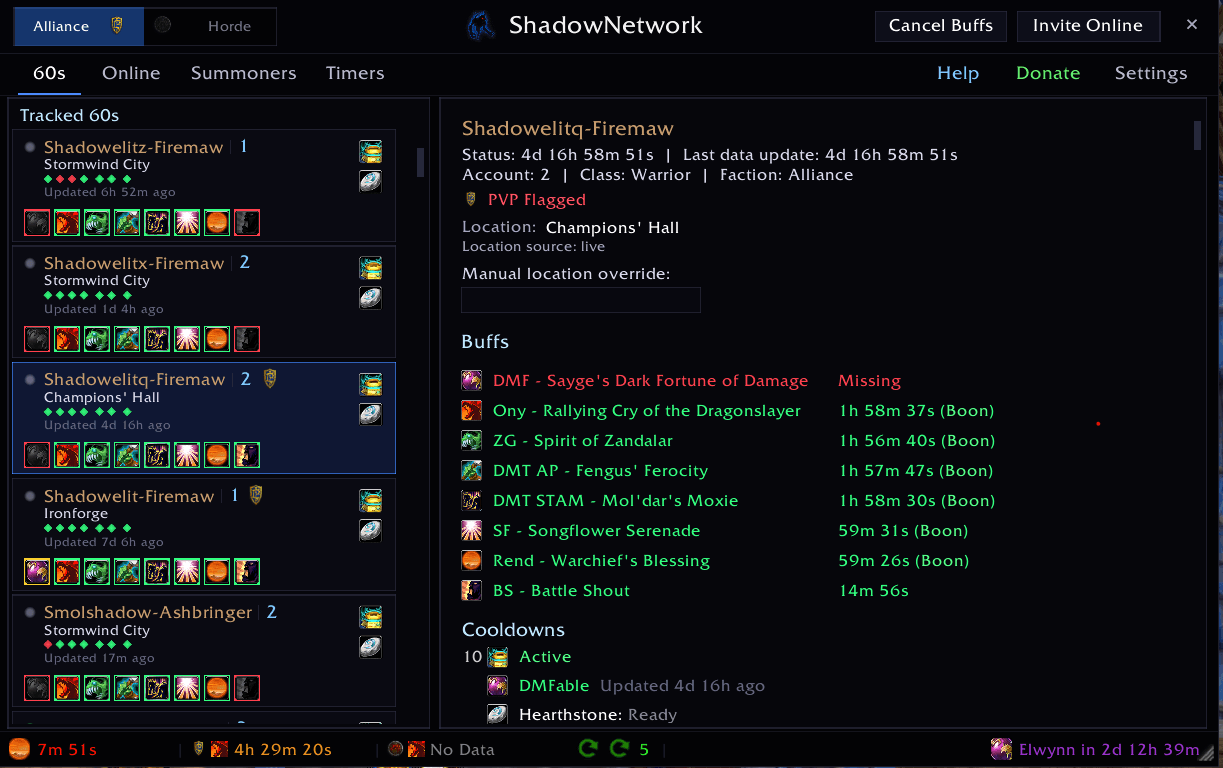
ShadowNetwork — Real-time mesh networking between your WoW Classic Era characters. One shared view of who's online, who has which world buffs, what's on cooldown, and what just popped — across every account in your mesh.
Setup reminder
Two-minute setup if you're new:
- Install on every account/character you want in the mesh
- Give each account a unique Account ID in Settings > General
- Open Settings (
/.) → Mesh tab - Set the same Channel name and Token across all your accounts and Enable
- Log out and back in once on each character
The in-game Help tab has the full walkthrough, troubleshooting, slash commands, and a Discord invite.
If your accounts don't see each other after setup, give them a full relog (not just /reload) — there's a known fresh-install discovery edge case where the initial channel-join handshake can miss.
What it does
- Mesh sync — Up to 8 accounts share state continuously. See your whole crew's character list, online status, world buffs, raid lockouts, and class roles in one dashboard
- World buff timers — Rend / Onyxia / Nefarian / songflower / tuber. Cooperates with NovaWorldBuffs, DBM, and other ShadowNetwork installs — pulls timer data from all three
- Pull timer broadcasts — Yells and buff drops fire real-time bars across the mesh, in-guild and cross-guild
- Auto-quest turn-ins — Mau'ari E'ko, Vinchaxa (ZG coins), Rin'wosho (zanza), Bloodmage Drazial (R.O.I.D.S.). Opt-in per quest, Shift to skip
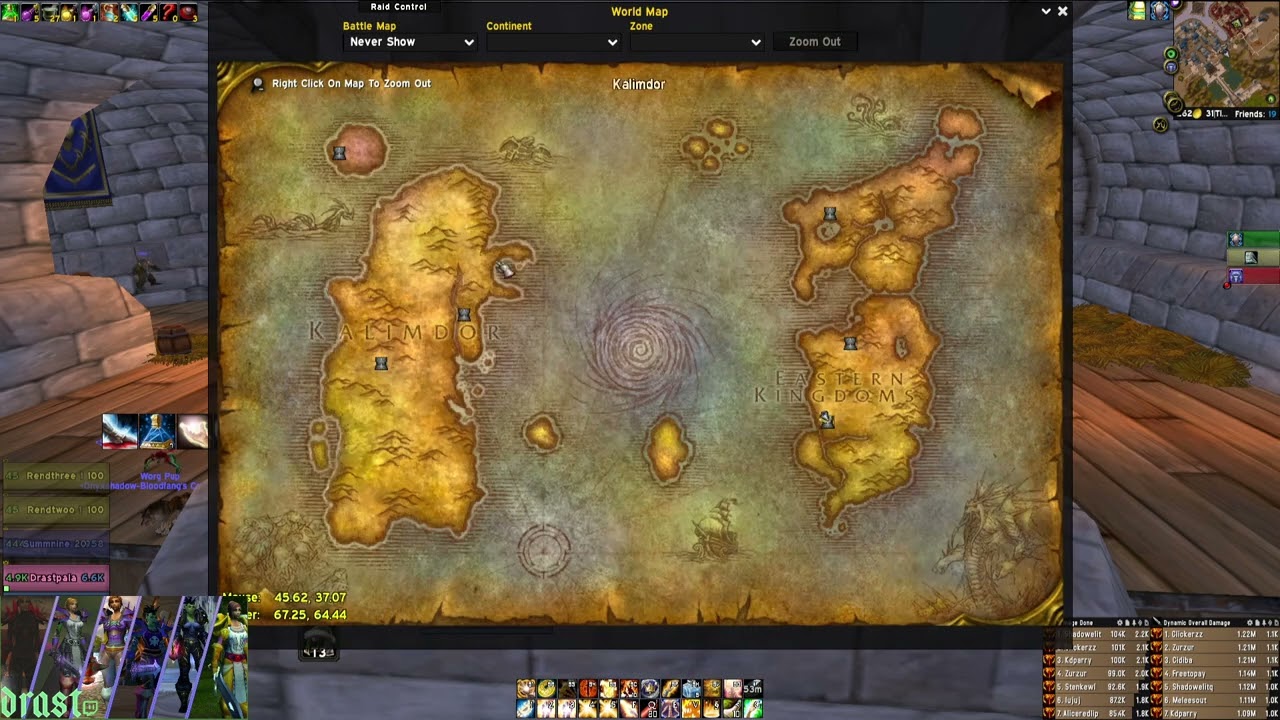
- Songflower / tuber map pins — Live cooldown overlays on world map and minimap, with respawn times in the tooltip
- Auto-summon — Detects pending summon on your alts and accepts on the right character
Tabs at a glance
- Tracked — every character in your mesh, their current buffs, raid lockouts, online status
- Online — just the characters online right now
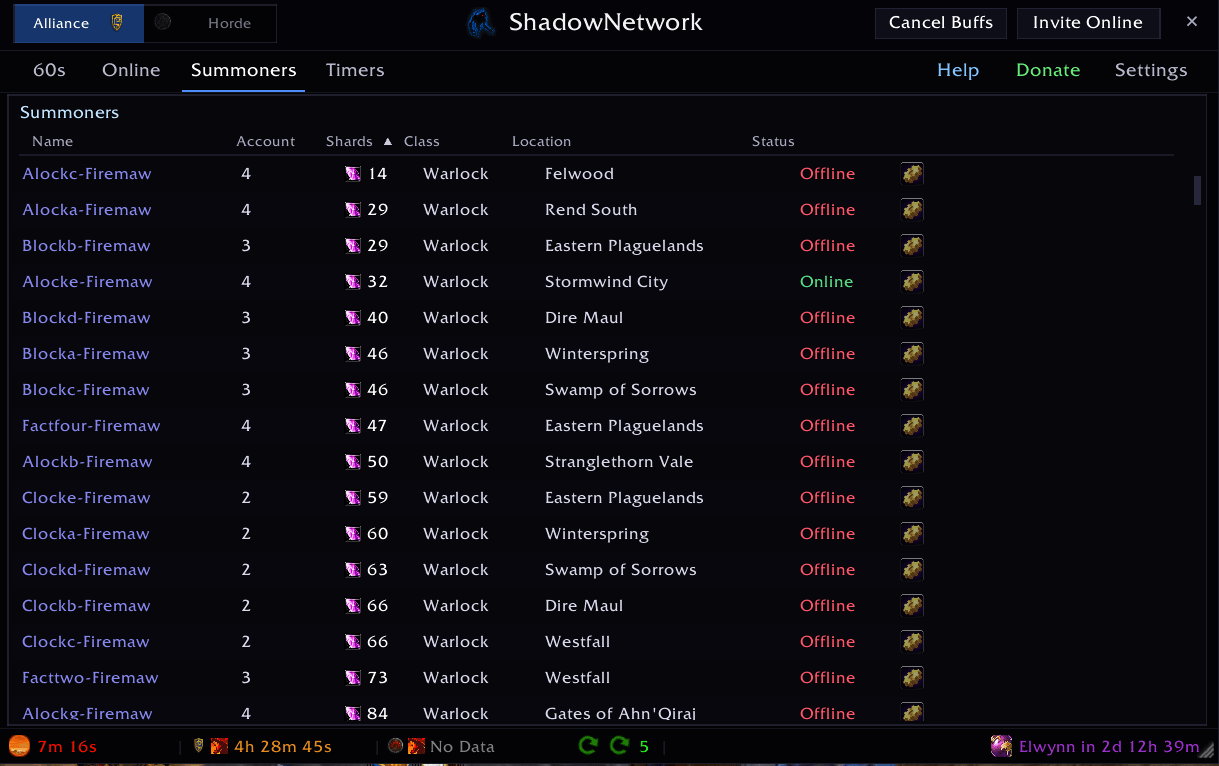
- Summoners — warlocks in your mesh, who's ready to summon, who's pending one
- Auto — toggles for auto-quest turn-ins (per-quest opt-in)
- Timers — world buff CDs (rend, ony, songflowers, tubers)
- Settings — Mesh / Accounts / Blacklist / Timers / Auras / Pull Timers / Notifications subtabs
- Help — full in-game walkthrough; this is where the detailed guide lives
Where to get help
- In-game: Settings > Help — full guide with setup walkthrough, all slash commands, every tab explained, troubleshooting, Discord invite
- Discord: link in the in-game Help tab — fastest path for questions
- Slash commands:
/.→ list of subcommands
ShadowNetwork Team
