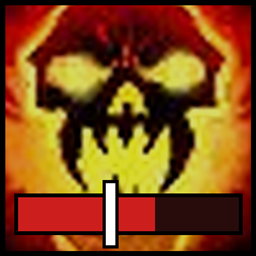
One command, fully* customizable: type /swp to open addon config options
Another vibe-coded project for WoW Forever, this time to answer a key question mid-pull: do I have Shadow Word: Pain on everything?
This addon shows a Shadow Word: Pain icon with a counter, e.g. 4/5, counting how many of the enemies you're in combat with already have already been dotted by YOU. The text can also change color when you've dotted all available mobs.
The counter reads the enemy nameplates around you, and also remembers your own Pain casts to catch any moments the game doesn't show debuffs (quick camera swings, Z-axis bugs, etc).
If you have an idea of how to further improve the addon, please reach out to me on Discord at Octyttv or in-game at Octy Sp (EU PVE)
Features:
- SW:P Counter: dotted / total mobs, e.g. 4/5. Can also be set to only show the dotted or missing count
- Only counts your own SW:P: other priests' dots don't count
- Colour change at 100% (green by default), and optionally at 0%
- Choose which mobs count: in combat with you, in combat with anyone, or every visible enemy
- Options to ignore totems and non-elite enemies
- Option to only show in pulls >X mobs: hide the icon until a pull is big enough to care
- Freely movable icon with a lock option, adjustable size, opacity, border and text position
- Option to desaturate icon when no mob is dotted
- Load options: choose where it runs (open world, dungeons, raids, battlegrounds, scenarios) and how you're playing (solo, party, raid group)
- Holds up in real fights: keeps count even thru fast camera swings
Compatibility:
- Works with Blizzard's default nameplates: enemy nameplates must be turned on, since only mobs with a visible nameplate can be counted
- Priest-only: stays fully off on other classes
- Lightweight design: event-driven and rate-limited, and switches itself off completely out of combat and in zones you've disabled
- Optional: uses DoesItDie's tracking as an extra back-up source when it's installed (not a strict dependency)
Commands:
| Command | What it does |
|---|---|
/swp |
Open the options window (also /swp options or /swp config) |
/swpcounter |
Same as /swp |
/swp lock |
Lock the icon in place |
/swp unlock |
Unlock the icon so you can drag it |
/swp reset |
Move the icon back to the middle of the screen |
/swp probe |
Print what the game lets the addon read (run it during a fight) |
/swp debug |
Toggle debug messages in chat |
/swp help |
List all commands in chat |
Check out DoesItDie - the team there was the inspiration for these mini-projects!
Shadow Word: Pain Counter Team