SetGo!
- By
SetGo! makes setting up a new character easier and switching layouts faster.
Save your Edit Mode layout, action bars, Blizzard frames, settings and keybinds into profiles, then switch between them with a click. Built only with Blizzard's own art, fonts and systems, so it looks and feels like part of the game.
Profiles
Create up to six profiles: one for questing, one for raiding, one with a classic look. Each profile keeps:
- your Edit Mode layout
- which action bars are shown
- which Blizzard frames appear
- your module options
Pick a profile, press Apply, and your whole screen changes.
Profiles can be exported and imported, so you can share your layout with friends or bring it to another account.
Set and Forget
For each of these, choose Global (one set shared by every profile that uses it) or Profile (its own set):
- Character settings: no more going through every Blizzard option on each new character.
- Keybinds: different layout, different keys.
- Action bars: your spells and items, back on the bars when you switch profile.
SetGo! saves your changes automatically as you make them in the Blizzard menus.
Quick Menu
The settings you change all the time, one click away. Click the minimap button to change nameplates, NPC names, volume and music without opening the game options.
Shift+click opens SetGo!. Right click opens the menu.
Modules
Small additions that feel like Blizzard made them. Turn each one on or off in the Modules tab.
Fetch!
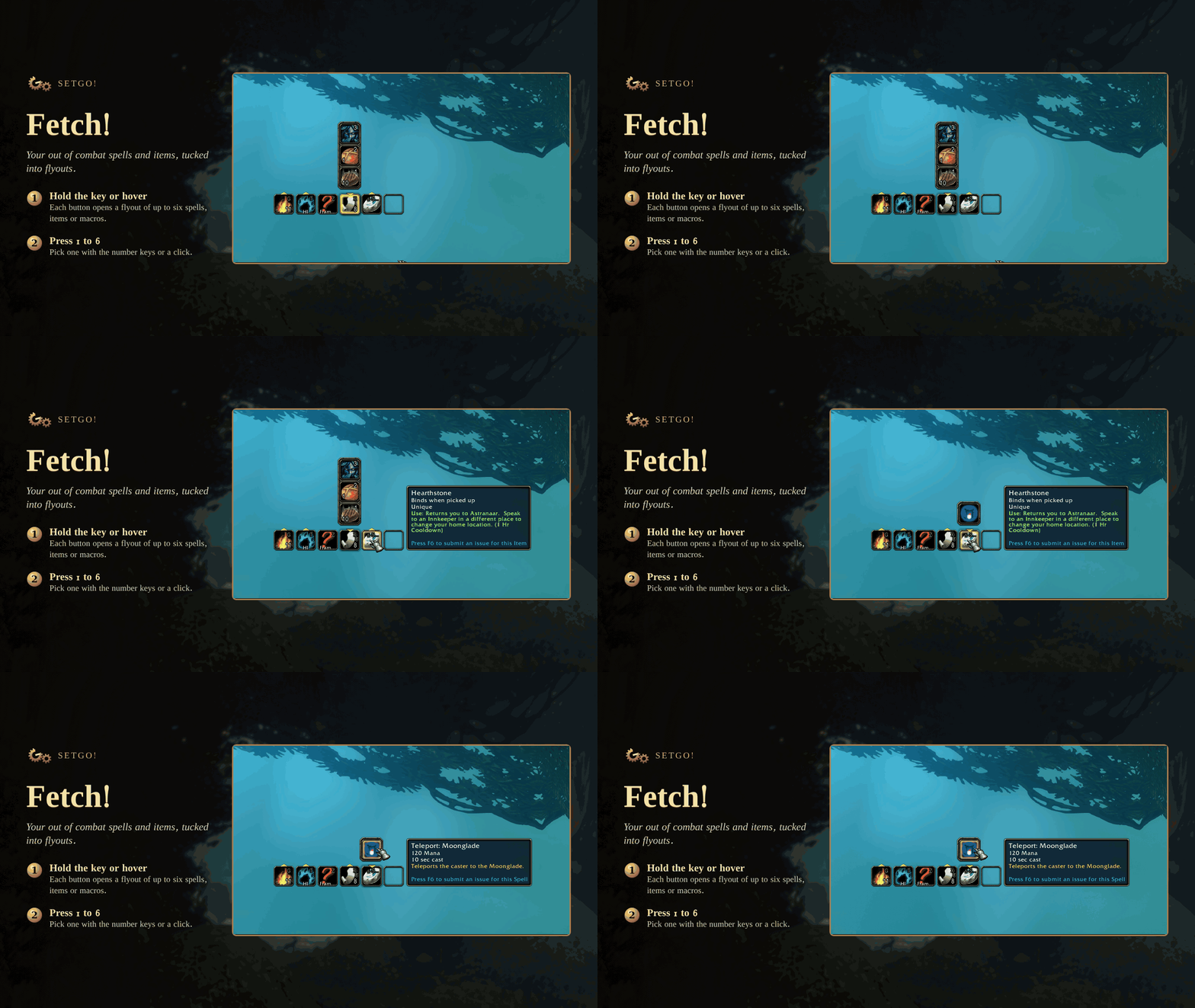
An action bar with flyouts for your out of combat spells, items and macros. Hold the key or hover a button to open its flyout, then press 1 to 6 or click.
Look!
Mouselook at the press of a key, with a dot in the middle of the screen. Made for relaxed questing.
Speak!
A cleaner chat in the style of the modern interface, with two themes made from Blizzard's own art.
Hide!
Hide Blizzard frames with macro conditions: always, in combat, out of combat, mounted, while holding a key and more. See only what you need.
Getting started
- Install and log in. The guide opens on your first character and walks you through your first profile.
- Open SetGo! any time with Shift+click on the minimap button.
- Type
/setgo guideto see the guide again.
Good to know
- What an export includes: name, icon, layout, which bars and frames are shown, and module options. Character settings, keybinds and action bar contents always stay with you.
- Reloads: only when a profile changes character settings, and always through a Blizzard confirmation.
- Languages: English and Portuguese.
Feedback
Found a bug or have an idea? Leave a comment or open an issue on GitHub.
*SetGo! was coded using Claude Oppus 5.5
SetGo! Team