Sentry: Addon Lag & Error Finder
- By
Which addon is slowing your game down? Sentry tells you.
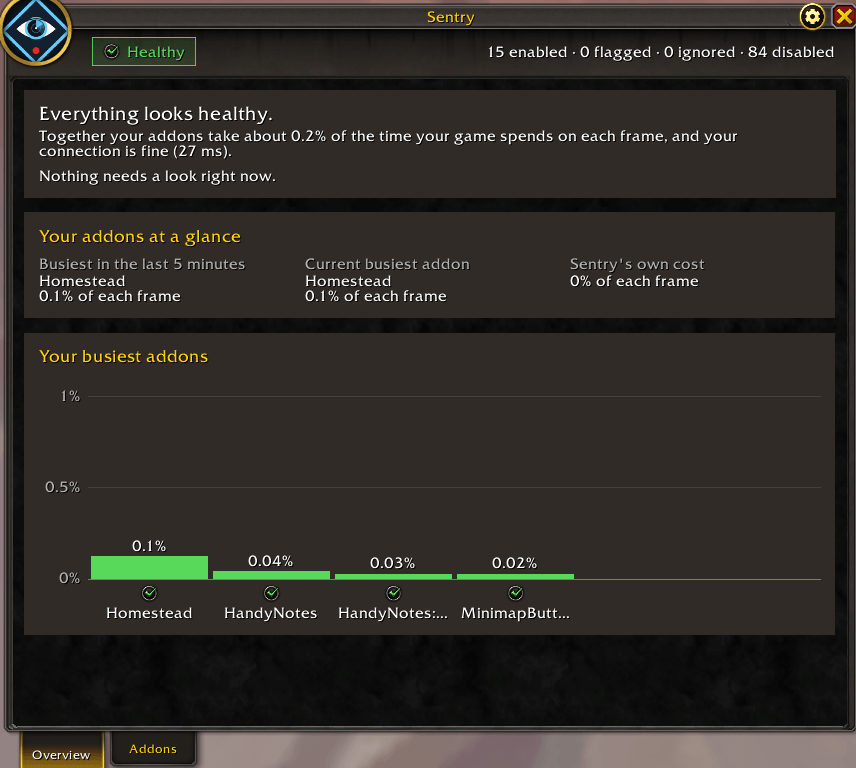
Sentry shows the status of your enabled addons, and shows the top 6 most active via graphs at the bottom.
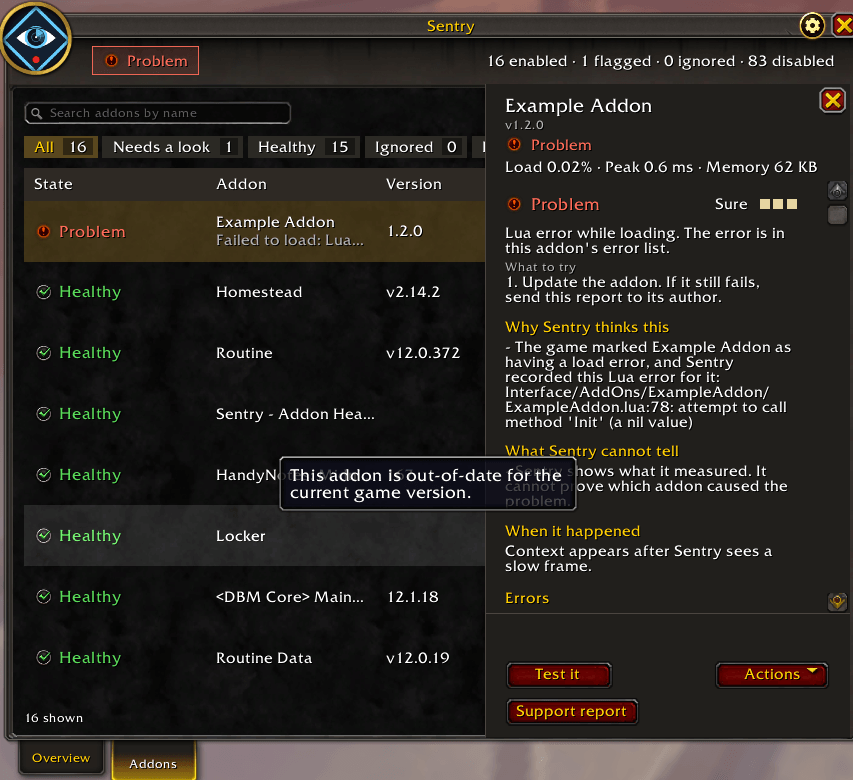
Sentry gives a detailed breakdown of the problem, including Lua errors (if any) and more
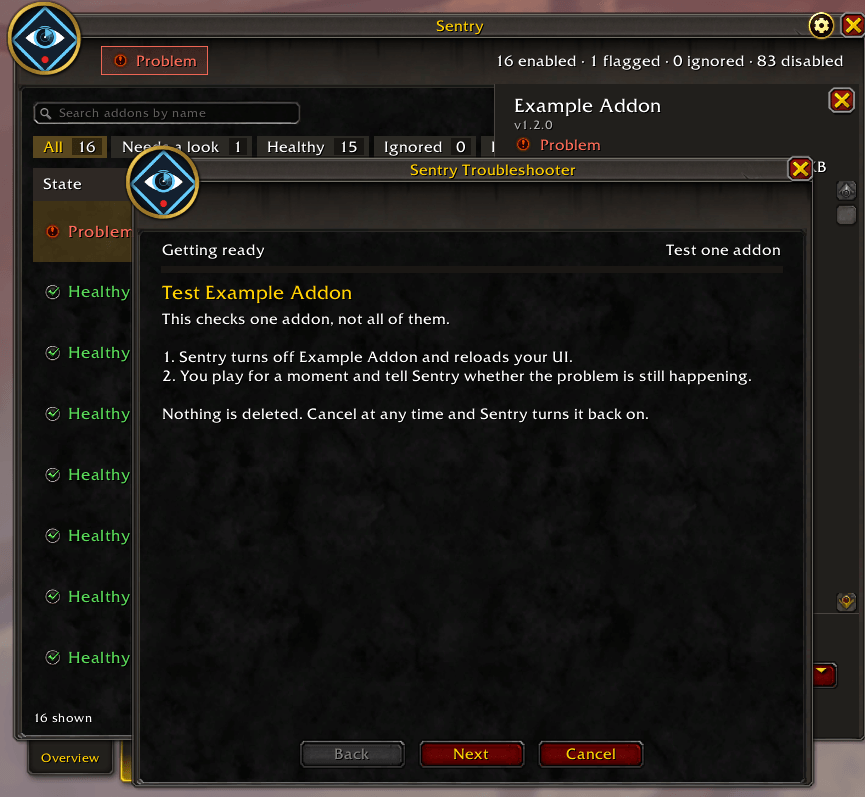
Sentry helps you determine if the addon is causing your issue
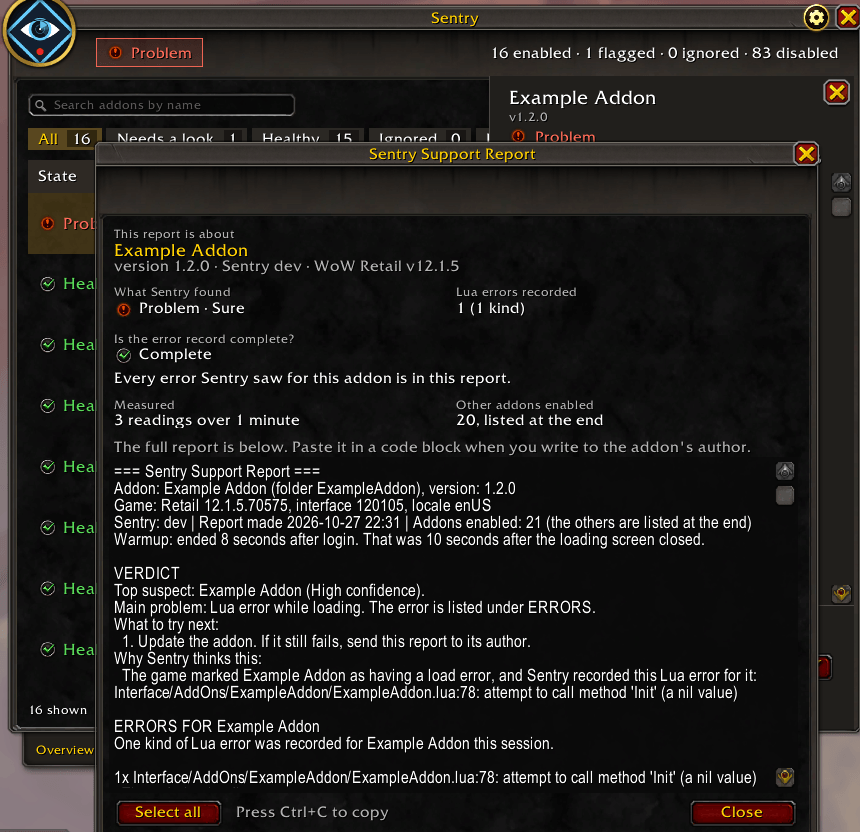
Click support and Sentry provides a report you can share with the addon author!
Description
What is Sentry?
You know how the game sometimes starts to stutter, especially in a raid or a busy city, and you can't tell whether it's your computer, your internet, or one of your addons? Sentry answers that for you.
It sits quietly in the background and keeps an eye on your other addons. If one of them starts causing those little freezes, or keeps throwing errors, Sentry tells you which one. It won't make the game faster. It points you at the culprit.
Why use it?
- Because the usual fix is the one everyone hates: turn off all your addons, turn them back on one at a time, and play for a while after each. Sentry does most of that detective work while you just play.
- It only speaks up when something is really wrong. It starts from the same line Blizzard's own addon performance warning uses, then waits to see it keep happening for at least a minute. One hiccup on a loading screen doesn't count.
- It tells a hiccup from a problem. An addon that stuttered once when you opened your bags gets a mild note. One that keeps doing it gets a clear "this one is the problem".
- It gives you something to hand the addon's author. A short report: which addon, how bad, how often, any errors, and what you were doing at the time.
- It can run the test for you. Click Troubleshoot in the Sentry window and it narrows the problem down to one addon, or use Test it on the one you suspect. It turns everything back on when you're done.
Do I need to set anything up?
No. Install it, log in, play. Click the Sentry icon by your minimap if you want to look. If nothing's wrong, you'll forget it's there.
Will it slow my game down?
That was rule one. It takes a reading every 30 seconds, stops checking while you're in combat, and watches itself too, so if Sentry is ever the one costing you frames it'll say so.
What about my graphics card or CPU?
Addons can only see what the game shows them: how long each addon took, memory use, your frame rate and your connection to the server. Sentry can't see your graphics card or CPU. What it can do is tell you when the stutter is NOT an addon, like when no addon is taking real time or your connection is in the red.
If something reads wrong or looks wrong, tell me in the comments.
Sentry: Addon Lag & Error Finder Team

Owner