Sentinel CDM
- By
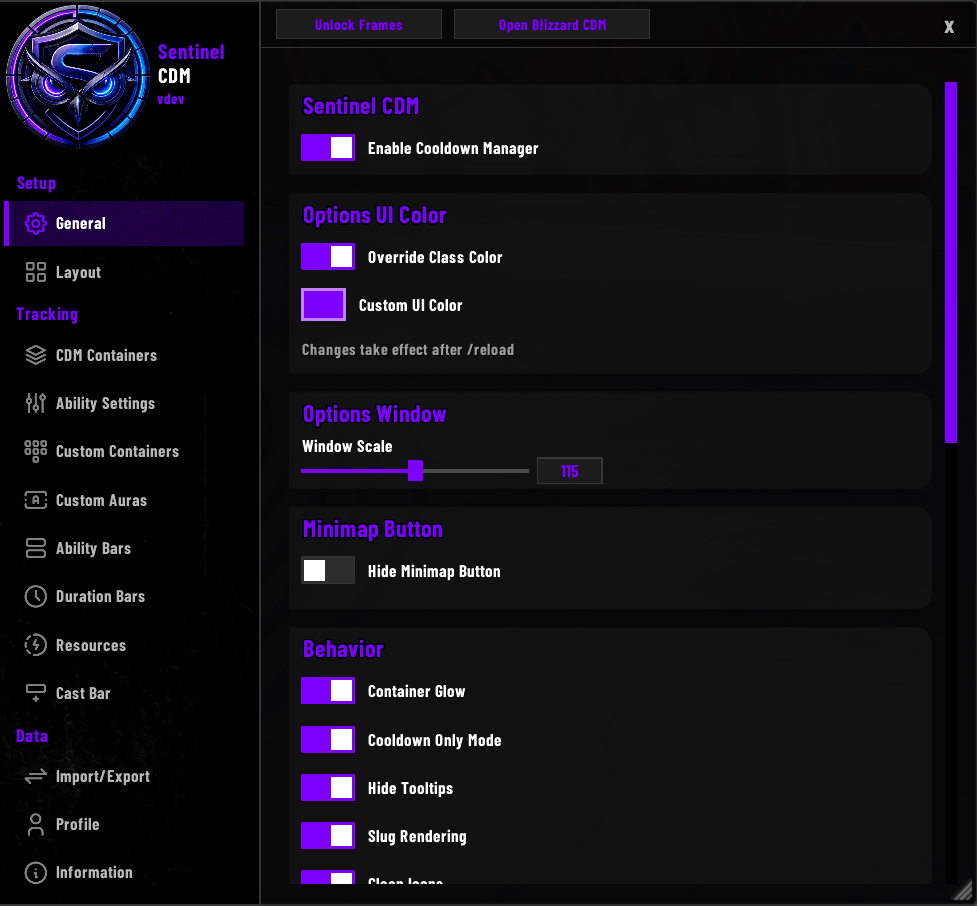
Sentinel CDM is a standalone enhancement for Blizzard's built-in Cooldown Manager. It reparents the Cooldown Manager into fully customizable containers and adds extra trackers on top.
General.png
Layout.png
CDM Containers.png
Ability Settings 2.png
Ability Settings 1.png
Description
Sentinel CDM
Sentinel CDM takes Blizzard's Cooldown Manager and makes it yours. Every frame can be sized, styled, and positioned freely, and a set of optional trackers fills in the gaps the default UI leaves behind. Everything works the same in the open world, Mythic+, and rated PvP. No companion addon required - Sentinel CDM runs on its own.
CDM Containers
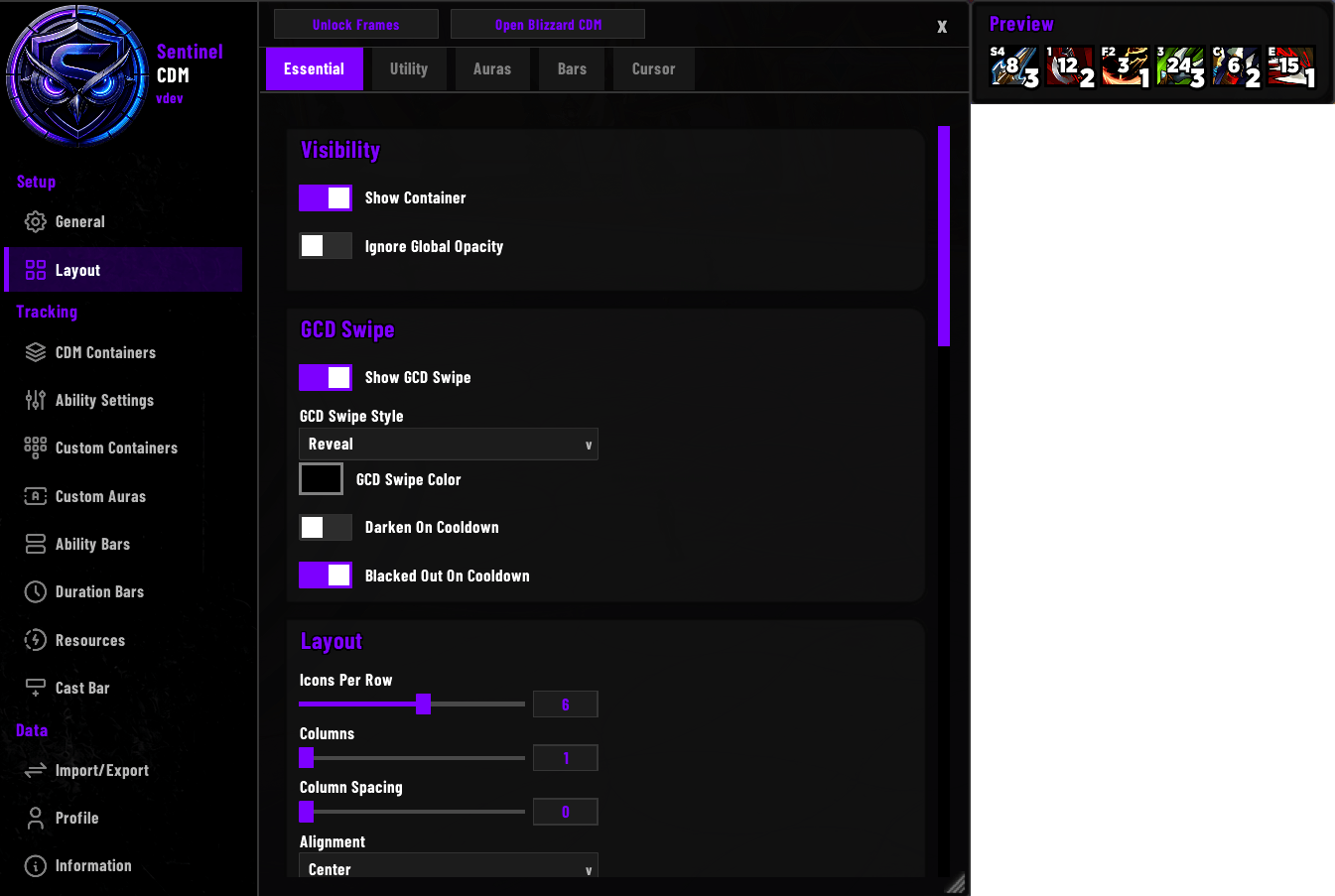
Hosts Blizzard's Cooldown Manager inside four containers: Essential and Utility for your tracked cooldowns, Auras for Blizzard's Tracked Buffs shown as icons, and Bars for Blizzard's Tracked Bars shown as status bars. Each one is sized, spaced, and positioned on its own Layout page, which also controls its icon appearance - size, borders, cooldown swipe, and text.
A container can be set to match the width of the frame it is anchored to, so a row of icons lines up exactly with your cast bar or resource bar. There is also a Cursor display that pins a set of cooldowns to your mouse pointer and follows it around the screen, with a choice of which edge attaches, an offset, and an optional combat-only mode with linger time.
CDM Bars
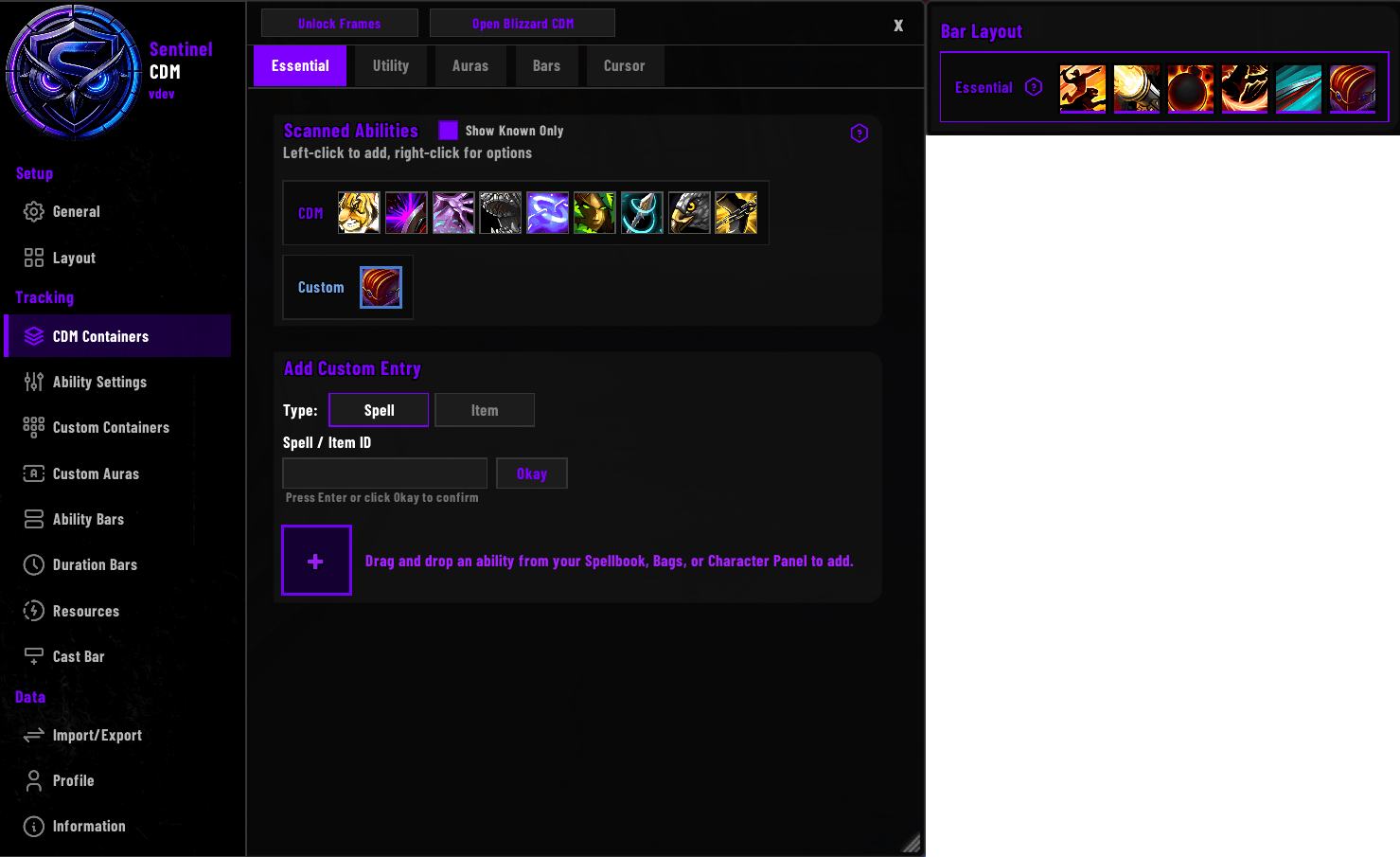
Choose which spells appear in each container by dragging them from the palette into the slot grid; grid order is in-game order. Right-click a spell and add it as Conditional to track it only when you are actually specced into it - it stays hidden until its talent is active, then appears on its own.
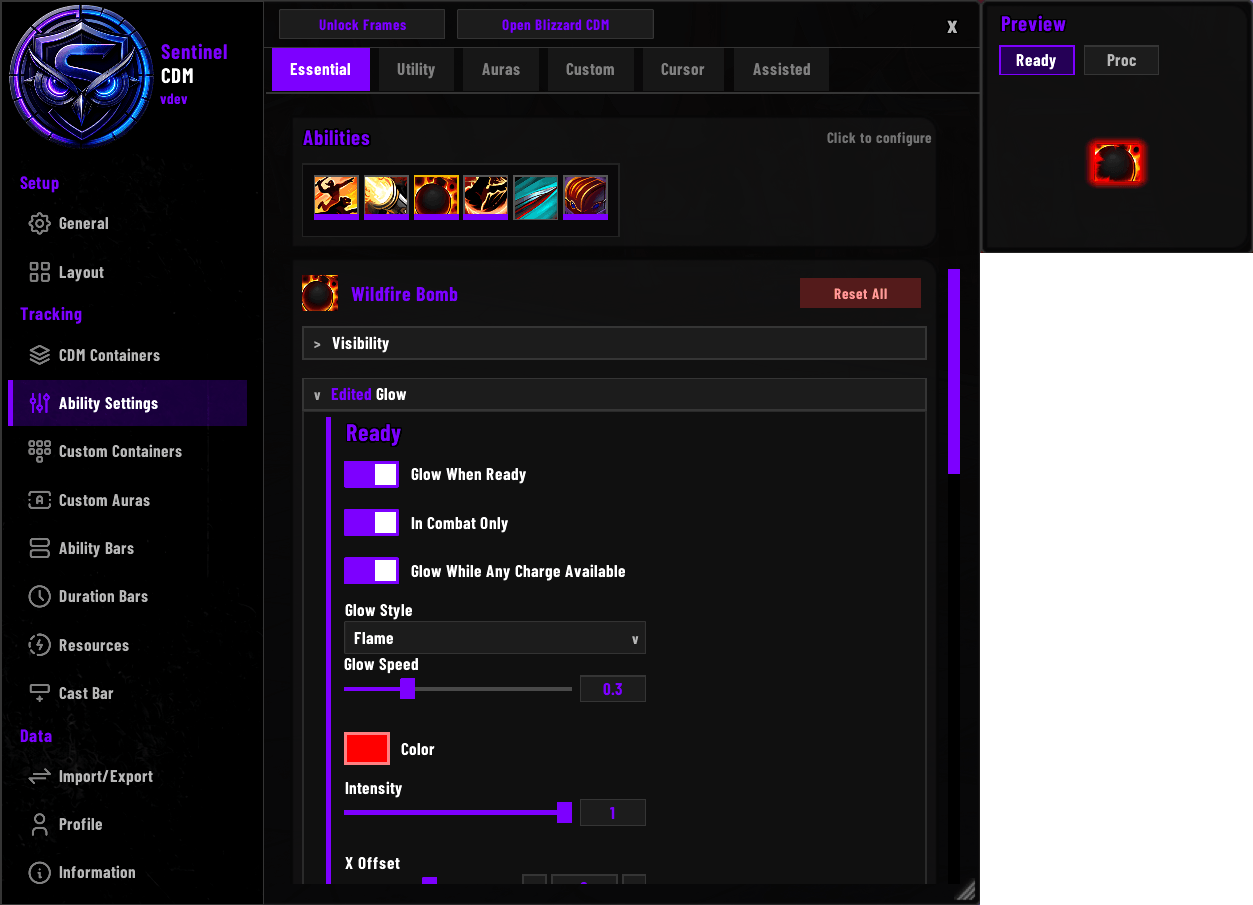
Ability Settings
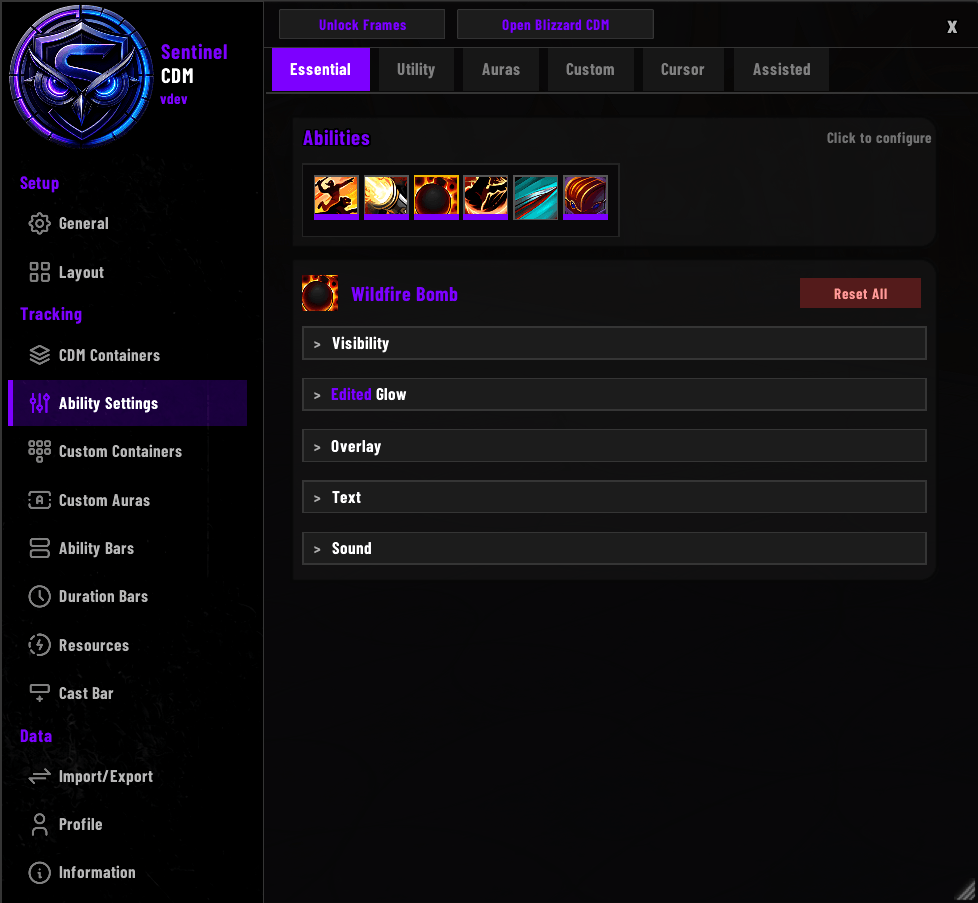
Per-ability behavior for every tracked cooldown. Pick an ability and set its:
- Visibility - opacity when ready versus on cooldown, and show or hide rules
- Glow - when ready, on proc, or while a charge is available
- Overlay - proc and activation overlays
- Text - on-icon warnings
- Sound - audio cues, including text to speech
Every container keeps its own set, so the same ability can behave one way in Auras and another in a container you built yourself.
Custom Containers
Build containers of your own, in two kinds. Bars hold whatever spells and items you pick from a shared entry pool. Aura containers hold Blizzard's tracked buffs, so a set like your movement buffs can sit apart from the main Auras container. Add as many of either as you like; each keeps its own contents, layout, appearance, and position.
Custom Auras
Tracks any aura by spell ID, including ones that appear nowhere in Blizzard's Cooldown Manager. Watch buffs or debuffs on yourself, your target, your focus, or your pet, and display them as icon containers or bar containers - each with its own position, geometry, countdown text, stack count, and styling.
Requires a 12.1 or later client; the section appears on its own once the game supports it.
Ability Bars
Shows an ability's charges or an aura's stacks as a row of segments, one per charge or stack, for at-a-glance availability. A spell with no charges gets a single cooldown bar instead, filling as it recovers or draining from full, with an optional countdown.
Four layouts (horizontal or vertical, side by side or stacked), full color, texture, and border options, an optional companion icon, free positioning or anchoring to another frame, and a Copy From dropdown to clone look-and-feel between bars.
Duration Bars
Tracks how long a buff - or a totem's uptime - has left as a status bar with an optional companion icon. The bar can drain or fill in either orientation with full styling control, and the icon can show live charges or stacks and dim while the spell is unavailable.
Separate Duration Text (buff time on the bar) and Ability Cooldown Text (recast or recharge on the icon) can run together. Bars can be made Conditional and previewed before the buff ever fires.
Resources
Covers your primary resource bar (Focus, Energy, Mana, and so on) and, for classes that have one, a Secondary Resource Bar with pips (Combo Points, Chi, and similar). Either bar can run vertically instead of horizontally, with its own anchor, position, and size remembered per orientation. Survival Hunters also get Tip of the Spear stack tracking here.
Cast Bar
Shows your casts with a progress fill, spell name, time remaining, and icon, plus a latency safe-zone and empower-stage pips for Evokers.
Setups
A setup is your whole configuration held under one name: every profile, which profile each spec uses, and the shared ability bars and Custom Bar pool. Save the one you are using, then switch between setups from the Profile page. Switching saves the setup you are leaving first, so nothing is lost.
Profiles and Import / Export
Per-character or shared profiles, with copy and reset. Export produces a text string you can back up or share.
- Profile mode covers a single profile. When importing, you tick exactly which sections to bring across, and a copy of your active profile is saved first so you can go back.
- Class mode covers a full setup and arrives as its own setup on import, so nothing you already have is touched - try it out, then switch back or delete it.
Global Display
Set container opacity separately for mounted, out of combat, in combat, and with a target, and hide every frame automatically in vehicles and on taxi flights, during open-world mini-games, or in pet battles.
Cooldown Only Mode makes Essential and Utility icons always show the real cooldown instead of tracking a temporary buff first. Clean Icons removes Blizzard's icon shadow and corner mask. Assisted Highlight shows Blizzard's rotation helper glow on your CDM icons.
Positioning and Help
Right-click the minimap button (or use the unlock button in options) to open the positioner. Drag any frame into place, or nudge it one pixel at a time with the arrow keys (hold Shift for ten-pixel jumps). Right-click any frame on the unlock screen to jump straight to its settings. An in-game Information section provides usage notes, tips, and a changelog.
Slash Commands
/scdm- opens options/scdm glowfix- clears a stuck spell-glow
Support and updates: https://discord.gg/fH4SpvDX36
Sentinel CDM Team
Owner