
SellAdvisor
- By
SellAdvisor4.png
SellAdvisor1.png
SellAdvisor2.png
SellAdvisor5.png
SellAdvisor3.png
Description
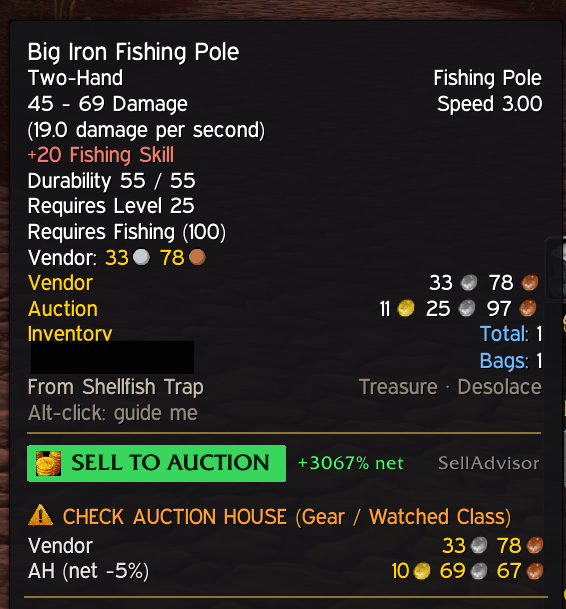
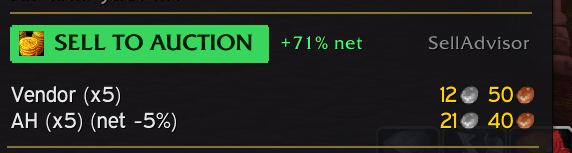
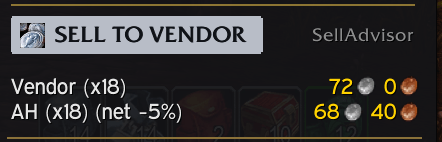
SellAdvisor adds a quick, color-coded badge to your item tooltips so you know at a glance whether to Sell to Vendor, Sell to Auction, Hold, or Check AH. It compares vendor prices against your Auctionator scan data and factors in the Auction House cut automatically.
Features:
- Instant tooltip recommendations: Displays a clear colored badge alongside stack-multiplied Vendor and net AH prices.
- Smart safeguards: Marks quest items so you do not sell them, suppresses AH advice on Soulbound gear, and flags BoE weapons and armor with a Check AH warning.
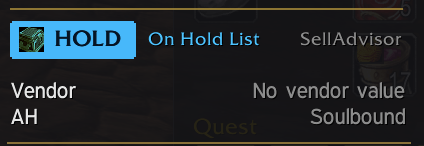
- Custom Hold list: Comes with a starter list of raid-crafting materials. Add or remove items anytime with
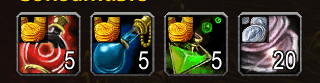
/sellad hold add <id or link>or by editingHoldList.lua. - Baganator bag icons (optional): Adds small top-left icons to your bag slots so you can sort loot without hovering every item (gold coins for AH, silver coins for vendor, yellow
!for quest items, and a blue chest for Hold items). - Customizable: Change profit thresholds, AH cut percentage, watched item classes, and toggles through
/sellad configor/sellad help.
Requirements:
- Auctionator (required for AH price comparisons; falls back to vendor-only info if missing).
- Baganator (optional, for bag corner icons).
Note: This addon was built with the help of AI. It has been tested on World of Warcraft: Forever (Interface 16001), though minor quirks may still pop up. Feedback and bug reports are welcome.
How to add to the Custom Hold List:
1️⃣Type /sellad hold add (with a trailing space), Shift-click the item in your bag, and press Enter.
2️⃣Check your bag slot for the blue chest icon in the top-left corner, then hover the item to see the cyan HOLD badge (On Hold List) override its normal sell line.
3️⃣Undo it afterward with /sellad hold remove + Shift-click the same item.
SellAdvisor Team
