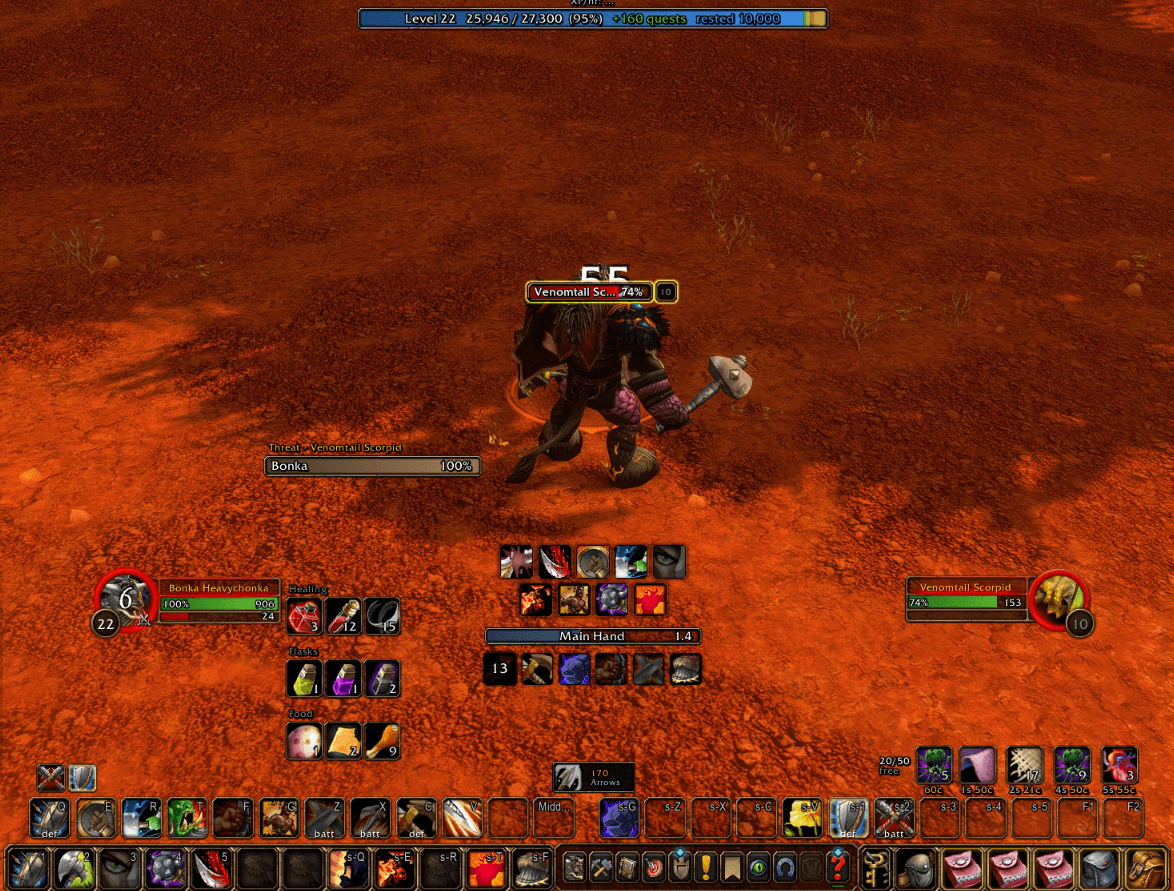
Ingame.png
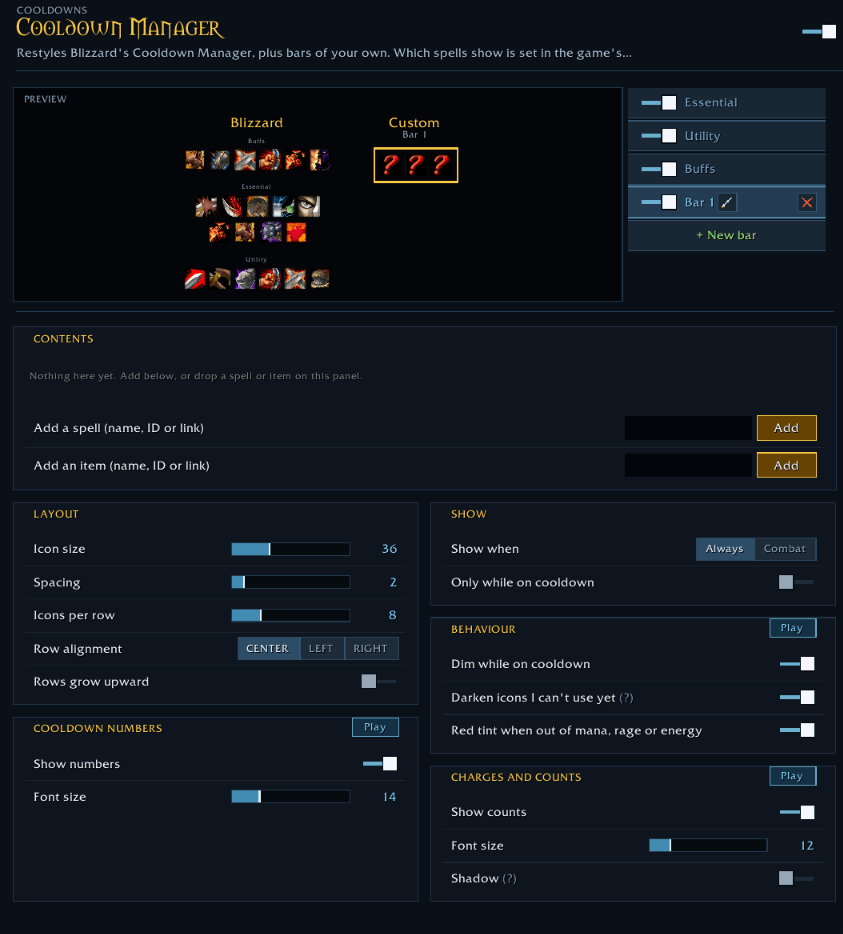
Cooldown Manager.png
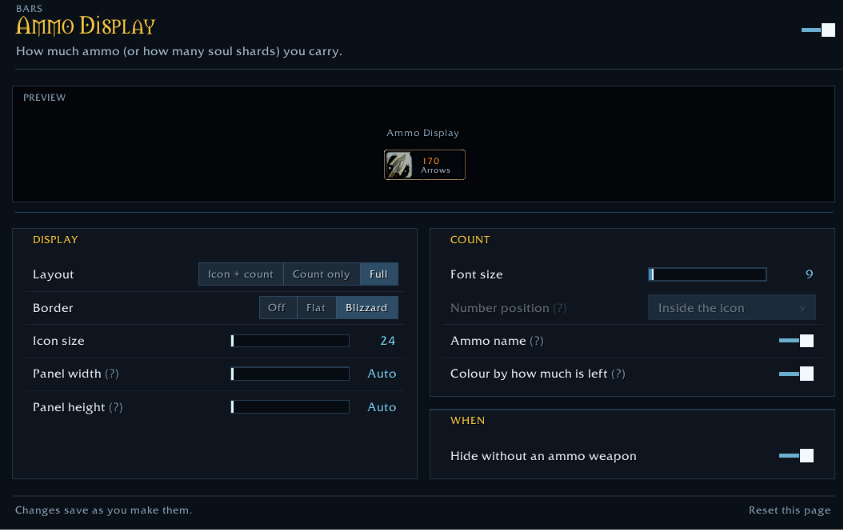
Ammo Display.png
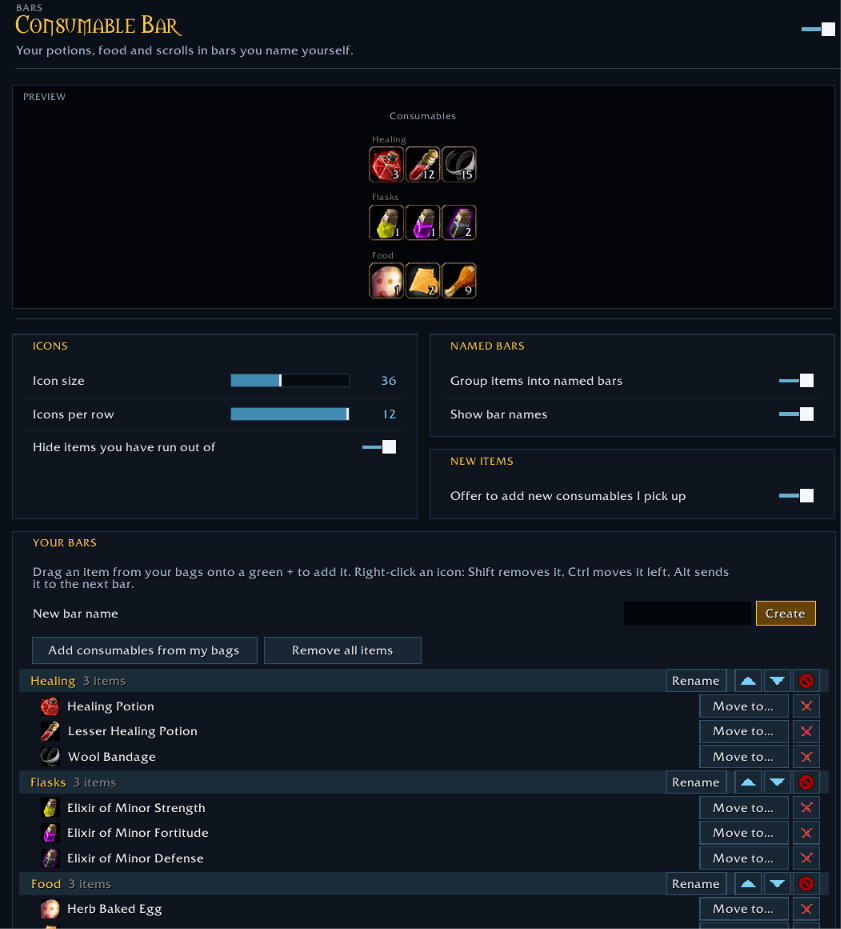
Consumable Bar.png
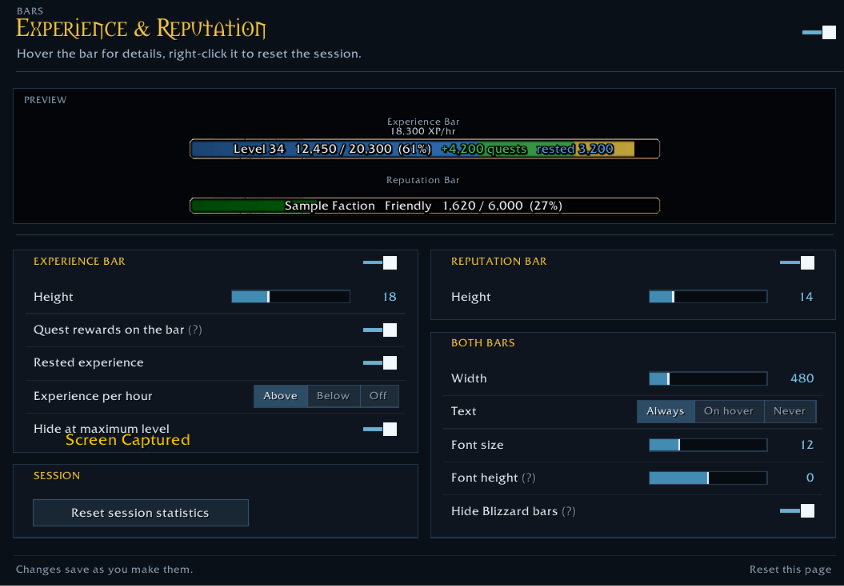
Experience & Reputation Bar.png
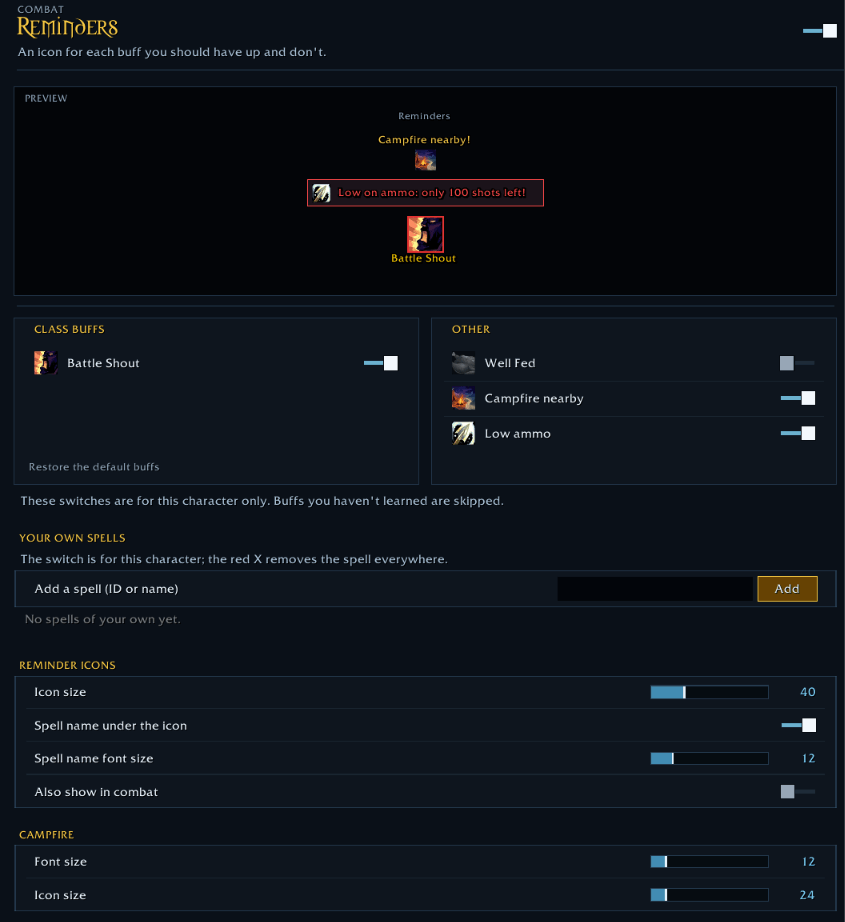
Reminders.png
Description
Seb's Forever UI
One lightweight addon for the quality-of-life features you'd otherwise install ten addons for, built for WoW: Forever.
Every module is optional and costs nothing while it's switched off. Set everything up in one clean options window with live previews: type /sui.
Combat
- Cooldown Manager restyle: resize, rearrange and restyle Blizzard's Essential, Utility and Buffs bars, add bars of your own, and give buffs a glow. Use action-bar borders if you like.
- Swing timers: main hand, off hand and ranged, each in its own colour.
- Threat meter: who has the most threat on your target, pets included.
- Pet bars: health and power for your pet, with a happiness icon for hunters.
- Totem indicators: every totem you have down and its time left. Right-click one to destroy it.
- Reminders: missing class buffs, Well Fed, tracking skills, a nearby campfire and low ammo.
Bars
- Consumable bar: your potions, food and scrolls in bars you name yourself. Drag items in from your bags.
- Cheapest items: what to sell or throw away when your bags fill up, with warnings before they're full.
- Ammo display: arrows, bullets or soul shards at a glance.
- Experience & reputation: what your quest log is worth, experience per hour and time to level.
World
- Quest sharing: share quests with your group one at a time, with a quest window that opens in dungeons.
- Loot feed: items, money, reputation and skill-ups as you get them.
- Flight timer: how long is left on your flight.
- Object highlights: a sparkle on lootable quest items and the nearest herb or ore vein.
Quality of life
- Spell uprank: new spell ranks replace the old ones on your action bars automatically.
- Item tooltips: shorter stat lines, a colour for each stat, and your weapon skill.
- Profiles: per-character profiles, plus import and export to share your setup.
- Move frames: drag any element anywhere, with snapping and guides.
Getting started: install, log in and type /sui. Turn on what you want and leave the rest off.
Seb's Forever UI Team