

SearchMaker
- By
1.jpg
2.jpg
7.jpg
3.jpg
5.jpg
12.jpg
4.jpg
6.jpg
Description
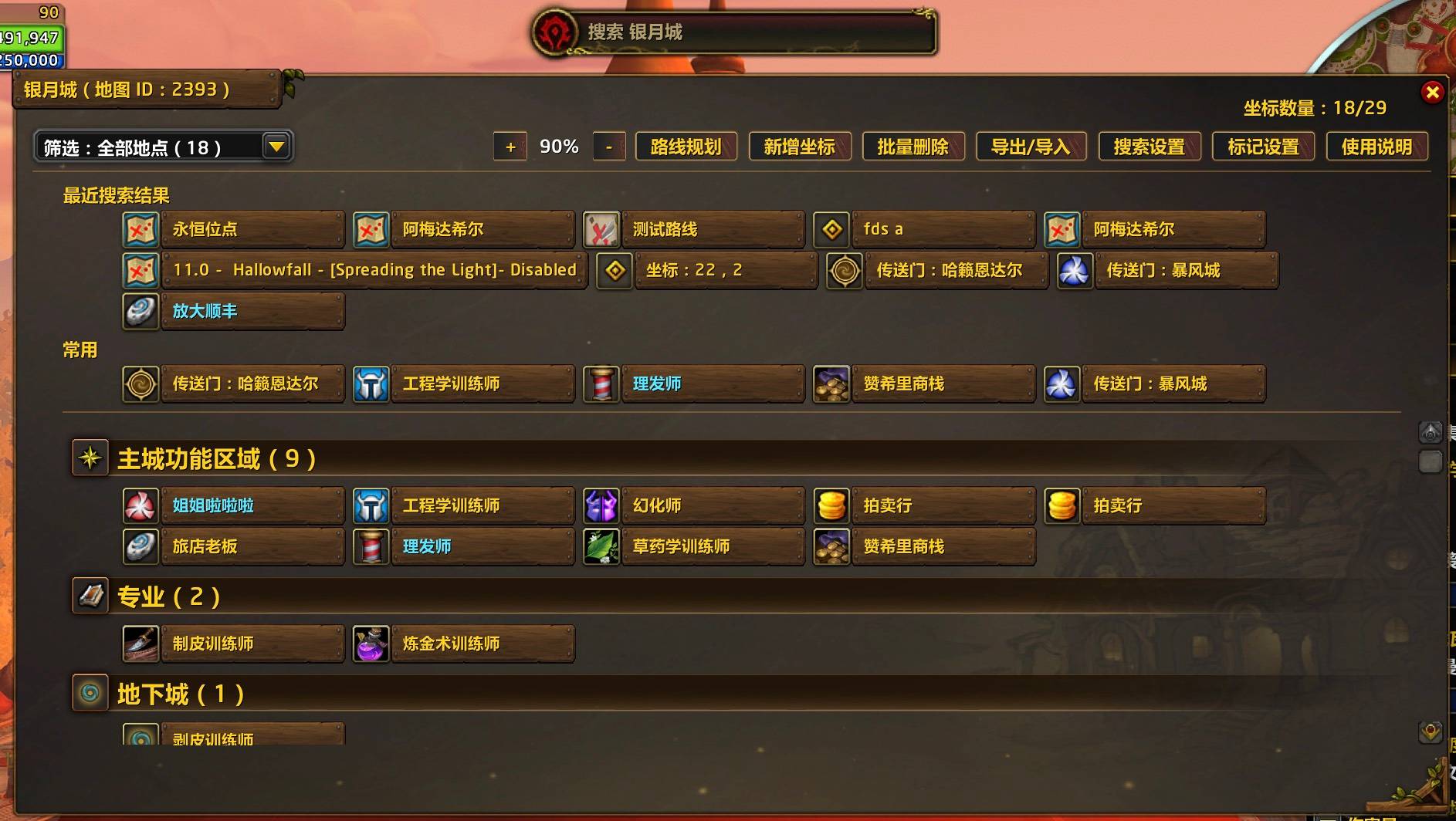
Left-click to search; right-click for the main panel; middle-click to toggle the world map; Shift-drag to move the search box. Press Tab to switch between Current Map and All Maps. Search Settings controls the shortcut, UI style, scale, opacity, world-map-only display, and third-party addon coordinate search.
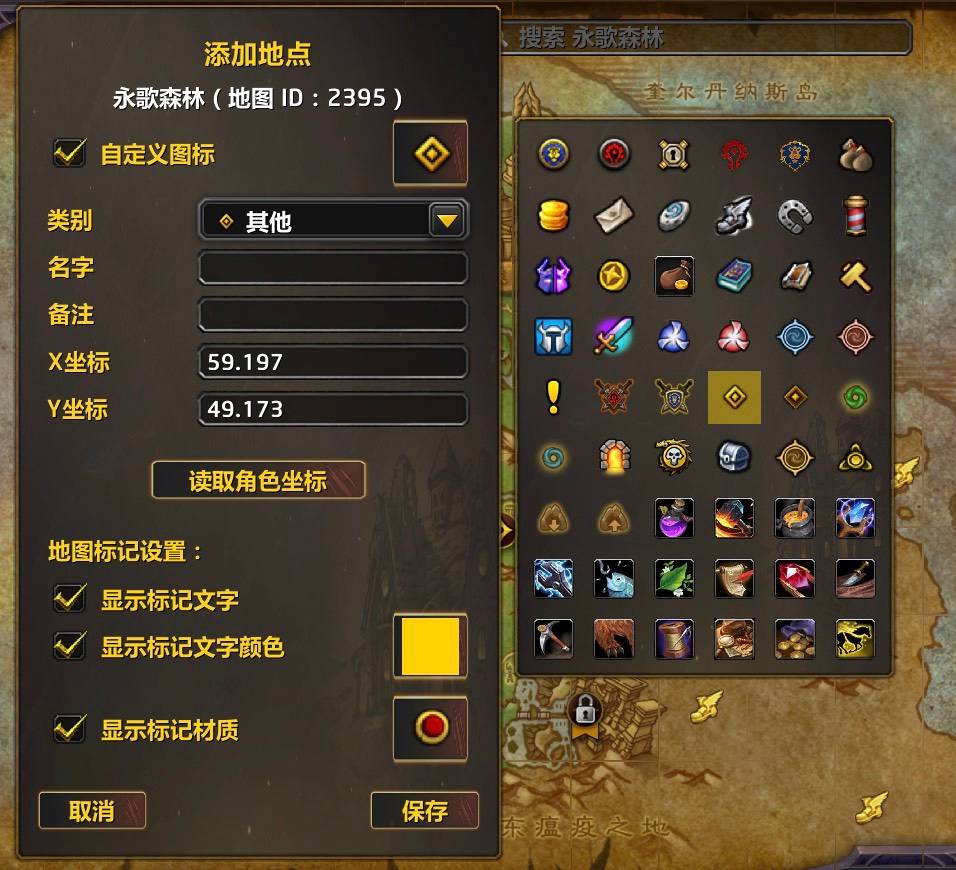
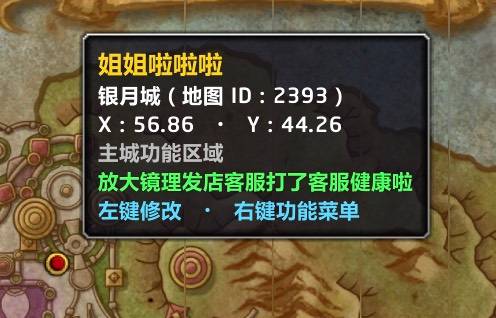
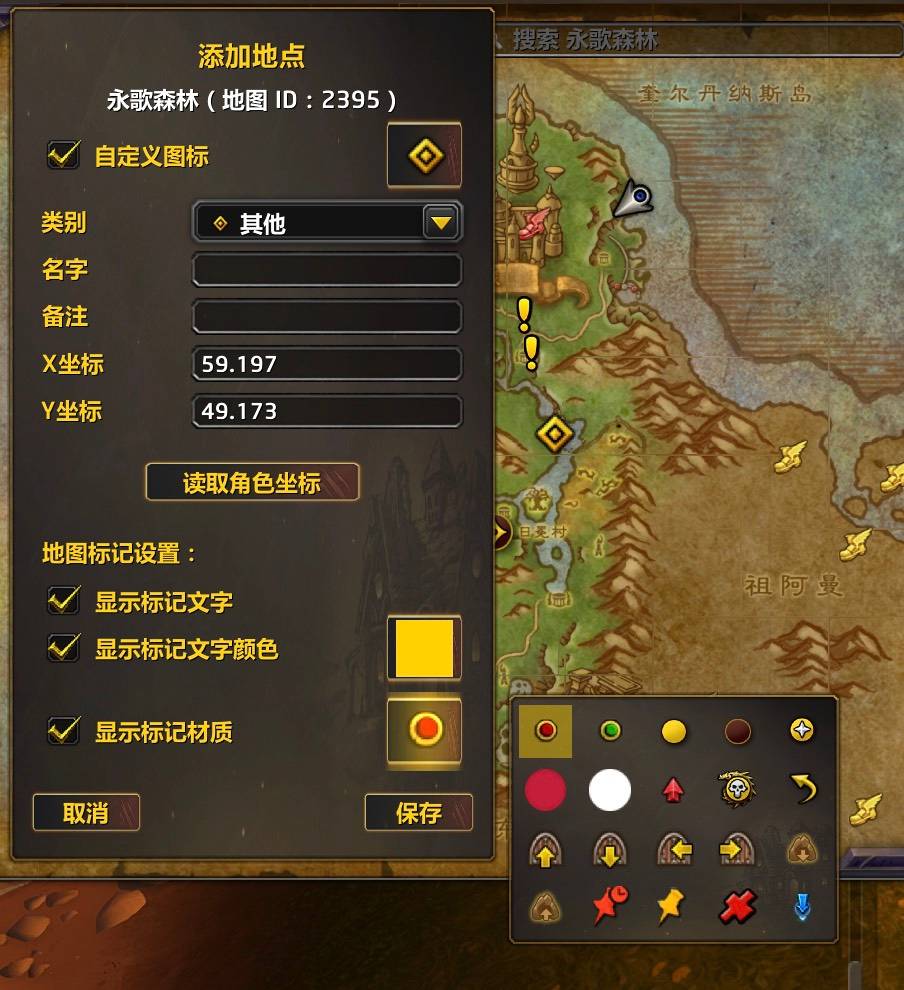
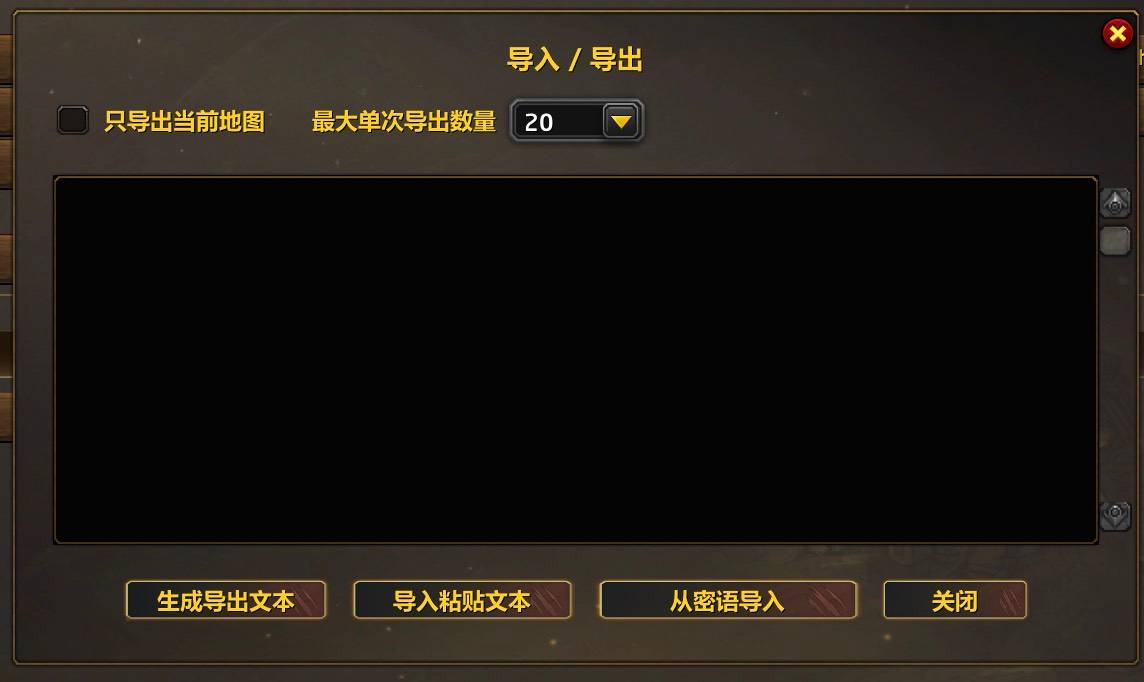
Coordinates and Pins • Click Add Coordinate in the main panel, or use the map-pin shortcut on empty world-map space, to create a location on that map. The default is Alt+Left-click and can be changed in Pin Settings. • A location can store its category, name, note, coordinates, custom icon, and whether its world-map pin icon and name are shown. Notes appear in green in tooltips. • Right-click a HandyNotes_MapNotes result to save it as a local location. You can also paste SMK text or import codes from character and Battle.net whispers. Import Preview separates new, duplicate, and invalid records. • Import / Export supports current-map-only and batched exports, plus sharing one location. Routes use a separate SMK route string. • World-map pins provide tooltips and open the editor from the pin or its name. The minimap shows only saved locations with pin icons enabled and temporary route pins; it never shows names.
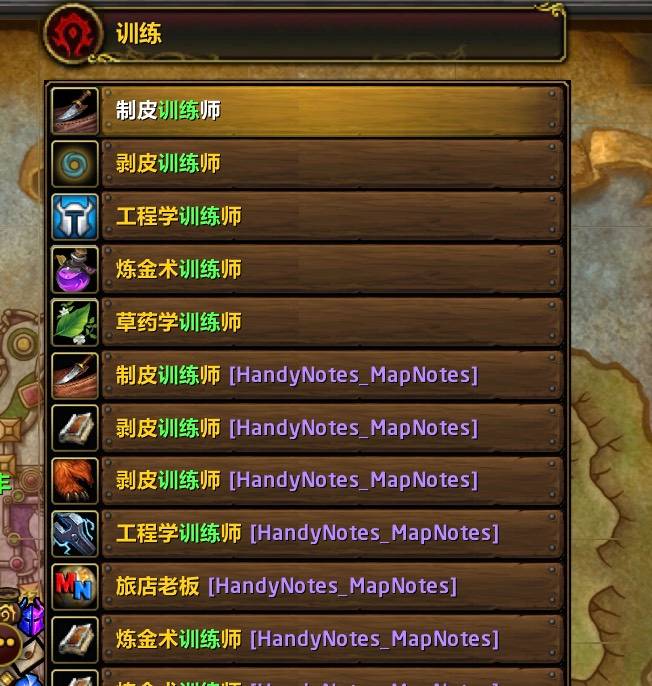
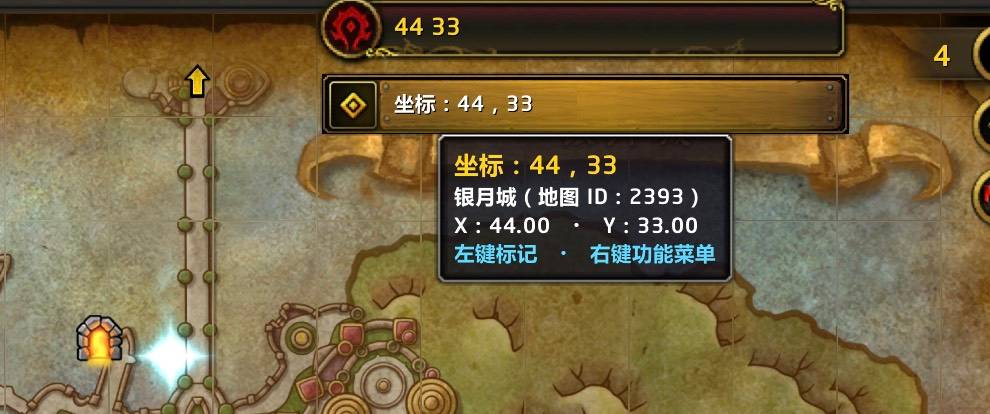
Search and Locate • Current Map searches saved and HandyNotes_MapNotes locations on the viewed map while the world map is open, or the character's map while it is closed. All Maps searches every saved location and map region, but excludes external locations. Search supports exact, prefix, and substring matches. Enter “22 22”, “22,22”, or coordinates with one or two decimals to create a native waypoint on the current map. • Left-click a location to navigate. Map results and saved All Maps results outside the character's current map open the target map and flash the location. With the map closed, saved results also offer Open Map in the right-click menu. • Location menus can copy numeric coordinates, share, or add to the route. External results can be saved; typed coordinates can receive temporary route pins. Focusing an empty search box shows the last 10 queries, and the main panel shows the last 10 selected results. • Routes support reordering, nearest-neighbor sorting within each map, step-by-step navigation, and temporary pins. Routes can be saved, shared, and imported; search the full word “route” to list saved routes. Only one route runs at a time, and its progress and temporary pins reset on logout or /reload. • Main-panel filters select category, pin, note, or custom-icon views. They affect only the panel and Frequent section, not search, map pins, or saved data.
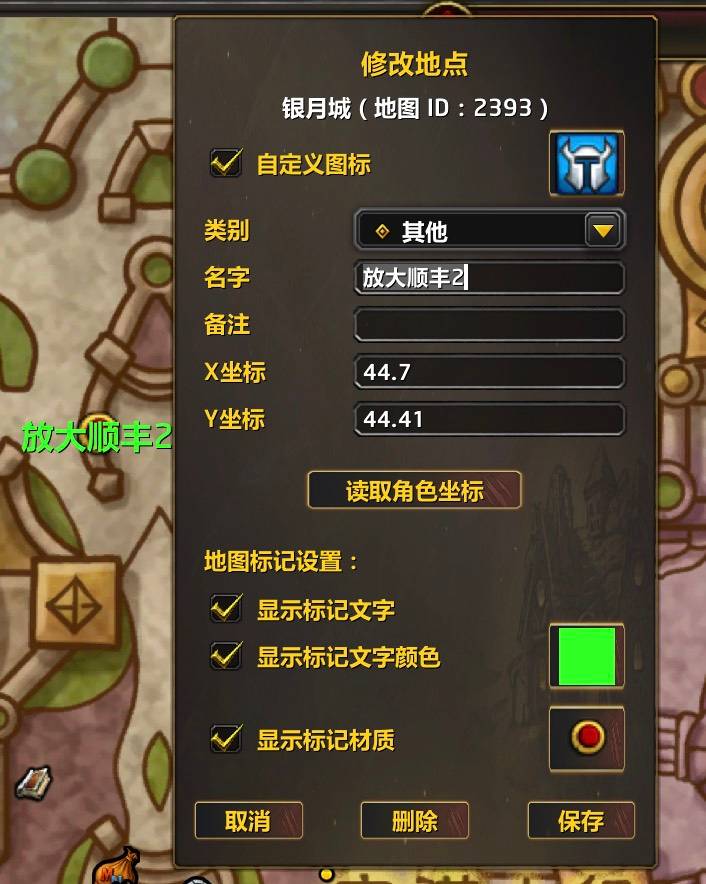
Edit Coordinates • Right-click a saved search result or main-panel location and choose Edit Coordinate. Clicking its world-map pin or name opens the editor directly. • You can change the name, note, category, coordinates, icon, and pin options. Get Character Coordinates is available only when the character and location use the same map ID. • Pin Settings controls global pin icon size, text size, and text offset. Each location still controls whether its icon and name are shown. • HandyNotes_MapNotes locations cannot be edited directly; save them as local locations first.
Delete Coordinates • Right-click a saved location and choose Delete Coordinate, or click Delete in the editor. • Bulk Delete removes saved locations by category or map ID after showing a count for confirmation. • HandyNotes_MapNotes locations are not stored by SearchMaker and cannot be deleted. Delete saved routes separately from the route context menu.
左键搜索;右键打开主面板;中键开关世界地图;Shift+拖动搜索框。按 Tab 切换“当前地图”和“所有地图”。快捷键、UI 样式、缩放、透明度、搜索框是否只随世界地图显示及第三方插件坐标搜索,可在“搜索设置”中调整。 坐标新增,地图标记 • 点击主面板“新增坐标”,或在世界地图空白处使用地图标记快捷键,创建当前地图地点;默认为 Alt+左键,可在“标记设置”中修改。 • 地点可设置类别、名称、备注、坐标、自定义图标,以及是否显示地图标记材质和名称;备注在鼠标提示中显示为绿色。 • 右键 HandyNotes_MapNotes 外部结果可收藏为自建地点;也可粘贴 SMK 文本,或从私聊接收的分享消息中导入。导入前会预览新增、重复和无效记录。 • 导入/导出支持仅当前地图、分批导出和单条分享;路线使用独立的 SMK 路线文本。 • 世界地图标记支持悬停提示、点击修改和名称点击。小地图只显示启用了标记材质的自建地点及路线临时标记,不显示名称。
坐标查询及定位,地图区域和副本地图定位,坐标输入智能匹配 • “当前地图”搜索自建地点和该地图的 HandyNotes_MapNotes 外部地点;世界地图打开时以浏览地图为准,关闭时以角色地图为准。“搜索所有地图”搜索全部自建地点和地图区域,不包含外部地点。 • 支持名称精确、前缀和包含匹配。输入“22 22”“22,22”或带一至两位小数的坐标,可直接在当前地图创建原生路径点。 • 左键地点执行定位;地图结果和“所有地图”中非角色当前地图的自建地点会打开目标地图并闪烁位置。世界地图关闭时,也可右键自建结果选择“打开地图”。 • 地点右键菜单可复制数字坐标、分享、加入路线;外部地点可收藏,手输坐标可添加路线临时标记。点击空搜索框显示最近 10 条查询,主面板显示最近 10 个已选结果。 • 路线支持调整顺序、同地图最近距离自动排序、逐点定位和临时标记。路线可保存、分享和导入;搜索完整关键字“路线”可列出保存路线。当前只执行一条路线,执行状态与临时标记在退出或 /reload 后清除。 • 主面板可按类别、地图标记、备注或自定义图标筛选;筛选只影响主面板和常用地点,不影响搜索、地图标记或存档。
坐标修改 • 右键搜索结果或主面板地点选择“修改坐标”;点击世界地图标记或名称可直接打开修改面板。 • 可修改名称、备注、类别、坐标及图标和标记选项;“读取角色坐标”仅在角色与地点位于同一地图 ID 时可用。 • “标记设置”统一调整标记材质大小、文字大小和文字偏移;每个地点是否显示材质和名称仍由地点自身决定。 • HandyNotes_MapNotes 外部地点不能直接修改,请先收藏为自建地点。
坐标删除 • 右键自建地点选择“删除坐标”,或在修改面板中点击“删除”。 • 主面板“批量删除”可按类别或地图 ID 删除;执行前会显示确认数量。 • HandyNotes_MapNotes 外部地点不写入插件存档,因此不能删除;保存路线在路线右键菜单中单独删除。
The SearchMaker Team
