


4.png
2.png
3.png
1.png
5.png
6.png
Description
🏆 ScoreMaster Addon – Feature Summary
ScoreMaster is a World of Warcraft addon for creating and managing guild events with participants, timed phases, quiz questions, scoring, rankings, and synchronized player progress.
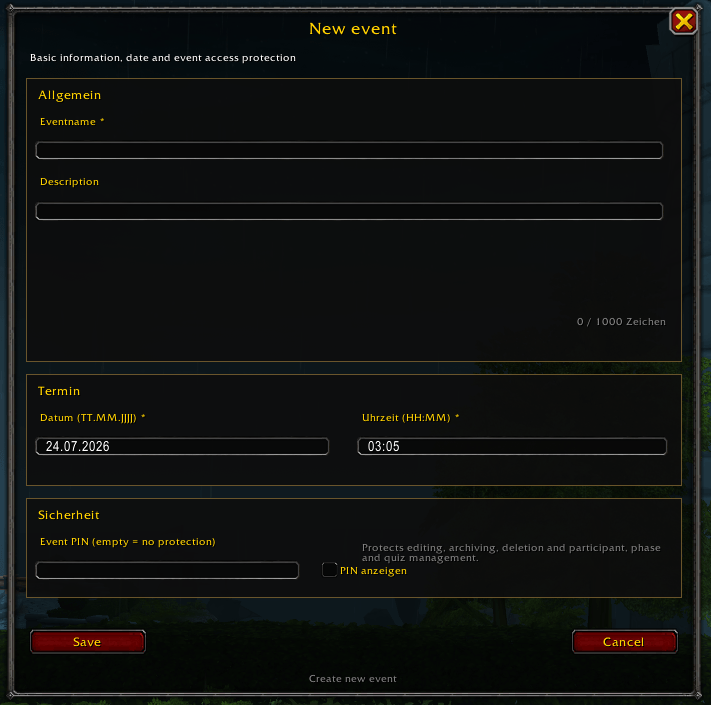
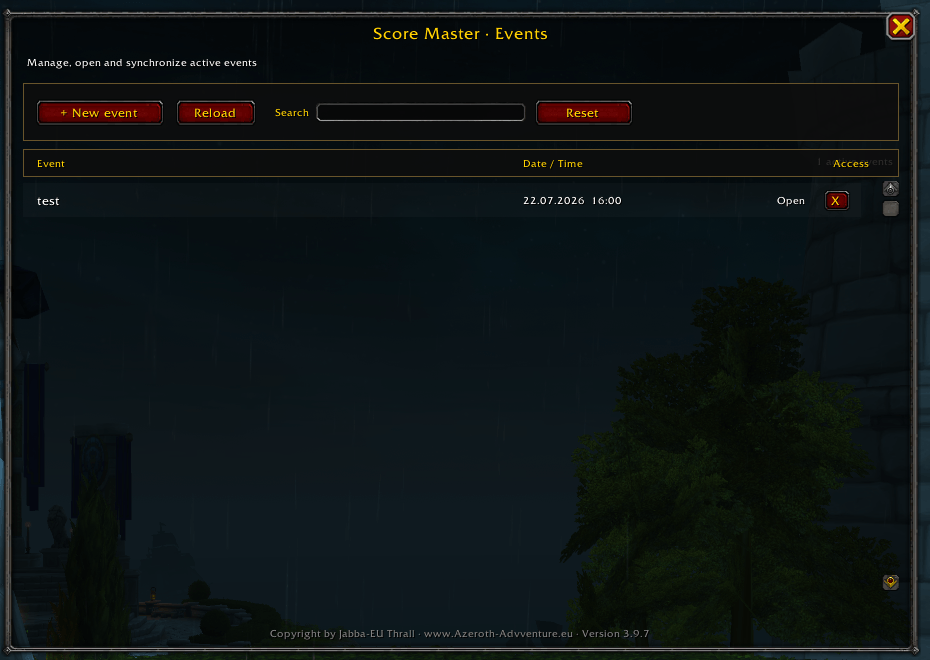
📅 Event Management
-
🆕 Create and edit guild events.
-
📝 Configure names, descriptions, dates, and times.
-
🔐 Protect administrative functions with an optional event PIN.
-
▶️ Start events and control participant registration.
-
📦 Archive completed events.
-
💾 Create and restore event backups.
-
🗑️ Delete events with confirmation.
-
📋 Maintain an activity log for important changes.
📤 Event Sharing
The Share Event function is available to:
-
👑 The event creator
-
🛡️ The Guild Master
-
⭐ Guild Rank 2 members
The sharing window offers three separate recipient groups:
-
🏰 Guild – invites only online guild members.
-
👥 Party – invites only members of the active normal party.
-
⚔️ Raid – invites only members of the active raid group.
-
❌ Close – closes the sharing window without sending invitations.
The recipient groups are never mixed.
If a Guild Master or Rank 2 member sends an invitation, an accepted invitation is securely forwarded to the original event creator.
🌍 Open-World Popup Protection
-
🌳 Incoming invitation popups appear only in the open world.
-
🏰 Popups are blocked inside dungeons.
-
🐉 Popups are blocked inside raids.
-
🎭 Popups are blocked inside scenarios.
-
⚔️ Popups are blocked inside PvP instances and arenas.
-
🚫 Blocked invitations are automatically declined.
-
🧩 Local quiz and administration windows remain available.
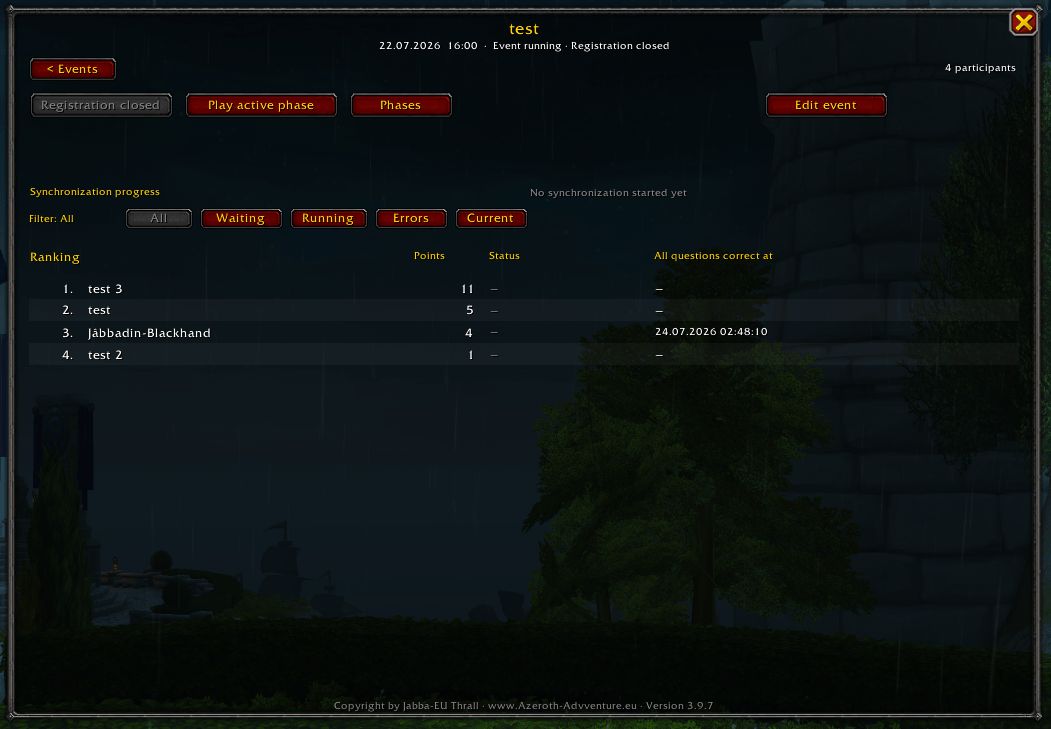
👥 Participant Management
-
➕ Add participants manually.
-
➖ Remove participants.
-
🎯 Assign or subtract points manually.
-
🏆 Display participant rankings.
-
⏱️ Display question-completion timestamps.
-
🔍 Filter participants by synchronization status.
-
🔄 Reset synchronization status without deleting points.
-
📊 Display online, offline, waiting, transferring, completed, declined, error, and timeout states.
🖱️ Participant Question Tooltip
Moving the mouse over a participant’s name displays a detailed question overview.
-
✅ Green – correctly answered
-
❌ Red – incorrectly answered
-
⬜ Gray – not answered
-
💡 Yellow indicator – hint used
-
📂 Results grouped by phase
-
🔢 Questions ordered by question number
-
🌐 Character names with different realm formats are recognized
🔄 Synchronization
ScoreMaster supports creator-controlled, manual, peer-to-peer, and automatic synchronization.
👑 Creator Synchronization
The event creator can:
-
📥 Request the latest progress from all participants.
-
📤 Send the current event data to all participants.
-
🎯 Receive points and answers.
-
🧠 Receive quiz attempts and completion information.
-
🏁 Receive completed-phase information.
-
✅ Send event data without requiring participant confirmation.
👤 Participant Sync Button
Every registered participant receives a Sync button.
-
🔍 Requests current data from other participants.
-
🚫 Excludes the event creator.
-
↔️ Exchanges data in both directions.
-
🔒 Transfers only each player’s own progress.
-
📚 Supports multiple events simultaneously.
-
📴 Detects offline participants.
-
⏳ Uses a 45-second timeout.
⚡ Automatic Synchronization
-
🔑 Starts approximately eight seconds after login.
-
👥 Reacts to party roster changes.
-
🏰 Reacts to guild roster changes.
-
🟢 Synchronizes when another participant comes online.
-
↔️ Updates both the new player and players already online.
-
🧯 Uses a 30-second cooldown to prevent synchronization loops.
-
📂 Runs separate synchronization sessions for different events.
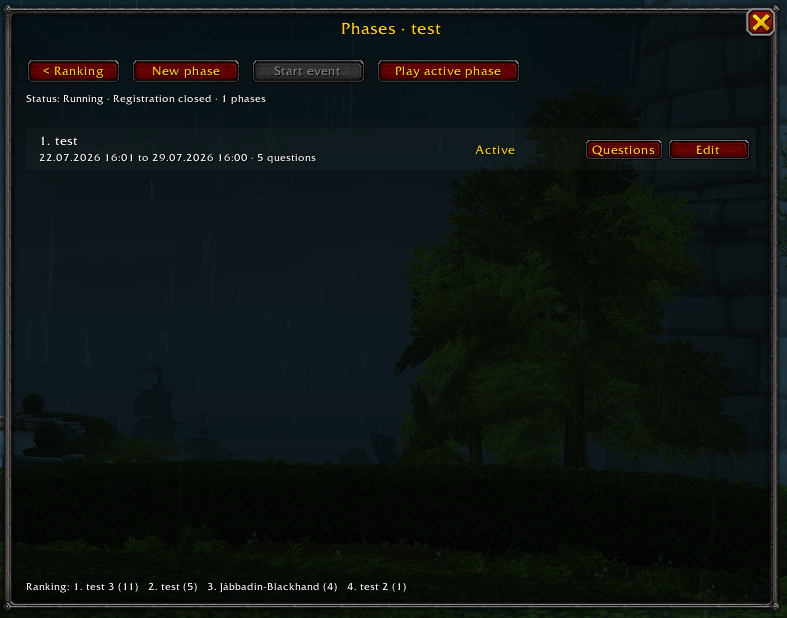
⏳ Event Phases
-
➕ Create multiple phases.
-
📝 Configure phase titles and descriptions.
-
🕒 Configure start and end times.
-
🔐 Protect phase administration with the event PIN.
-
🎲 Randomize question order.
-
🔀 Shuffle answer choices.
-
▶️ Allow participants to play currently active phases.
-
🏁 Allow participants to permanently complete a phase.
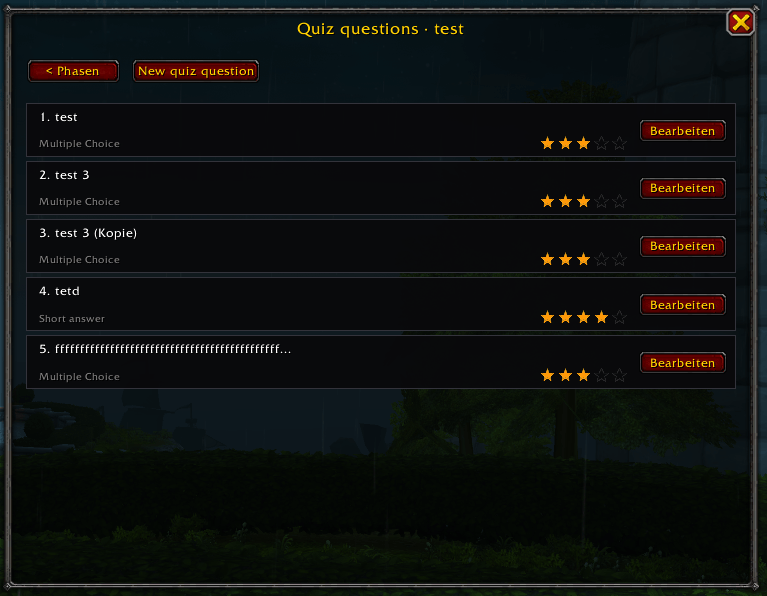
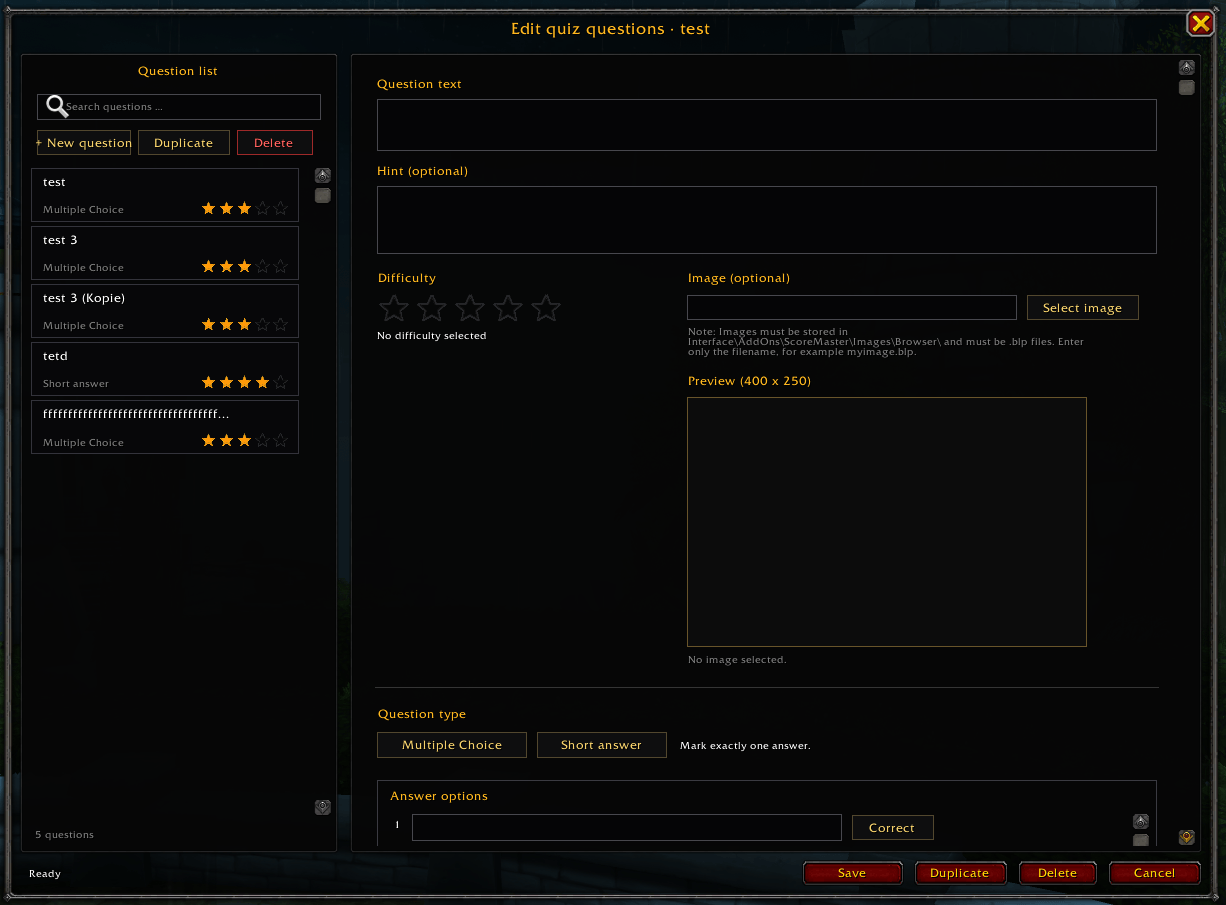
❓ Quiz System
Supported question features include:
-
🔘 Multiple-choice questions
-
⌨️ Short-text answers
-
📝 Alternative accepted spellings
-
🔡 Case-insensitive comparison
-
␣ Optional space normalization
-
🔤 Special-character normalization
-
🖼️ Question images
-
⭐ Difficulty levels
-
🏷️ Individual question titles
-
🔢 Custom question numbers
-
🎲 Random question order
-
🔀 Random answer order
⬅️➡️ Quiz Navigation
Participants can navigate through an active quiz:
-
⬅️ Previous – opens the preceding question.
-
➡️ Next – opens the following question.
-
🏁 Finish Phase – permanently completes the phase.
Answers remain saved while navigating:
-
💾 Short-text answers are saved as drafts.
-
🔘 Multiple-choice selections remain stored.
-
✨ Stored selections are highlighted when returning.
-
🛡️ Manual navigation cannot cause automatic progression to skip a question.
🏁 Phase Completion
-
✅ Participants can finish an active phase manually.
-
🚪 The quiz window closes after completion.
-
🔒 The completed phase cannot be reopened by that participant.
-
⏱️ The completion timestamp is stored.
-
🔄 Phase completion is included in participant synchronization.
-
🛡️ Older event data cannot reopen a locally completed phase.
🎯 Scoring
-
✅ Correct answer without a hint – 2 points
-
💡 Correct answer after using a hint – 1 point
-
❌ Incorrect answer – 0 points
-
🔒 A question can award points only once per participant.
-
➕ Manual point adjustments remain available to the event creator.
-
🏆 Rankings update after synchronized participant data is received.
💡 Hint System
-
🎟️ Participants have a limited number of hints per phase.
-
✅ Hint usage is recorded only after confirming the hint popup.
-
🎯 The hint is connected to the specific question.
-
📉 A correct answer for that question awards only 1 point.
-
🔄 Hint information remains preserved during synchronization.
-
📝 The success message clearly indicates reduced scoring.
💾 Backup and Recovery
-
🗃️ Create event backups.
-
♻️ Restore and overwrite an existing event.
-
📋 Restore an event as a separate copy.
-
🗑️ Delete individual backups.
-
🔐 Keep participant data protected during restoration.
-
⏱️ Create automatic backups during important operations.
🛡️ Security and Data Integrity
-
🔐 Administrative functions can be protected by an event PIN.
-
👑 The event creator remains the authoritative event-data source.
-
🛡️ Guild sharing permissions are limited to rank indices 0 and 1.
-
👤 Participant sync transfers only the responding player’s own data.
-
🆔 Peer synchronization requires a matching event.
-
✅ Incoming event data is validated against the recorded creator.
-
💾 Local phase completion cannot be removed by older event data.
-
💡 Local hint usage remains protected during synchronization.
-
🧯 Cooldowns prevent synchronization loops and excessive addon traffic.
🏆 ScoreMaster Addon – Feature Summary
ScoreMaster is a World of Warcraft addon for creating and managing guild events with participants, timed phases, quiz questions, scoring, rankings, and synchronized player progress.
📅 Event Management
-
🆕 Create and edit guild events.
-
📝 Configure names, descriptions, dates, and times.
-
🔐 Protect administrative functions with an optional event PIN.
-
▶️ Start events and control participant registration.
-
📦 Archive completed events.
-
💾 Create and restore event backups.
-
🗑️ Delete events with confirmation.
-
📋 Maintain an activity log for important changes.
📤 Event Sharing
The Share Event function is available to:
-
👑 The event creator
-
🛡️ The Guild Master
-
⭐ Guild Rank 2 members
The sharing window offers three separate recipient groups:
-
🏰 Guild – invites only online guild members.
-
👥 Party – invites only members of the active normal party.
-
⚔️ Raid – invites only members of the active raid group.
-
❌ Close – closes the sharing window without sending invitations.
The recipient groups are never mixed.
If a Guild Master or Rank 2 member sends an invitation, an accepted invitation is securely forwarded to the original event creator.
🌍 Open-World Popup Protection
-
🌳 Incoming invitation popups appear only in the open world.
-
🏰 Popups are blocked inside dungeons.
-
🐉 Popups are blocked inside raids.
-
🎭 Popups are blocked inside scenarios.
-
⚔️ Popups are blocked inside PvP instances and arenas.
-
🚫 Blocked invitations are automatically declined.
-
🧩 Local quiz and administration windows remain available.
👥 Participant Management
-
➕ Add participants manually.
-
➖ Remove participants.
-
🎯 Assign or subtract points manually.
-
🏆 Display participant rankings.
-
⏱️ Display question-completion timestamps.
-
🔍 Filter participants by synchronization status.
-
🔄 Reset synchronization status without deleting points.
-
📊 Display online, offline, waiting, transferring, completed, declined, error, and timeout states.
🖱️ Participant Question Tooltip
Moving the mouse over a participant’s name displays a detailed question overview.
-
✅ Green – correctly answered
-
❌ Red – incorrectly answered
-
⬜ Gray – not answered
-
💡 Yellow indicator – hint used
-
📂 Results grouped by phase
-
🔢 Questions ordered by question number
-
🌐 Character names with different realm formats are recognized
🔄 Synchronization
ScoreMaster supports creator-controlled, manual, peer-to-peer, and automatic synchronization.
👑 Creator Synchronization
The event creator can:
-
📥 Request the latest progress from all participants.
-
📤 Send the current event data to all participants.
-
🎯 Receive points and answers.
-
🧠 Receive quiz attempts and completion information.
-
🏁 Receive completed-phase information.
-
✅ Send event data without requiring participant confirmation.
👤 Participant Sync Button
Every registered participant receives a Sync button.
-
🔍 Requests current data from other participants.
-
🚫 Excludes the event creator.
-
↔️ Exchanges data in both directions.
-
🔒 Transfers only each player’s own progress.
-
📚 Supports multiple events simultaneously.
-
📴 Detects offline participants.
-
⏳ Uses a 45-second timeout.
⚡ Automatic Synchronization
-
🔑 Starts approximately eight seconds after login.
-
👥 Reacts to party roster changes.
-
🏰 Reacts to guild roster changes.
-
🟢 Synchronizes when another participant comes online.
-
↔️ Updates both the new player and players already online.
-
🧯 Uses a 30-second cooldown to prevent synchronization loops.
-
📂 Runs separate synchronization sessions for different events.
⏳ Event Phases
-
➕ Create multiple phases.
-
📝 Configure phase titles and descriptions.
-
🕒 Configure start and end times.
-
🔐 Protect phase administration with the event PIN.
-
🎲 Randomize question order.
-
🔀 Shuffle answer choices.
-
▶️ Allow participants to play currently active phases.
-
🏁 Allow participants to permanently complete a phase.
❓ Quiz System
Supported question features include:
-
🔘 Multiple-choice questions
-
⌨️ Short-text answers
-
📝 Alternative accepted spellings
-
🔡 Case-insensitive comparison
-
␣ Optional space normalization
-
🔤 Special-character normalization
-
🖼️ Question images
-
⭐ Difficulty levels
-
🏷️ Individual question titles
-
🔢 Custom question numbers
-
🎲 Random question order
-
🔀 Random answer order
⬅️➡️ Quiz Navigation
Participants can navigate through an active quiz:
-
⬅️ Previous – opens the preceding question.
-
➡️ Next – opens the following question.
-
🏁 Finish Phase – permanently completes the phase.
Answers remain saved while navigating:
-
💾 Short-text answers are saved as drafts.
-
🔘 Multiple-choice selections remain stored.
-
✨ Stored selections are highlighted when returning.
-
🛡️ Manual navigation cannot cause automatic progression to skip a question.
🏁 Phase Completion
-
✅ Participants can finish an active phase manually.
-
🚪 The quiz window closes after completion.
-
🔒 The completed phase cannot be reopened by that participant.
-
⏱️ The completion timestamp is stored.
-
🔄 Phase completion is included in participant synchronization.
-
🛡️ Older event data cannot reopen a locally completed phase.
🎯 Scoring
-
✅ Correct answer without a hint – 2 points
-
💡 Correct answer after using a hint – 1 point
-
❌ Incorrect answer – 0 points
-
🔒 A question can award points only once per participant.
-
➕ Manual point adjustments remain available to the event creator.
-
🏆 Rankings update after synchronized participant data is received.
💡 Hint System
-
🎟️ Participants have a limited number of hints per phase.
-
✅ Hint usage is recorded only after confirming the hint popup.
-
🎯 The hint is connected to the specific question.
-
📉 A correct answer for that question awards only 1 point.
-
🔄 Hint information remains preserved during synchronization.
-
📝 The success message clearly indicates reduced scoring.
💾 Backup and Recovery
-
🗃️ Create event backups.
-
♻️ Restore and overwrite an existing event.
-
📋 Restore an event as a separate copy.
-
🗑️ Delete individual backups.
-
🔐 Keep participant data protected during restoration.
-
⏱️ Create automatic backups during important operations.
🛡️ Security and Data Integrity
-
🔐 Administrative functions can be protected by an event PIN.
-
👑 The event creator remains the authoritative event-data source.
-
🛡️ Guild sharing permissions are limited to rank indices 0 and 1.
-
👤 Participant sync transfers only the responding player’s own data.
-
🆔 Peer synchronization requires a matching event.
-
✅ Incoming event data is validated against the recorded creator.
-
💾 Local phase completion cannot be removed by older event data.
-
💡 Local hint usage remains protected during synchronization.
-
🧯 Cooldowns prevent synchronization loops and excessive addon traffic.
-
The ScoreMaster Team
