SC Loot Log
- By
Pick the items you care about and count them as you loot them, with a per hour rate, bag counts and optional goals.
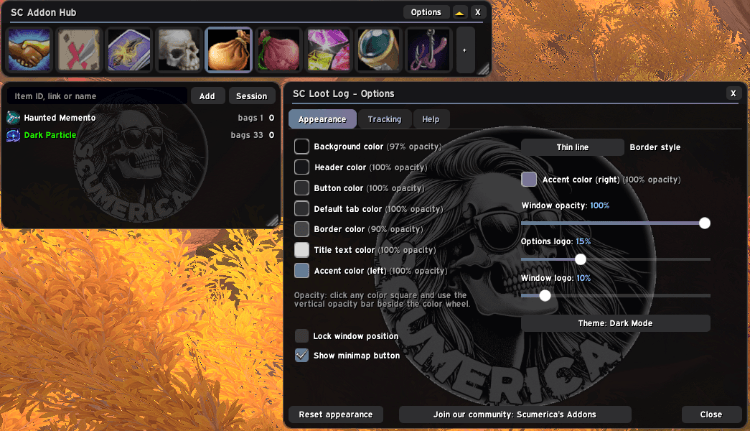
Loot Log 1.png
Description
SC Loot Log
Choose the items you are farming and let the addon keep count while you loot.
Features
- Track any item. Drop it from your bags onto the window, type its name or item ID, or shift-click an item or link into the box.
- Counts that matter. Total looted, how many this session, a per hour rate, and how many are in your bags right now.
- Goals. Give an item a goal to get a progress bar, with an estimate of the time left worked out from your rate.
- Only your own loot. Other players' loot is never counted. Optionally also count items you receive without looting: quest rewards, purchases, mail, crafts.
- Account-wide totals, with a session count you can restart at any time.
- Your look. Colors, opacity, window scale, minimap button.
Getting started
Type /sc ll to show the window and drop an item on it. Right-click a row to set a goal, move it, reset its count or stop tracking it. /sc ll help lists every command.
Part of the SC addon family. Every SC addon shares the same look and the same Options layout, and each one can be docked as a tab in the optional SC Addon Hub.
Feedback and ideas: join the in-game community Scumerica's Addons (the Join our community button in any SC addon's Options posts the invite link).
SC Loot Log Team