


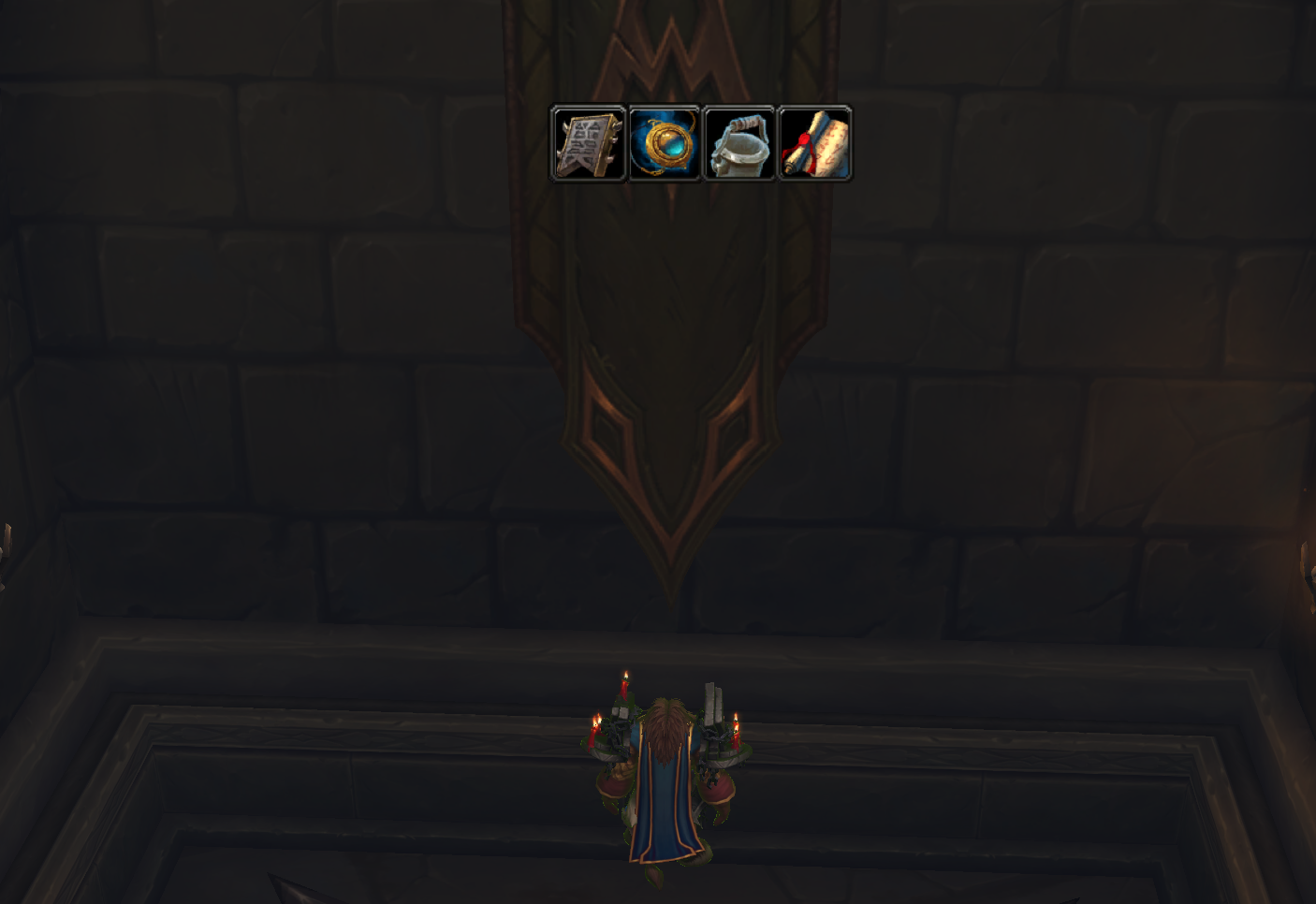
New Consumables New Equipables New Lootables New Questables


Description
Salen’s Little Helper
Modules:
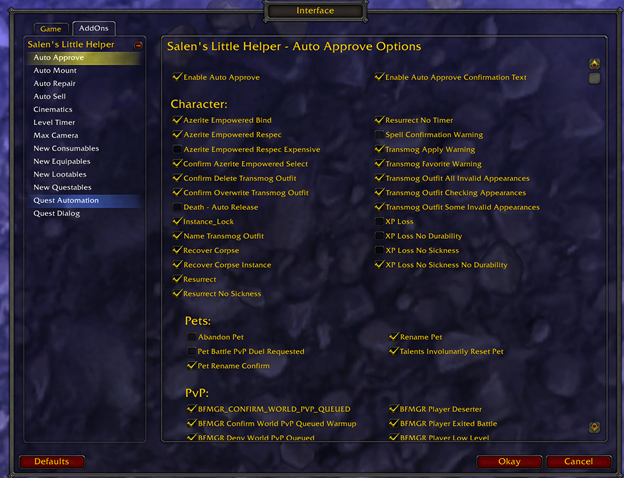
Auto Approve:
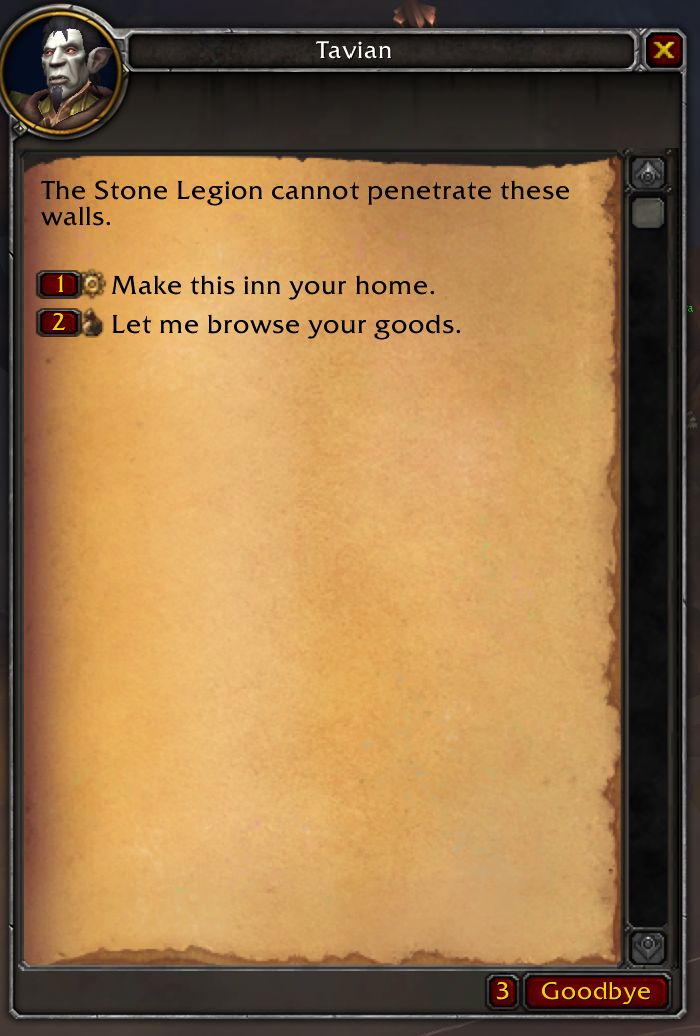
Approves various confirmation windows for you. You can control what is Auto Approved and what is not in the configuration screen. (Examples in the Images tab.)
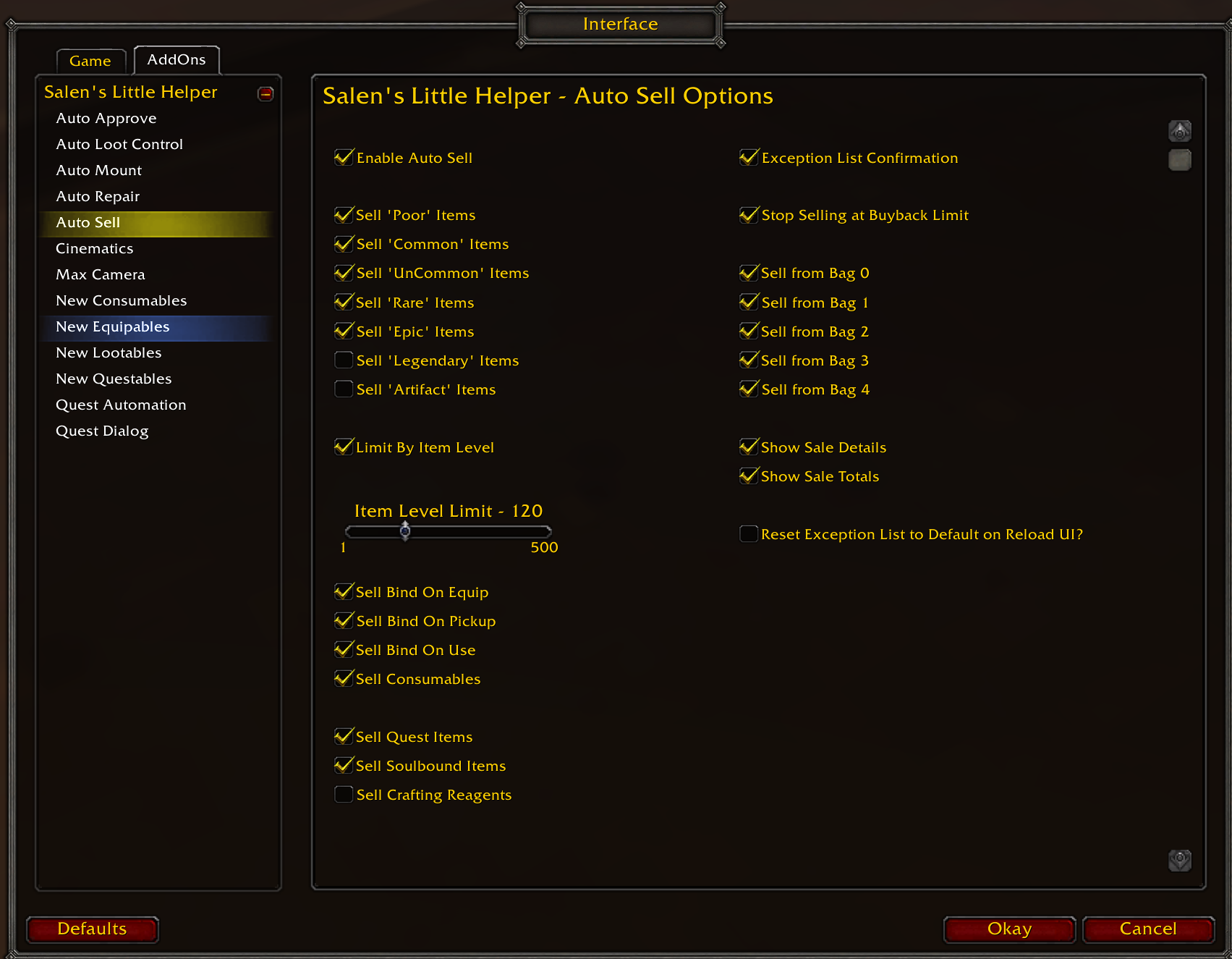
Set Auto Sell to disabled by default as it is an aggressive seller, and a couple people lost things they did not want to lose. If turned on, it will sell anything meeting your criteria not on the exception list. Exception list is built by YOU not by the addon. There is a base list on first install, but it does not update after first install so it won;t mess with your selections. Alt-left/right click to add/remove things fromt he exclusion list.
Key Modifiers:
Alt (holding key will Disable until released)
Commands:
/slh AA
Enable/Disable Auto Approve
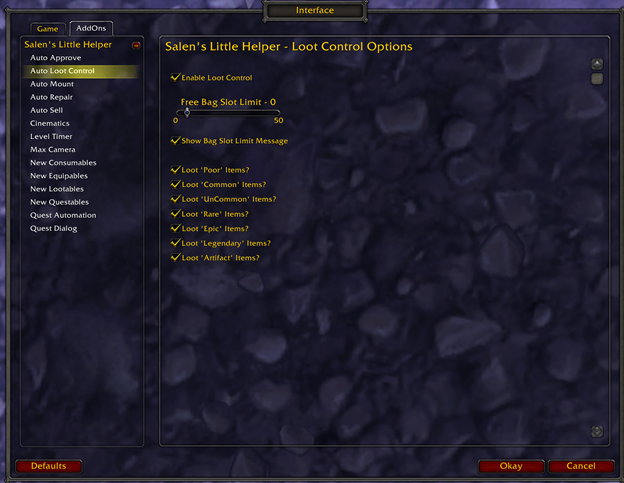
Auto Loot Control:
Loots as quickly as possible. Allows for filtering by Item Quality (Poor, Common, Uncommon, Rare, Epic, Legendary, Artifact)
Key Modifiers:
Alt (holding key will Disable until released)
Commands:
/slh AL
Enable/Disable Auto LootControl
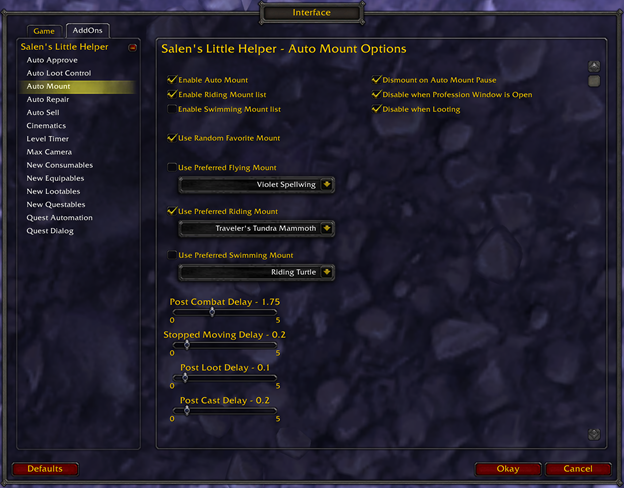
Auto Mount:
Tries to mount whenever you are not moving and in a mountable area. Can mount based on your Favorite selections, your current mounts (based on Flying, Riding, Swimming Mount Lists), or you can specify the mount for each category. You can also adjust mount delay times for if it is too slow, or too fast and getting in the way.
Key Modifiers:
Alt (holding key will Disable until released)
Commands:
/slh AM
Enable/Disable Auto Mount
Auto Mount is aggressive and sometimes gets in the way. I have a Macro for this to enable/disable on the fly.
If you have it disabled when you reload ui, you need to reload again after enabling it, as it will not load in the background. This is intentional.
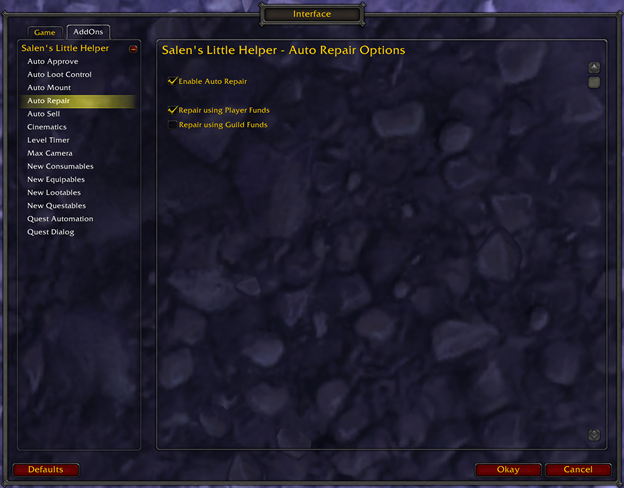
Auto Repair:
Auto Repair using player or Guild funds when opening a Repair Vendor Window.
Key Modifiers:
Alt (holding key will Disable until released)
Commands:
/slh AR
Enable/Disable Auto Repair
Auto Sell:
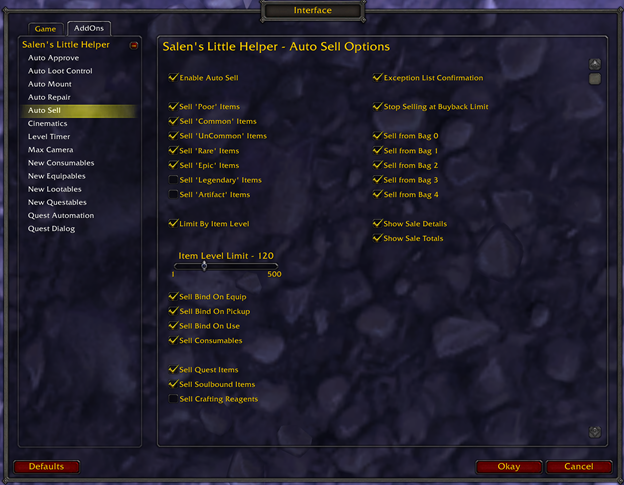
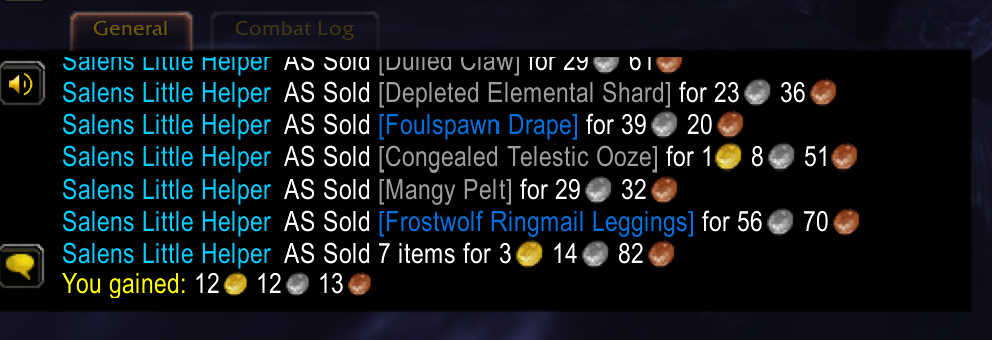
Auto Sell when opening a Vendor Window. Allows for filtering by Item Quality, Item Level, Bind type, Bag Types, etc.
Key Modifiers:
Alt (holding key will Disable until released)
Commands:
/slh AS
Enable/Disable Auto Sell
Cinematics:
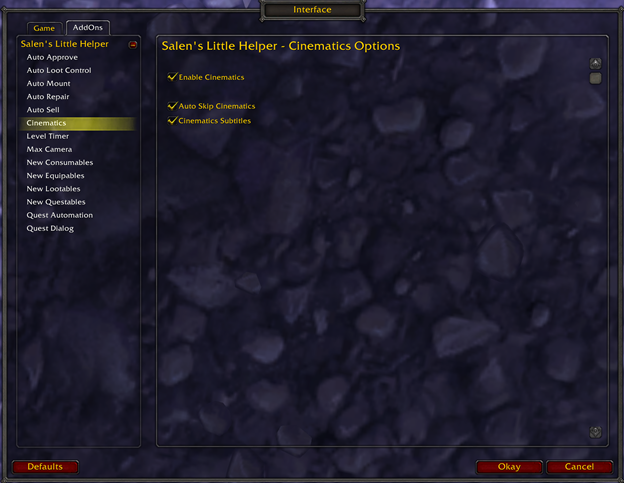
Auto Skip Cinematics. (Used to actually play in game Cinematics and cut scenes, removed that as Blizzard added it.)
Key Modifiers:
Alt (holding key will Disable until released)
Commands:
/slh C
Enable/Disable Cinematics
Chat Copy (Disabled By Default):
Copies Chat into hidden Window. Show/Hide window button shows in Bottom Left.
(This is likely useless to you. I use it for addon Development, so I figured I would make it public in case it is actually helpful for someone)
Key Modifiers:
Shift (holding key will allow moving the Button)
Commands:
/slh CC
Enable/Disable Chat Copy
/slh CCReset
Reset Chat Copy Button Position
Level Timer:
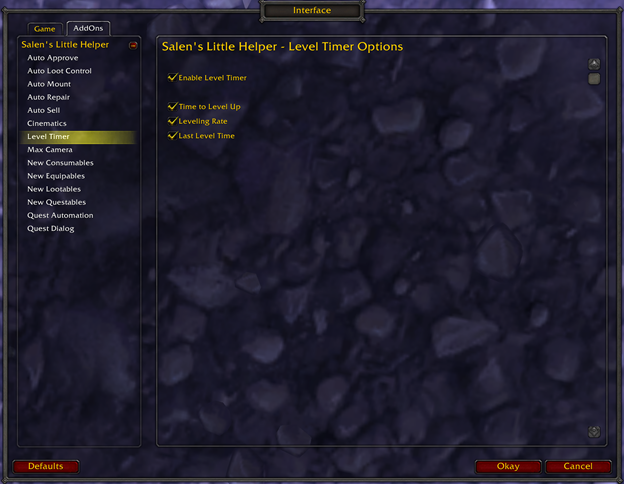
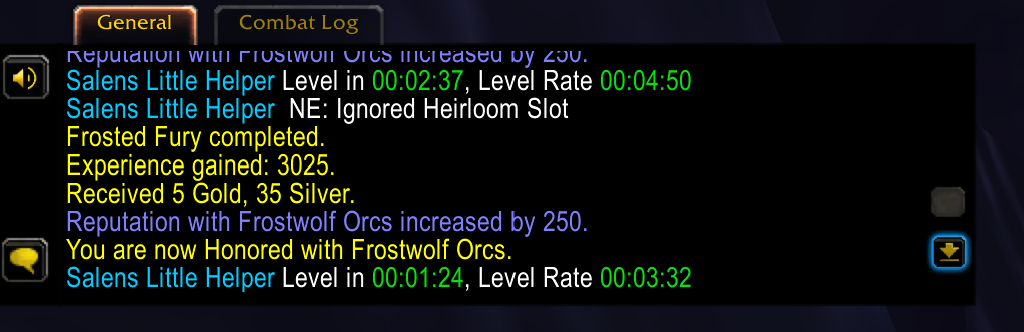
Shows Levelling rate and/or Time to Level on XP gain.
Commands:
/slh LT
Enable/Disable LevelTimer
/slh LTReset
Reset LevelTimer
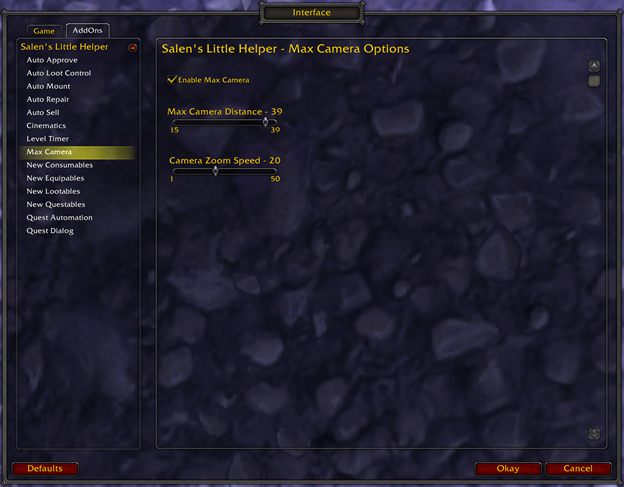
Max Camera:
Allows setting max Camera distance. (This used to be in the game, they took it out of the UI, but it is still there. I play zoomed out or Motion Sickness punches me in the stomach. This lets me zoom all the way out and not get sick.)
Commands:
/slh MC
Enable/Disable Max Camera
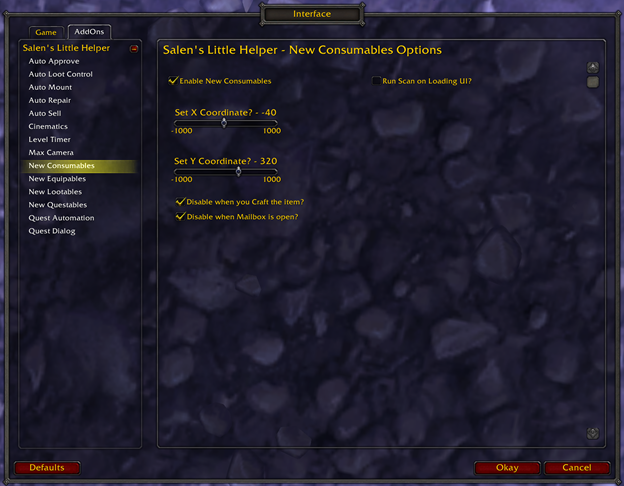
New Consumables:
Creates an onscreen clickable button whenever you receive a Consumable item. Button position is adjustable. Option to rescan on login/load. Can disable when crafting or looting your mailbox.
Key Modifiers:
Alt (holding key will Disable until released)
Shift (holding key will allow moving the Button)
Commands:
/slh NC
Enable/Disable New Consumables
/slh NCSCAN
Scan for Consumables
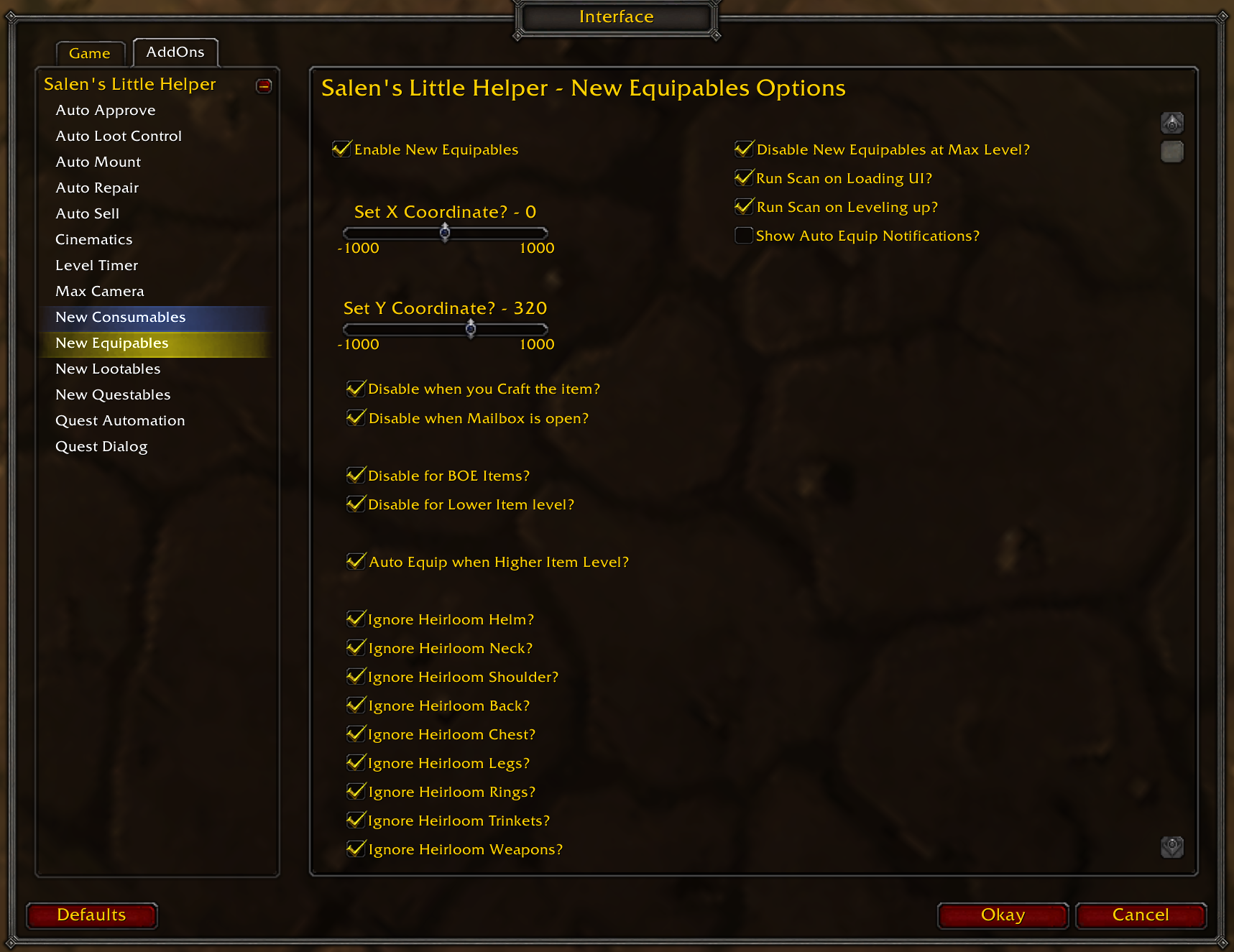
New Equipables:
Creates an onscreen clickable button whenever you receive an Equipable item. Button position is adjustable. Option to rescan on login/load. Can disable when crafting or looting your mailbox, and for BOE’s/Lower Item level than equipped in that slot. Can also auto equip by Item Level and ignore slots with Heirlooms.
Key Modifiers:
Alt (holding key will Disable until released)
Shift (holding key will allow moving the Button)
Commands:
/slh NE
Enable/Disable New Equipables
/slh NESCAN
Scan for Equipables
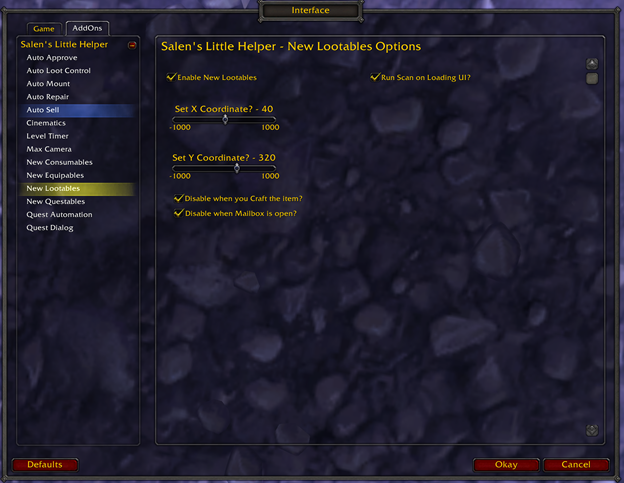
New Lootables:
Creates an onscreen clickable button whenever you receive a Lootable item. Button position is adjustable. Option to rescan on login/load. Can disable when crafting or looting your mailbox.
Key Modifiers:
Alt (holding key will Disable until released)
Shift (holding key will allow moving the Button)
Commands:
/slh NL
Enable/Disable New Lootables
/slh NLSCAN
Scan for Lootables
New Questables:
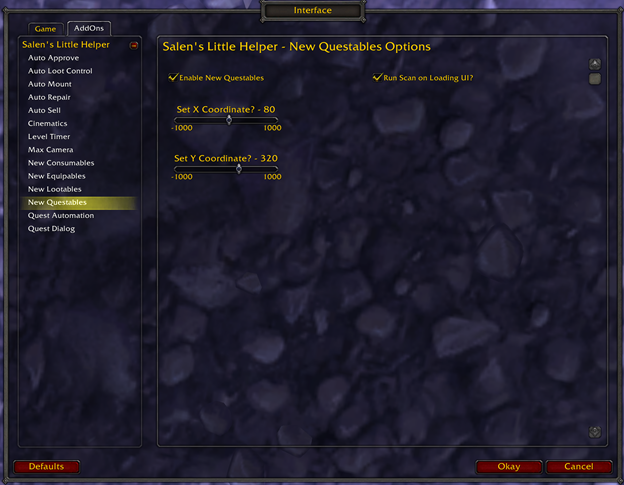
Creates an onscreen clickable button whenever you receive a Quest item. Button position is adjustable. Option to rescan on login/load.
Key Modifiers :
Alt (holding key will Disable until released)
Shift (holding key will allow moving the Button)
Commands:
/slh NQ
Enable/Disable New Questables
/slh NQSCAN
Scan for Questables
Quest Automation:
(Warning: this module destroys emersion in the Lore. Good for altoholics like me; however, I recommend disabling this for the first time through any new content.)
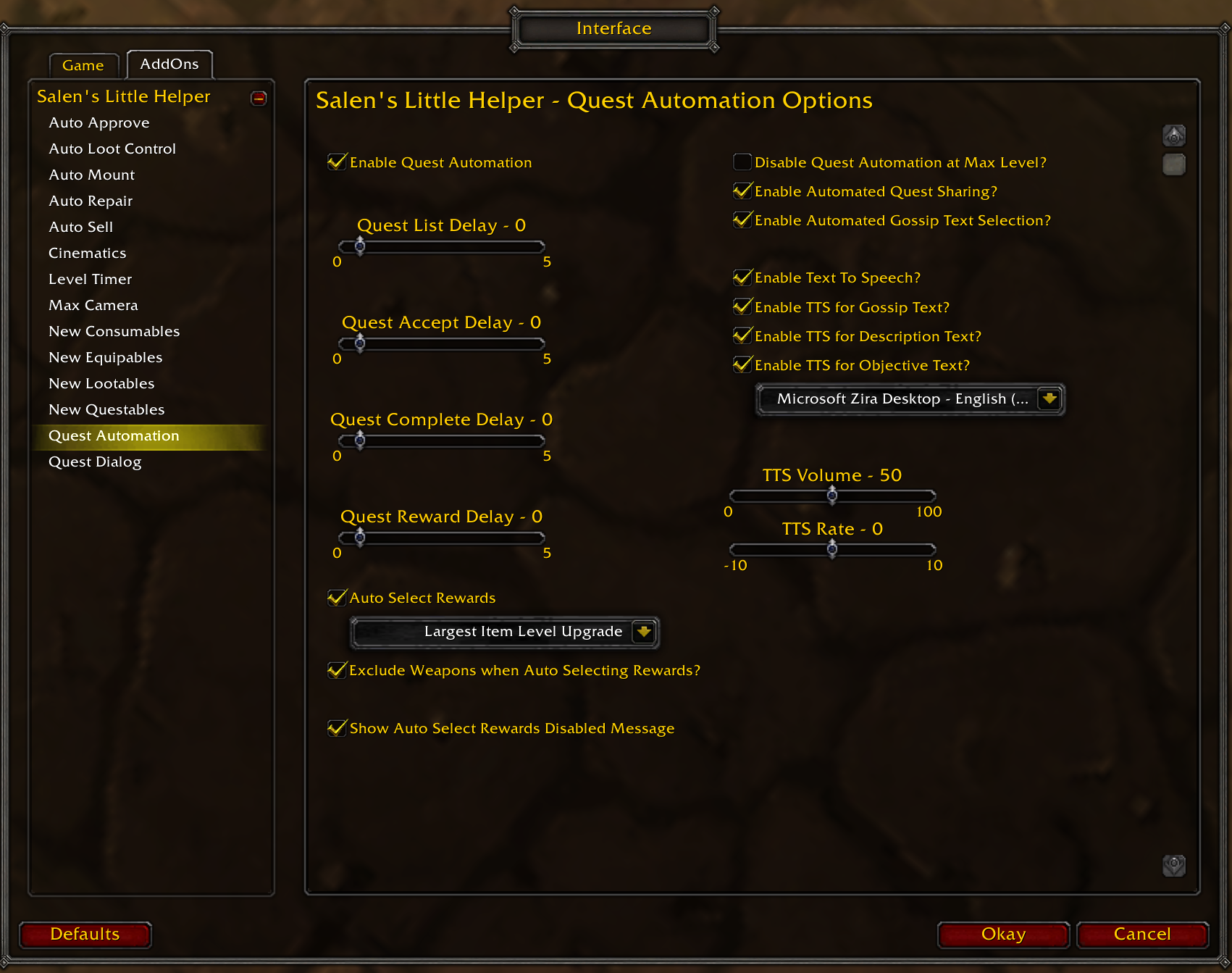
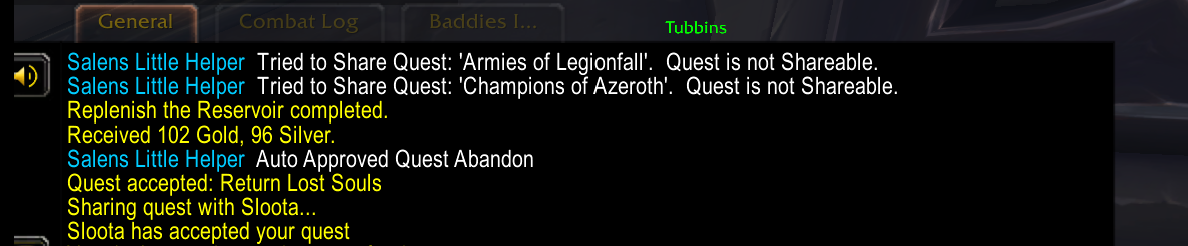
Auto accepts/completes quests. Can auto share new quests. Can auto select new rewards based on Item level.
Auto Selects some Gossip Text
Text To Speech Option will read Quest Title, Objective, Text. It uses the Operating System Text to Speech, so it can talk over game dialogue, or get cut off by new inputs.
Key Modifiers:
Alt (holding key will Disable until released)
Commands:
/slh QA
Enable/Disable Quest Automation
Quest Dialog:
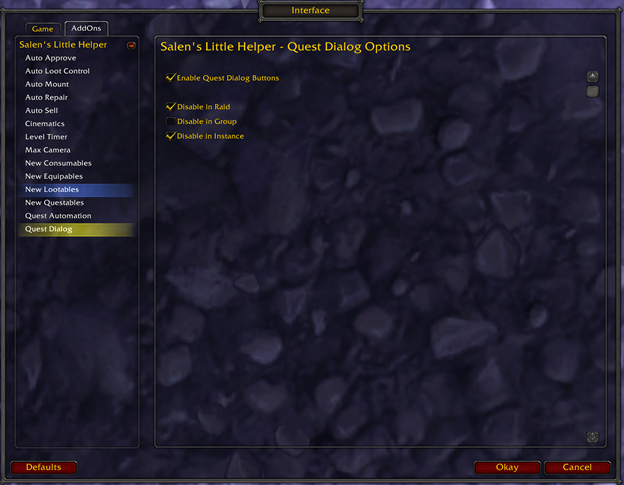
Creates Dialog button and hotkeys for Gossip Text. Can be disabled in Raid/Group/Instance.
Key Modifiers:
Alt (holding key will disable until released)
Shift (holding key will disable until released)
Commands:
/slh QD
Enable/Disable Quest Dialog
Talent Selector:
(This Module is disabled by default, as I expect it is not a common use Module. Enable this on the Main page and The Talent Selector Page to use it, more detailed instructions below)
Allows you to preselect your Talent selection for each level from 10 to 70.
Currently, this is for Retail only. I am not sure how possible it would be for Classic/WOTLK, but if anyone is interested in this for Classic/WOTLK, let me know and I can look into it.
Instructions to Enable as this is disabled by default and is not user friendly:
On the Main SLH page, enable Talent Selector option, on the same page, click save in the upper right to reload ui
Then the Talent options for each class/Spec should show under the Talent Selector menu
Go to the Class/Spec you are logged in as and "get talents" (which reloads ui)
Go back into where you got talents, and now the talent list is populated so you can select the talent for each level.
Then you can "reallocate Talents in the upper right (or /slh TSRat) if desired.
Whether you reallocate talents or not, it will now try to select the next level talent whenever you level up, it will just fail if your current talents are out of sync, in which case "/slh TSRat", to sync it back up.
Also, sometimes blizzard changes talents for a spec, so that spec needs a get talents again, and the specific talent that does not select when reallocated must be reselected wit the new value.
Commands:
/slh TS
Enable/Disable Talent Selector
/slh TSRat
Reallocate Talents
About the Author/Mod:
Salen's Little Helper is an assortment of Quality-of-Life options, mostly Questing/Levelling or open world related. Many of these exist in other Mods that are out there in similar formats. I started this project primarily because I got tired of waiting for the numerous Mods I used to be updated after patches, and because I had never made a Mod before. So, I looked at the Mods I used and eliminated all the ones I no longer really used. Then I made my own Mod to get rid of the remaining Mods I had installed, but only used for a small piece of their functionality.
Since I started this because I wanted control over my Mods and wanted to minimize the installed mods I did not utilize, when I decided to share this with others, I added options to load or disable each module, hide the menus for what you do not use, and select profiles for customization; this way you can have control over which options are useful to you, and fully disable the ones you do not want.
Each Module has its own configuration screen. Some have many options, some only Enable/Disable. These options are entirely dependent on what I felt was useful at the time. You are welcome to make suggestions for additional functionality in each if there is something you would like. (Please note: I work full time and this Project is for Fun. Bugs will be prioritized, because “I'm not just the president, I'm also a client”. Suggestions I may add immediately, eventually, as time permits, or I may decide not to add it for any number of reasons; however, I will try to at least respond with some sort of status if you take the time to make a suggestion.)
Salen's Little Helper Team
