Saddlebags
- By
Screenshot 2026-10-09 221855.png
Screenshot 2026-10-09 221930.png
Screenshot 2026-10-09 222031.png
Screenshot 2026-10-09 222003.png
Description
Saddlebags
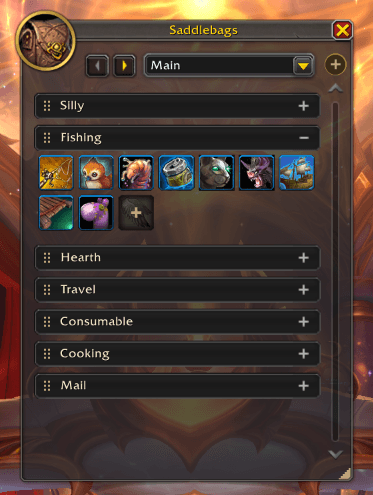
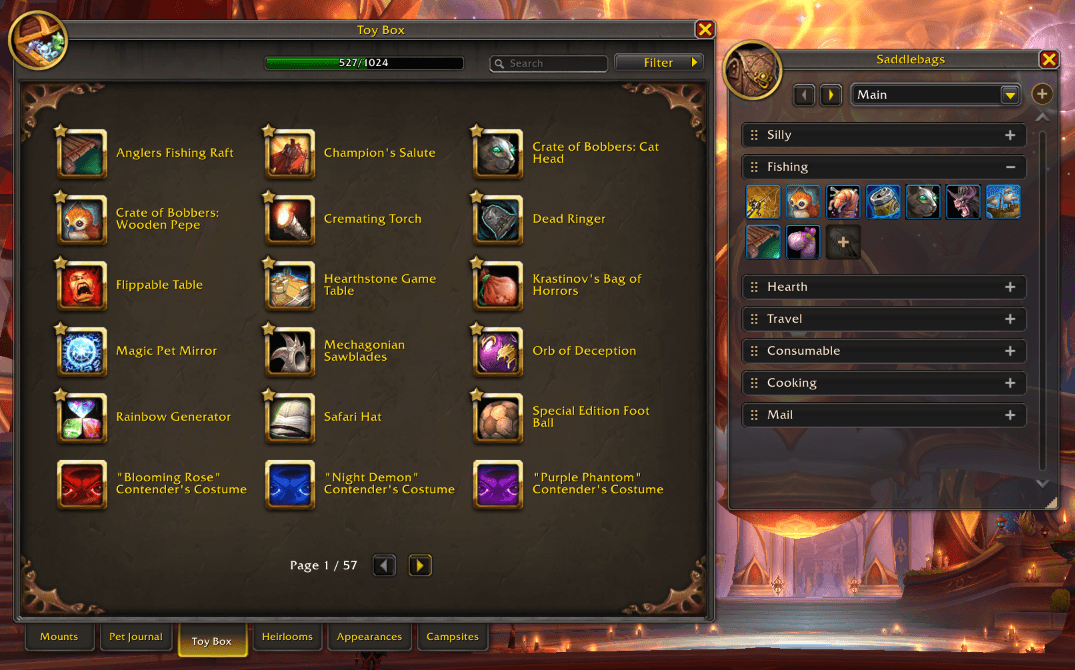
The native Collections journal is fine for browsing but terrible for reaching. With Saddlebags, you put the fishing toy, slow-fall trinket, vendor mounts, transmogs, pets and other things you like having out into an organized panel. Then they're a click away without cluttering your action bars.
What it does
- Toys, pets, mounts, items, macros and transmog outfits in one place. Click an icon to use the toy, summon the pet, mount up, drink the potion, run the macro or change outfits. Free up your action bars.
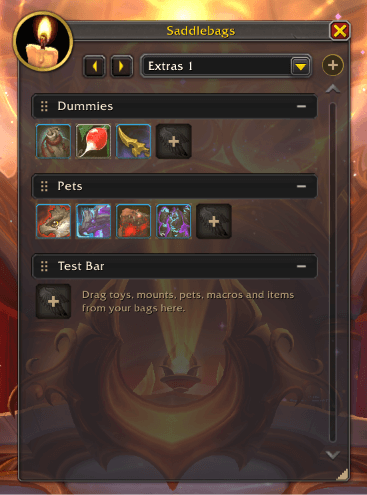
- Collapsible groups with bars you name yourself. "Fishing", "Hearth", "Portals", "Raid night" — whatever you'd actually call them. Collapse the ones you're not using.
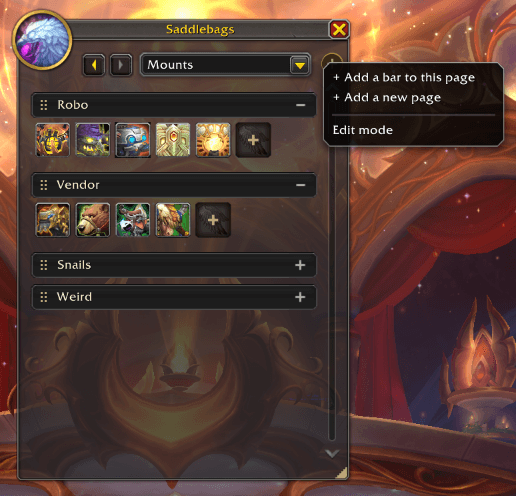
- Multiple pages. Keep a page per role, per activity, or per alt, each with its own name and its own icon. Switch between them from the dropdown at the top of the window.
- Drag things in from the game's own windows. Toys, mounts and pets come from the Collections journal, with all its search and filters. Potions, contracts, hearthstones and teleport rings come from your bags, your own macros from the macro window, and outfits from the transmog window. Consumables show how many you have left. Outfits and character macros only show on the character that added them.
- Teleport rings and cloaks put your gear back. The first click puts the ring on, the second teleports, and once you arrive the ring you were wearing goes back on.
- Rearrange by dragging. Hold Shift and drag an icon to move it within a section or to another one, or drag it off the window to remove it, like an action bar. Drag a section header to reorder sections.
- Edit mode for the tidying-up: click icons to remove them, rename or delete sections and pages, pick a new page icon.
- Usable mid-fight. Open the panel during a pull with a key from Keybindings → Saddlebags – the minimap icon is unable to open a panel like this during combat and a few UI elements are disabled.
- Minimap button: left-click to open the window, right-click for options. Hide it if your minimap is crowded.
- Options under Options → AddOns → Saddlebags: hide the + on each bar once you're used to dragging things in, or hide the minimap button.
Getting started
- Click the satchel on your minimap (or type
/sbags). - Click the + to add a bar to the Saddlebags panel.
- Click the + under that bar and pick where to add from: the Collections journal for toys, mounts and pets, your bags, or the macro window. Then drag what you want onto the bar.
- Shift-drag to rearrange icons, or off the window to remove one. Use edit mode for bigger changes.
Commands and keys
| Command | What it does |
|---|---|
/sbags or /saddlebags |
Toggle the window |
/sbags minimap |
Show or hide the minimap button |
/sbags options |
Open the Options page |
| Keybindings → Saddlebags | Toggle the window, or turn pages — both work in combat |
Notes
Saddlebags bundles LibDBIcon and its dependencies for the minimap button; if another addon has already loaded a newer copy, that one is used instead. Your layout is saved per account.
Bug reports and suggestions are welcome on the issue tracker.
Created by a dev, with lots of Claude help to save time. I have paid work to do and WoW to play. This was something I really wanted for myself. If you find it useful, that's great!
Saddlebags Team