
Ryback's AltCraft
screenshot-catalogue.png
screenshot-commande.png
screenshot-commandes.png
screenshot-envoi.png
screenshot-metier.png
Description
AltCraft
Your alts' workshop. AltCraft lists every recipe known by all the characters of your account, lets the character you are playing order items from your other characters, and follows each order until the parcel has been collected from the mailbox.
Made for World of Warcraft: Forever (interface 16001). English and French.
Features
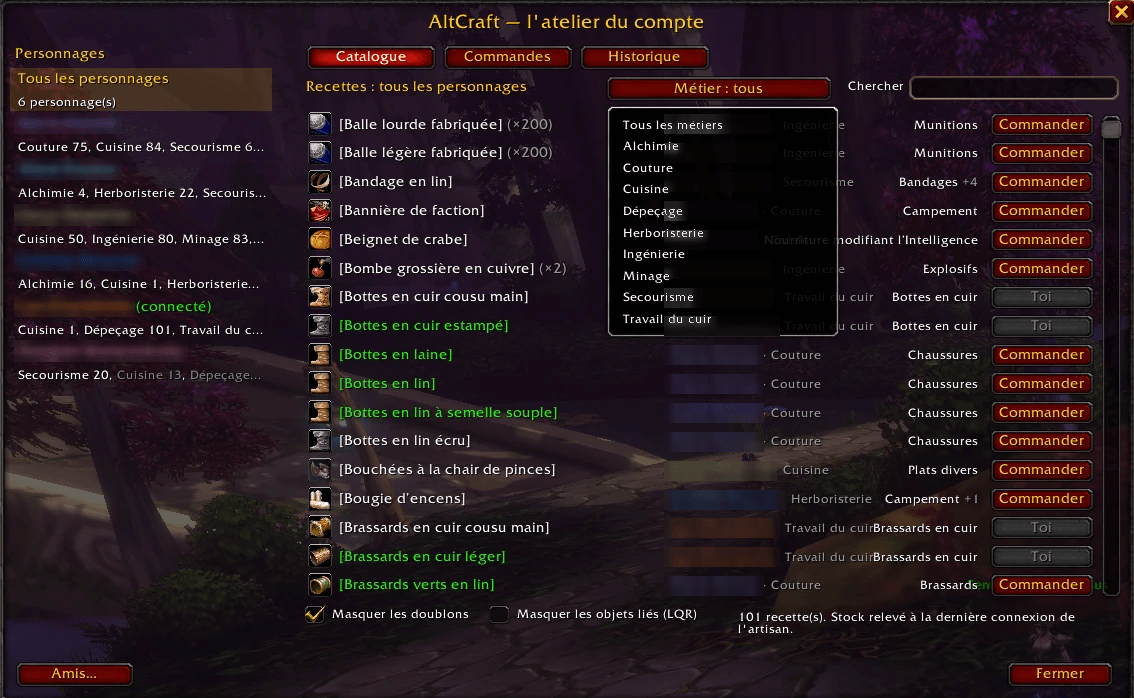
Recipe catalogue of the whole account
- Every recipe of every character, primary and secondary professions (cooking, first aid…).
- Filter by character or profession, search by name.
- Hide duplicates: a recipe known by several characters is shown once (the logged-in character first), the others are listed in the tooltip.
- Hide bind-on-pickup items: they cannot be mailed, so there is no point ordering them.
- Crafter's stock and reagents as of their last login.
Orders between your characters
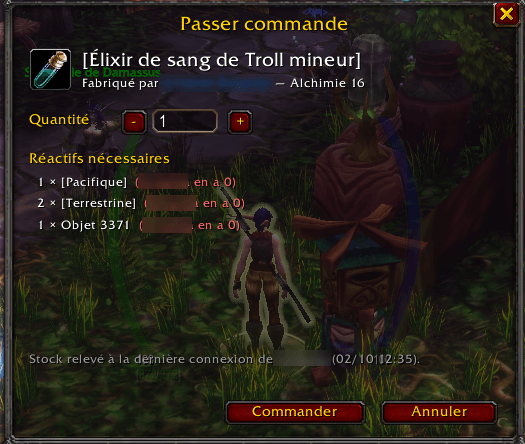
- Click Order: armour and weapons are ordered in one click; for potions, elixirs, cloth or bags you choose the quantity.
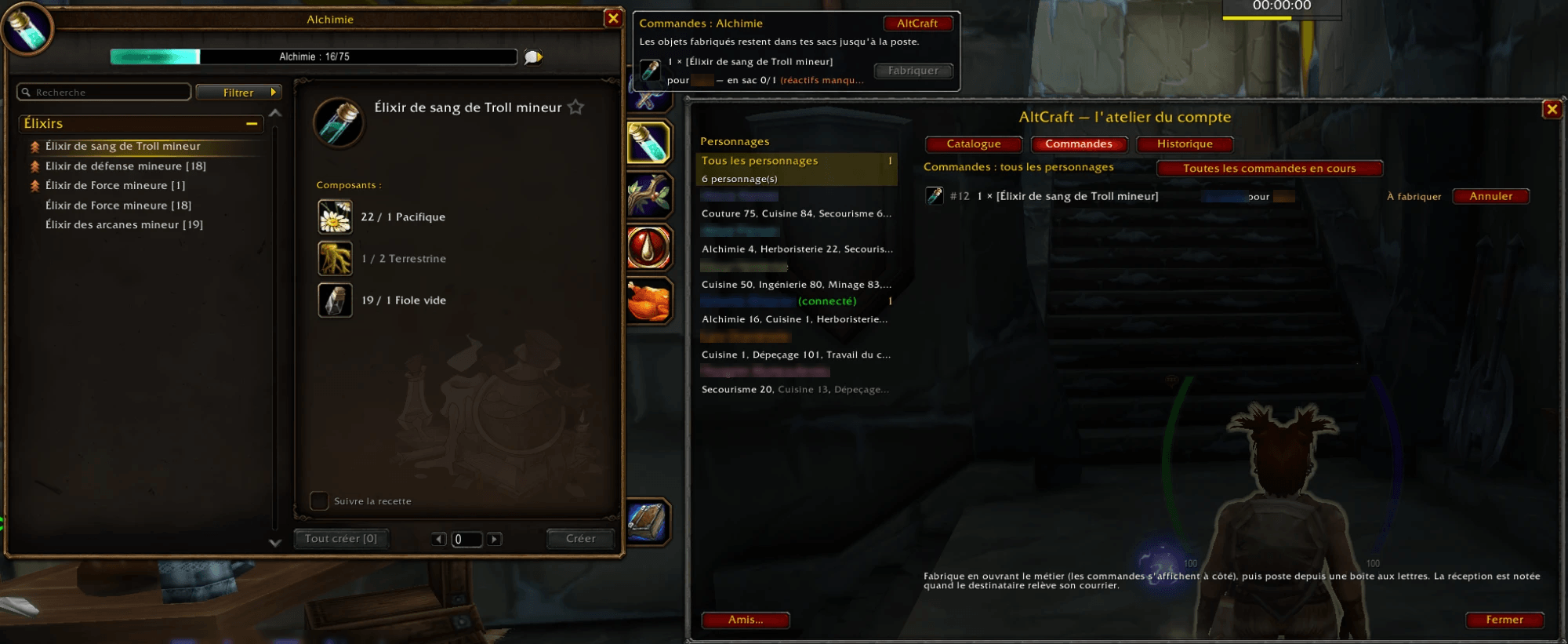
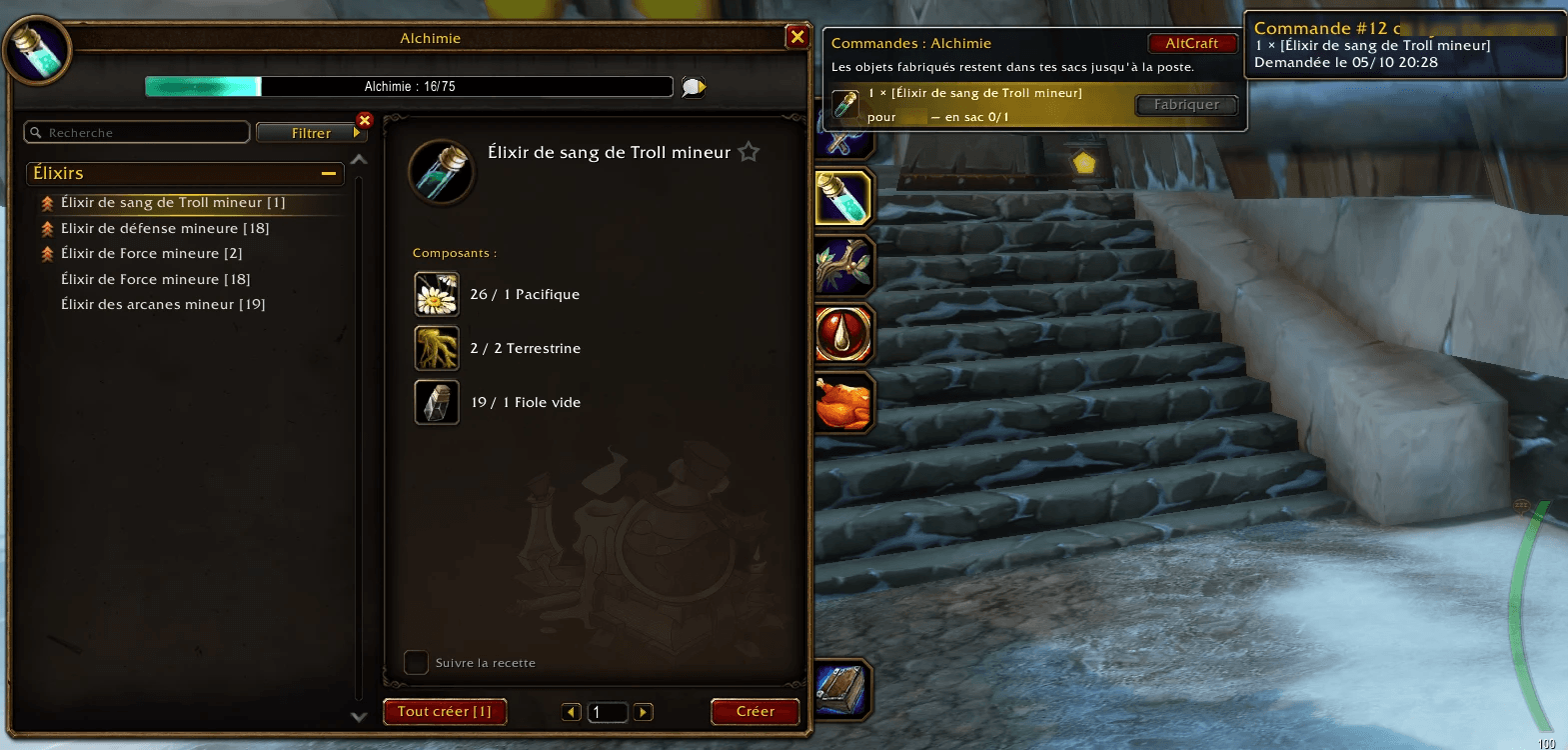
- When you log in with the crafter, a chat message lists the orders waiting, and a panel opens next to the profession window with a Craft button limited to the reagents in your bags.
- An order becomes ready to mail as soon as the items are in the crafter's bags. Equipped or soulbound items are never counted: your crafter keeps their clothes on.
Mailbox and tracking
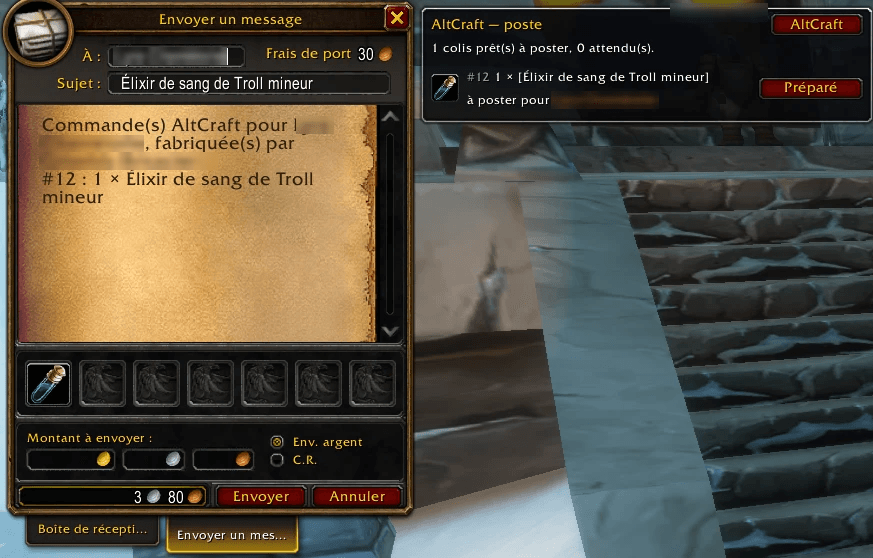
- At the mailbox, Prepare fills in the mail: recipient, subject, and the right number of items (stacks are split when needed).
- All the ready orders for the same character go in one single mail (up to 12 attachments).
- Each order is followed: To craft → Ready to mail → Sent → At the mailbox → Received, with a history of finished orders.
Share with friends
- Invite a friend's character (they need AltCraft too): each of you sees the professions of all the characters of the other account, in a separate section.
- Several friends are supported. Sync is automatic at login when you are both online (same faction); the received catalogue stays available afterwards.
- Only accounts you accepted can send you data.
How to use
- Log in with each character and open each of their professions once: AltCraft records their recipes.
- Type /ac (or /altcraft) to open the catalogue and order.
- Log in with the crafter: craft from the panel next to the profession window, then go to a mailbox and click Prepare, then Send.
Commands: /ac, /ac orders, /ac history, /ac friends, /ac share <name>, /ac sync, /ac help.
Translations
AltCraft follows the language of your game client (French on a French client, English otherwise). Translations into other languages are welcome: everything you need is in Locales/README.txt inside the addon folder. Send your file in the comments and it will be included.
Known limits
- Recipes are only readable with the profession window open: open each profession once per character.
- Enchantments (no item to mail) are not listed.
- Mail and friend sharing are impossible between factions.
AltCraft (français)
L'atelier de tes personnages. AltCraft répertorie toutes les recettes connues par les personnages de ton compte, permet au personnage connecté de passer commande auprès des autres, et suit chaque commande jusqu'à ce que le colis soit retiré à la poste.
- Catalogue du compte : tous les métiers, principaux et secondaires ; filtres par personnage et par métier, recherche ; options Masquer les doublons et Masquer les objets liés (LQR).
- Commandes entre personnages : armes et armures en un clic, quantité au choix pour les potions, étoffes ou sacs ; panneau à côté du métier avec un bouton Fabriquer ; seuls les objets neufs et non liés comptent, l'artisan garde ses vêtements.
- Poste : Préparer remplit le courrier (destinataire, objet, pièces jointes), un seul courrier par destinataire, suivi jusqu'à la réception.
- Partage avec des amis : chacun voit les métiers de tous les personnages de l'autre compte, synchronisation automatique quand vous êtes connectés en même temps.
Pour commencer : connecte chaque personnage et ouvre une fois chacun de ses métiers, puis tape /ac.
Ryback's AltCraft Team
