Rusty Dots
- By
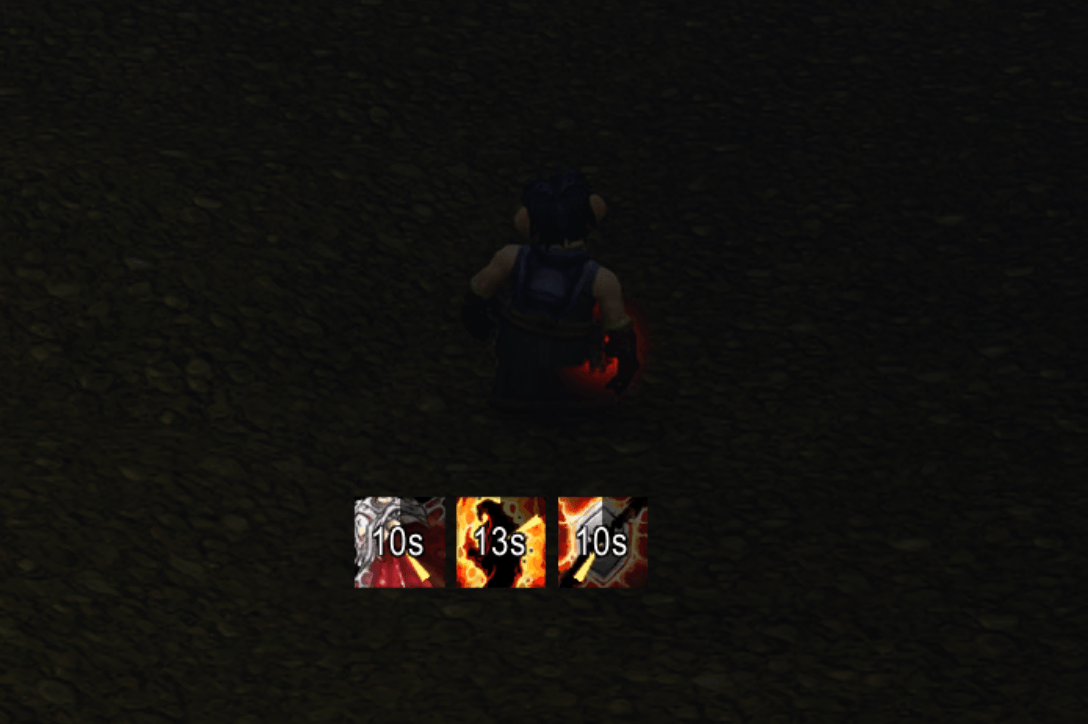
Shows only the auras you cast on your target, with their time left and stacks, in a row you can move. In combat too.
screenshot-row.png
screenshot-settings.png
Description
Blizzard's target frame shows every aura on your target, yours and everyone else's together. Rusty Dots shows only yours: your damage over time on a mob, your heal over time on a friend. Each one is an icon with its time left and its stacks, in a row you can put anywhere.
What it does
- Only your auras. What other players cast on the same target stays off the row.
- Time left at a glance. Each icon sweeps and writes the time left (9s, 2m) as its aura runs out, in combat too.
- Where you want it.
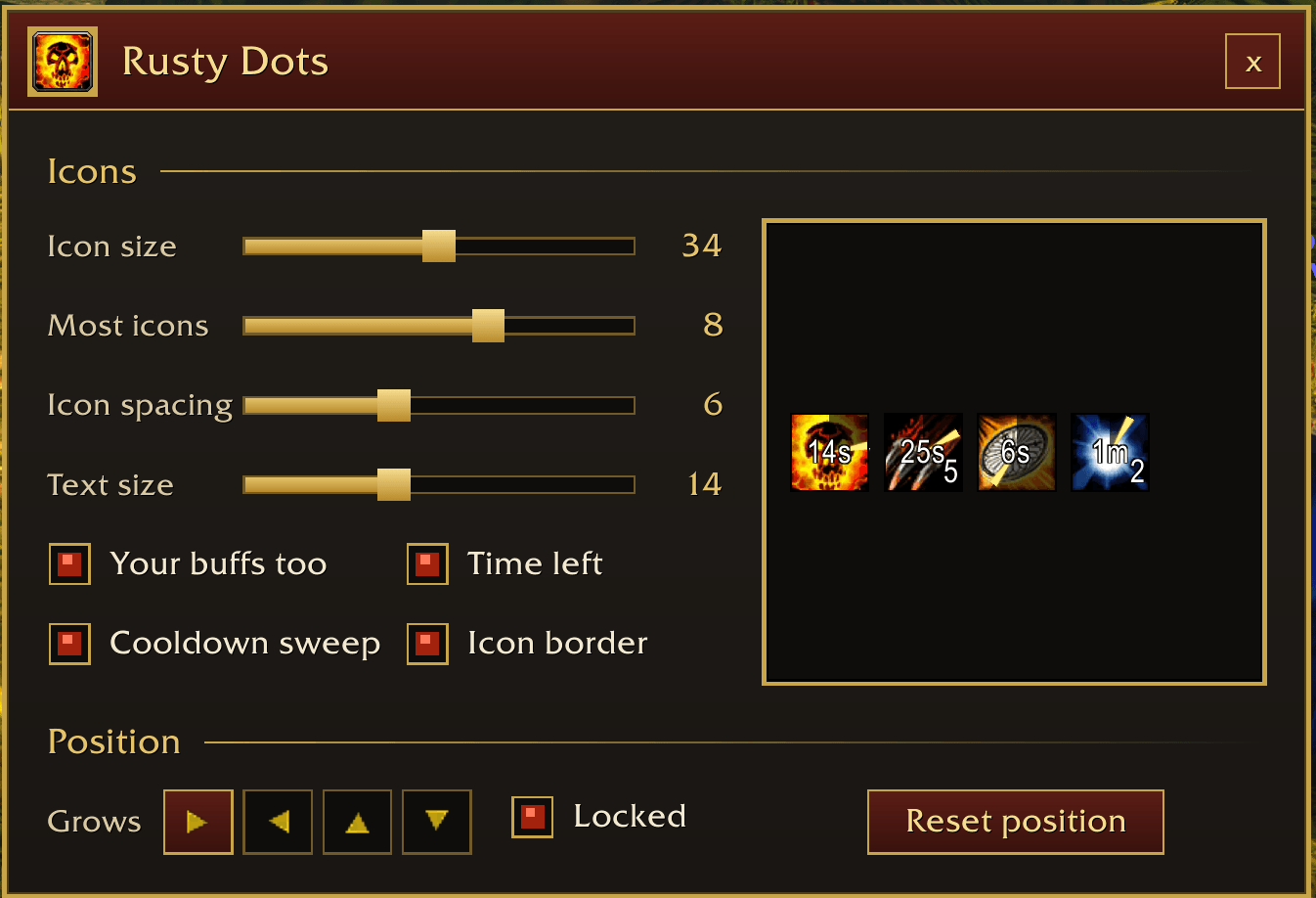
/rdots unlockshows a handle to drag the row by,/rdots lockputs it away,/rdots resetbrings it back a little below the middle of the screen. - Your way. The settings are one page in the look of the target frame, with a sample row beside the options that changes as you go, so you see the look before any target does. They let you pick:
- Icon size and Icon spacing, the gap between icons.
- Most icons: how many of your debuffs show at once, and as many of your buffs after them.
- Text size: how big the time left and the stacks are written. The game's size by default, and never too big for a small icon.
- Your buffs too, or only your debuffs.
- Time left written on each icon, or the game's own countdown instead.
- Cooldown sweep: the dark sweep across each icon as it runs out, on or off.
- Icon border: a thin dark line around each icon.
- Grows: right, left, up or down from the first icon, which stays where it is when you pick another direction. Locked and Reset position sit beside it.
Commands
/rdots: open the settings./rdots unlock,/rdots lock: show or hide the handle to move the row./rdots reset: put the row back where it started./rdots help: list the commands.
The settings also open from the game's AddOns options and from the minimap's list of addons.
Which game
Rusty Dots is for WoW Forever only. It uses the game's own aura display under the hood, which is what lets it keep showing your auras in combat.
Rusty Dots Team