RufusUI
- By
overview.png
engineering.png
weapon-route.png
Description
RufusUI for WoW Forever
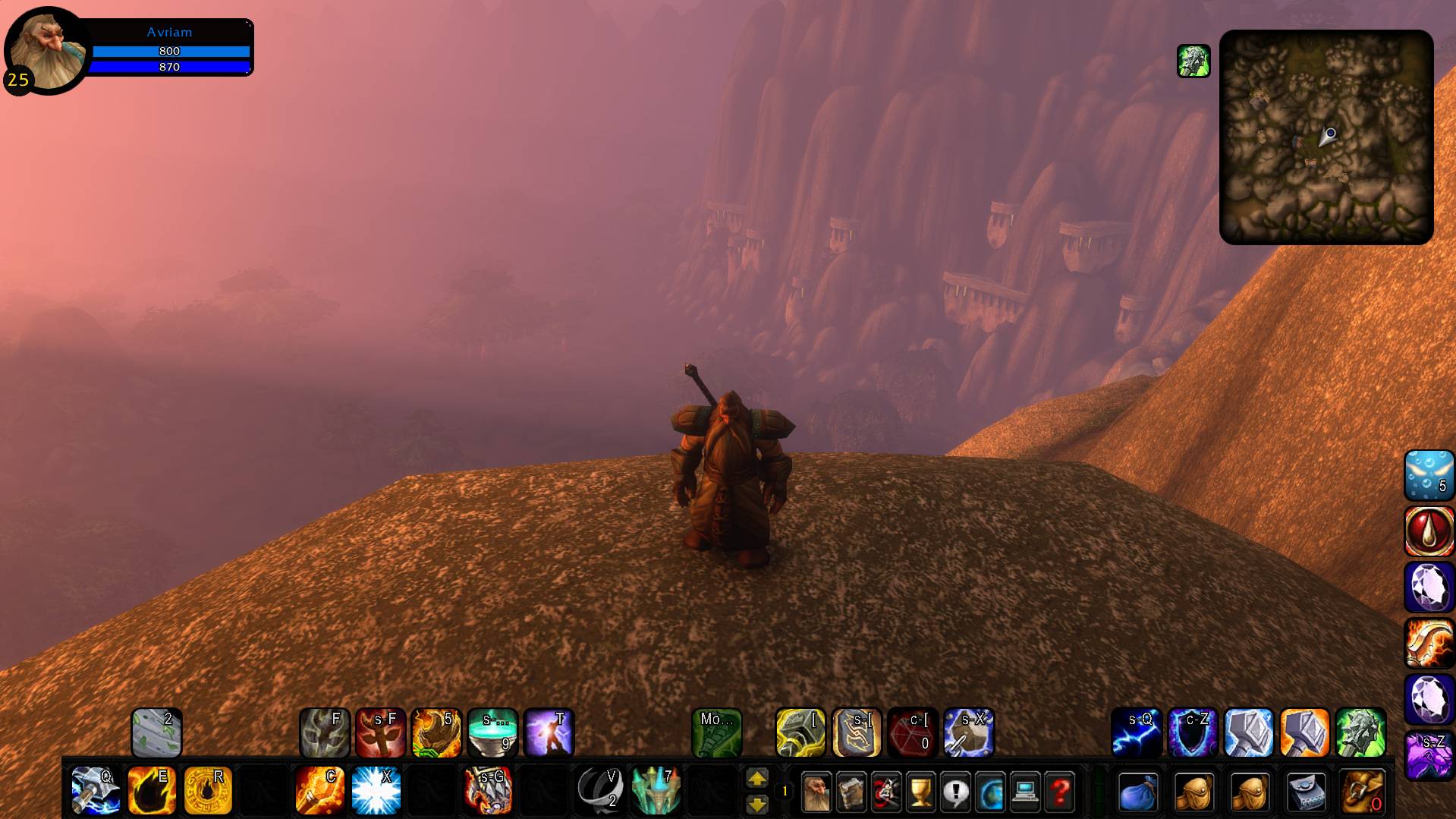
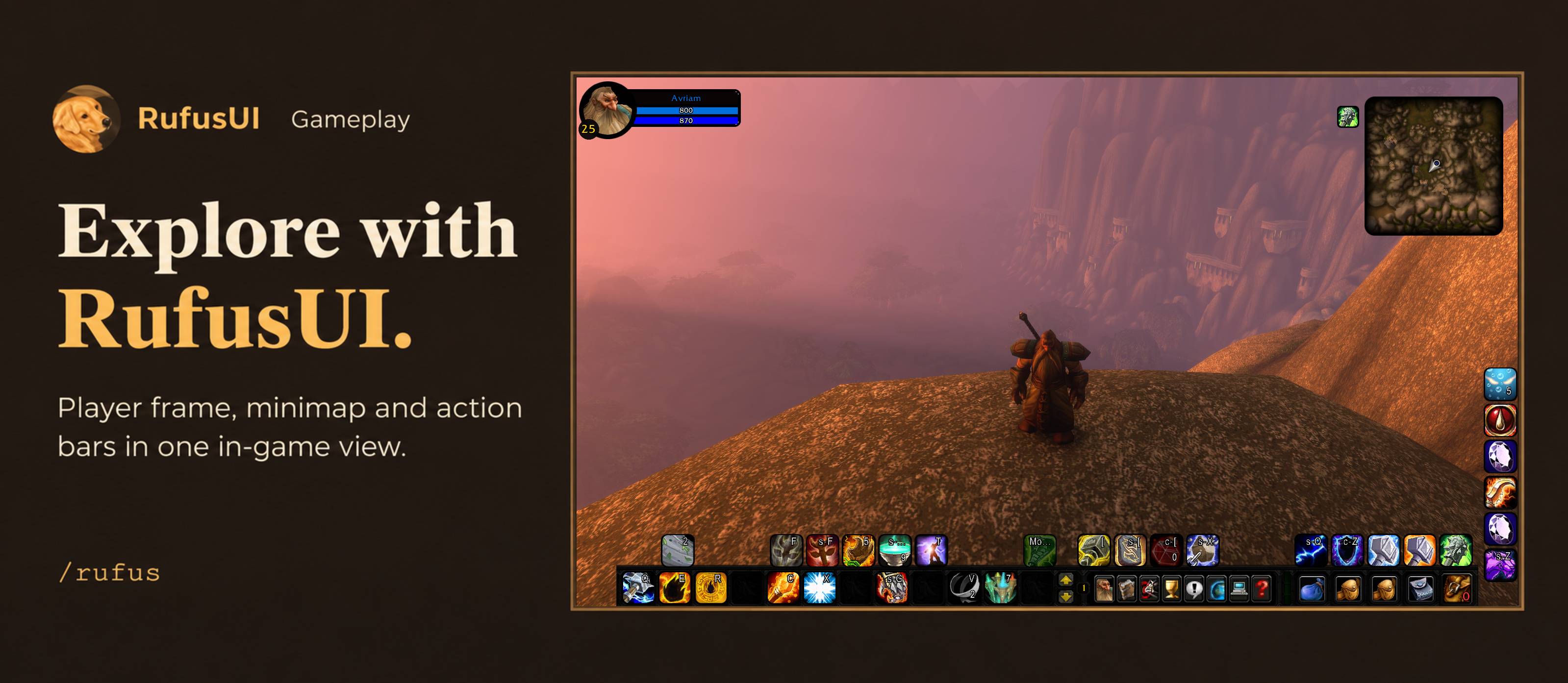
The compact player frame shows health and mana at the top left. The square minimap and action bars sit along the edges, leaving the center clear while you explore.
RufusUI brings a customizable interface and profession guides to players across classes in WoW Forever. Its weapon guides help you plan upgrades as you level.
Getting started
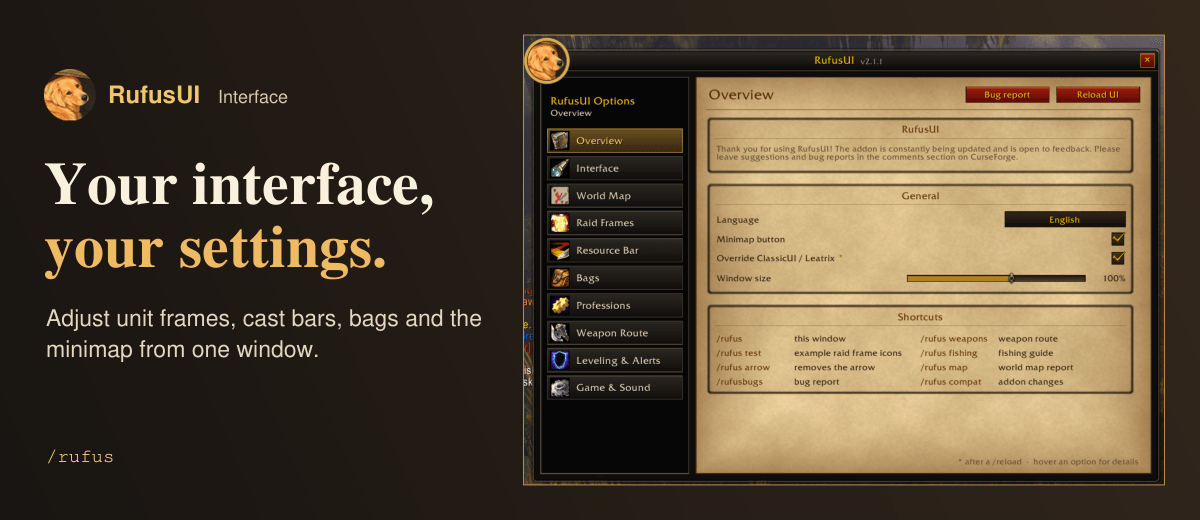
Open the minimap button or type /rufus. In Overview, choose English or Brazilian Portuguese and set the window size. Select a category on the left to adjust its settings.
Find your next weapon
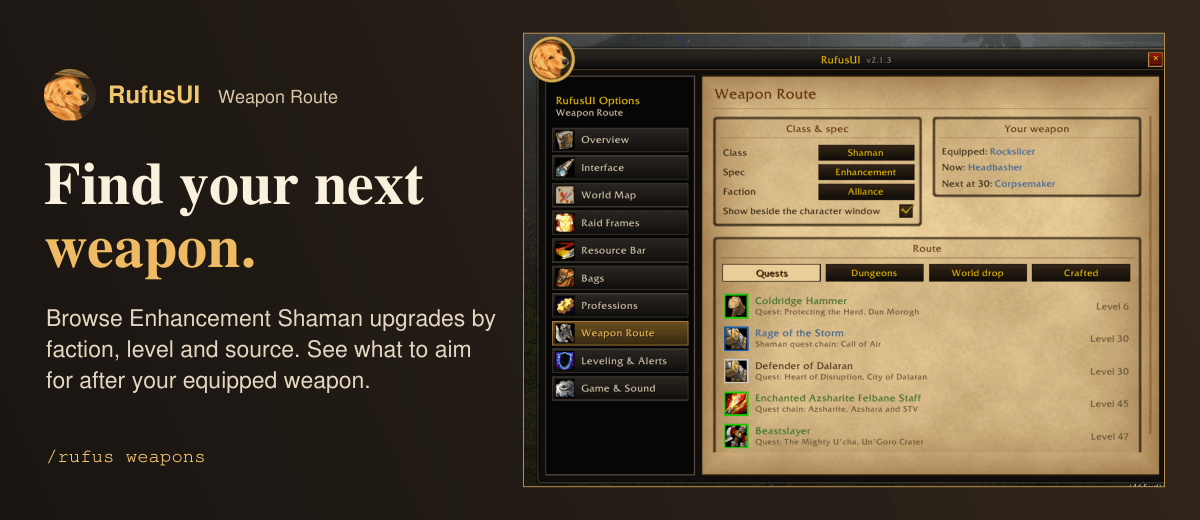
Type /rufus weapons to choose a leveling route for your class and specialization. Current routes cover Mage, Combat Rogue, Subtlety Rogue, and Enhancement Shaman. Choose Alliance or Horde to see your equipped weapon, the current recommendation, and the next upgrade by level. Browse Quests, Dungeons, World drop, or Crafted, then hover over an item to inspect its stats.
Know what to craft next
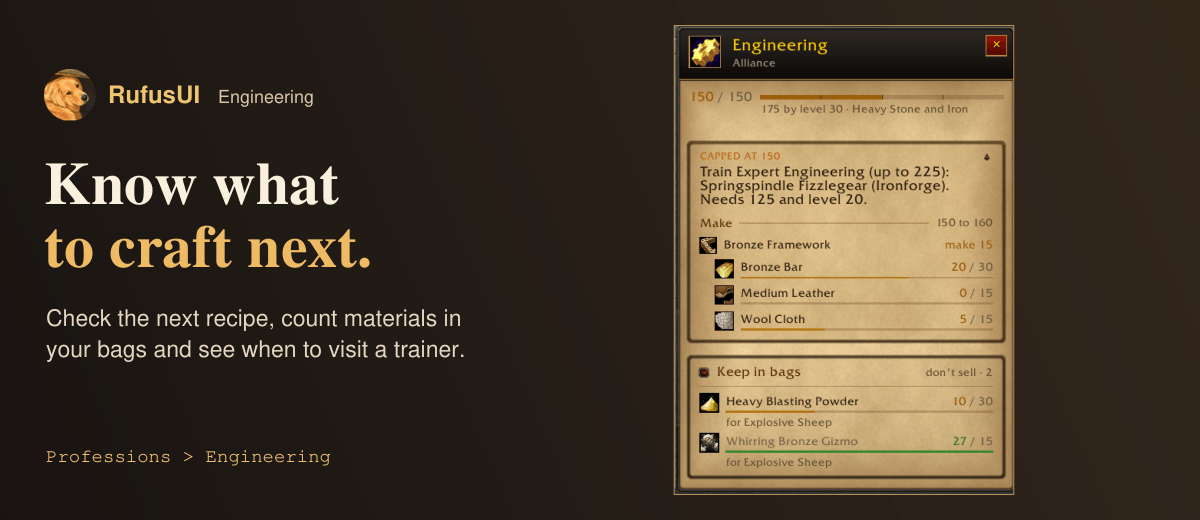
Open Engineering to see the next recipe, material counts, and items worth keeping. At skill 150, an Alliance engineer can see where to train Expert Engineering and how many Bronze Frameworks to make next. Professions also includes First Aid and a combined Fishing and Cooking guide. Right-click a supported fishing location for a waypoint arrow.
Interface and combat
Customize unit frames and cast bars, track crowd control on Blizzard raid frames, and position the resource bar. Adjust the minimap and organize your inventory in a unified bag window. Alt + right-click marks an item as junk. Hold Shift when opening a vendor to skip automatic selling and repairs.
Compatibility
Built for WoW Forever, with compatibility settings for ClassicUI Forever, Leatrix Plus, and Leatrix Maps. RufusUI includes its own interface styling.
RufusUI Team