


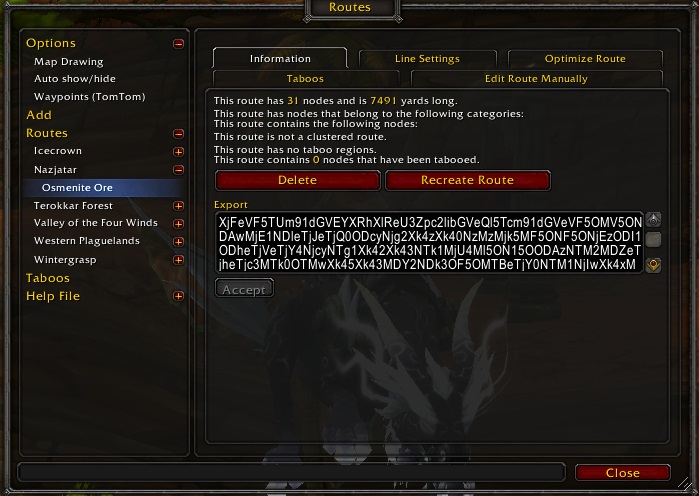
Copy text to share it
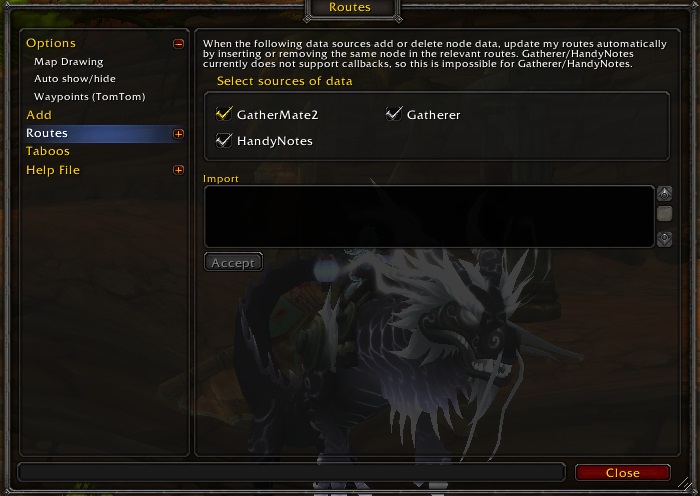
Paste shared route data to import it
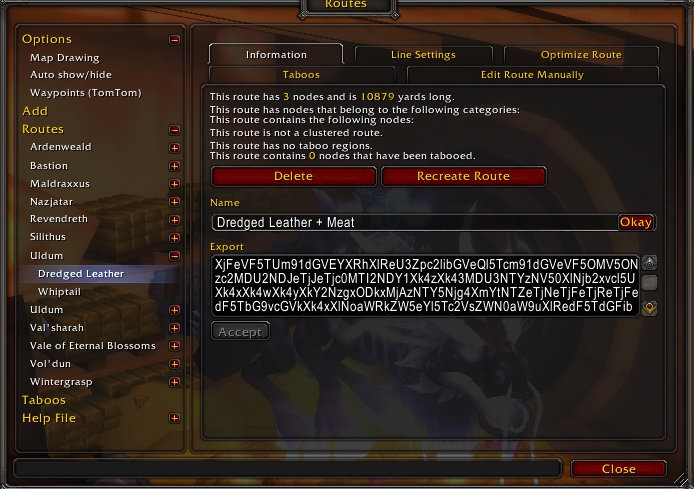
Change the name of existing route (v1.0.3+)
Description
Version: v1.0.9
It's a small extension for Routes addon adding and simple and needed import/export functionality.
To share a route with your friends / viewers open Routes window (console command: /routes) select that route. At the end of the Information tab there is a new Export text box populated with text. Copy it (Ctrl+A, Ctrl+C) and send / post that text anywhere you like.
To import a route, copy shared text, open Routes window (console command /routes), select Routes section. You can see a new Import text box. Paste route data to import (Ctrl+V) and click the Accept button. A new route should be added to the tree.
Routes can be renamed through Name field on the Information tab (added in v1.0.3).
It injects a temporary fix for issues with plugins in Routes addon with creating a coute using a data source like GatherMate2.
Known sources of routes to import:
2. https://golden-routes.com/ (by GoldenRoutes)
3. Smooth wotlk routes (WotLK Classic)
Known issues:
Reported conflict with SpartanUI addon.
PM me if you know about another source I should add there.
Routes Import/Export Team

