RouteLens
- By
A clean, readable Mythic+ pull map built on top of your MDT route, with pull tracking, group marks and route sharing.
RouteLens4.jpg
RouteLens3.jpg
RouteLens2.jpg
RouteLens1.jpg
Description
RouteLens
RouteLens turns your Mythic+ Dungeon Tools (MDT) route into a clean, readable pull map — right on your screen, during the run.
Instead of alt-tabbing into MDT or squinting at a tiny minimap, RouteLens shows you exactly which pack is next, how many mobs it has, and what your group should do — as you play.
⚠️ Requires Mythic Dungeon Tools. RouteLens reads your MDT routes and displays them. MDT must be installed.
Features
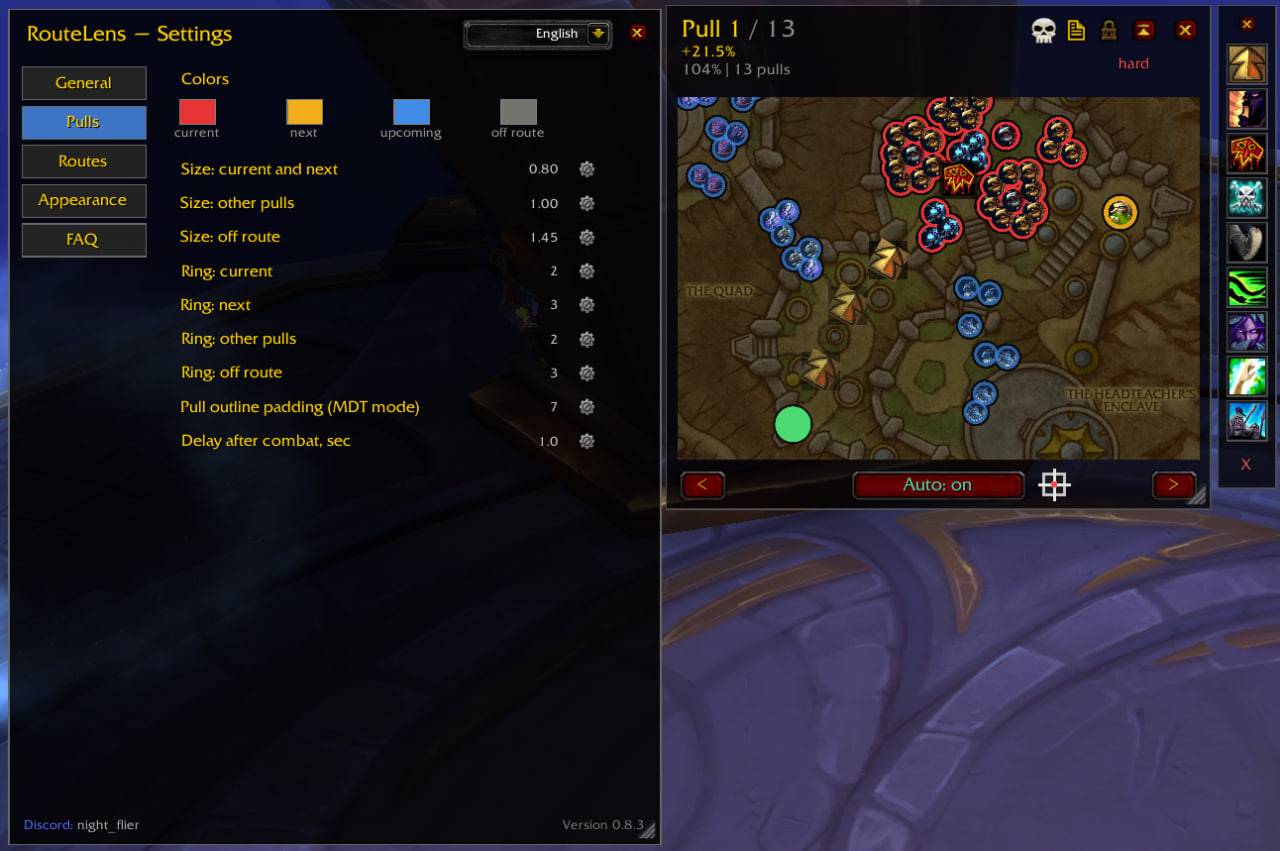
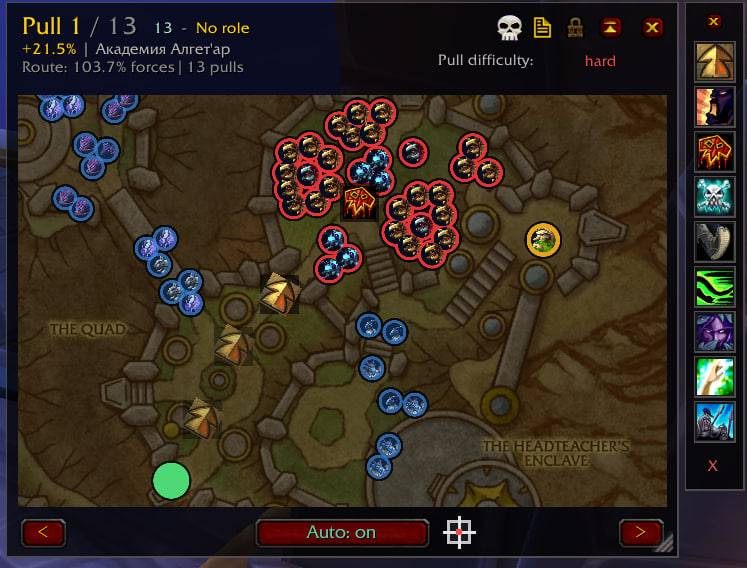
📍 Live pull map A dedicated window shows the dungeon map with your route drawn on it — current pull, next pull, upcoming packs and off-route mobs, each colour-coded. The map auto-zooms to the current pack, and you can pan, zoom and resize freely.
⏭️ Automatic pull tracking RouteLens advances to the next pull when you leave combat — inside a key it also uses enemy forces. Works in Mythic+, Heroic and Normal. The after-combat delay is fully adjustable.
📢 Center-screen callouts Get clear on-screen prompts for the next pull (difficulty, forces %, mob count) and for your marks (burst, kicks, lust, etc.). Pull and mark announcements can be toggled independently.
🎯 Group marks Place tactical marks anywhere on the map — arrow, burst, lust, danger, kicks, kite, skip, heavy healing, regroup. Drag to move, rotate arrows with the mouse wheel, and assign custom icons from the game's icon library.
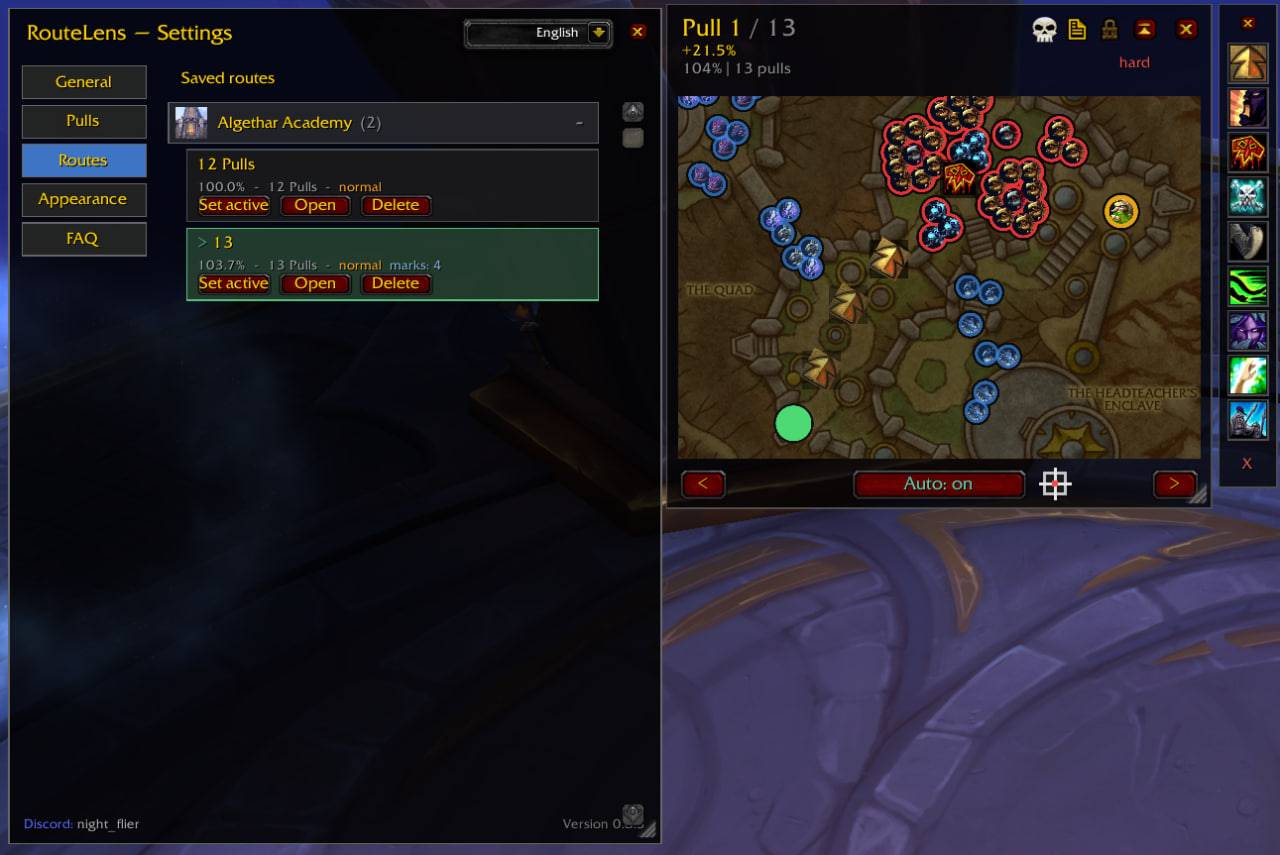
💾 Saved routes & catalog Save routes with their marks and pull difficulty. Routes are grouped by dungeon with dungeon icons, collapsible and reorderable by drag-and-drop.
🎨 Customization Separate background colour, border colour and transparency for the map and the menu.
🌍 Localization Full English and Russian support, switchable in-game.
How it works
- Build your route in MDT as usual (put each pack in its own pull for best tracking).
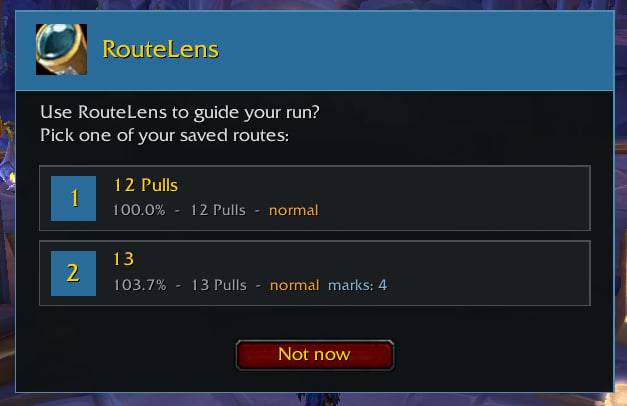
- Enter a dungeon — RouteLens offers to import the route, then shows it as a pull map.
- Save it in RouteLens to keep your marks and difficulty. From then on you pick from your own saved routes.
FAQ
Pulls advance incorrectly — why? Make sure each pack is its own pull in MDT. If the MDT route itself is built loosely, auto-advance will follow it loosely. Increasing the after-combat delay also helps.
Can I turn off the on-screen prompts? Yes — pull prompts and mark prompts have separate toggles in the General tab.
Why doesn't it show in some dungeons? RouteLens only activates where a route exists — yours or one in MDT. No route, no window.
Feedback and bug reports welcome. Discord: night_flier
RouteLens (Русский)
RouteLens превращает ваш маршрут из Mythic Dungeon Tools (MDT) в удобную читаемую карту пуллов прямо на экране во время забега.
Не нужно переключаться в MDT или всматриваться в миникарту — RouteLens показывает, какая пачка следующая, сколько в ней мобов и что делать группе.
⚠️ Требуется Mythic Dungeon Tools. Без MDT аддон не работает.
Возможности:
- 📍 Живая карта пуллов — маршрут на карте данжа, автозум на текущую пачку, панорама и масштаб
- ⏭️ Автопереключение пуллов — по выходу из боя; работает в ключах, героике и обычке
- 📢 Подсказки по центру экрана — следующий пулл и метки, отключаются раздельно
- 🎯 Метки для группы — стрелка, бурсты, БЛ, опасно, кики, кайт, скип, хилы, сбор; свои иконки
- 💾 Сохранённые маршруты — с метками и сложностью, каталог по данжам с перетаскиванием
- 🎨 Оформление — раздельная покраска и прозрачность карты и меню
- 🌍 Русский и английский язык
Отзывы и баги приветствуются. Discord: night_flier
The RouteLens Team