01_roundcompass.png
02_ring.png
03_signposts.png
04_finding_the_way.jpg
05_landmarks.png
06_map_notes.png
07_styles.png
08_your_layout.png
Description
RoundCompass
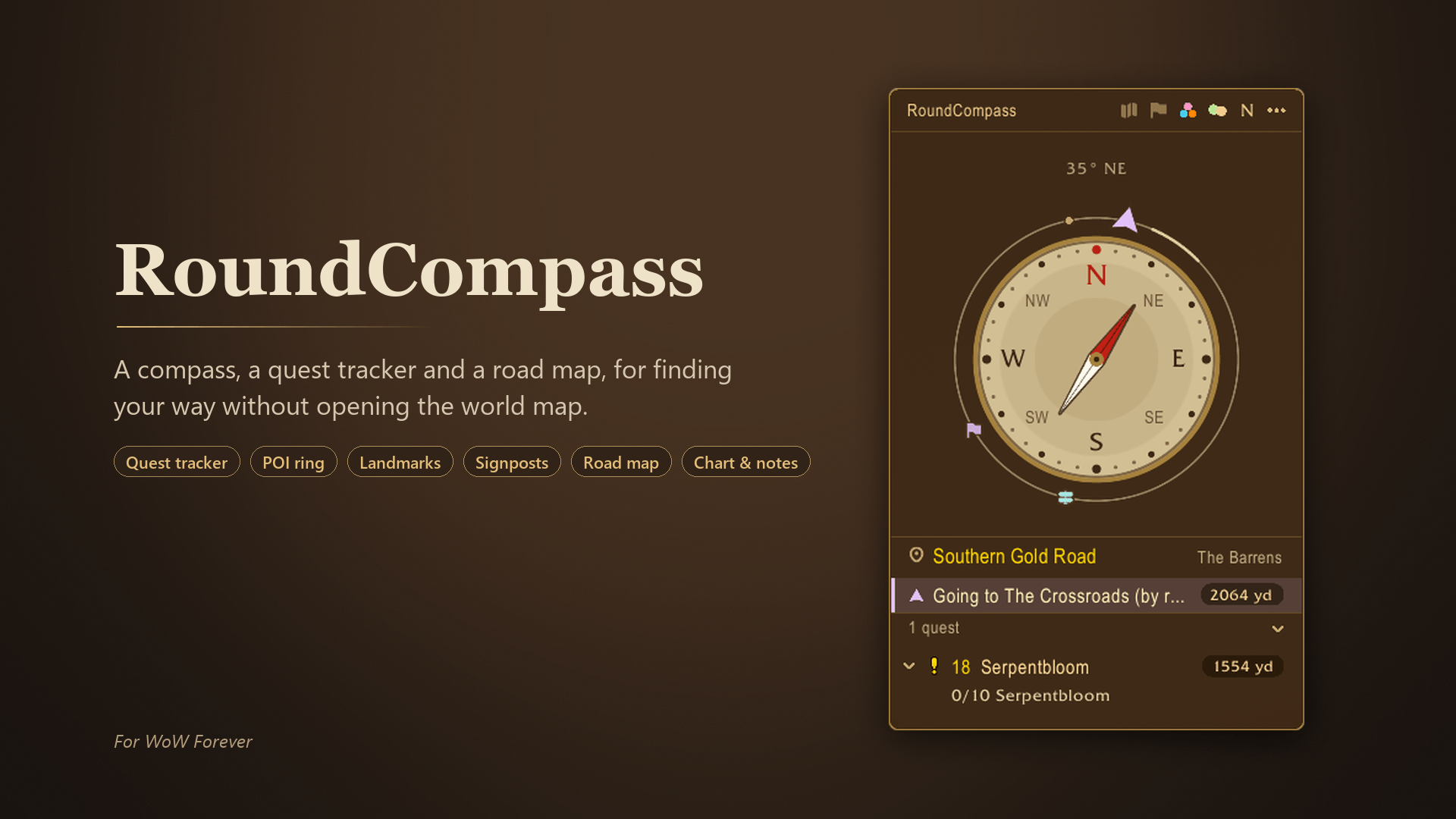
A compass, a quest tracker and a road map, for finding your way without opening the world map.
RoundCompass puts a small round compass on your screen and lets the world come to you: the arrow points at your quest, the things around you ride on a ring around the dial, and the roads lead you where you're going. Made for WoW Forever.
Features
🧭 A compass and a quest tracker in one panel
- A compass that turns with you, or stays north-up with a needle that does.
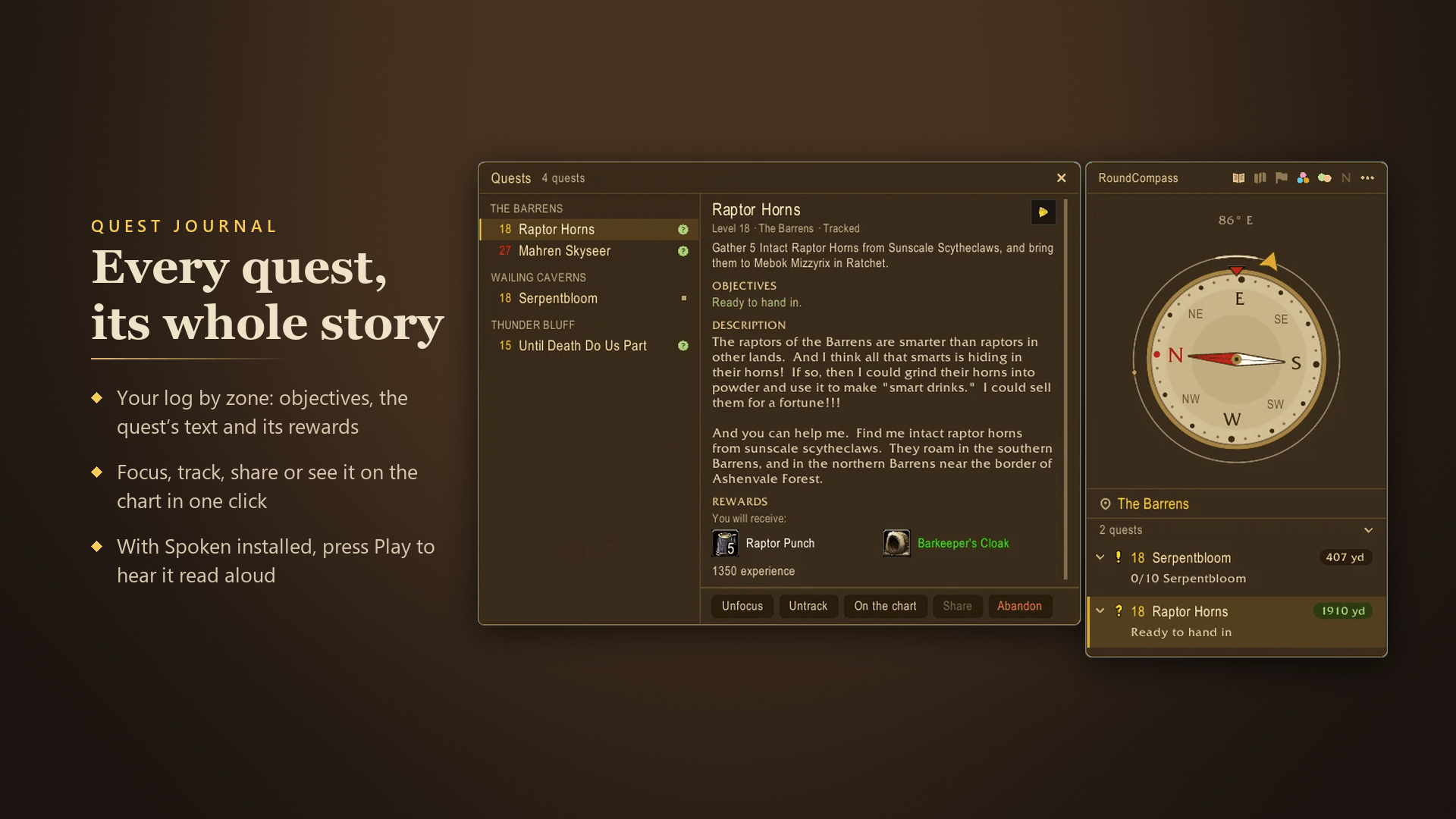
- Your tracked quests underneath, with their level, objectives and distance.
- Click a quest to focus it: the arrow points at it. Shift-click stops tracking it. Right-click for more (show on the map, share, abandon…).
- Quest items get their own button, and objectives flash when they progress.
- Replaces the game's quest tracker (you can bring it back in the settings).
💫 The POI ring
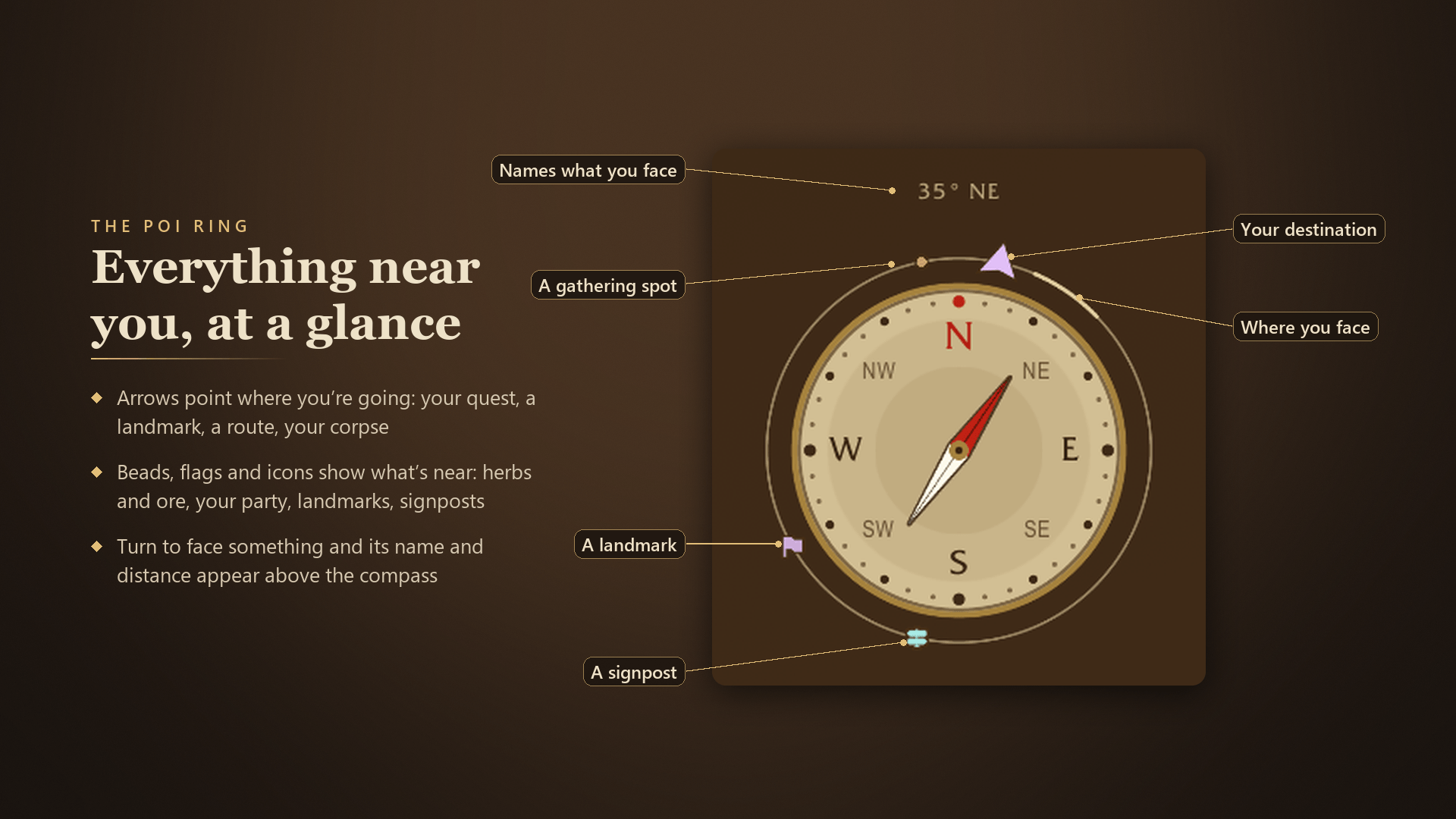
Everything around you rides on a thin ring outside the compass. The colour says what it is; the size and brightness say how near.
- Arrows for where you're going: your focused quest, a landmark, a route, or your corpse when you die.
- Inside a quest's area, the ring becomes a glowing blue band, and an arrow points to the middle.
- Beads, flags and icons for what's near: herbs and ore (from GatherMate2), your party in class colours, your landmarks and your signposts.
- Face something and its name and distance appear above the compass.
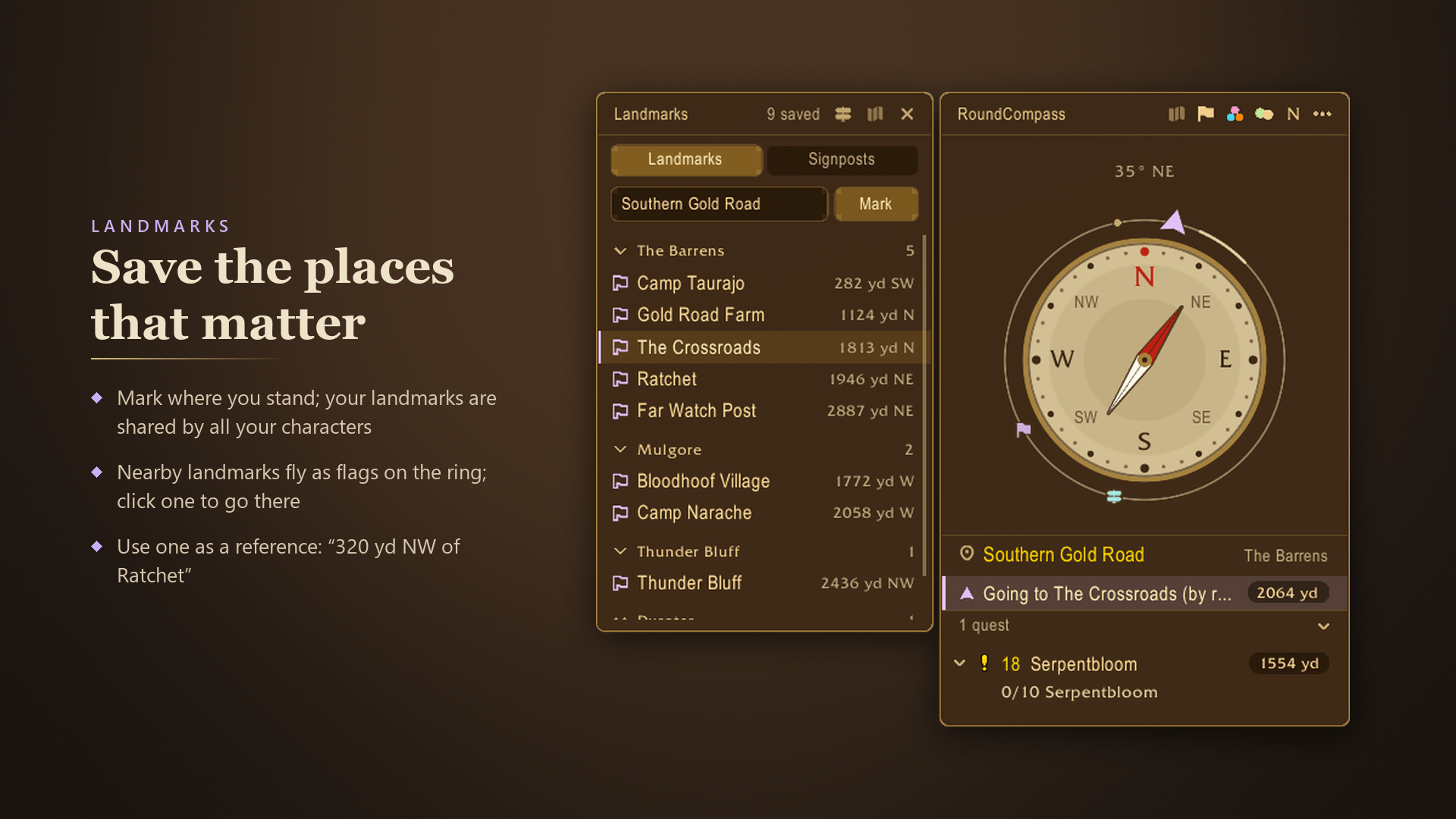
🚩 Landmarks
- Save any place where you stand, under a name. Landmarks are shared by all your characters.
- Nearby landmarks show as flags on the ring. Click one in the journal to go there.
- Use one as a reference: "320 yd NW of Ratchet".
🪧 Signposts you chart yourself
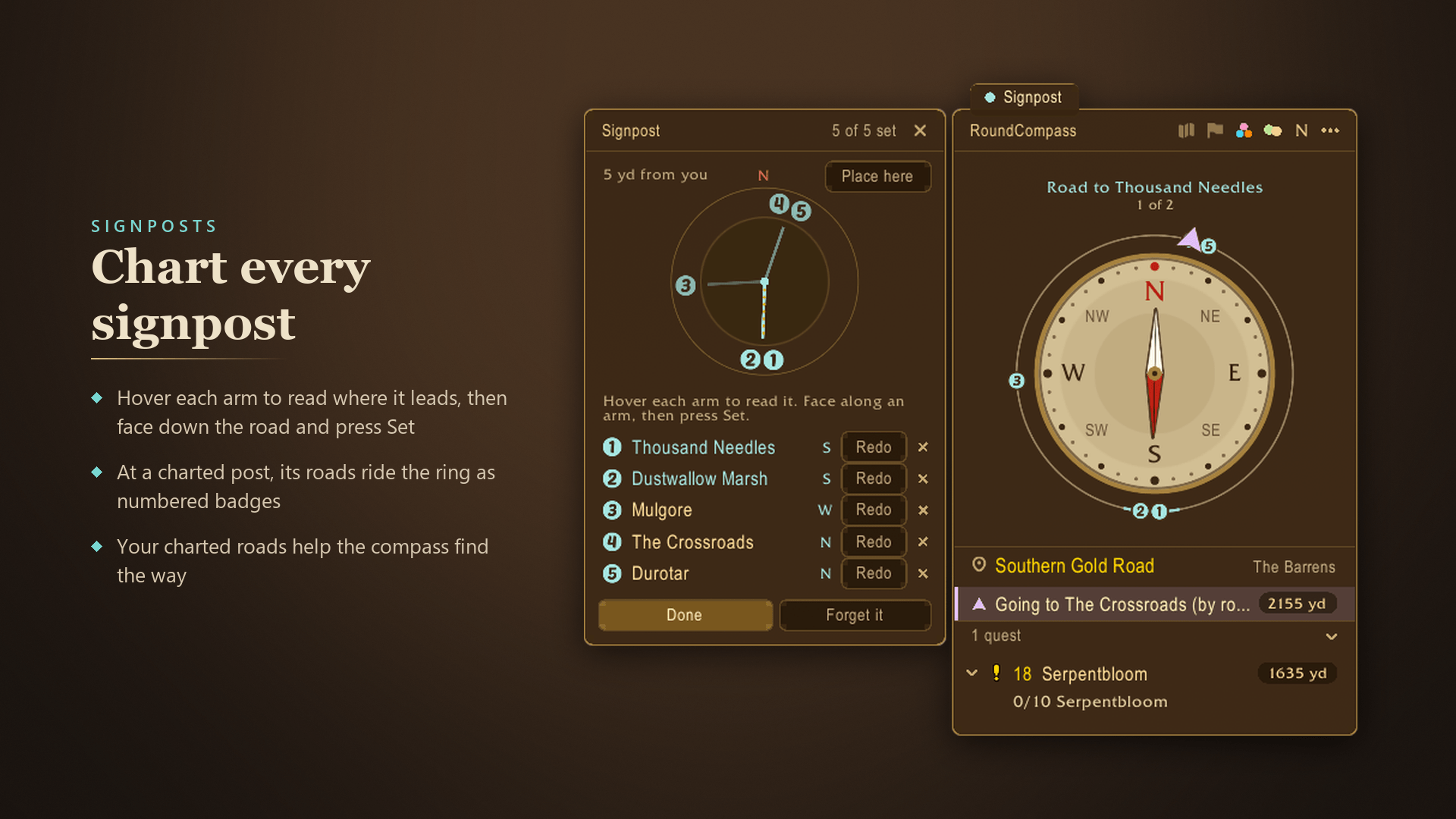
Addons can't see signposts, so you read them yourself, like a traveller noting down what the arms say.
- Stand at a post, hover each arm to read where it leads, then face down each road and press Set.
- At a charted post, its roads ride the ring as numbered badges.
- Your charted signposts help the compass find the way.
🛤️ Finding the way, by road
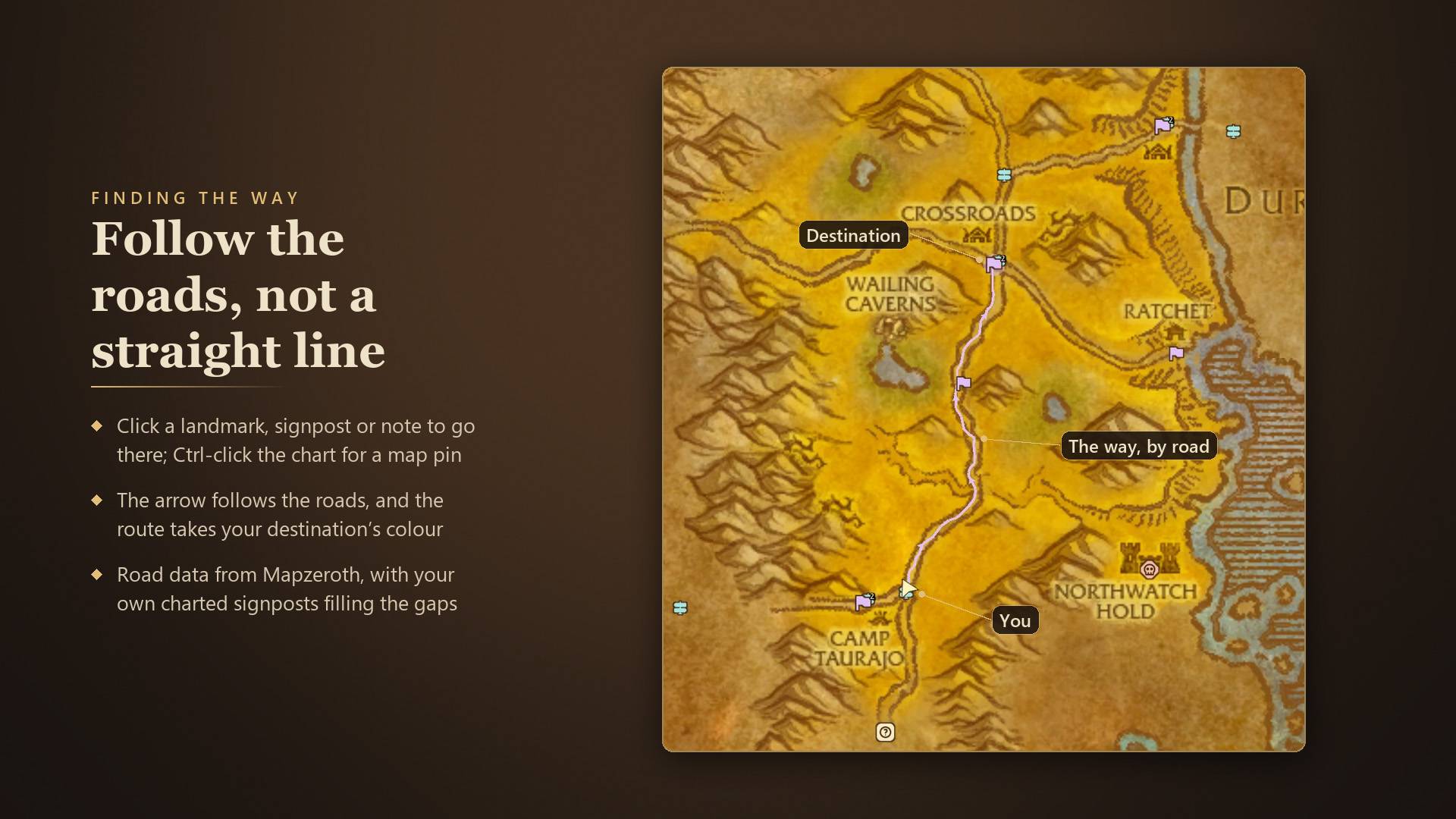
- Click a landmark, signpost or note to go there, or Ctrl-click the chart for a map pin.
- The arrow follows the roads, not a straight line over the mountains, and the distance is what's left of the way.
- Wander off and the way is planned again from where you are.
- Asking a city guard for directions works too.
🗺️ The chart
- A map window with only RoundCompass's marks on it: you, your route, landmarks, signposts and notes.
- Zoom with the mouse wheel and keep scrolling to step into a zone or back out.
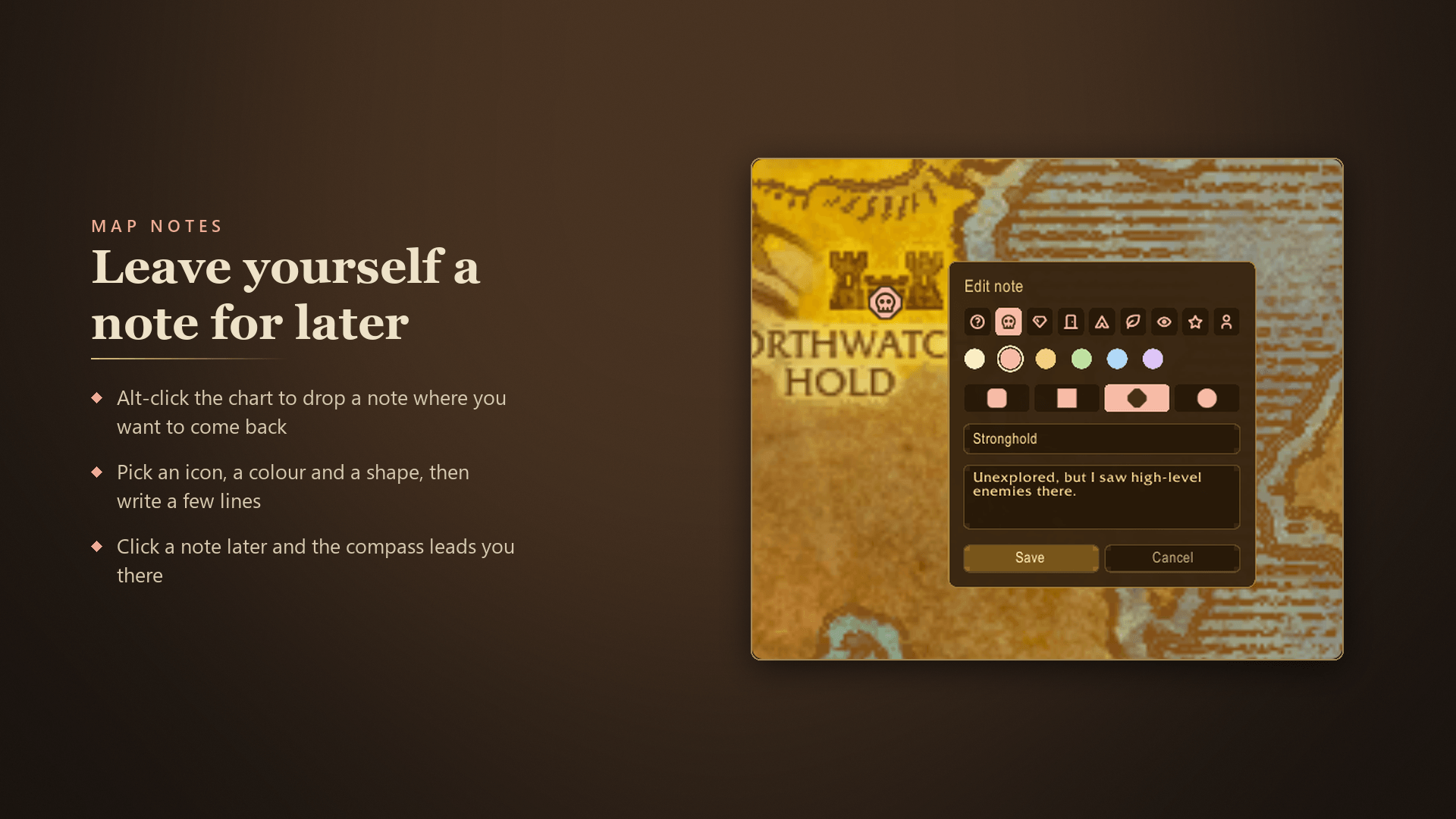
- Map notes: Alt-click to leave yourself a reminder for later, with an icon, a colour, a shape and a few lines. Click it later and the compass leads you there.
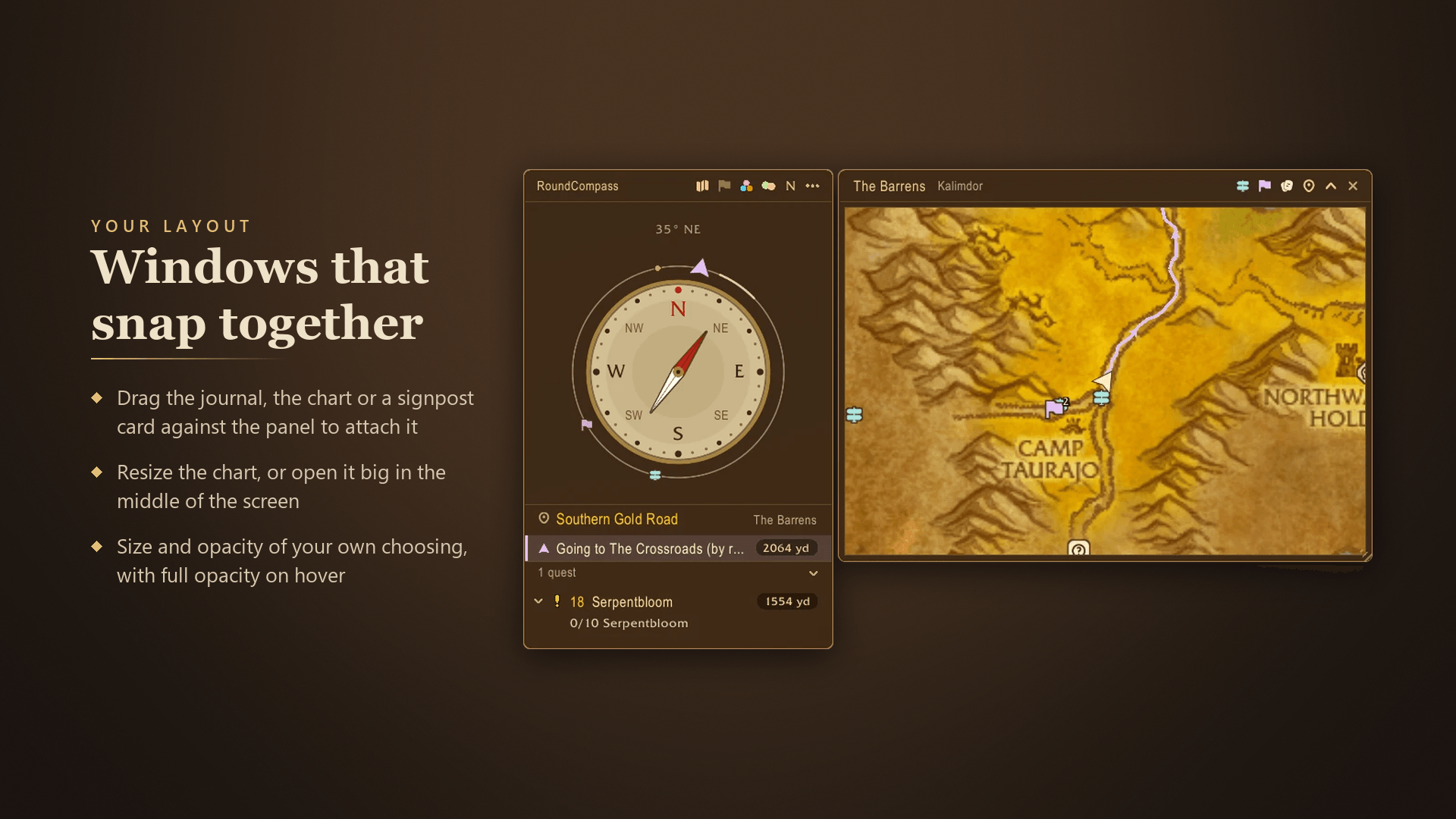
- Resize it, or open it big in the middle of the screen.
🎨 Make it yours
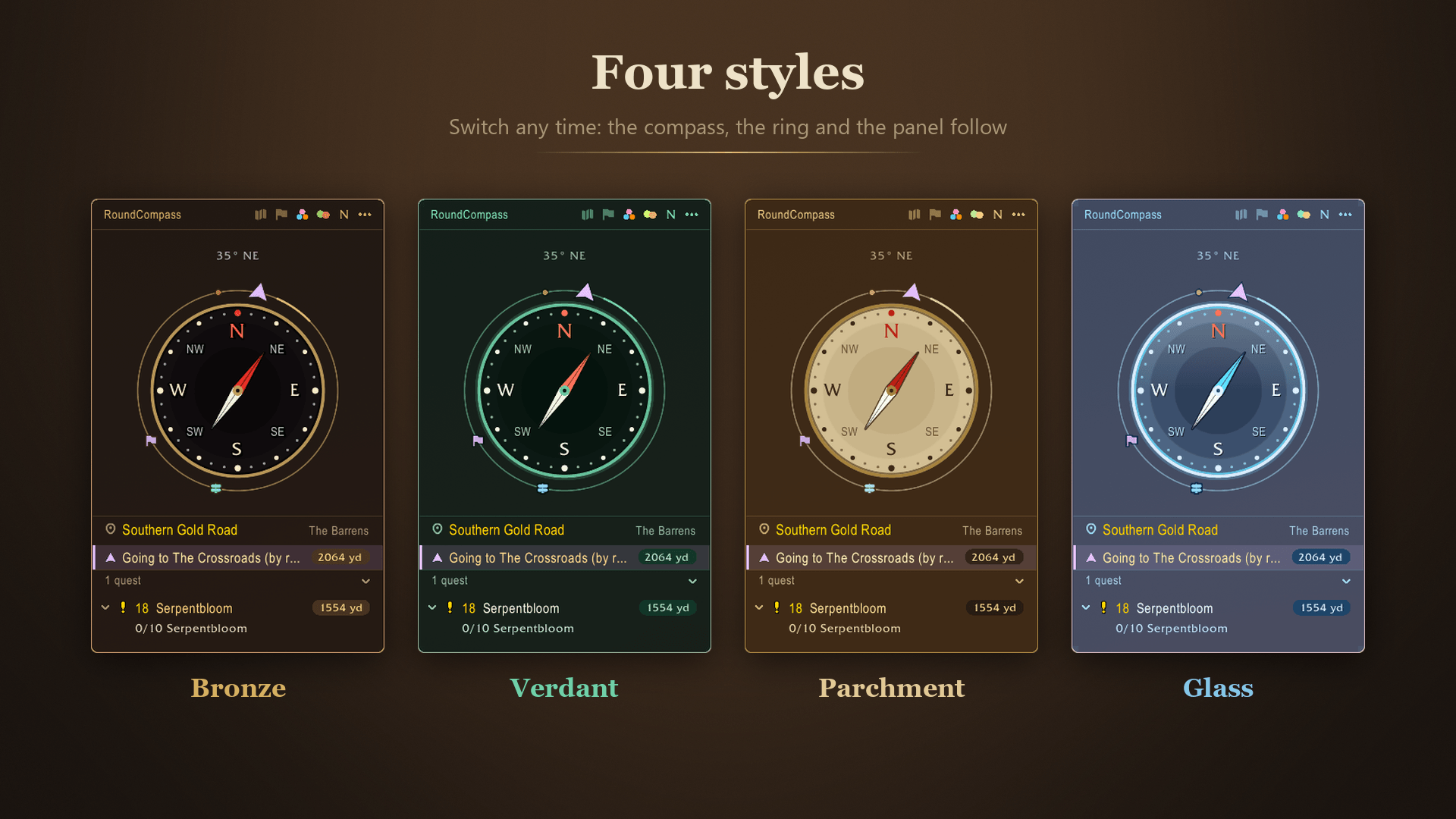
- Four styles: Bronze, Verdant, Parchment and Glass. Switch any time.
- Size and opacity of your choosing, with full opacity when you hover it.
- Drag the journal, the chart or a signpost card against the panel to attach them.
- A clean settings window with a built-in guide.
Getting started
- Install and log in. The panel appears where the game's quest tracker used to be. Drag it by its header.
- Type /rcompass to open the settings. Help > Guide explains everything that isn't obvious on first use.
- Optional: install GatherMate2 (and its data) to see herb and ore spots on the ring.
Commands
| Command | What it does |
|---|---|
/rcompass |
Open or close the settings |
/rcompass help |
The list of commands |
/rcompass journal |
Open or close the landmark journal |
/rcompass chart |
Open or close the chart |
/rcompass signpost |
Chart the signpost you're standing at |
/rcompass signposts |
Turn signposts on or off |
/rcompass landmarks |
Show or hide landmarks on the ring |
/rcompass gather |
Show or hide gathering spots |
/rcompass herbs / ore |
Show or hide herb or ore spots |
/rcompass party |
Show or hide your party on the ring |
/rcompass guard |
Point at the place a city guard showed you |
FAQ
Do I need any other addon? No. GatherMate2 is optional, for herb and ore spots.
A route goes somewhere odd. The roads can't see cliffs or walls, and open ground between roads is guessed. Right-click the destination and choose "Go straight there", or chart the signposts nearby: two signposts whose arms point at each other count as a road.
Where are my landmarks and signposts saved? In your account's saved variables, so all your characters share them.
Credits
- Road and city street data from Mapzeroth by tr0tsky and team, used under the MIT licence (see
LICENSE-Mapzeroth.txtin the addon's folder). Please report road problems to RoundCompass, not to Mapzeroth. - Gathering spots come from GatherMate2 and its data, when installed.
Found a bug or have an idea? Leave a comment. Lua errors and screenshots help a lot.
RoundCompass Team