
RogueFlow
RF-ALERTS.png
RF-ALERT-STUDIO.png

RF_TextAlert_preview.png
RF_RollAlert_preview.png
Description
RogueFlow
Alerts, resource tracking and post-run Mythic+ Review for Outlaw and Assassination Rogue.
RogueFlow keeps track of the things that are easy to miss while you're playing and lets you decide how, when and where you want to be notified.
It supports Outlaw and Assassination, with separate alerts, Resource Flow behavior and Review logic for each spec.
🩸 Assassination Alerts
- Vanish — lets you know when an offensive Vanish window is available and follows it with the stronger Improved Garrote opportunity.
- Garrote — warns when Garrote is missing, close to expiring, or can be replaced with a stronger Improved Garrote.
- Rupture — keeps track of your main bleed and warns when it is missing or close to falling off.
- Envenom — helps with finisher timing around Kingsbane and other burst windows.
- Deathmark — checks your bleeds and cooldown state before calling for Deathmark.
- Kingsbane — helps line Kingsbane up with Deathmark instead of throwing it into a bad setup.
- Crimson Tempest — calls for Crimson Tempest in the AoE situations where it makes sense.
Assassination alerts are prioritized so RogueFlow only shows one call at a time instead of covering your screen with several reminders.
It also avoids repeating the same alert over and over, and gives target swaps a brief moment to settle before checking the new target.
🩸 Bleed Nameplates
RogueFlow can track Garrote and Rupture through enemy nameplate colors.
- Normal — neither bleed is active.
- Orange — one bleed is active.
- Green — both Garrote and Rupture are active.
RogueFlow only changes the nameplate color. It does not replace the rest of your nameplate setup.
Supported nameplates:
Blizzard • Plater • Platynator • EllesmereUI Nameplates
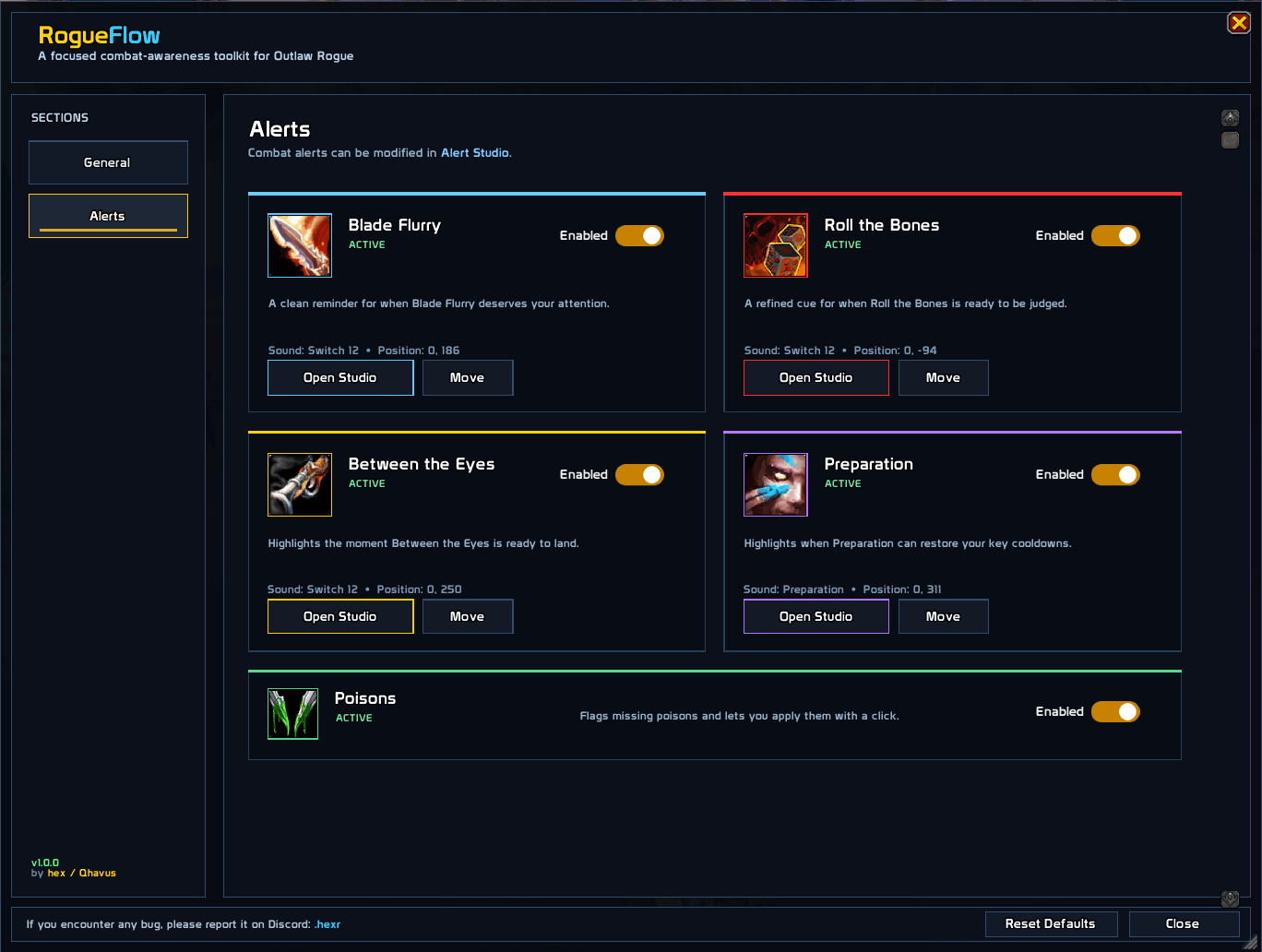
⚔️ Outlaw Alerts
- Blade Flurry — reminders based on nearby engaged targets, including Deft Maneuvers recast logic.
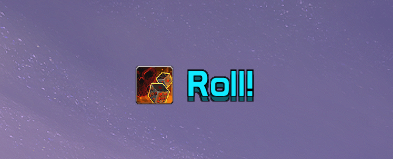
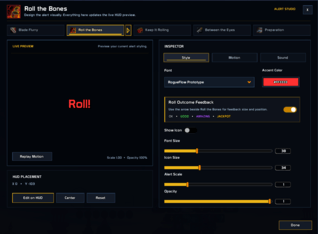
- Roll the Bones — clear Check / Roll reminders around your current RTB window.
- Between the Eyes — alerts when the relevant proc and Combo Point conditions line up.
- Preparation — reminds you when Preparation can restore important Outlaw cooldowns.
- Poisons — warns when a lethal or non-lethal poison is missing and lets you apply it directly from the alert.
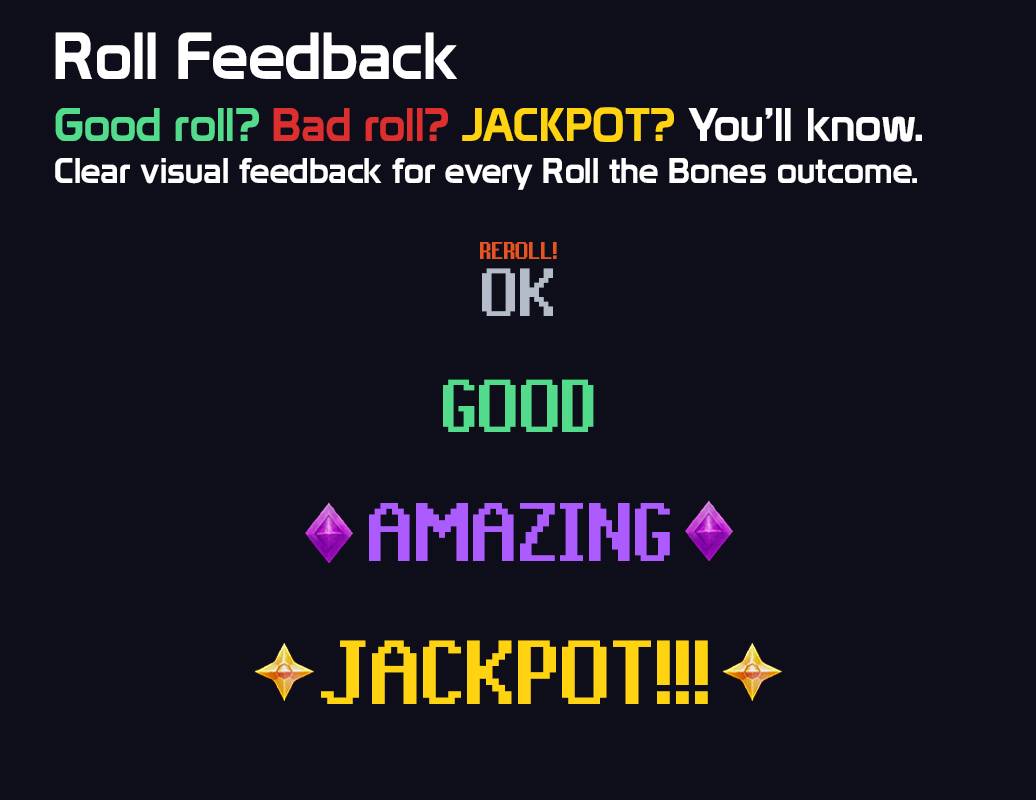
🎲 Roll Outcome Feedback
Get immediate feedback after every Roll the Bones outcome:
OK • GOOD • AMAZING • JACKPOT!!!

Customize each tier individually, move the entire feedback group anywhere on your HUD, or keep it linked to your main Roll the Bones alert.
- Individual size for every outcome tier
- One shared movable position
- Link or unlink from the Roll alert
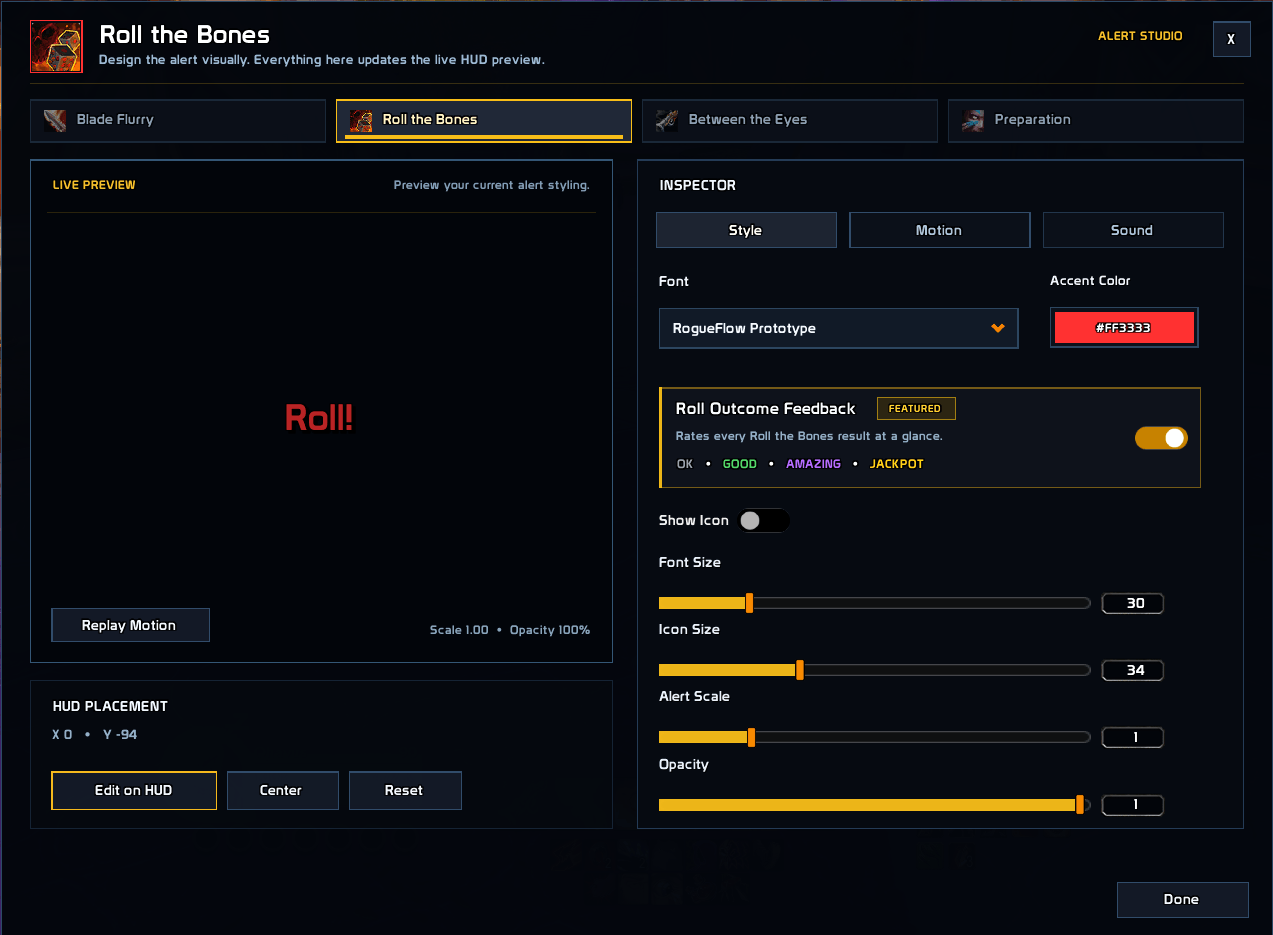
- Live preview inside Alert Studio
⚡ Resource Flow
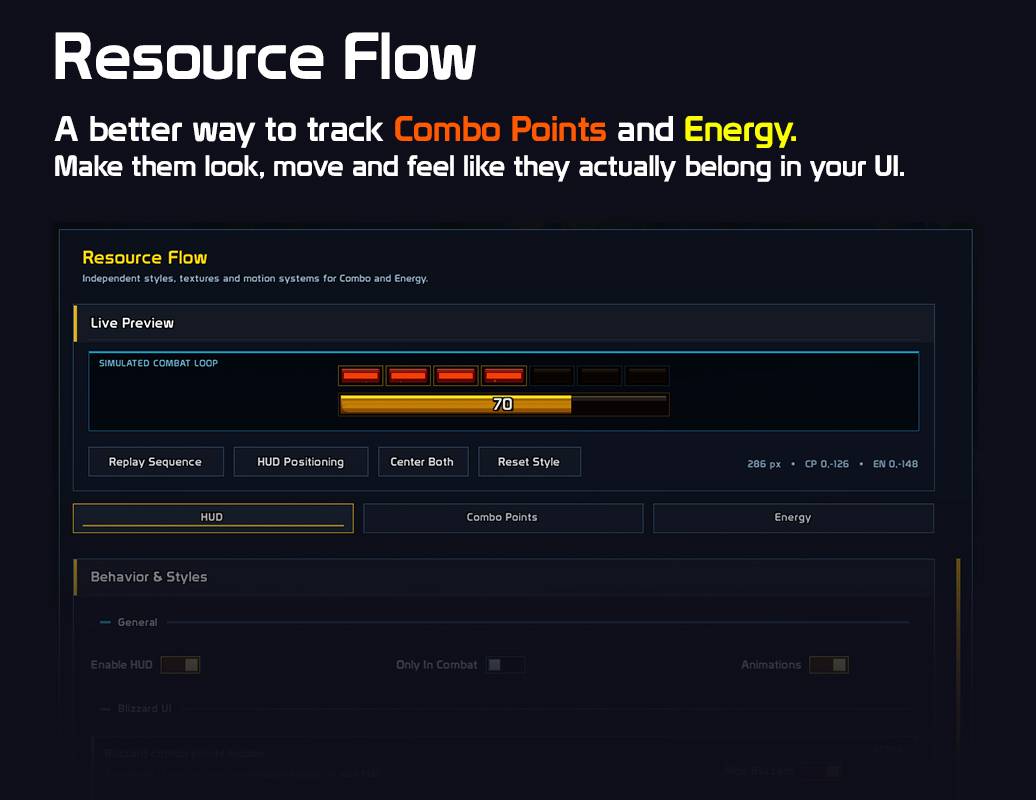
RogueFlow includes its own Energy and Combo Point display and changes its behavior depending on your spec.
Assassination enters its finisher-ready state at 5 Combo Points.
Outlaw enters its finisher-ready state at 6 Combo Points.
You can change:
Colors • Energy Bar • Combo Points • Finisher State • Sounds • Position • Effects
🎨 Make It Yours
Alert Studio lets you set up every alert separately:
Font • Size • Accent Color • Icon • Scale • Opacity • Position • Motion • Sound
You can preview changes directly inside RogueFlow instead of waiting for the alert to happen in-game.
📊 Review Your Mythic+ Runs
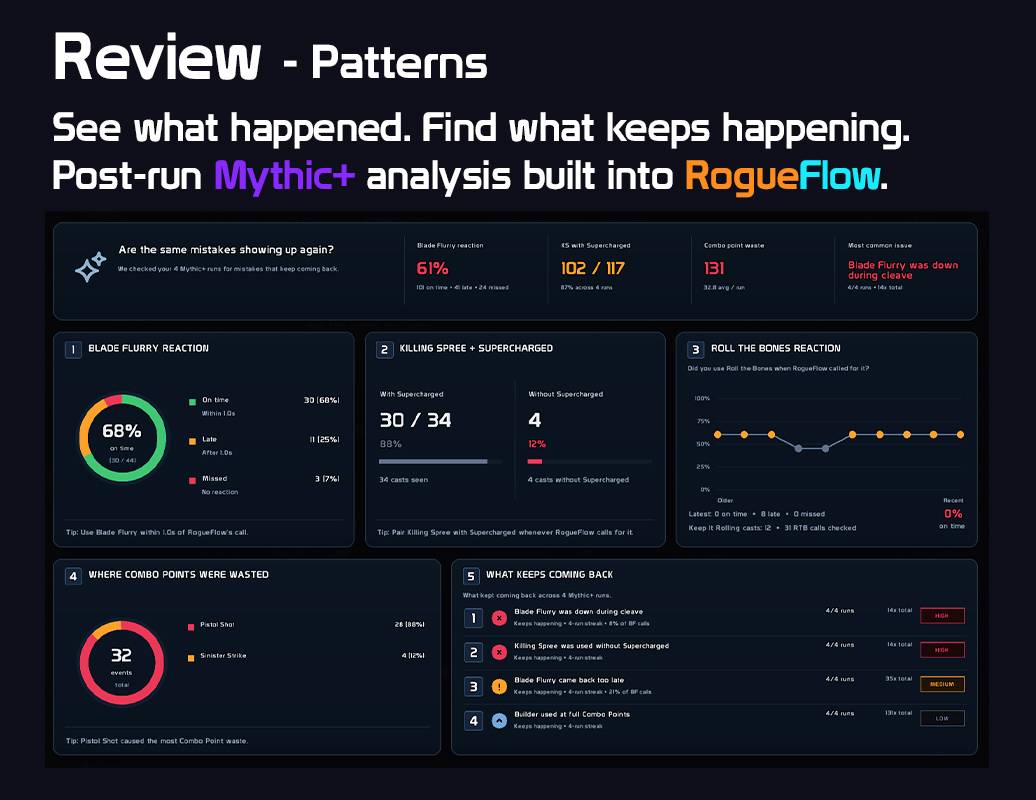
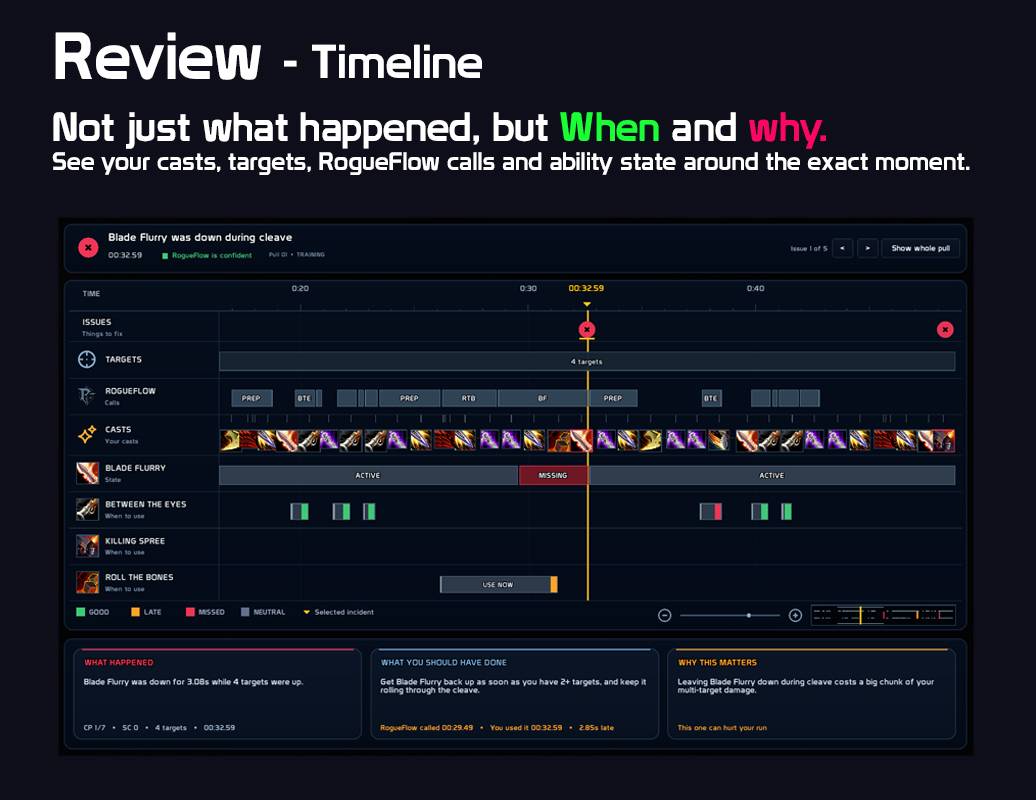
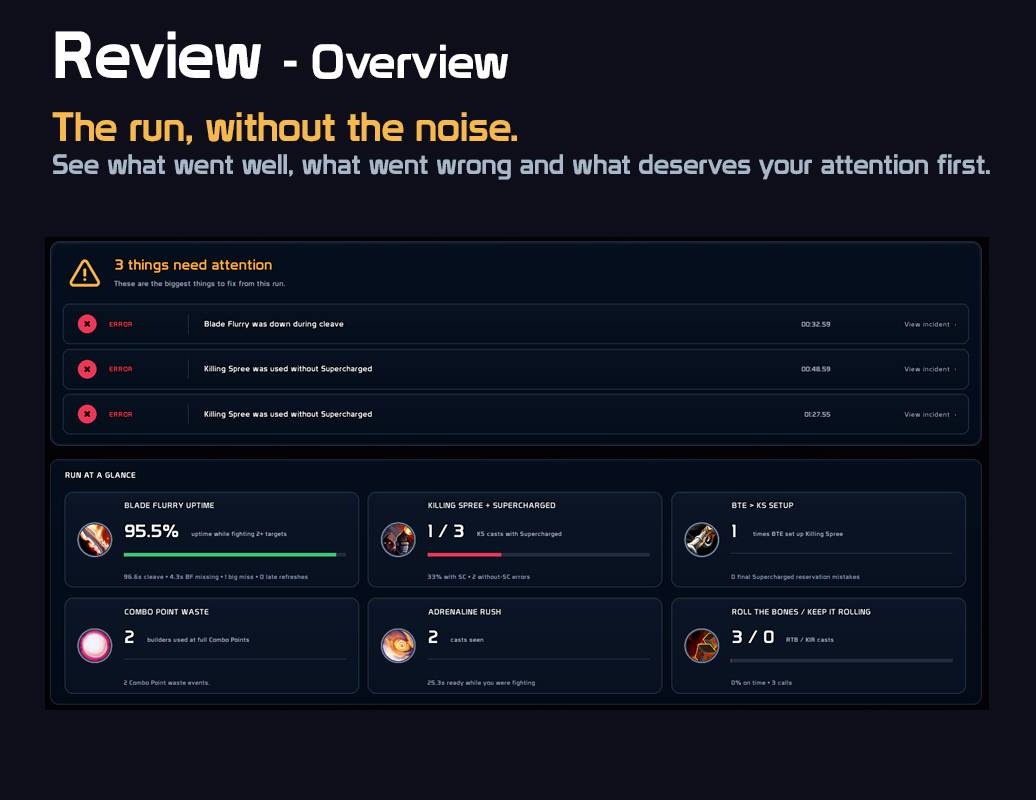
RogueFlow Review records what happened during your completed Mythic+ runs and lets you go back through the run afterwards.
It does its work in the background while you play and doesn't add extra Review prompts during combat.
After a run, you can open:
Overview • Timeline • Patterns
• Overview — see what went well and what could have been handled better.
• Timeline — inspect your casts, targets, RogueFlow calls and ability state around specific moments.
• Patterns — compare recent runs and see which mistakes or habits keep showing up.
RogueFlow remembers your latest 8 completed Mythic+ runs.
🩸 Assassination Review
Assassination Review can look at:
- Garrote and Rupture uptime and refresh timing.
- Deathmark and Kingsbane setup.
- Vanish into Improved Garrote.
- Envenom coverage.
- Combo Point spending and finisher timing.
- AoE decisions, including Crimson Tempest.
⚔️ Outlaw Review
Outlaw Review can look at:
- Blade Flurry usage and target count.
- Roll the Bones decisions.
- Combo Point spending and finisher timing.
- Between the Eyes usage.
- Deft Maneuvers situations.
- Major cooldown timing.
For example, Review can tell the difference between simply forgetting Blade Flurry and intentionally delaying it to spend high/full Combo Points first with Deft Maneuvers.
Outlaw and Assassination keep separate Review histories.
Open Review anytime with:
/rfr
You can also right-click the RogueFlow minimap icon for quick access to RogueFlow or Review.
🧠 Less Spam, More Useful Calls
RogueFlow doesn't try to tell you what button to press every second.
Alerts are shown when their conditions are met, repeated calls are suppressed, and supported encounter states can temporarily stop alerts when they wouldn't be useful.
Everything important can be adjusted or disabled individually.
⌨️ Commands
/rf or /rogueflow — open RogueFlow.
/rfr — open Review.
💬 Support & Feedback
Found a bug, need help, have an idea, or just want to talk about RogueFlow?
Discord: https://discord.gg/JrMp2MPzJ
Bug reports and feedback are always welcome.
Thanks for using RogueFlow.
RogueFlow Team
