Rival Damage and Threat Meter
- By
A customizable damage, healing, and threat meter for WoW Forever. Explore combat stats, graphs, challenge friends in individual or team competitions, and track seasons, standings, and personal bests.
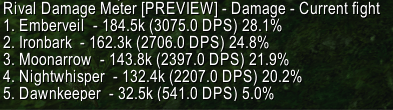
Rival Damage Meter Screenshot Report.png
Description
Rival Damage and Threat Meter
Rival is built for WoW Forever. Track damage, healing, threat, and more with a customizable meter. Explore combat graphs, challenge your friends to competition if you choose and keep the rivalry going across seasons.
Combat Statistics
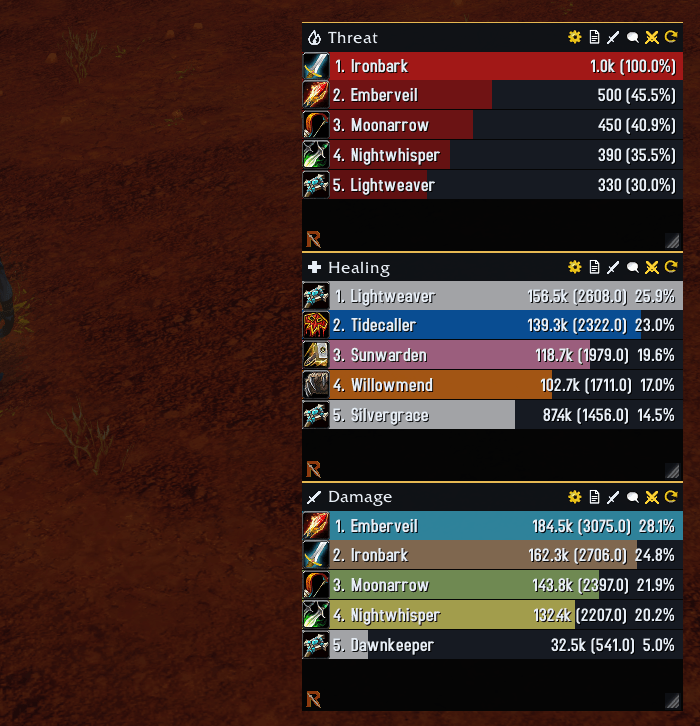
- Track damage, DPS, healing, HPS, absorbs, damage taken, interrupts, dispels, and deaths.
- Monitor threat with red bars that intensify as threat increases.
- Switch between the current fight, overall totals, and recorded fights.
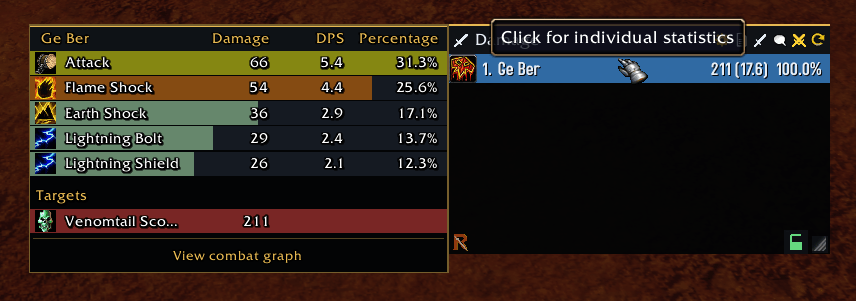
- Hover over players for an ability breakdown and available target totals.
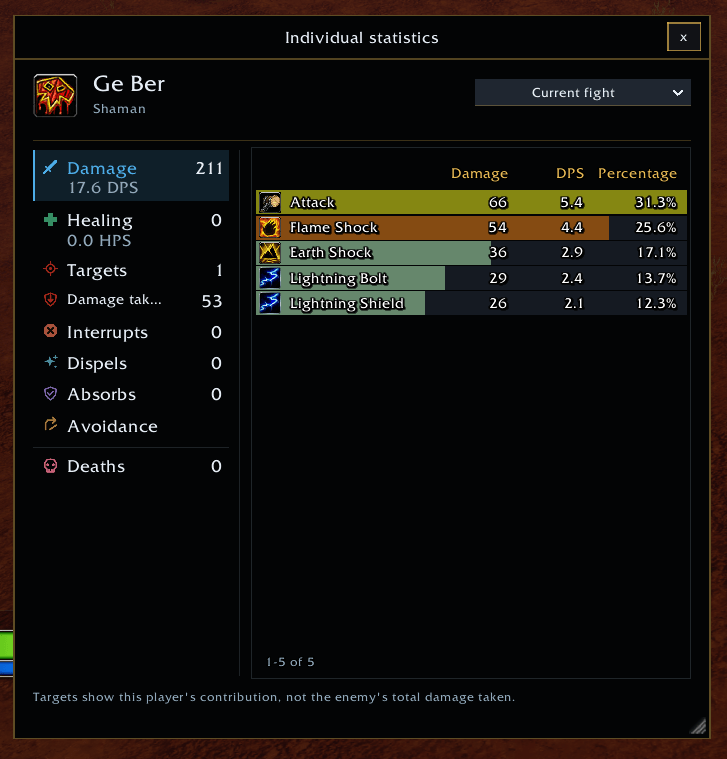
- Click a player to open a resizable individual statistics window.
- Distinguish abilities with spell-school colors, including mixed schools, in hover breakdowns and Individual Statistics.
- Create multiple windows to watch different statistics simultaneously.
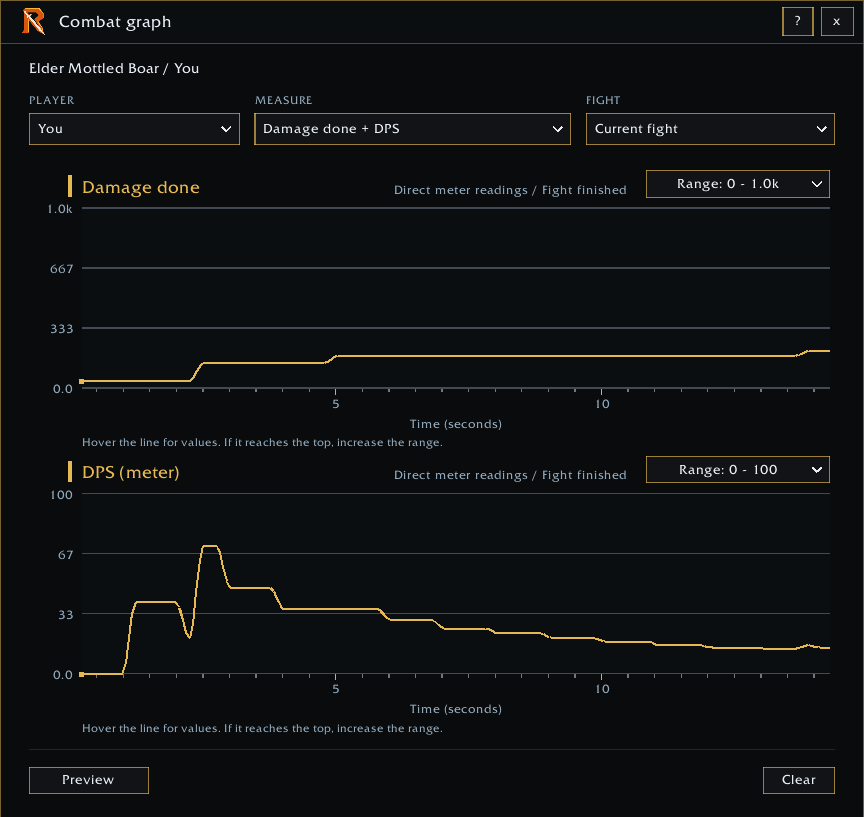
- Open the combat graph for timeline view.
Rival Competitions
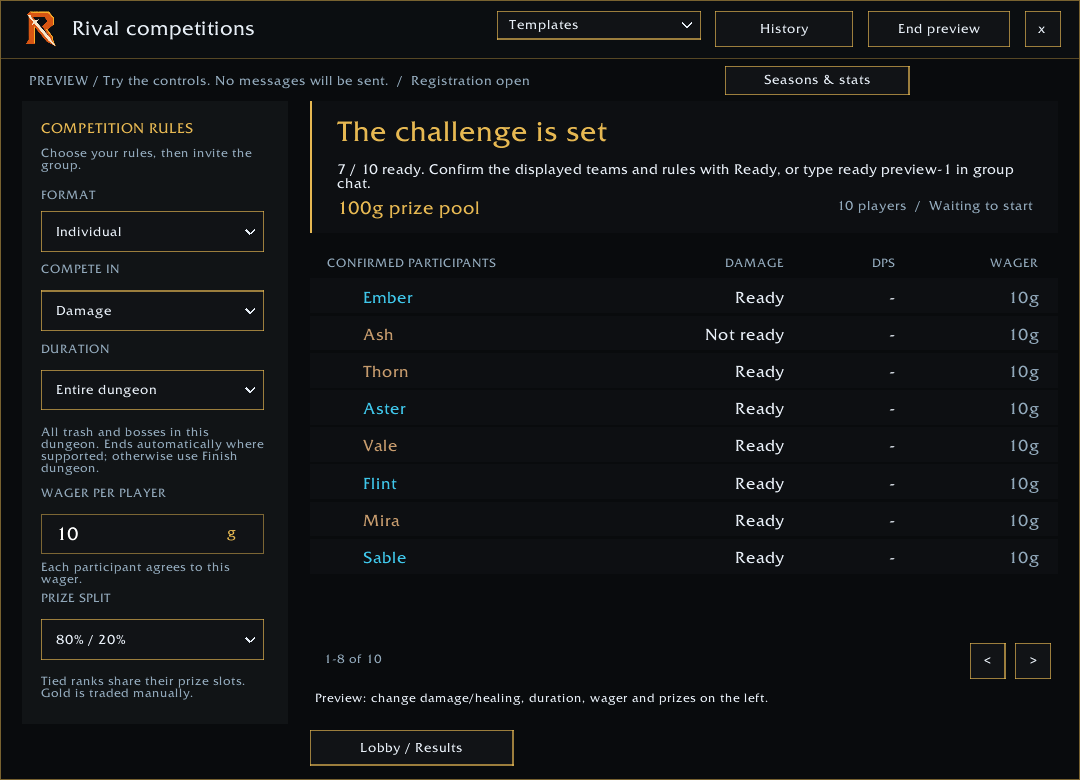
Turn your next dungeon into an optional competition with multiple game modes.
- All players who want to participate must have Rival Damage and Threat Meter installed.
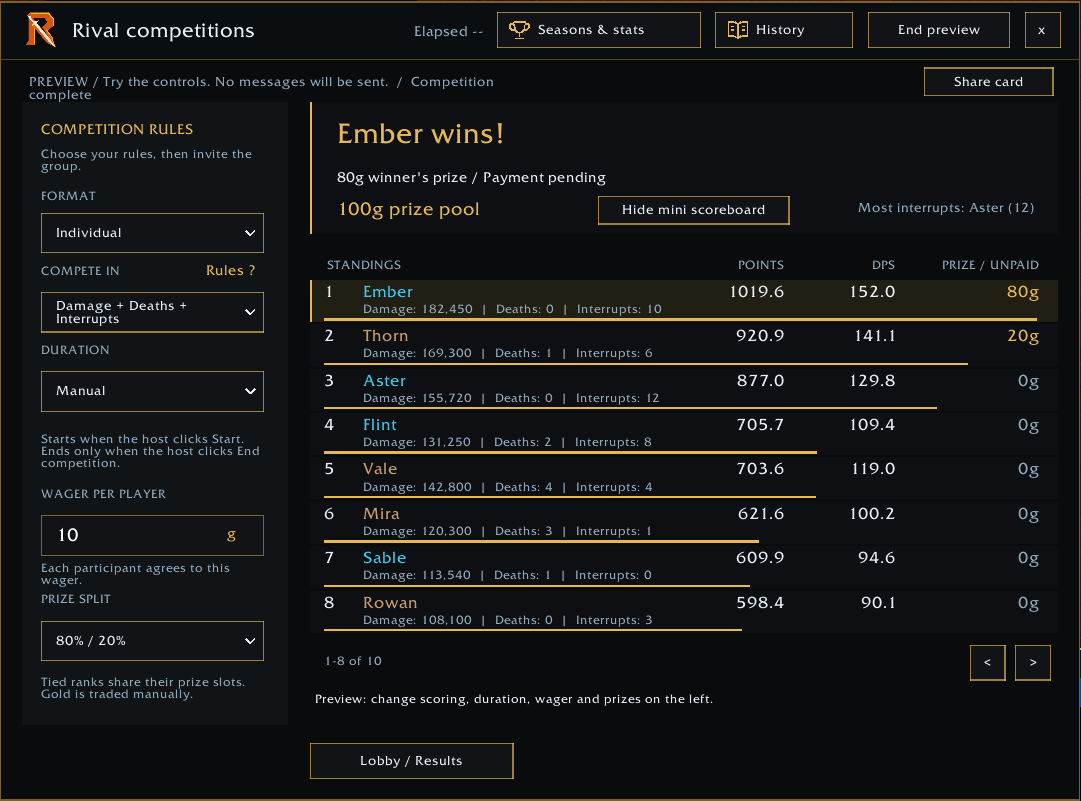
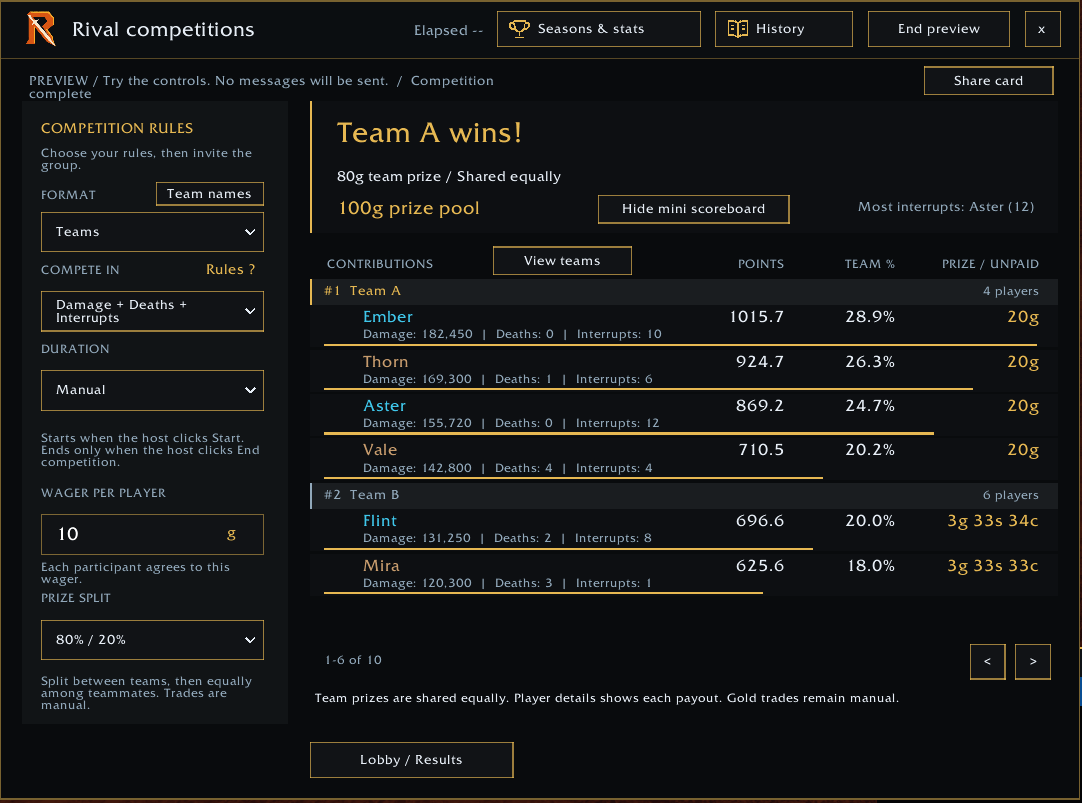
- Compete individually or in teams with six scoring presets, from straightforward damage or healing totals to points with death penalties and interrupt bonuses.
- Give teams custom names and use equal or uneven team sizes.
- Choose different game modes with combined scoring to turn damage or healing into points, apply death penalties, and optionally award interrupt bonuses. Open Rules to see how the selected preset works.
- Teams add their players' totals in plain Damage or Healing, or their players' points in the combined modes. In new team competitions that include interrupts, the team shares its interrupt bonus equally. Existing competitions and seasons retain their original rules.
- The host manually starts and ends the competition. Every fight counts between clicking Start and End competition.
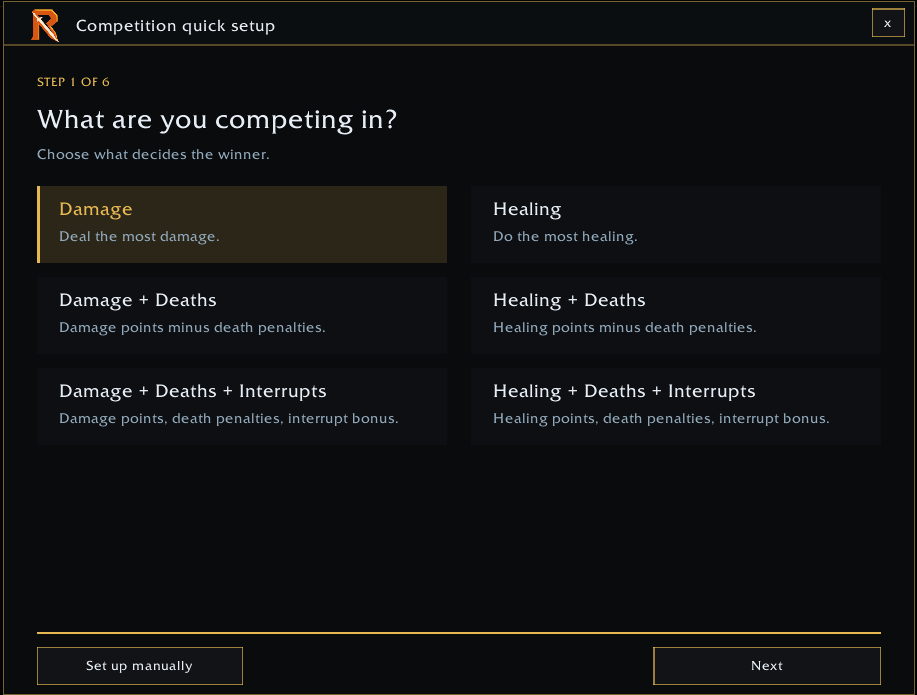
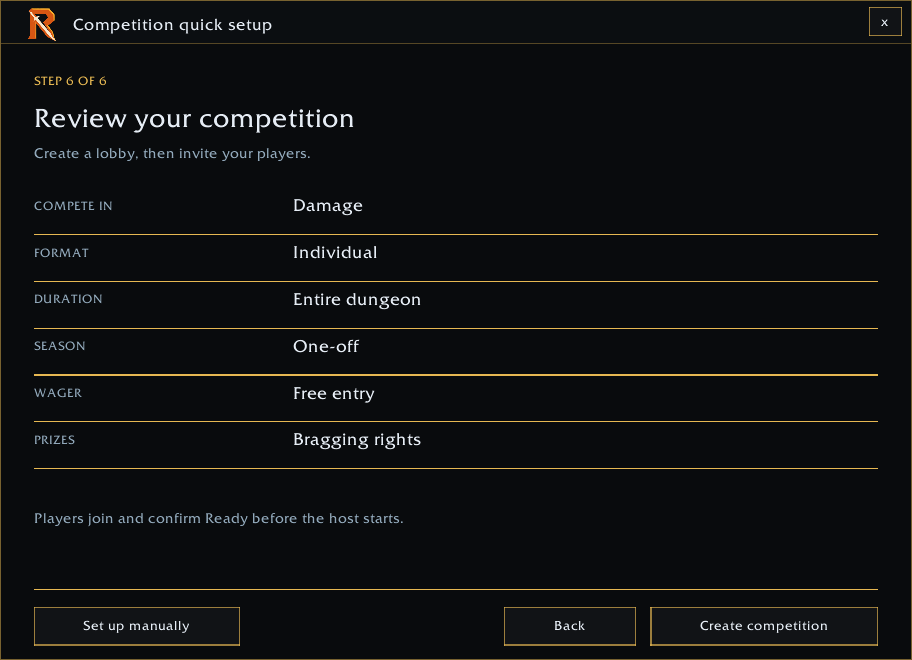
- Follow guided Quick Setup, or choose every rule with Custom Setup.
- Invite players through Rival and accept invitations in the addon. Incoming invitations highlight the Rivals (crossed-swords) button so you can review them when ready.
- Confirm participants with a ready check before starting.
- Follow standings, team contributions, and post-fight updates.
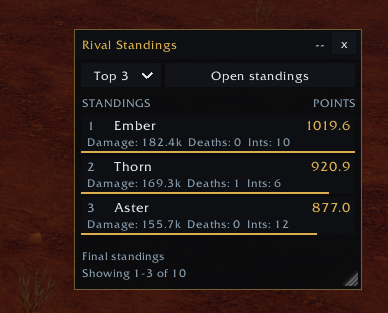
- Keep a draggable, resizable mini scoreboard on screen and choose how many standings to display. Compact rows show names and scores, plus damage/healing and the death or interrupt counts used by the scoring preset.
- Restore a host's active competition after a reload, with scores, participants, and readiness preserved. Resetting meter history also keeps accumulated competition scores.
- See the winners and final statistics when the competition ends.
- Start a rematch or save a template to reuse another day.
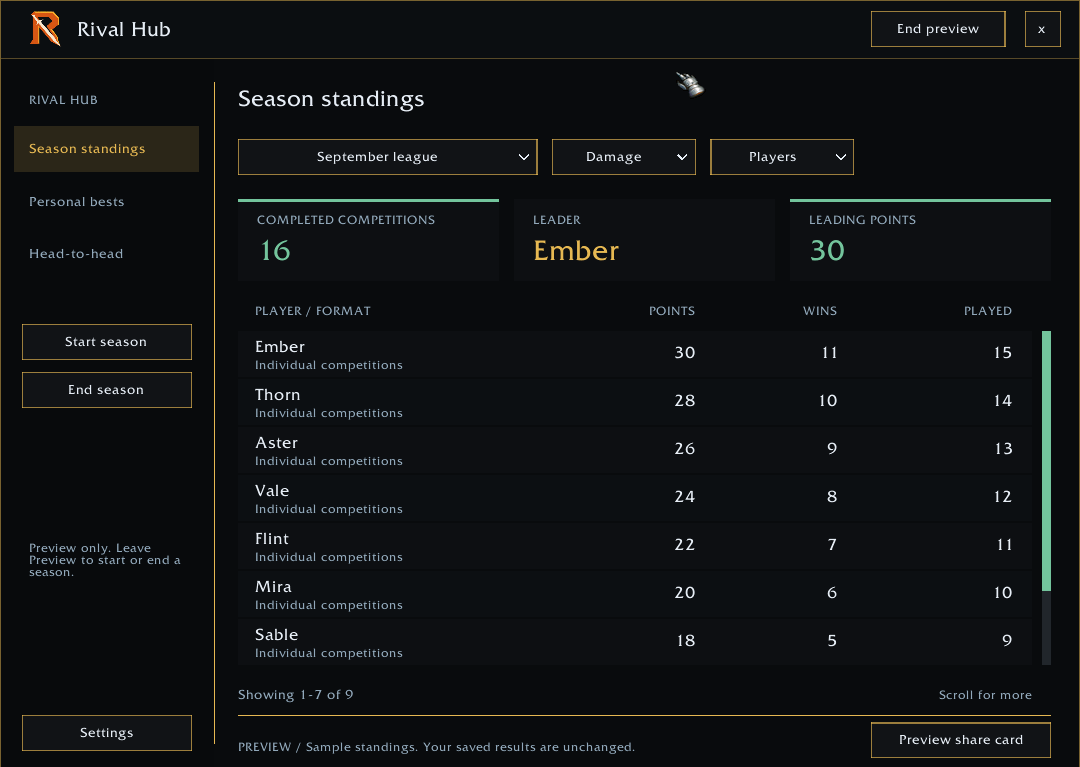
- Create seasons for competition over multiple raids/dungeons or weeks/months with the option to start a one of competition that isn't included in the active season. So have some friendly competition that won't be added to your season totals if you don't want them to be.
Competition Modes
Damage and Healing use your actual totals: the highest total wins. The other four modes use points: more damage or healing earns points, deaths reduce your score, and interrupts add bonus points when that mode includes them. The highest score wins.
- Damage — Deal the most damage.
- Damage + Deaths — Deal damage to earn points. Dying costs points.
- Damage + Deaths + Interrupts — Deal damage and interrupt enemy casts to earn points. Dying costs points.
- Healing — Do the most healing.
- Healing + Deaths — Heal to earn points. Dying costs points.
- Healing + Deaths + Interrupts — Heal and interrupt enemy casts to earn points. Dying costs points.
Interrupt more, keep more points, and put pressure on your rivals. In modes with interrupts, you compete for a shared bonus pool: a larger share for you or your team leaves less for rivals. In new team competitions, this bonus is split equally among teammates, so your interrupts help your teammates rather than take their bonus points. Fewer deaths mean smaller penalties, letting you keep more of your earned points; death penalties do not transfer points to rivals.
Optional Gold Prizes
Play for bragging rights or agree on a gold wager.
Set the wager per player and choose a prize split, such as winner takes all or a split between the top finishers. Set the wager to 0 for free entry.
Gold is traded manually between players. Rival does not collect or transfer gold.
Seasons and Rival Stats
Keep your rivalry going beyond a single run.
- Create multiple active seasons for different groups.
- Choose a one-off competition or assign it to an active season.
- Keep season scoring consistent: the first competition establishes that season's rules, which apply to later competitions in the same season.
- Review season standings for players or teams.
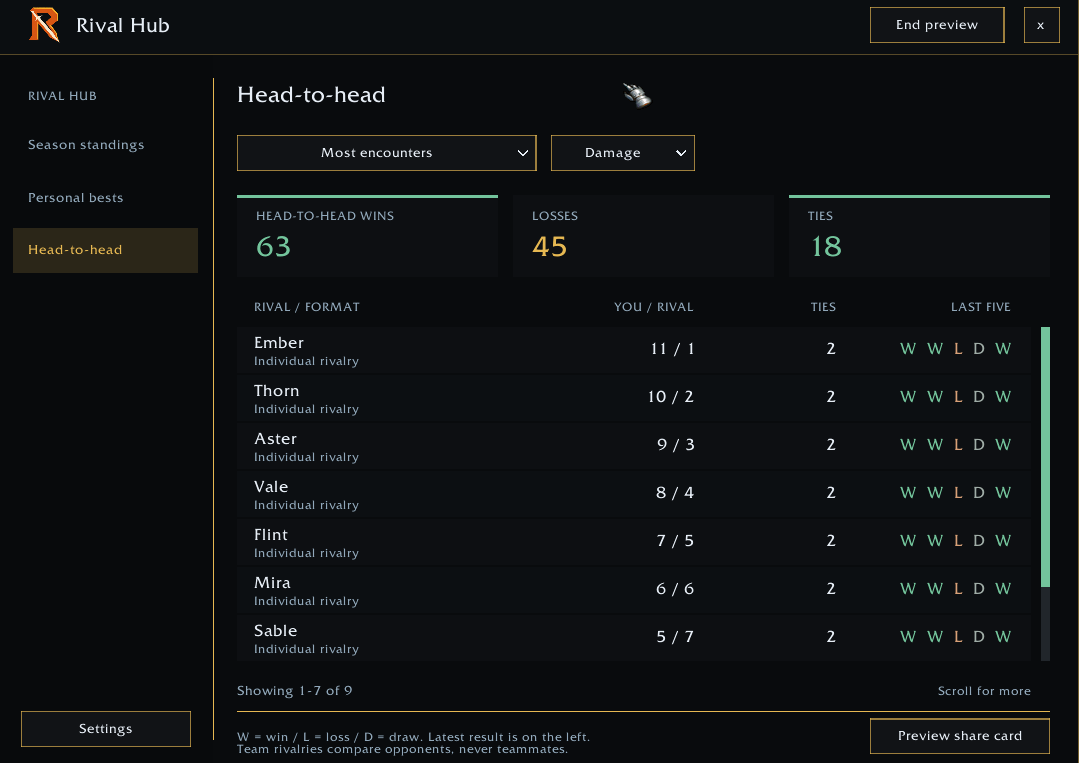
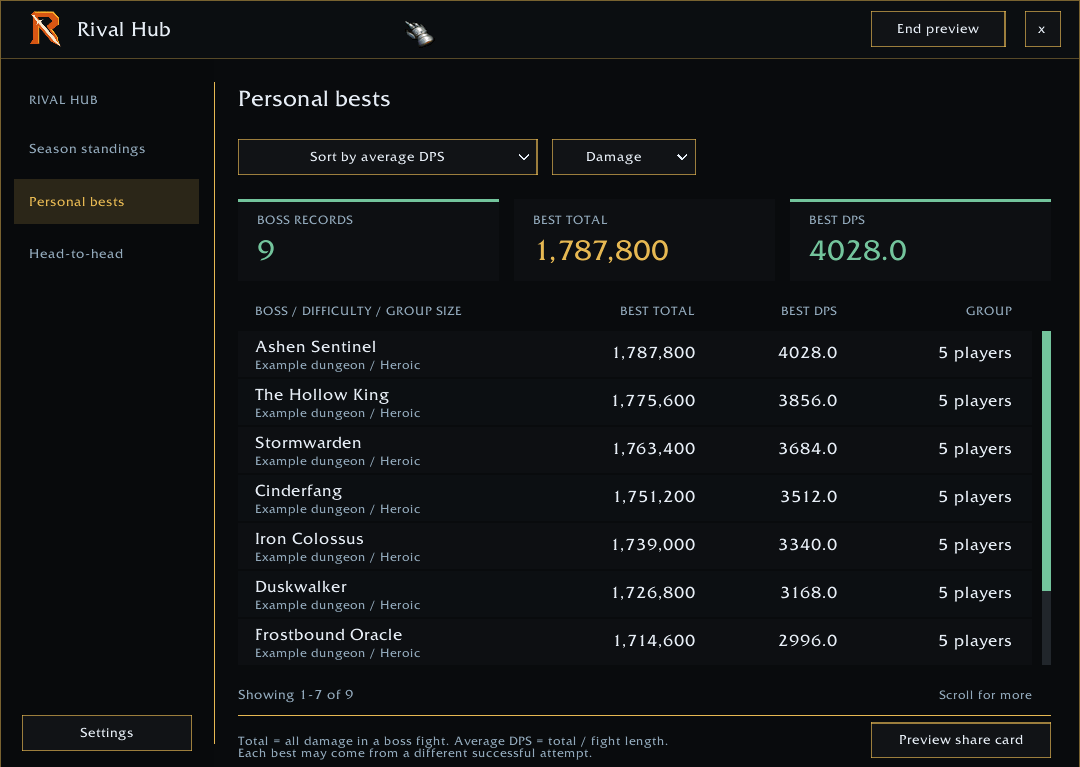
- Browse competition history, personal bests, and head-to-head results.
- Use Compare your runs to compare your own damage, healing, average DPS/HPS, deaths, interrupts, and combat duration across saved fights or recorded runs.
- Keep saved templates ready for future competitions.
Starting a new season leaves your other seasons open. End each season separately when you are ready. Starting and ending seasons require confirmation.
Combat Graphs
See how your performance changes throughout a fight.
- View damage done + DPS or healing done + HPS together.
- Hover along a graph to see its value and time.
- Choose from available recorded fight timelines.
- Adjust graph appearance and recording options in settings.
Timeline availability depends on the data exposed by the client with the new Blizzard API. Restricted readings cannot be retained through a reload, even when fight totals remain available in the meter.
Customize Your Meter
- Resize, lock, and snap windows together. Resizing a grouped window resizes the whole group.
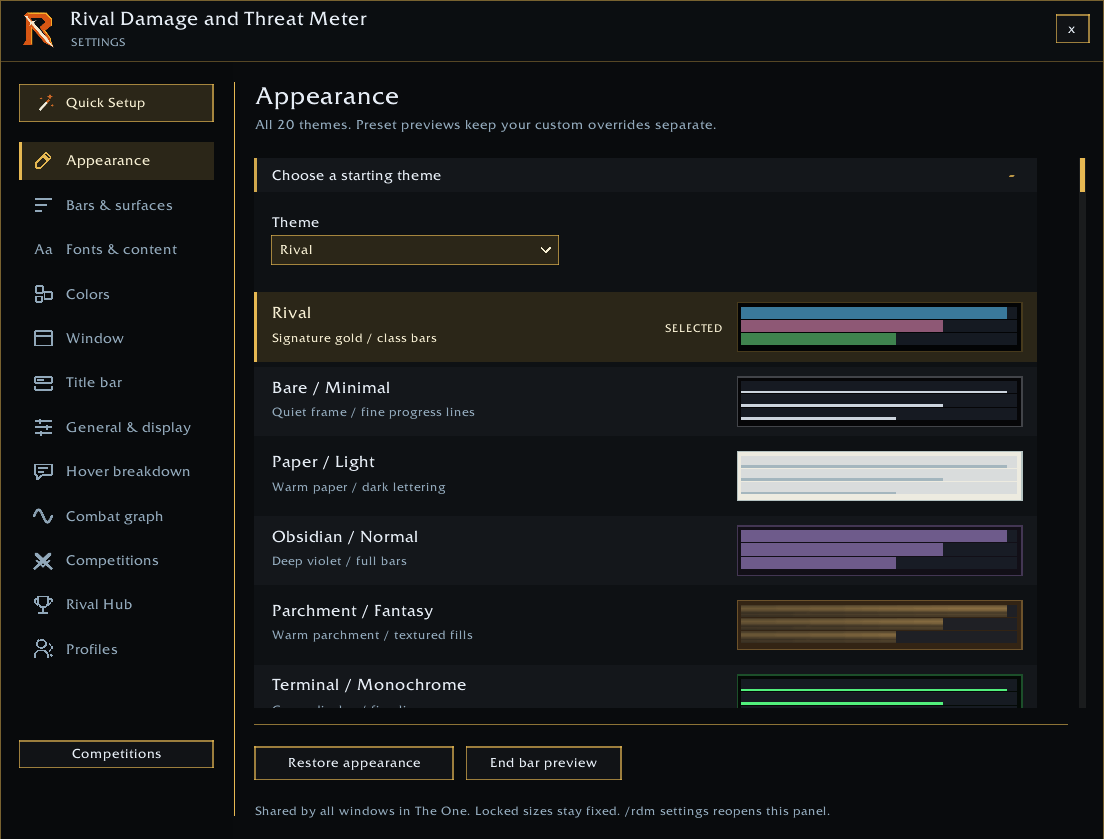
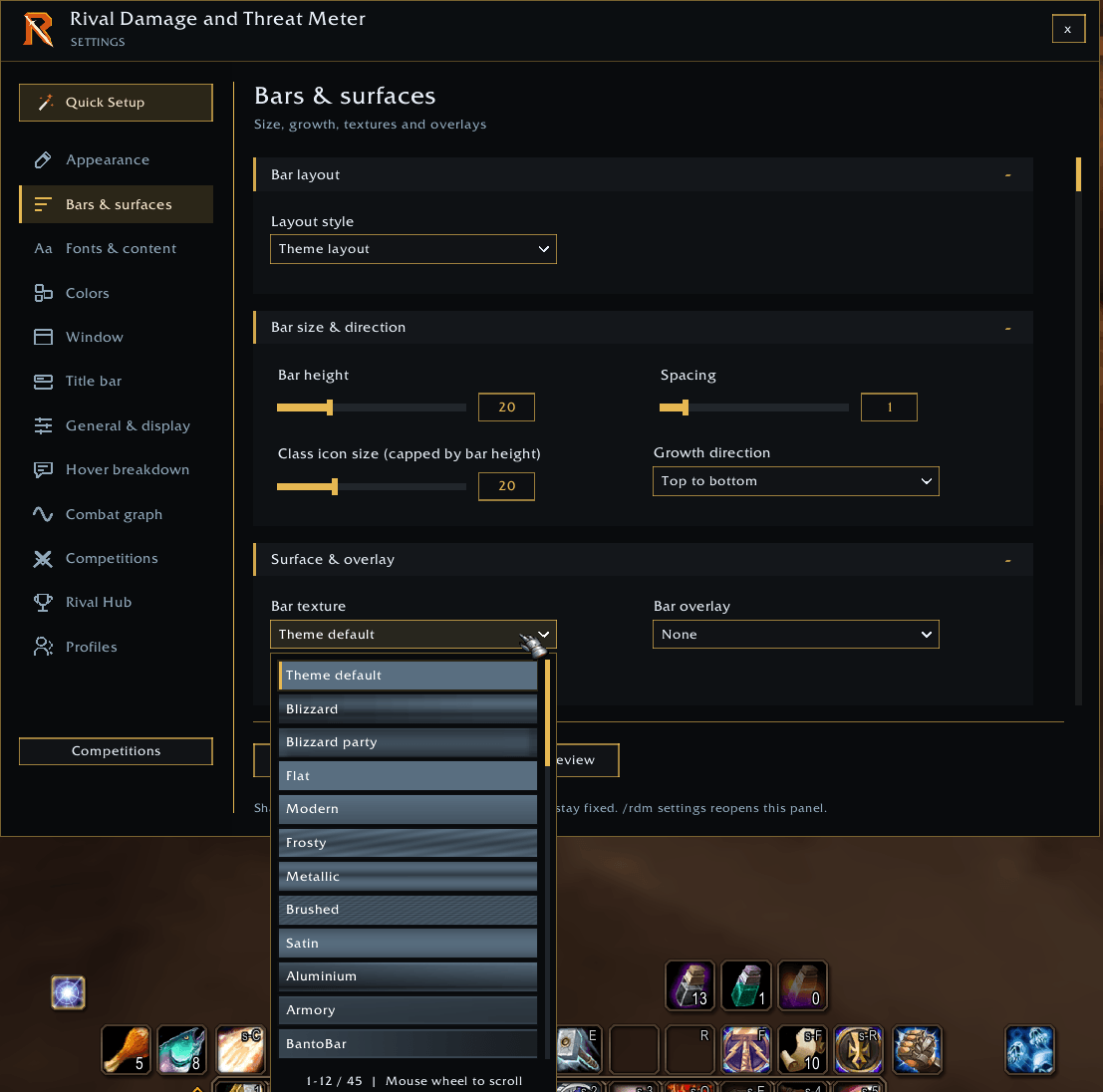
- Choose themes, bar textures, overlays and background images.
- Adjust bar height, spacing, fonts, text sizes, and colors.
- Set separate text sizes for ability names, character names, totals, rates, percentages, and headings in breakdowns.
- Preview fonts directly in the font dropdown.
- Find controls with Settings search and use each changed setting's Undo arrow to restore its value from when Settings opened. Changes apply live and are kept when you close Settings.
- Choose which values appear: ranking, totals, DPS or HPS, and percentages.
- Preview sample bars across all open meter windows.
- Customize combat graphs and competition features in settings.
For custom backgrounds, place a supported image in Rival’s Media/UserBackgrounds folder, then enter its filename and adjust it through the in-game settings.
Quick Setup and Profiles
Use the visual Quick Setup to choose your starting layout, or skip it and begin with Rival’s defaults.
Create profiles, switch between setups, and copy settings between profiles.
- Export and import layout codes to share your meter setup. Imports create a new profile; custom images and additional media must be installed separately.
- Assign optional solo, party, and raid profiles that switch with your group type. Profile switching waits until combat ends.
Reports and Shortcuts
- Share meter results through the chat report menu.
- Use Share scoreboard to send competition standings to a selected chat channel. Routine local notices and personal-best announcements stay out of chat.
- Open competitions with the Rivals (crossed-swords) button.
- Hover over a player and click View combat graph at the bottom of the breakdown.
- Left-click the minimap button to toggle settings.
- Right-click the minimap button to show/hide windows.
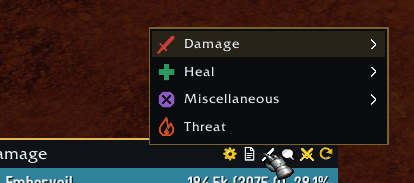
- Right-click a meter to change its displayed category.
- Type
/rdm settingsto open settings.
Compatibility and Data Availability
Rival is built for WoW Forever and uses combat information available through the client’s APIs.
Hover breakdowns and Individual Statistics reuse unchanged layouts, fonts, and styling to reduce unnecessary work while keeping combat values updated.
Some detailed breakdowns may be unavailable when the client does not expose the necessary data. Rival does not invent missing spell-by-target information.
Supported Languages
Interface available in English, Spanish (Spain and Latin America), French, German, Italian, Russian, Brazilian Portuguese, Simplified and Traditional Chinese, Korean, Japanese, and Turkish.
Developer Notes
I am continually working on improvements and new features. Please share your thoughts in the comments and let me know if you encounter any bugs or want to request new features. Cheers and hope you have fun with it.
The Rival Damage and Threat Meter Team