


RikUI
- By


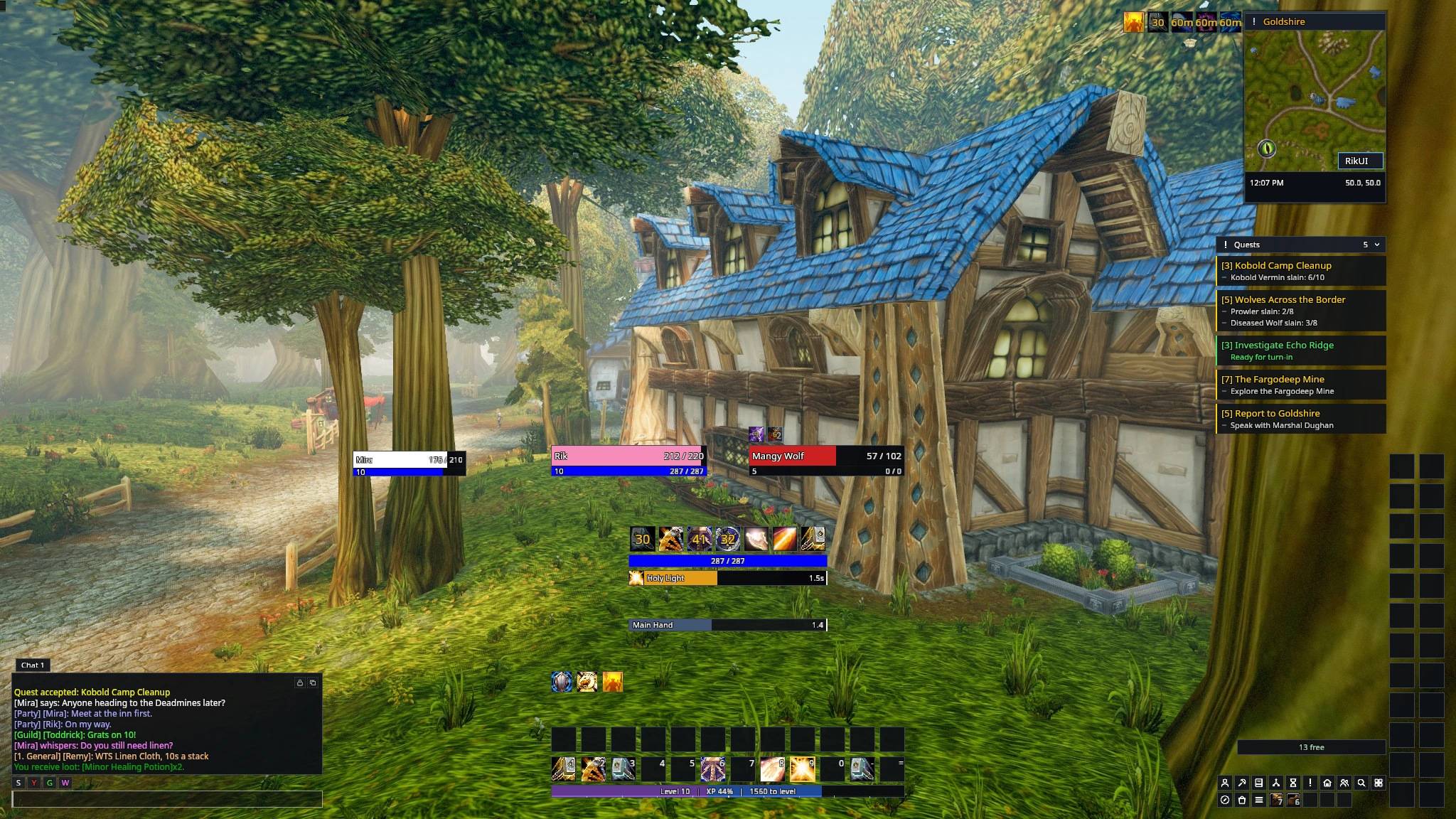
The default layout. Player and target sit above the action bars, with cooldowns, resource, cast bar and swing timer stacked in the middle. Chat bottom left, minimap and quest tracker on the right.
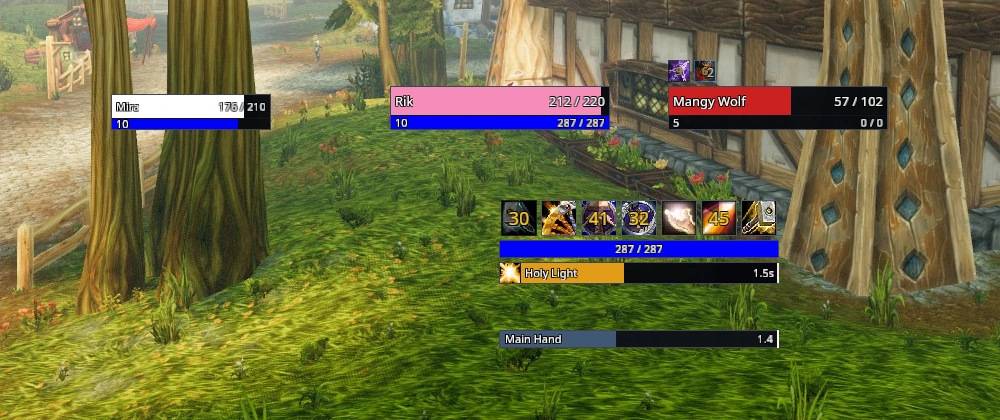
Everything you watch in a fight in one place: cooldowns on top, then your mana or rage, your cast bar and your swing timer. Player, target and focus frames sit just above it.
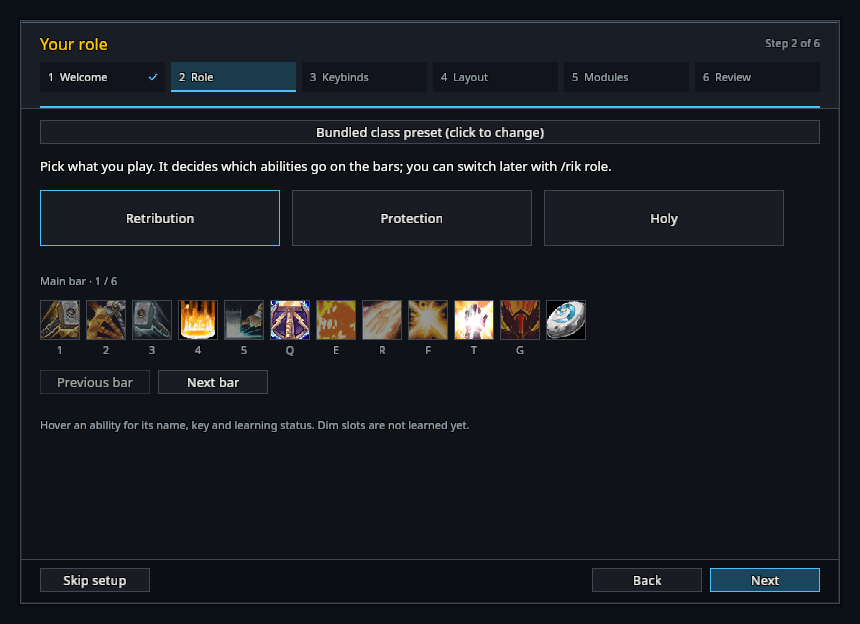
Pick your role and the wizard shows which abilities go on which keys before anything is changed. Dim slots are spells you haven't learned yet.
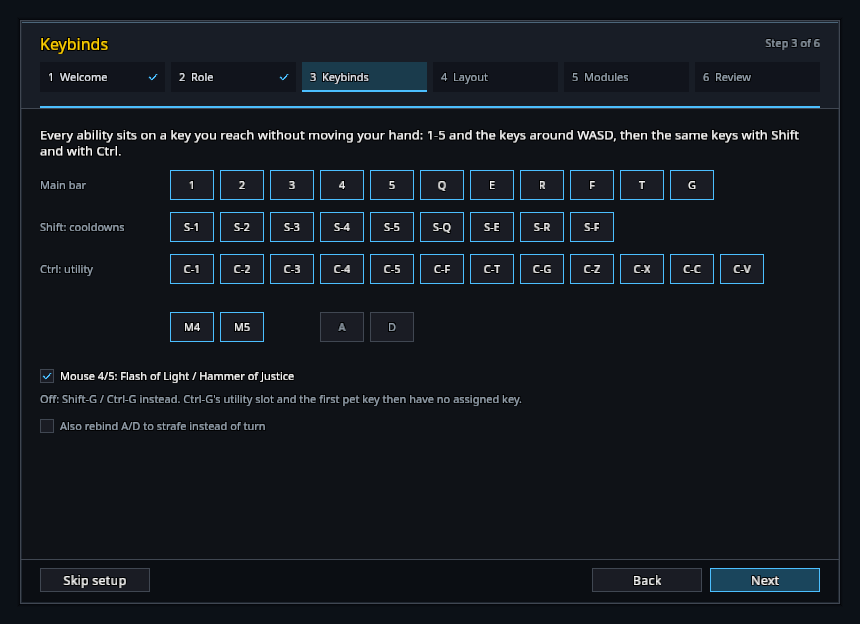
Abilities go on 1-5 and the keys around WASD, then the same keys with Shift and Ctrl. Mouse buttons and strafe keys are optional.
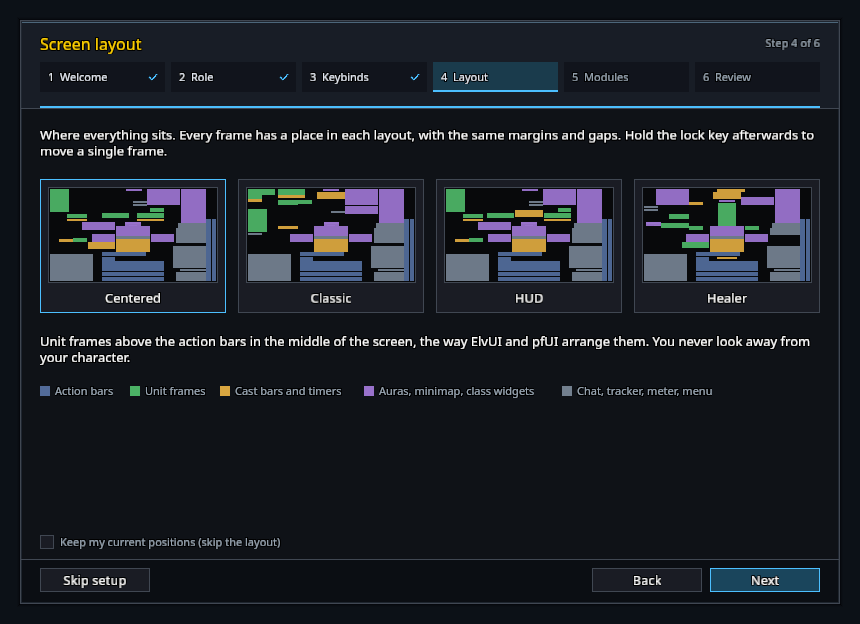
Four whole-screen layouts: Centered, Classic, HUD and Healer. You can also keep your current frame positions and skip this step.
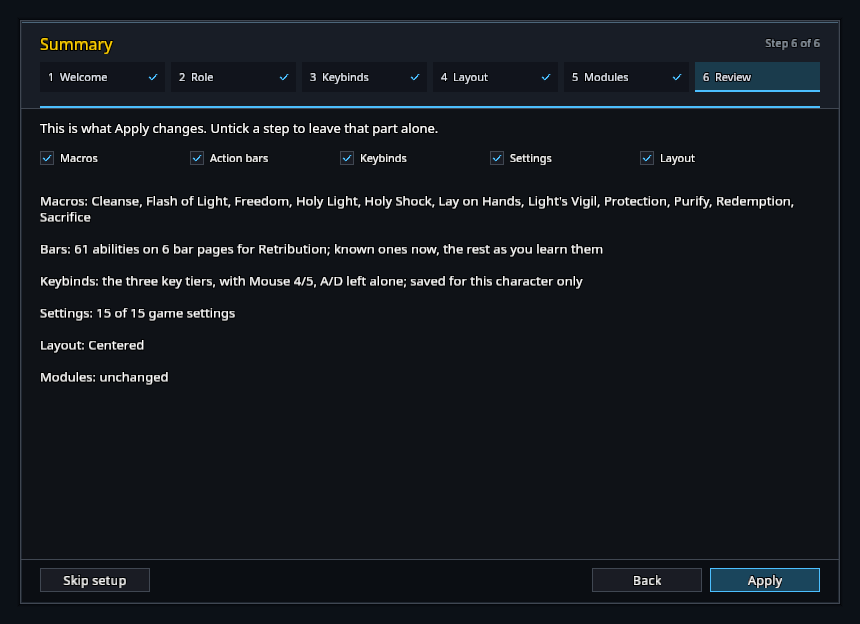
The last page lists everything Apply will change. Untick any part you want left alone. /rik undo puts it all back afterwards.
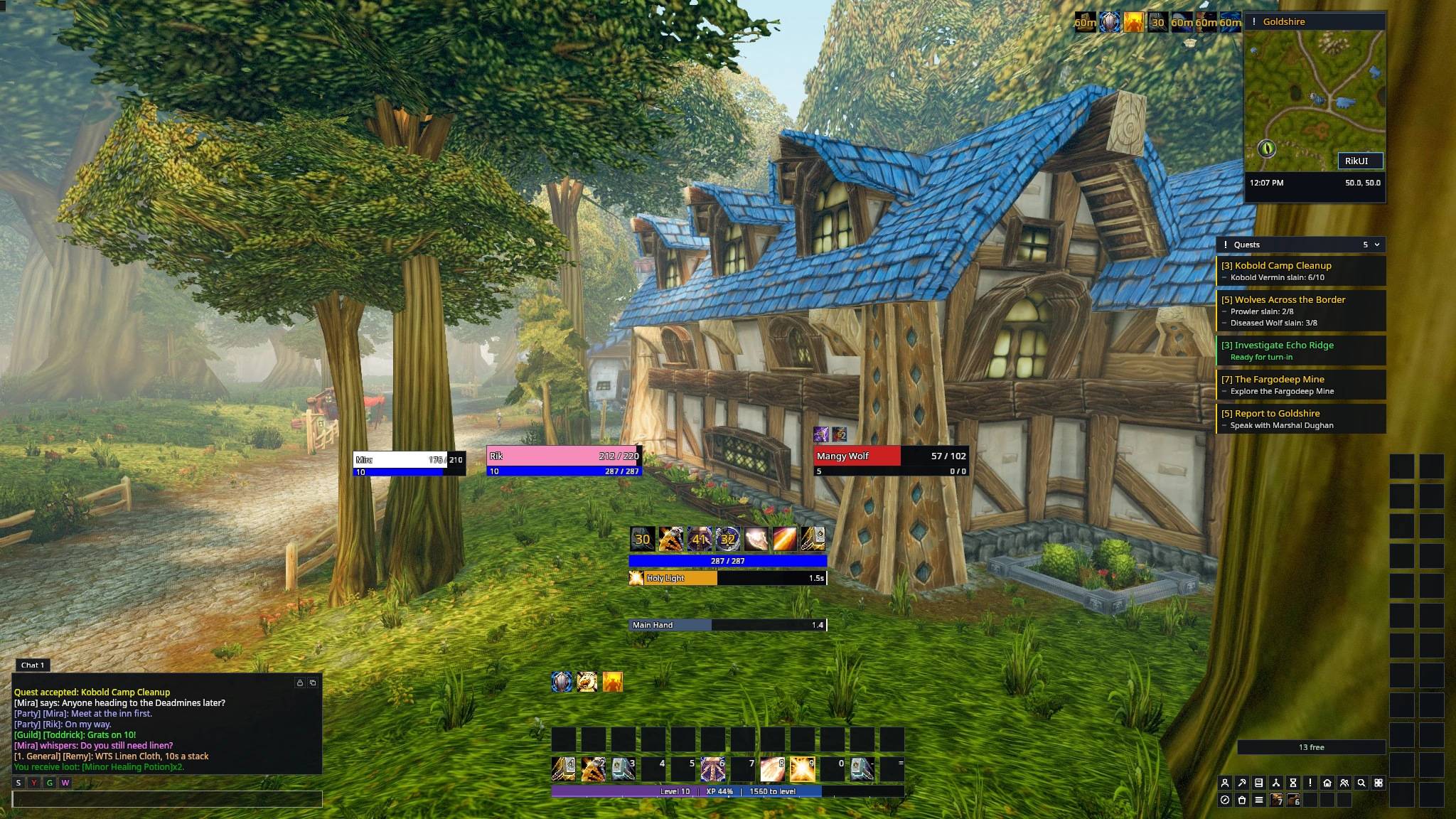
Player and target spread either side of the cooldown column, which leaves the middle of the screen clear for your character.
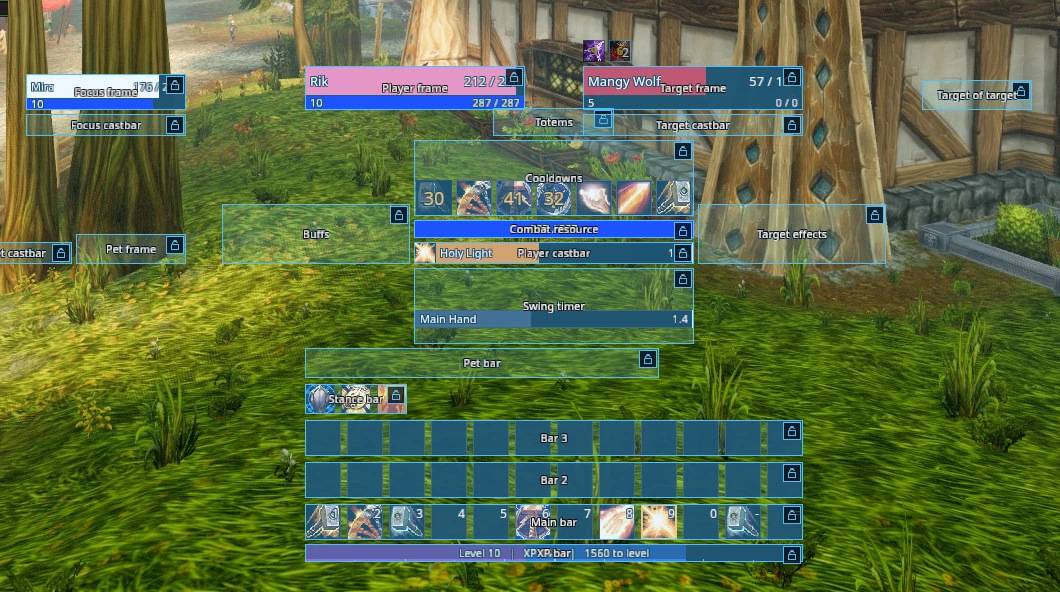
/rik move unlocks every frame. Drag them where you want; they snap to each other and can't overlap.
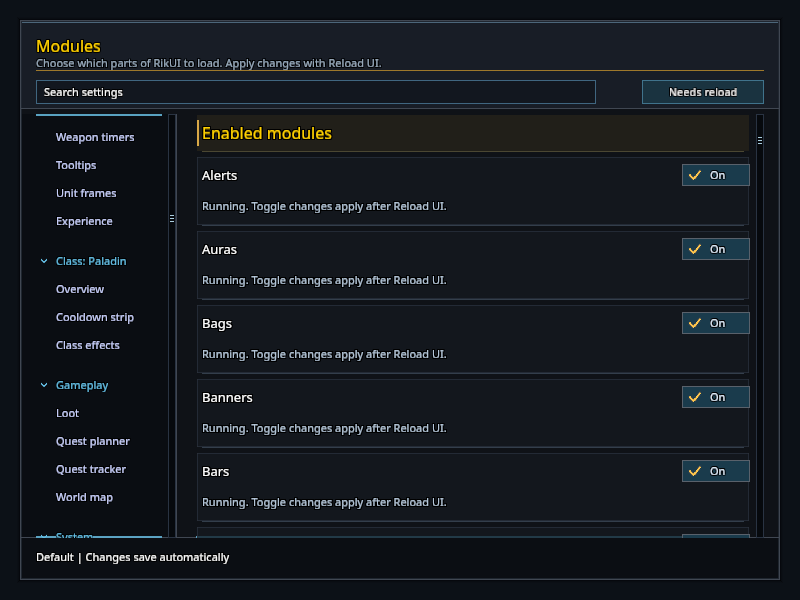
Every part of RikUI is a module with its own switch. Turn off what you don't want and keep Blizzard's version or another addon for it.
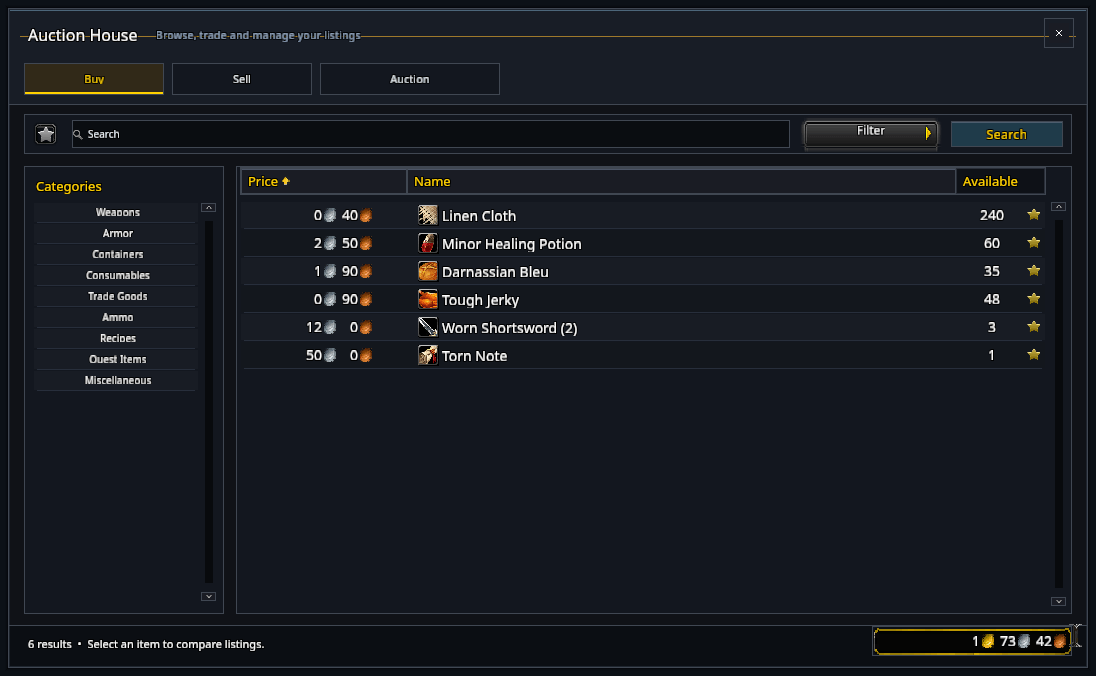
Blizzard's own windows get the same dark look. The auction house keeps its normal search, buying and selling underneath.