Rewind - Arena Replay (TBC Classic/Anniversary)
- By
Description
Rewind — Arena Match Replay for TBC Classic
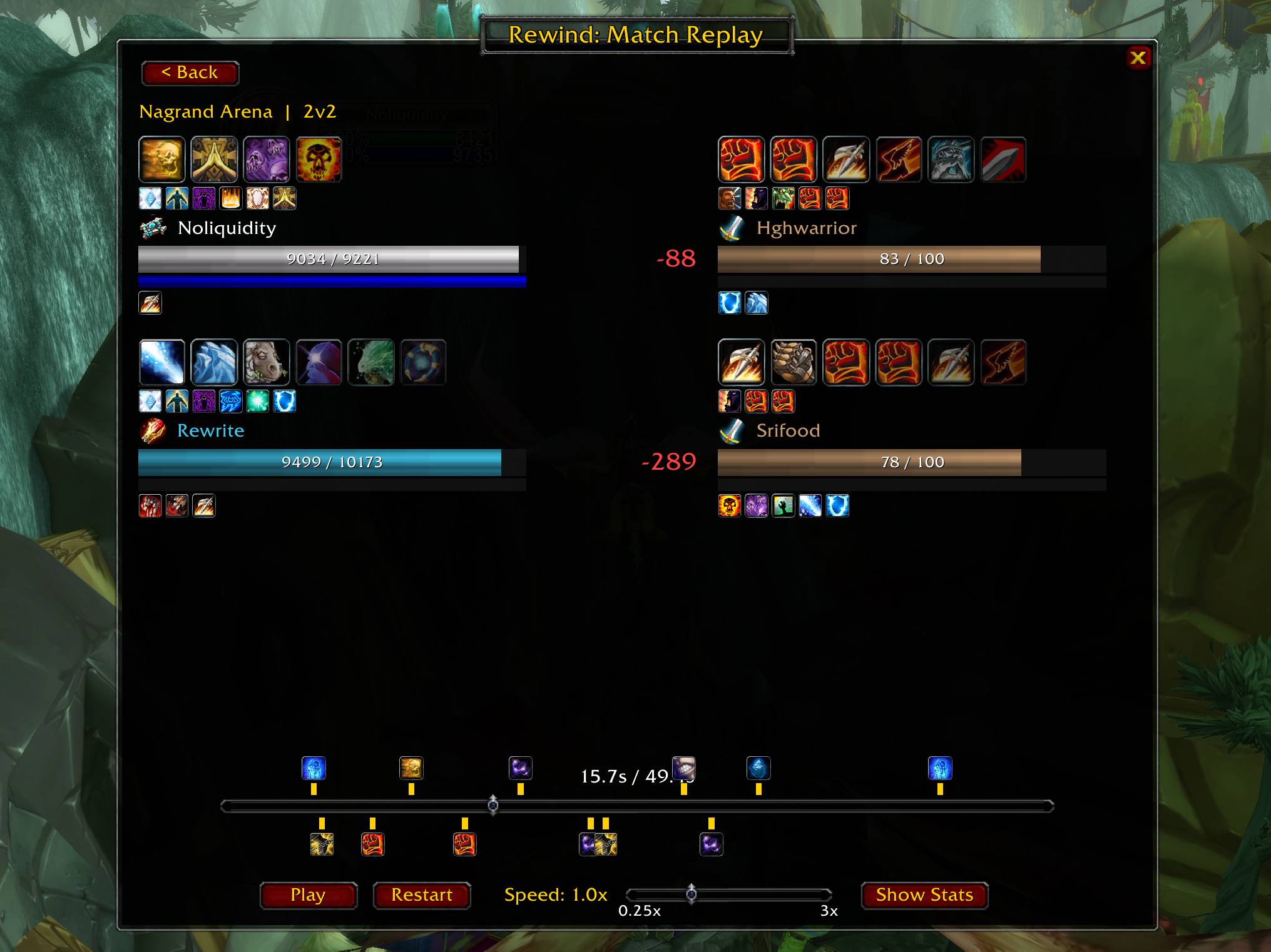
Rewind automatically records your arena matches and lets you replay them afterward — health and mana bars, buffs and debuffs, crowd control, ability cast history, trinket and cooldown usage, and post-match damage/healing stats. Never argue about "what happened there" again — just watch it back.
Features
- Fully automatic recording. No setup required — Rewind detects when you enter an arena and waits for the actual gates-open signal before recording starts, so match length and timing are accurate from the first hit.
- Full replay window — scrub through the match on a timeline with adjustable playback speed (0.25x–3x), Play/Pause/Restart controls, and a Back button to return to your match list.
- Live health and resource bars for every player in the match, color-coded by class and resource type (mana/rage/energy/focus).
- Buffs, debuffs, and crowd control shown as icons above and below each player, with a dedicated banner (e.g.
[Feared],[Polymorph]) whenever a player is hard-CC'd. - Cast-feed carousel — a live-updating row of large icons above each player showing their most recently used abilities, newest first.
- Trinket and major cooldown tracking — see exactly when trinkets, racials, and big defensive/offensive cooldowns were used, marked on the timeline with the ability's name, icon, and who used it.
- Damage and healing numbers pop up next to each player as they take damage or get healed during playback.
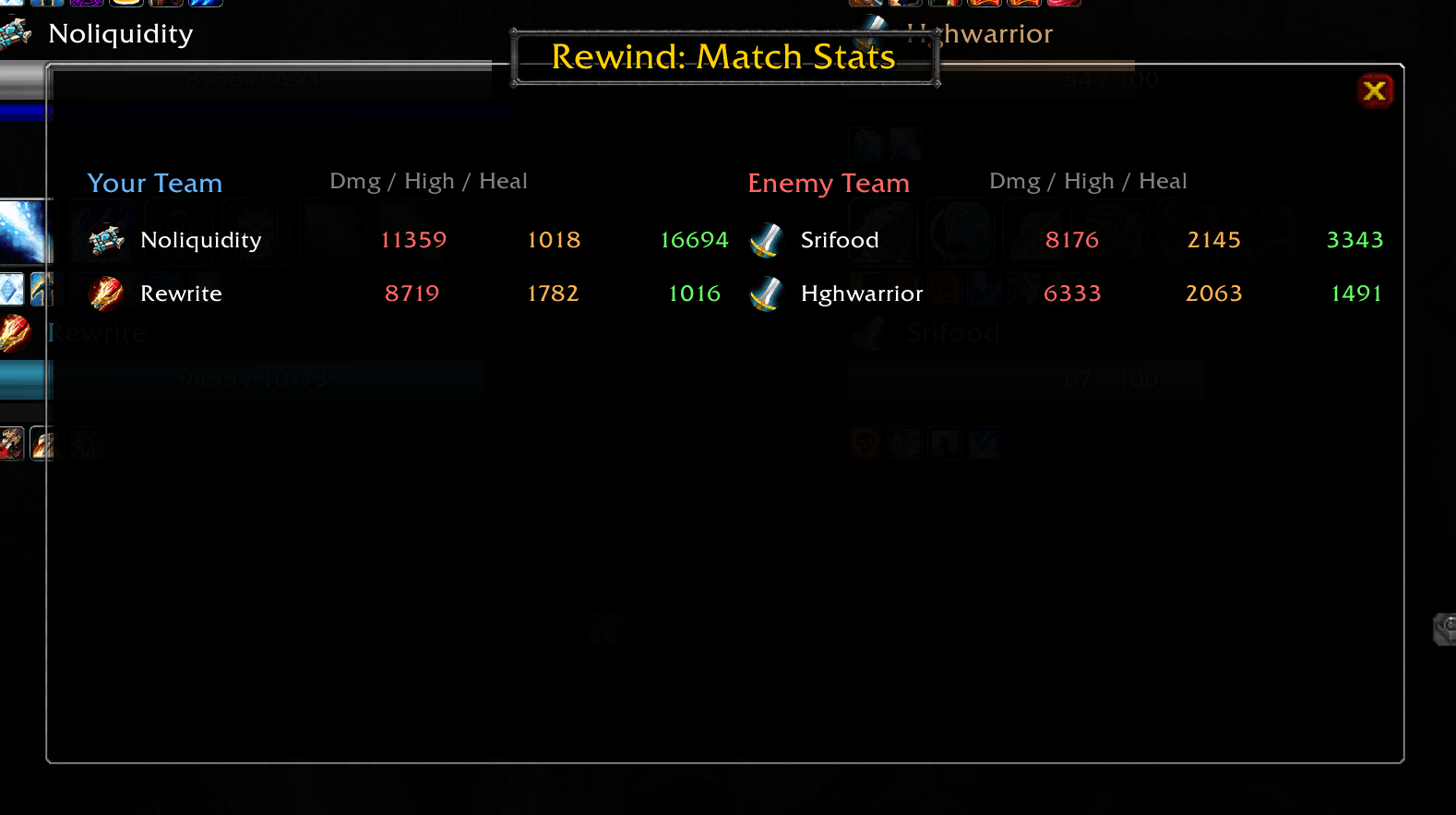
- Post-match stats screen — damage done, highest hit, and healing done for every player, both teams side by side.
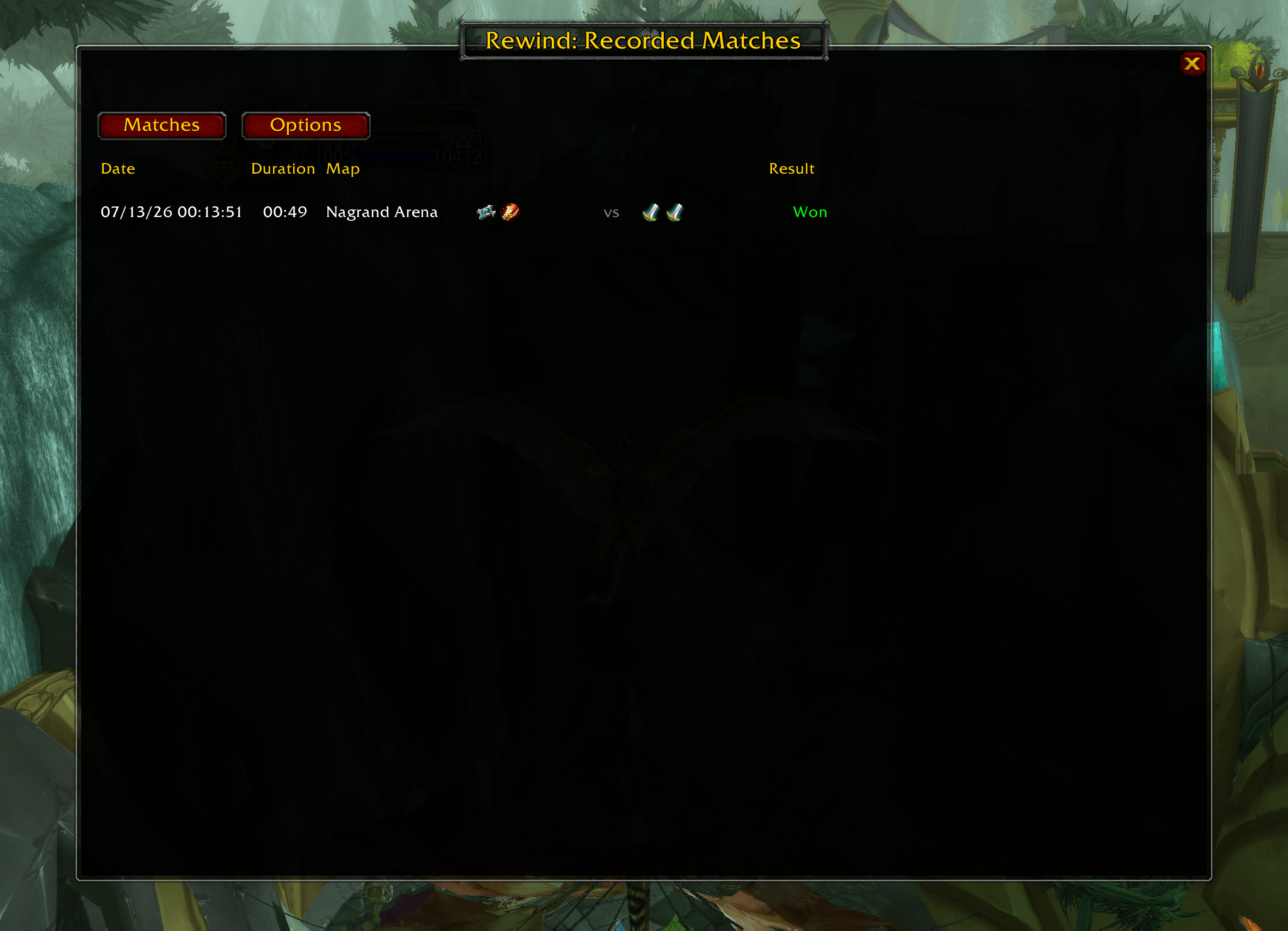
- Match list with date, duration, map, team compositions (class icons for both sides), and win/loss result — click any row to jump straight into that match's replay.
- Draggable minimap button for one-click access to your match history.
How to Use
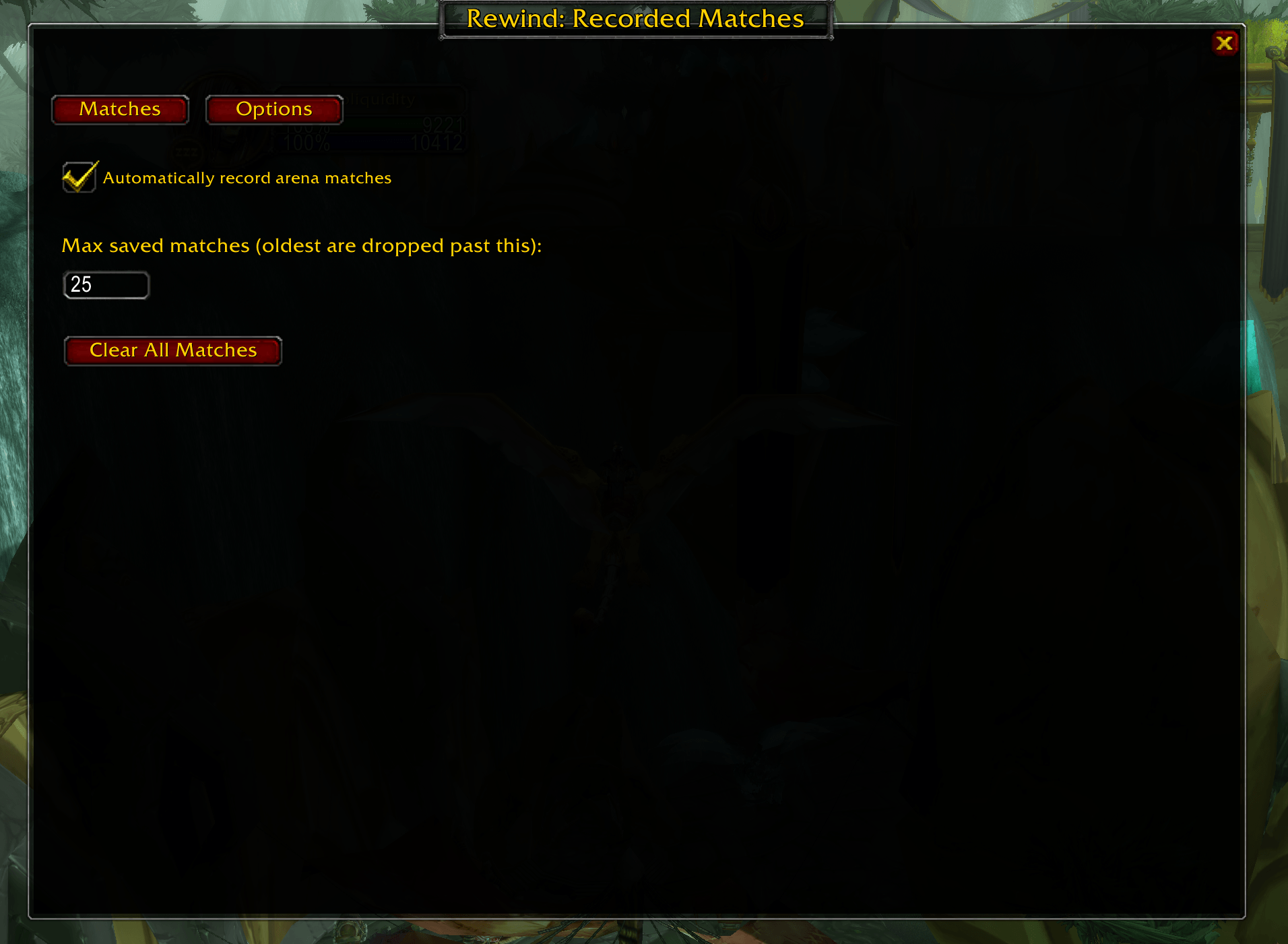
- Just play arena. Rewind records automatically — no commands needed for normal use.
- Click the minimap icon (drag it anywhere around the minimap ring) to open your match history.
- Click any match row to open the full replay.
- Use the playback controls at the bottom of the replay window to scrub, play, pause, or adjust speed.
- Click "Show Stats" in the replay window for a damage/healing breakdown of the match.
Commands
| Command | What it does |
|---|---|
/rewind ui |
Open the match history window (same as clicking the minimap icon) |
/rewind list |
List saved matches in chat |
/rewind delete <id> |
Delete a specific saved match |
/rewind clear |
Delete all saved matches |
/rewind status |
Show whether Rewind is currently recording |
/rewind forcestart |
Manually start recording immediately (useful if you /reload mid-match) |
Troubleshooting / advanced commands (not needed for normal use):
| Command | What it does |
|---|---|
/rewind info <id> |
Dump raw roster/event data for a saved match |
/rewind debuglog [n] |
Print raw combat log data to chat for the next n events |
/rewind debugcasts |
Print every ability cast during recording to chat |
/rewind debugauras |
Print your current buffs to chat whenever they change |
Known Limitations
- Enemy health is shown as a rounded percentage (e.g. 68/100), not exact numbers. This is a Blizzard client restriction on units outside your group, not a Rewind limitation — no addon can get exact enemy health values, including AAV or Gladdy.
- Arena rating/MMR is not shown. This data isn't exposed to addons at all. Any addon claiming to show exact real-time MMR is estimating, not reading a real value — Rewind doesn't fake this.
- Win/loss is inferred, not read directly from a "you won" flag (Blizzard doesn't expose one). Rewind compares confirmed deaths between teams to determine the result, which is accurate in the vast majority of matches.
- Trinket/cooldown detection depends on the ability going through the game's normal spell-cast system. The overwhelming majority of abilities do. On rare occasions a specific ability effect may not be visible to any addon; this isn't unique to Rewind.
Requirements
Built for TBC Classic. If you're on a private server, Rewind includes automatic fallbacks for several common client differences (event availability, API return signatures) — if something doesn't work exactly right on your specific server, please report it.
Feedback
Found a bug or have a feature request? Leave a comment on this page or reach out directly — this addon is actively maintained.
DONATIONS WELCOME AT illusivegaminginc@gmail.com (@itsillusive) ON PAYPAL TO CONTINUE BUILDING/ITERATING.
Rewind - Arena Replay (TBC Classic/Anniversary) Team