RetroRuns
- By


RetroRuns is a companion for legacy raids & dungeons in World of Warcraft retail.
Zone into an old raid or dungeon and RetroRuns guides you boss by boss to the end: the standard route, the LFR wing, or a skip straight to the final bosses on eligible raids. Enjoy searchable transmog and achievement tracking along the way!
Supported Legacy Raids: Classic through Dragonflight
Supported Legacy Dungeons:
- Warlords of Draenor
- Mists of Pandaria
- Cataclysm
- Wrath of the Lich King
- The Burning Crusade
- Classic
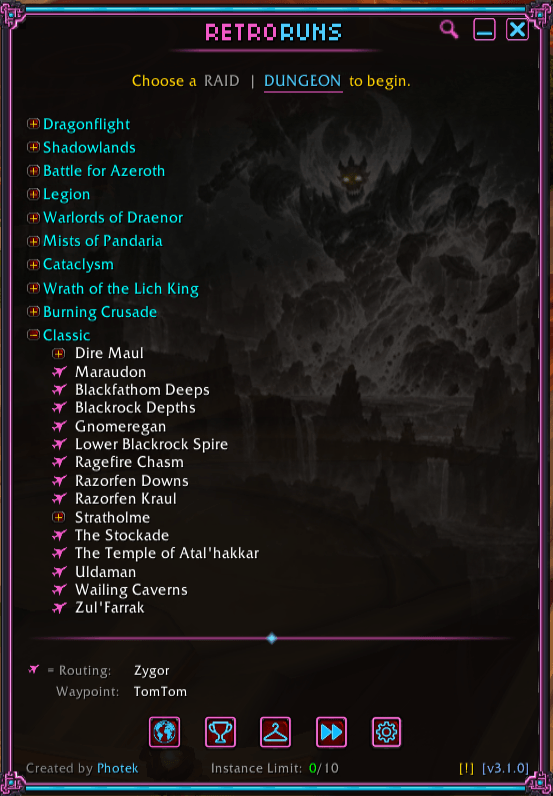
The idle list shows every supported instance grouped by expansion, each with its lockout state across LFR, Normal, Heroic, and Mythic, so you can see at a glance what you've cleared this week, what's still open, and where a skip is unlocked on your account. Hover an instance to see how its lockout works; click the plane icon beside its name to fly straight to the entrance (with supported navigation addon).
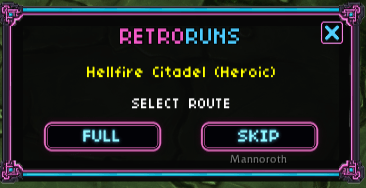
Upon zoning in, choose the route you want RetroRuns to guide you through.
Main UI (active instance) — Step-by-step routing through every boss, with live tracking of where you are, what's coming next, and what special loot to watch for. Boss-specific solo tips and on-the-fly notes call out tricky mechanics, and the route auto-advances as you move, so the panel always shows the right info for the right moment.

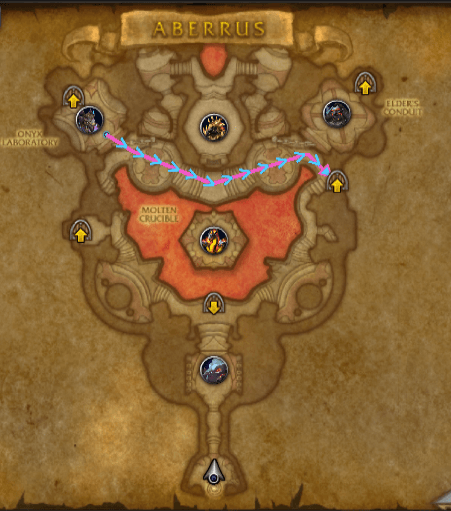
Map with route lines drawn straight onto the World Map with directional chevrons so you can read the path at a glance. No separate pane, no minimap squinting. Auto-advances based on current progress.
Tmog UI — Track and search every transmog drop across all supported instances in one window: boss attribution, source difficulty, and what you've collected versus what's still out there. Filters keep the noise down so you can focus on the pieces you actually want, with tier-token sets covered across every supported raid.

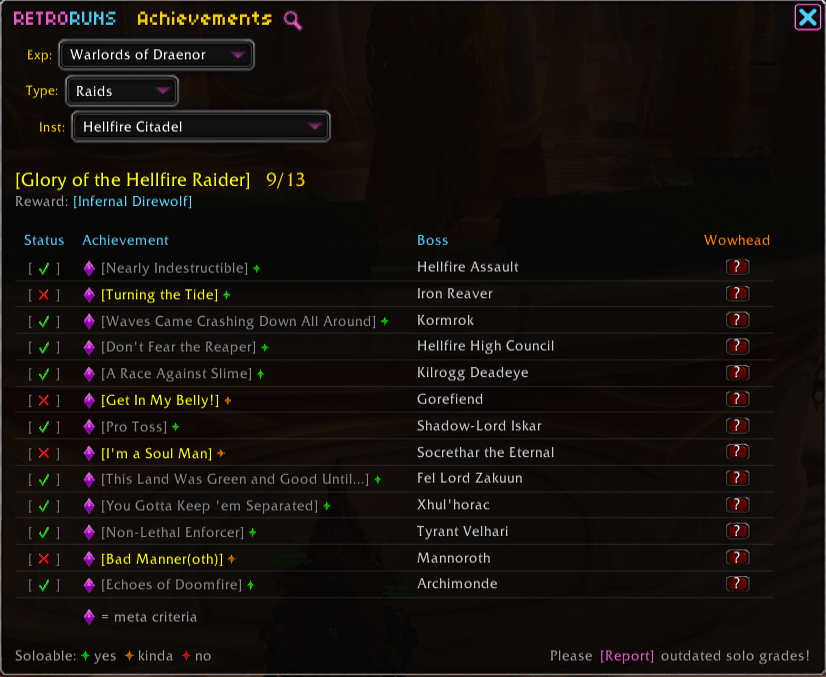
Achievements UI — Every Glory meta-achievement laid out boss by boss, with a soloable-difficulty indicator and one-click Wowhead links. The next boss stays highlighted, so you can clear achievements as you pass through. Search for a specific achievement using the magnifying glass!
Skips UI — See exactly which difficulty cascades you've unlocked on this account for every skip-eligible raid. Unlocks are account-wide, so a shortcut earned on one character shows up on all of them. And when a skip is available, the choice is yours at the door: run FULL for the complete clear, or take SKIP and let RetroRuns guide you from the entry boss through the shortcut to the end bosses.


Getting started. Install via the CurseForge app (or drop the RetroRuns folder into Interface/AddOns/), /reload, zone into a supported raid, and click Load on the prompt. The minimap button toggles the panel. Right-click it for settings; drag it around the minimap edge to reposition.
Commands you'll use:
/rr— toggle the main panel/rr tmog— open the transmog browser standalone/rr skips— account-wide raid skip status / instructions/rr status— print current raid, step, and kill state to chat/rr settings — open settings panel
- Bugs and feature requests: GitHub issues
- General comments: here on the CurseForge page
- Source code: github.com/PhotekWoW/RetroRuns (All Rights Reserved)
- General Support/Feedback: retroruns.support@gmail.com
- Support RetroRuns: buymeacoffee.com/photek
RetroRuns Team