Screenshot 2025-11-15 110349.png
Screenshot 2025-11-15 110340.png
Description
Restockr
Restock your mains (“Heroes”) from your bank alts (“Vaults”)—in one pass.
No giant item database. You pick the items, targets, and Restockr builds a task list and mails what’s needed.
What it does
- Account-wide stock view (bags, bank, reagents, mailbox, guild bank) from your last scans.
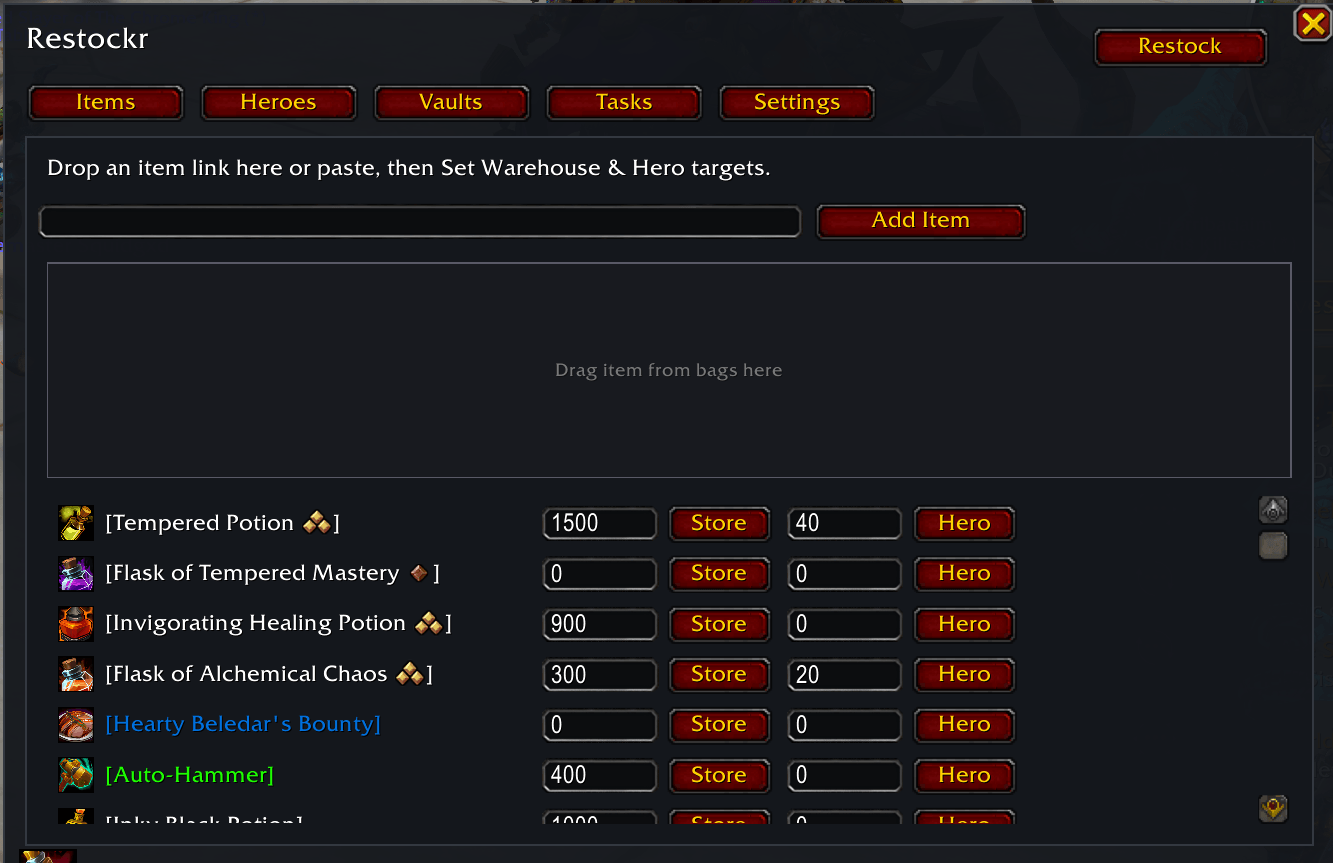
- Per-Hero targets: “My Warrior should hold 60 of X; my Mage 30…”
- Warehouse target on Vaults (bank alts) to keep a ready-to-send pool.
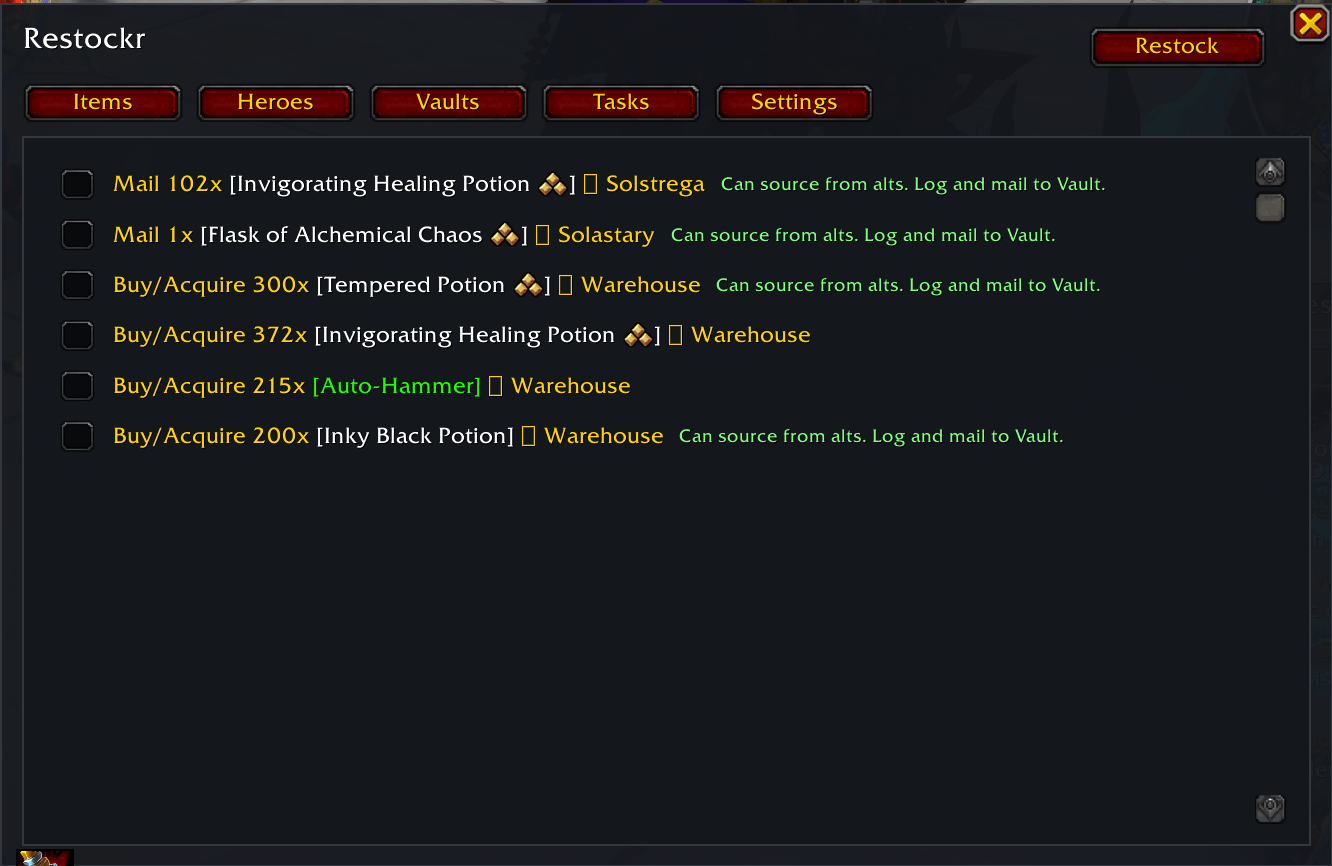
- One-click Restock plan: checkable task list telling you who to log and what to send/buy.
- Smart mail queue from Vaults: split stacks, send exact counts, avoid double-sending with a pending-delivery ledger.
- Ranks/bonuses respected: tracks items by
itemID:bonus, so “rank”/quality stays correct. - Faction-aware by default (Alliance/Horde). Optional cross-faction pooling.
How it works
Mark roles: On your main → Heroes tab → Set Me As Hero. On your bank alt → Vaults tab → Set Me As Vault.
Add items: Items tab → drag an item link (or paste) → set Hero target(s) and Warehouse target.
Scan stock: Open your bags/bank/mail/guild bank (or run
/rs scan) to record totals.Restock: Click Restock (top-right). On a Vault, hit Send on tasks to mail Heroes; the row auto-clears.
_If not enough stock exists, tasks will tell you which characters can mail you items **or** that you need to buy from AH._
UI / Commands
- Open UI:
/rs ui(or/restockr) - Quick scan:
/rs scan - Generate plan:
/rs restock - Tabs:
- Items – Add items; set Warehouse & Hero targets.
- Heroes – See your Heroes; remove them if needed.
- Vaults – See your Vaults; remove them if needed.
- Tasks – Restock plan with Send and manual checkboxes.
- Settings – Option to merge factions into one pool.
Changelog
0.1.0 (Beta)
- First public beta: item registry (drag/paste), Hero/Vault roles, Warehouse targets, restock planner, mail queue with pending-delivery ledger, self-managing task list.
Restockr Team