Rested XP Helper
- By
A World of Warcraft addon that helps players track their rested XP, showing their current rested XP percentage, estimated remaining rested time, and helpful logout reminders.
Screenshot 2026-08-18 210035.png
Screenshot 2026-08-18 210314.png
Screenshot 2026-08-18 210331.png
Description
Description
💤 Rested XP Helper is a lightweight World of Warcraft add-on that makes it easier to see and track your rested experience while levelling.
Currently built for World of Warcraft Classic Anniversary.
💡 Why was it created?
I originally created the add-on because I wanted a clearer and more useful way to keep track of rested XP while levelling.
The default experience bar shows when rested XP is available, but it isn't always obvious exactly how much you have or how long it may last. Rested XP Helper adds useful information directly to your XP bar and can also remind you about rested XP when logging out.
The aim is to provide the information you need while remaining simple, lightweight and unobtrusive.
✨ Features
- 💤 Easily see how much Rested XP you currently have.
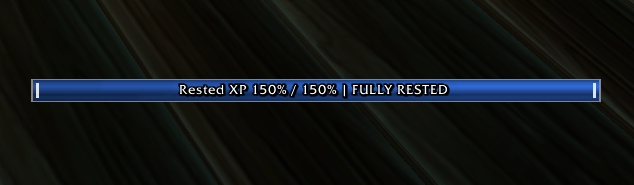
- 📊 Display your rested XP percentage directly on the XP bar.
- ⏱️ Show an estimated time remaining based on your current XP gain.
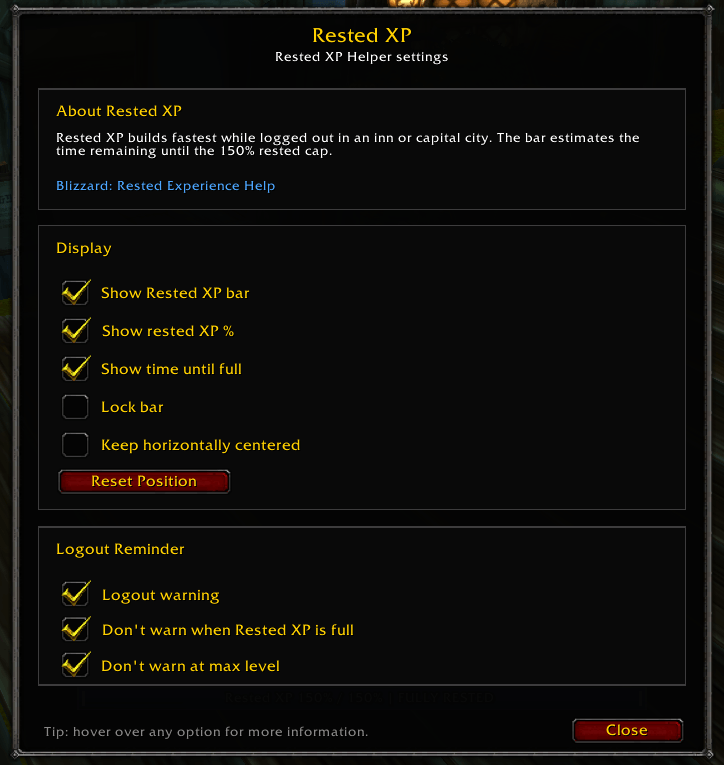
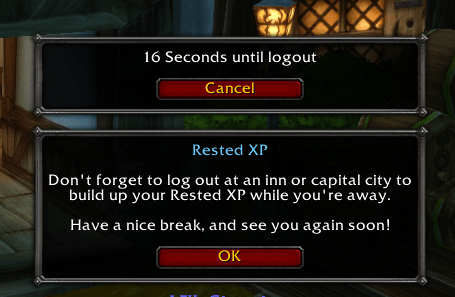
- 🔔 Optional logout reminder to help you remember rested XP when leaving the game.
- 👁️ Choose whether the additional XP bar information is displayed.
- 🔒 Lock the XP bar in position once you've placed it where you want it.
- ↔️ Keep the XP bar horizontally centred while still allowing vertical positioning.
- 🔄 Quickly reset the XP bar and reminder positions.
- 💾 Your settings and preferences are automatically saved between sessions.
- ⚡ Lightweight and designed to provide useful levelling information without unnecessary extras.
- 🏰 Built for WoW Classic Anniversary.
📦 Installation
CurseForge — Recommended
Rested XP Helper is intended to be installed and kept up to date through CurseForge.
Once available on CurseForge, simply install the add-on through the CurseForge app and it will be placed in the correct World of Warcraft folder automatically.
Manual Installation
You can also install the add-on manually.
Download the add-on and place the RestedXpHelper folder inside your WoW Classic Anniversary Interface\AddOns directory.
A typical Windows installation will look similar to:
World of Warcraft\_anniversary_\Interface\AddOns
Make sure the actual add-on files are directly inside the RestedXpHelper folder rather than inside an additional nested folder.
After installing, start or restart World of Warcraft and make sure Rested XP Helper is enabled in the AddOns menu on the character selection screen.
⚙️ How to Use
Type:
/rested
or
/restxp
This opens the Rested XP Helper settings.
From here you can choose which XP information you want displayed, configure the rested XP logout reminder, move or lock the XP bar, and reset its position if required.
Your settings are saved automatically and will persist when you log out or close the game.
🎮 Quick Start
1. Install through CurseForge or manually place the add-on in your Interface\AddOns folder.
2. Launch WoW Classic Anniversary.
3. Type /rested or /restxp.
4. Choose which rested XP information you want displayed.
5. Position and configure the XP bar to your preference.
6. Close the settings window — you're done!
Rested XP Helper Team