Rested Eyes
- By
RestedEyes_Screen1.png
RestedEyes_Screen2.png
RestedEyes_Screen3.png
Description
Your eyes get a break, even when you forget
Long raid nights and long dungeon runs are hard on the eyes. Rested Eyes keeps an eye on the clock for you, with the 20-20-20 rule, blinking, eye drops, proper breaks and eye exercises, all in one addon. And it never interrupts a fight: if something is due while you are in combat, it waits and shows up when the fight is over.
What you get
- 20-20-20. Every 20 minutes, a small reminder tells you to look at something 20 feet (6 m) away for 20 seconds. You can change how often it comes and how long it lasts.
- Blinking. A pair of eyes appears in the middle of your screen and blinks slowly. Blink with them. It's easy to forget when you're staring at a screen.
- Eye drops. A reminder for when your eyes feel dry. It's off until you turn it on.
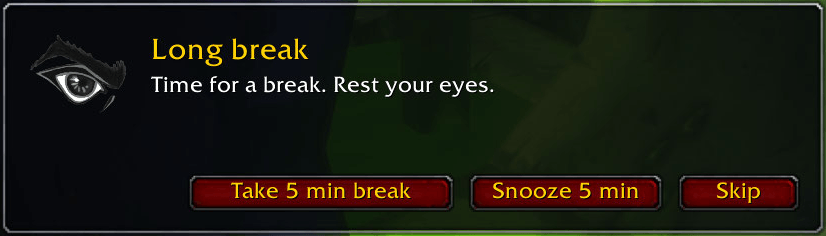
- Long breaks. Once an hour you can take a real break. Take it, snooze it or skip it. If you take it, a countdown runs from 10 to 0 above a progress bar, and the screen can dim so you really look away. If you were late, the popup says so.
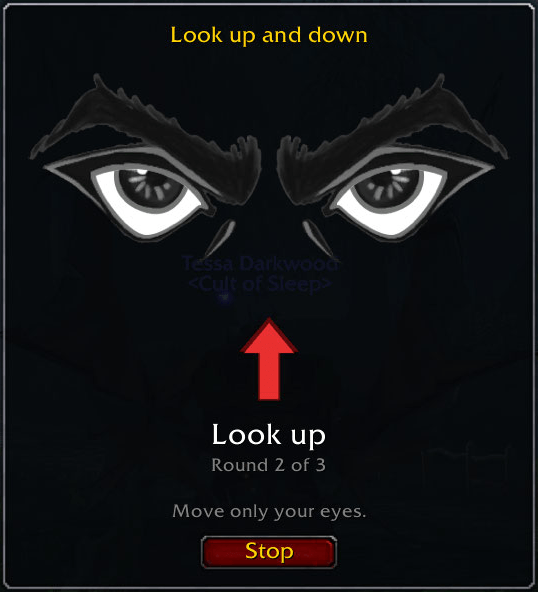
- Eye exercises. Follow the eyes up and down, left and right, around a square, or blink slowly. Each exercise is three rounds, and afterwards you can pick another one or call it done. On a long flight path they start on their own, which makes it the best time to rest your eyes. One finished exercise counts as your 20-20-20.
- Your own reminders. Need a stretch, a drink of water or a posture check? Add your own and set how often and for how long.
- Stats. See your screen time, breaks and exercises for today, the last 7 days and all time. No guilt trips, just numbers.
It stays out of your way
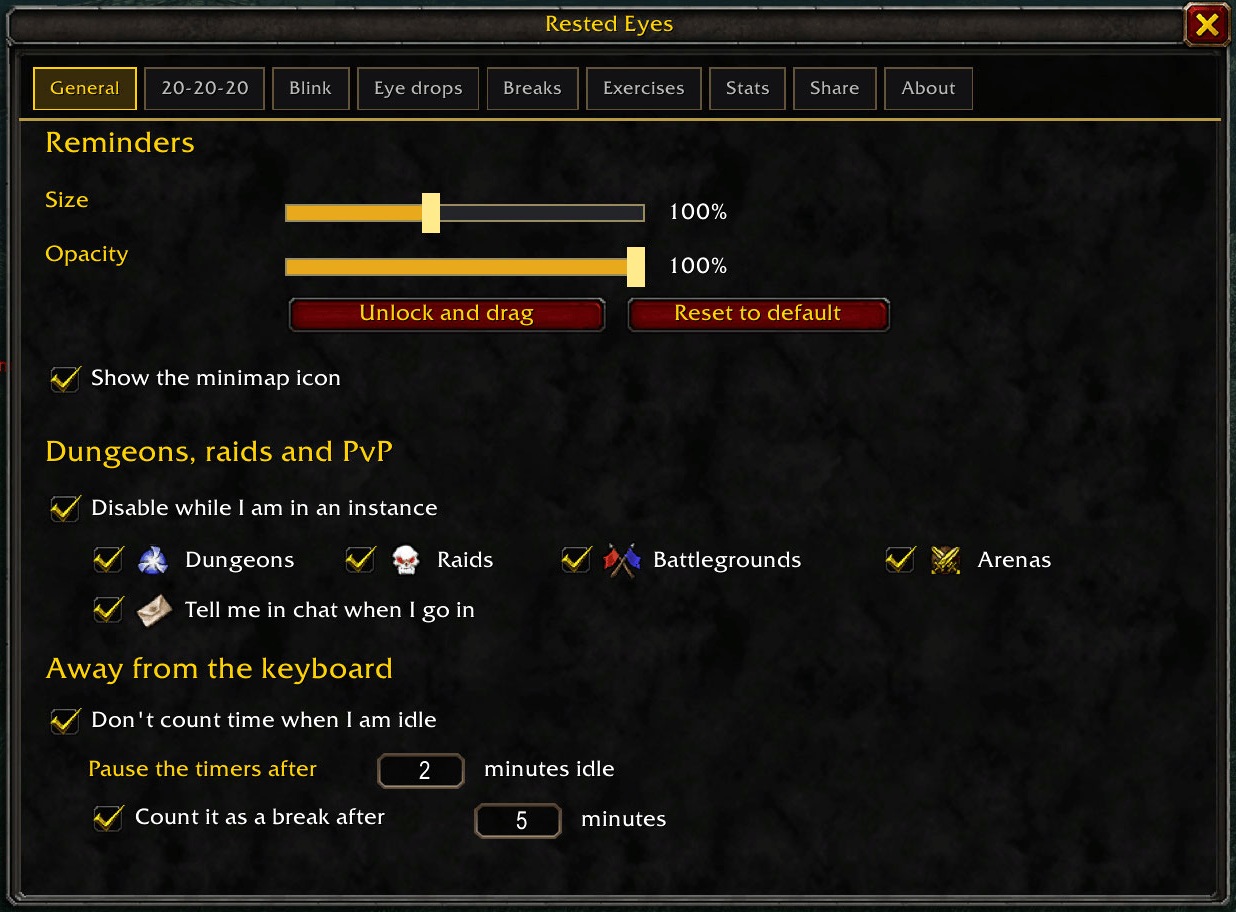
- Nothing pops up in combat or boss fights. The reminder waits and appears a few seconds after the fight.
- Dungeons, raids, battlegrounds and arenas are left alone. You get a single line in chat saying so, and you can turn that off if you want reminders there as well.
- Go AFK or stop playing for a while and the timers pause. Being away for long enough counts as a rest.
- Every window can be dragged where you want it, and a single click puts it back.
- Export your settings as one line of text. Send it to a friend or keep it as a backup, and paste it back in to import.
Getting started
Type /eyecare or click the minimap icon to open the settings. Left-click opens the settings, right-click opens a quick menu where you can pause, skip a reminder or take a break right now. /ec works as well.
Commands
/eyecare settings/eyecare status what is coming up next/eyecare pause [minutes] and /eyecare resume/eyecare skip skip the next reminder/eyecare break take a long break now/eyecare exercise start an eye exercise/eyecare instances on|off reminders inside dungeons, raids and PvP/eyecare stats your numbers/eyecare reset restart all timers/eyecare help the full list
Good to know
Built for WoW Forever, and it loads on the current retail client too. Rested Eyes is a reminder tool, not medical advice, so if your eyes bother you, see an eye doctor and don't wait too long like I did! World of Warcraft is a trademark of Blizzard Entertainment, and this addon is not affiliated with or endorsed by Blizzard.
Questions, ideas, bugs
Come and say hi on the Guild Forging Discord: discord.gg/hN2YcPAd5r
Made by Sovi Ca of Remedy (EU PVE). Part of Guild Forging.
Rested Eyes Team