Rested Arcade
- By
Something to play while you're crafting, on a flight path, or waiting for your party to reach the dungeon.
Screenshot 2026-10-06 201936.png
Screenshot 2026-10-06 202028.png
Description
Rested Arcade
Something to play while you're crafting, on a flight path, or waiting for your party to reach the dungeon.
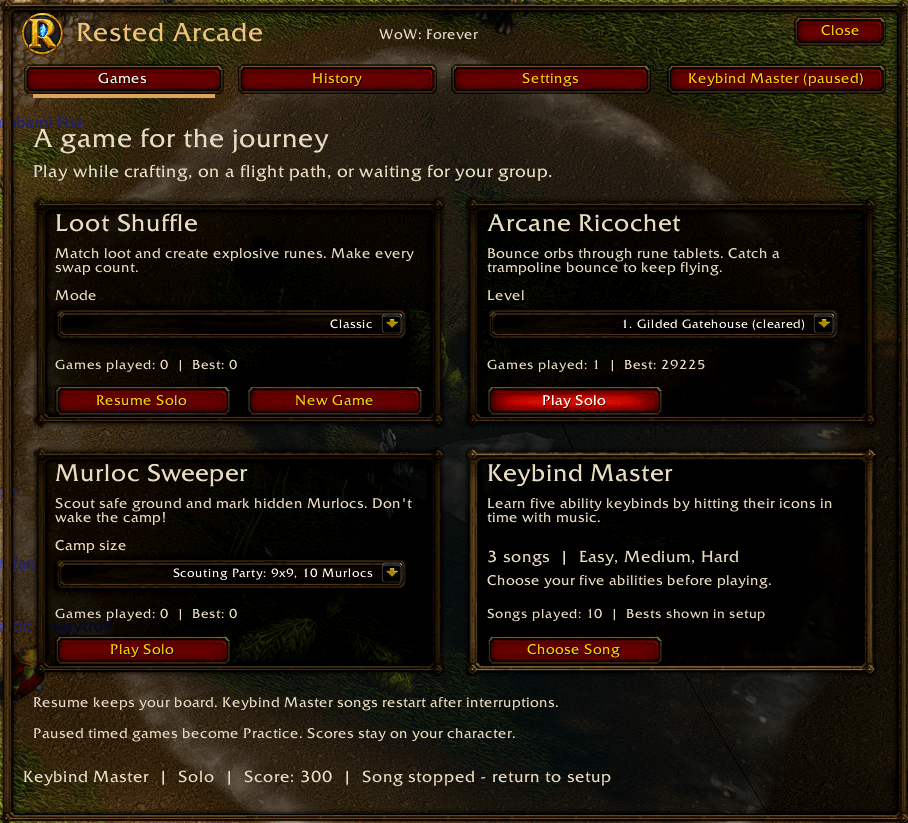
Rested Arcade adds four solo minigames to World of Warcraft: Loot Shuffle, Arcane Ricochet, Murloc Sweeper, and Keybind Master. Play a quick round or return to a saved run whenever you have a few minutes.
Loot Shuffle
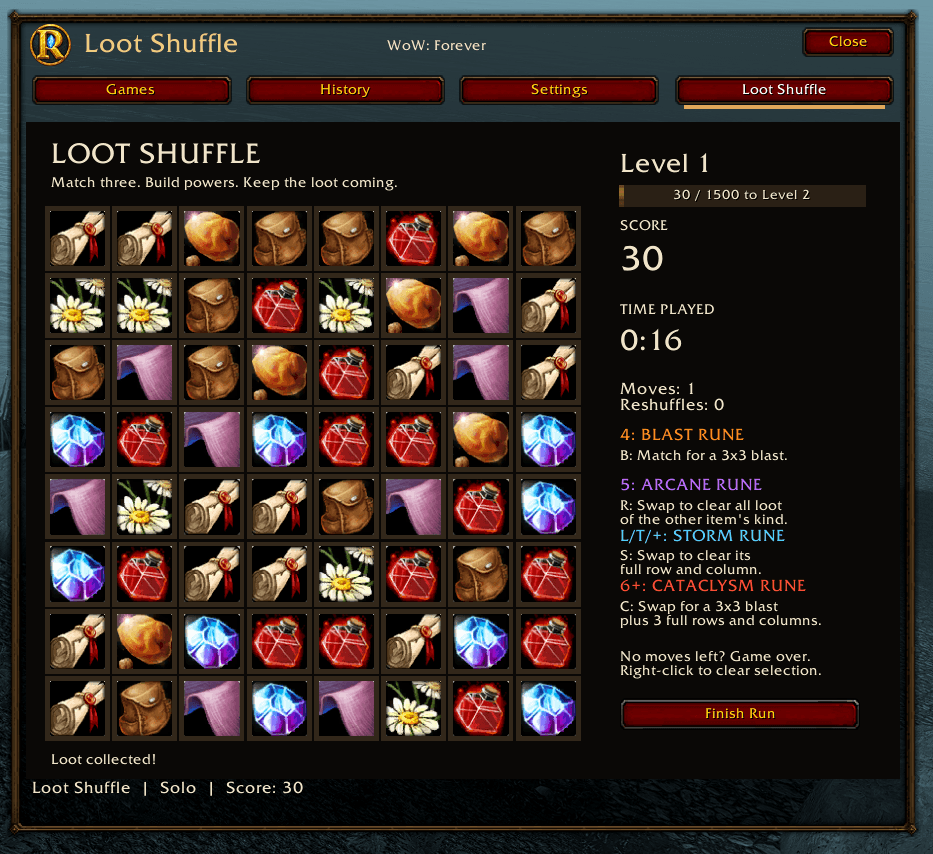
Swap neighboring potions, herbs, gems, and other loot to match three or more. Larger matches create runes:
- Four in a row: Blast Rune (B). Match it again to clear a 3x3 area.
- Five in a row: Arcane Rune (R). Swap it with an item to clear every item of that kind.
- Intersecting L, T, or + lines: Storm Rune (S). Each line must contain at least three matching items. Swap the rune with any neighboring item to clear its entire row and column at its new position.
- Six or more in a row: Cataclysm Rune (C). Swap it with any neighboring item for a 3x3 explosion at its new position that also clears the three full rows and columns through that area. Effects stop at the board's edges.
Runes can also be set off by another item's explosion. A connected match creates one rune; six-in-a-row takes priority over intersecting lines.
Blast Runes keep their original loot icon and must be matched again. Arcane, Storm, and Cataclysm Runes have distinct icons and activate on their next swap without needing a match.
- Classic: keep matching until you run out of moves.
- Timed: score as much as you can in three minutes, with automatic reshuffles when no moves remain.
Drag an item onto a neighboring tile to swap them, or click the two items. Right-click to clear your selection.
Arcane Ricochet
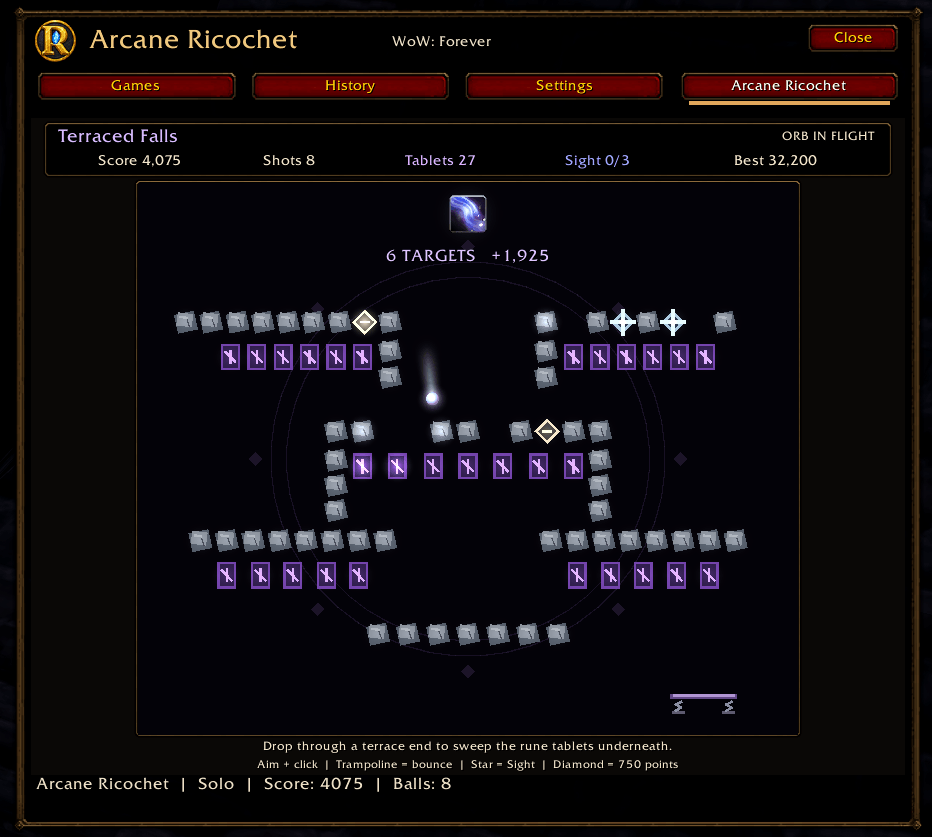
Aim with your mouse and click to launch an orb through a field of crystals. Clear every gold crystal before you run out of orbs. A moving catcher at the bottom can return your orb for another shot, and green crystals charge Arcane Sight to help line up your next shots.
Choose from 12 layouts, each with its own routes and aiming hint. Your best score and cleared levels are saved for your character.
Murloc Sweeper
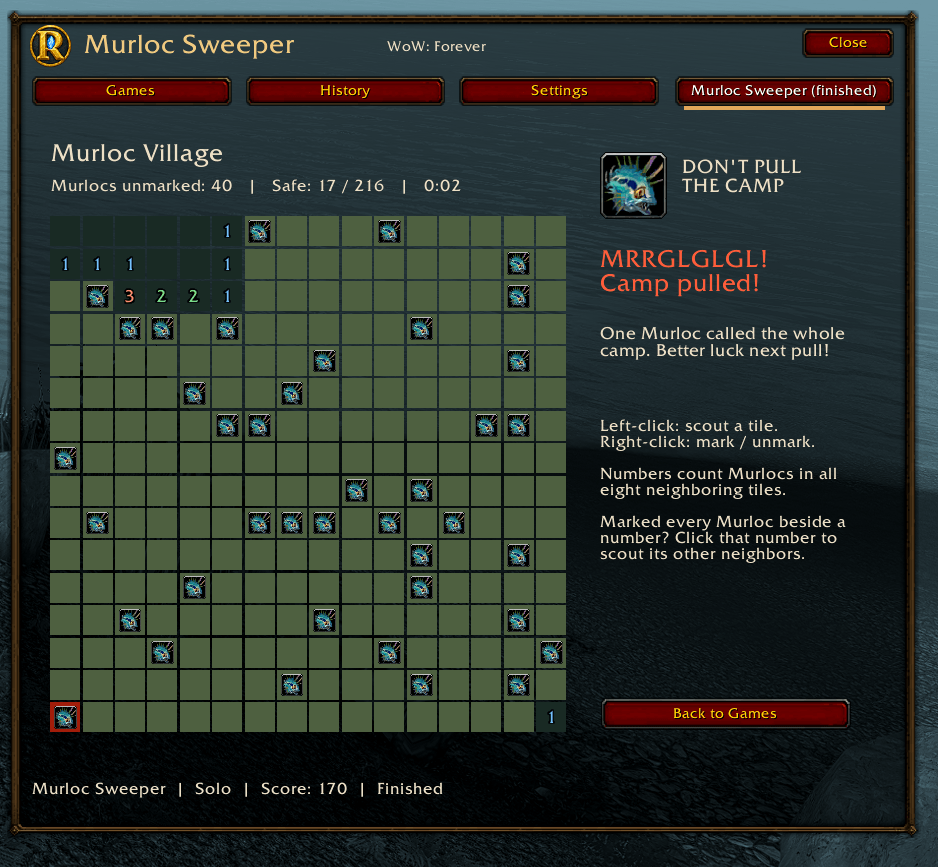
Scout the board without waking the hidden Murlocs. Numbers tell you how many Murlocs occupy the eight neighboring tiles. Your first reveal and its surrounding tiles are safe.
- Scouting Party: 9 by 9 tiles, 10 Murlocs.
- Shoreline Camp: 12 by 12 tiles, 24 Murlocs.
- Murloc Village: 16 by 16 tiles, 40 Murlocs.
Left-click to reveal a tile; right-click to mark or unmark one. Once you've marked the Murlocs around a revealed number, click that number to reveal its remaining neighbors. Incorrect marks can still wake the camp!
Keybind Master
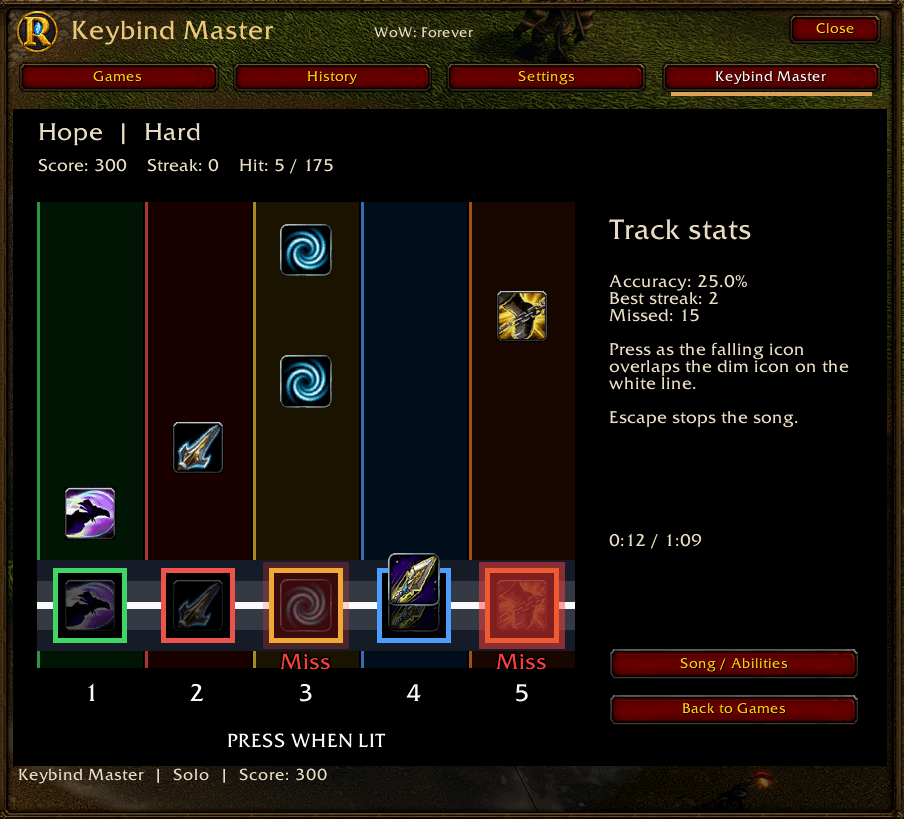
Learn where your ability keys are with a music rhythm game. Choose five different abilities from your bound Blizzard action-bar buttons. Each ability becomes a lane, with its icon as the falling note and its keybind shown below.
Press the matching key when the icon reaches its target on the white line. Targets light up with NOW when a note can be hit, and hit or miss feedback appears right at the lane so you can keep watching the notes. There is no strum button, and pressing a note key does not cast the ability.
Choose from five songs, each with Easy, Medium, and Hard charts: Pixel Rush, Neon Run, Overdrive, The Old Tower Inn, and Hope. The music ranges from retro action chiptunes to medieval tavern folk and orchestral fantasy battles. Your results show accuracy, best streak, and missed notes for each key. Best scores are saved separately for each song and difficulty.
Shift, Ctrl, and Alt key combinations are supported. Use spells placed directly on Blizzard action-bar buttons; macros, items, mouse bindings, and custom action-bar overrides are not supported. Enable addon music and WoW's Music sound and volume. If the notes and music feel out of sync, use Audio timing on the song setup screen to make small adjustments.
Escape stops the song. Combat, ready checks, closing the window, or changing bindings also stop playback and release your keys. Interrupted songs restart from the beginning and do not count as completed runs.
Getting started
Click the Rested Arcade minimap button or type /rested. Choose a game and mode, then select Play Solo. Use Resume on a game's card to continue a saved run. For Keybind Master, select Choose Song, pick your song, difficulty, and five abilities, then select Start Song.
/restedarcadeopens the game selection./restedarcade settingsopens the addon settings./restedarcade historyshows your recent results.
Drag the title bar to move the window. Settings include window size, separate game sound and tavern music toggles, and optional opening and closing at the start and end of flight paths. Tavern music uses WoW's Music volume.
By default, the addon hides and pauses your game when combat starts or a ready check appears. You can change either setting. Keybind Master always stops its song and releases keyboard input for combat and ready checks.
Saved games and scores
Unfinished games can be resumed after closing the window or logging back in. Loot Shuffle and Arcane Ricochet restore to the last saved turn or shot boundary, so an unfinished move or shot may be rolled back. Keybind Master saves your setup and completed results; interrupted songs restart rather than resume.
Pausing or restoring a Timed run turns it into Practice. Practice results appear in your history but don't replace your personal best.
Game progress, personal bests, and the last 100 results are stored per character. Window and sound settings are shared across your account. All four games are single-player; scores stay local to your installation.
Installation and compatibility
For manual installation, place the RestedArcade folder inside your client's Interface/AddOns folder. The file should end up at Interface/AddOns/RestedArcade/RestedArcade.toc. Enable Rested Arcade in the character-selection AddOns list.
Credits
Rested Arcade is an unofficial addon and is not affiliated with or endorsed by Blizzard Entertainment. World of Warcraft and its referenced icons, interface textures, fonts, and audio belong to Blizzard Entertainment. These resources are accessed from the installed game client; Blizzard game audio files are not bundled with the addon.
Keybind Master's bundled music is released under Creative Commons CC0 1.0:
- Pixel Rush, Neon Run, and Overdrive by Juhani Junkala (SubspaceAudio), from 5 Chiptunes (Action). These are Rested Arcade display names for the original tracks Level 1, Level 2, and Level 3.
- The Old Tower Inn by RandomMind, from Medieval: The Old Tower Inn.
- Hope by MintoDog, from Hope (Orchestral battle music).
See Media/KeybindMaster/CREDITS.txt in the download for source filenames and audio conversion details. These recordings retain their CC0 terms separately from the addon's license.
AI-Generated assets used in this project.
See LICENSE.txt in the download for the full notice.
Rested Arcade Team