
Recipe Registry
- By
interface2.png
interface new.png
searchByReagents.png
autoAsk.png

specializationTracking.png
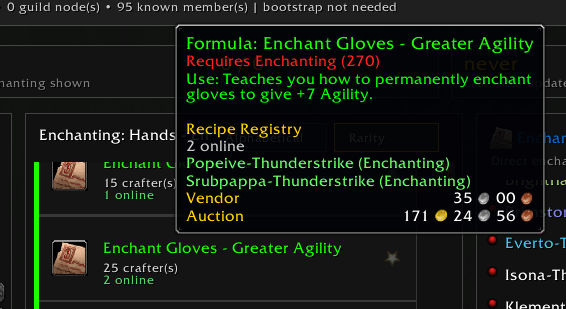
details.png
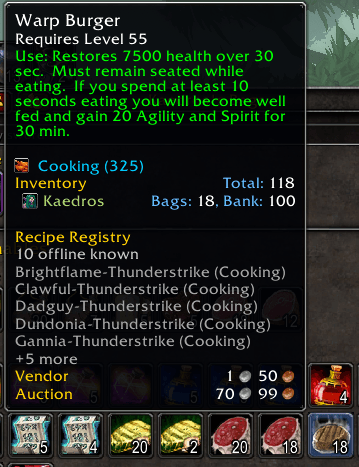
tooltipOutsideAddon.png
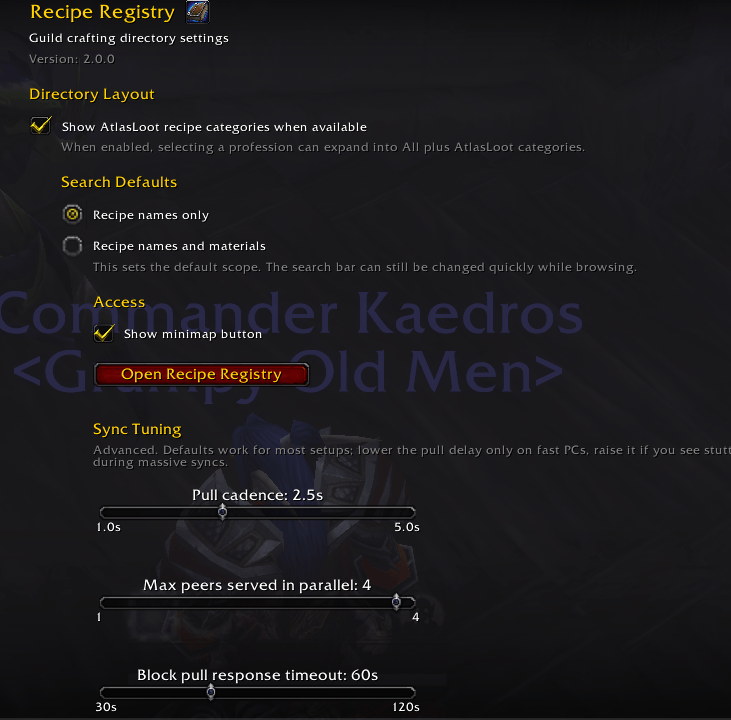
optionPanel.png
Description
Recipe Registry
Your guild already knows how to make it. Recipe Registry tells you who.
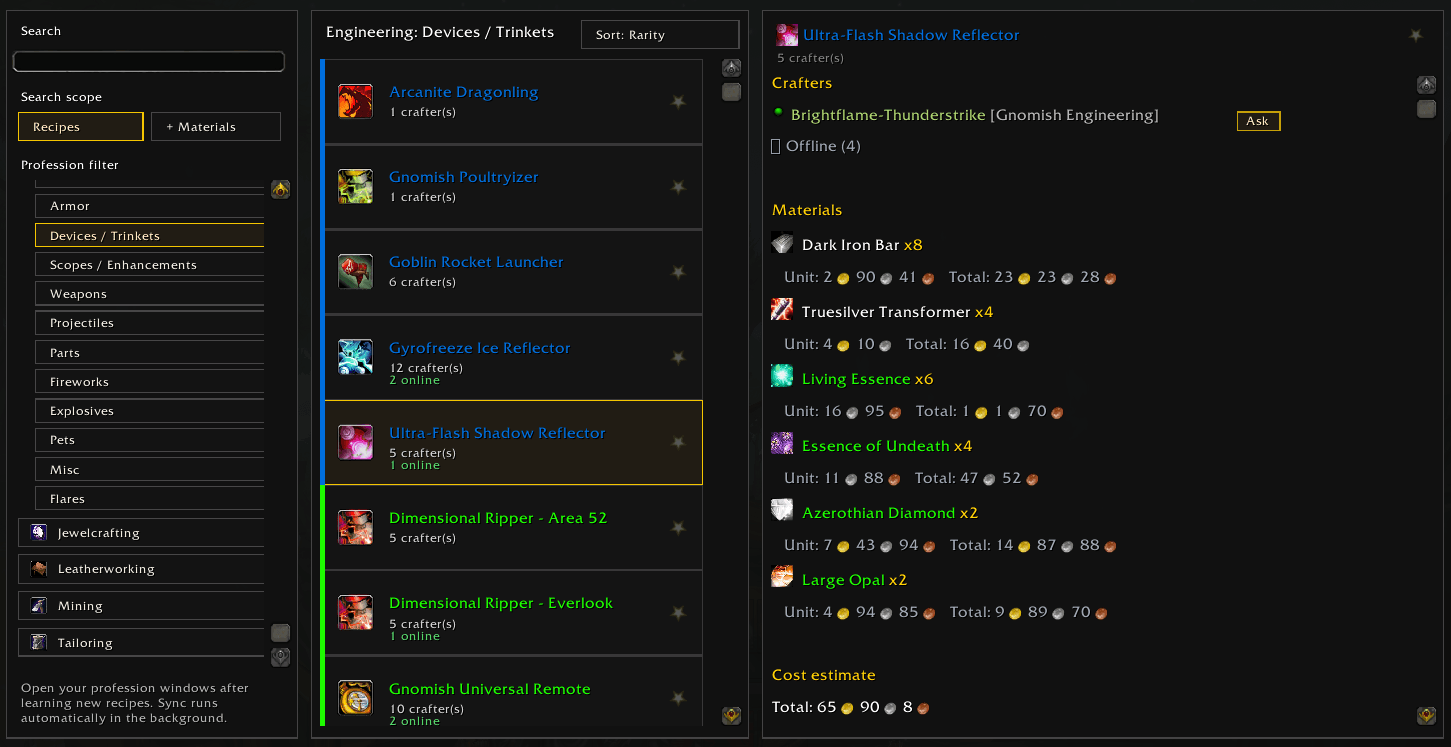
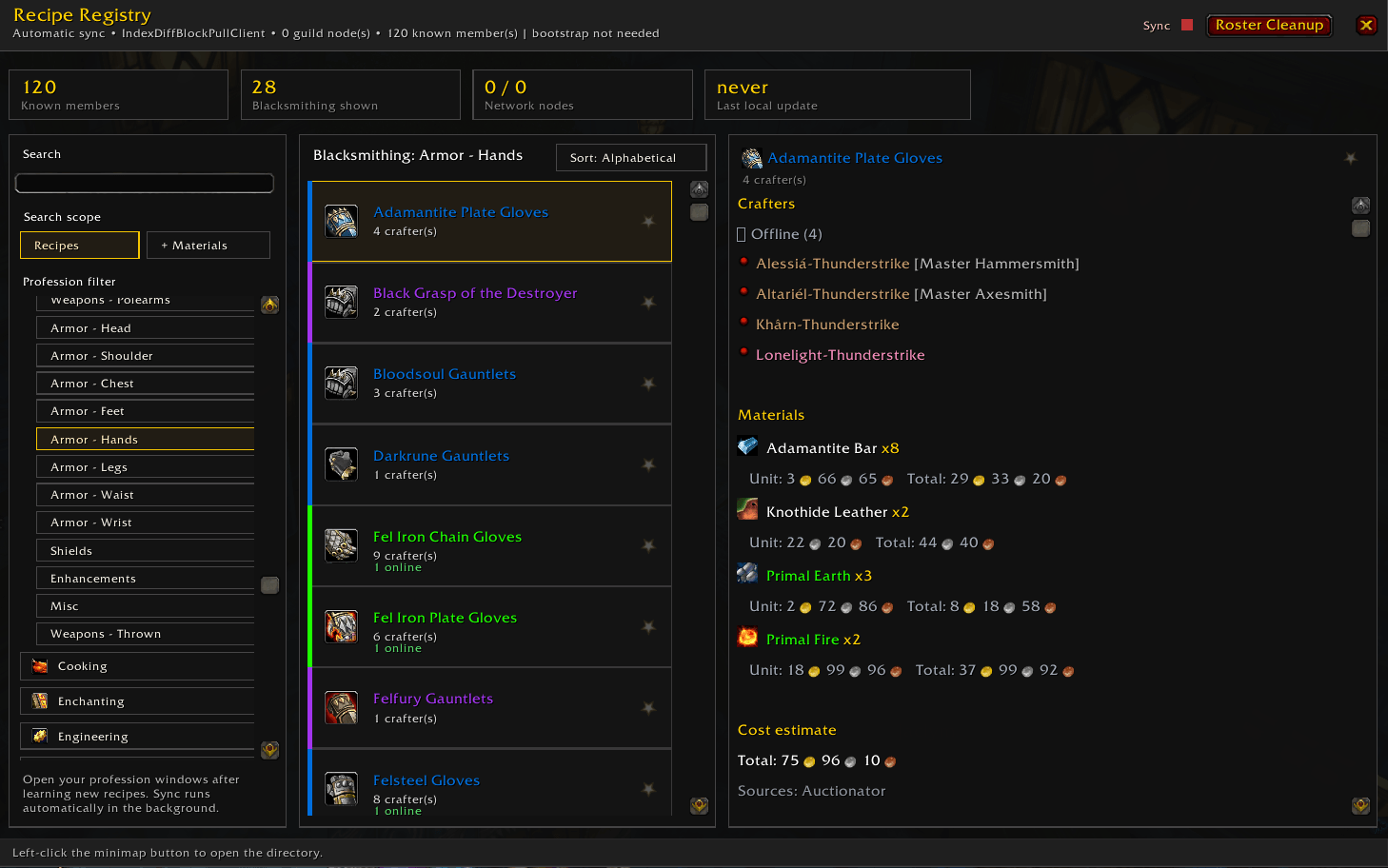
Stop asking "can anyone craft this?" in guild chat and waiting. Recipe Registry builds a searchable directory of every recipe your guildmates know, keeps it up to date by itself, and tells you who to whisper — who is online right now, and who can help when they log back in.
Available for WoW: The Burning Crusade Classic Anniversary and WoW: Forever.
At a glance
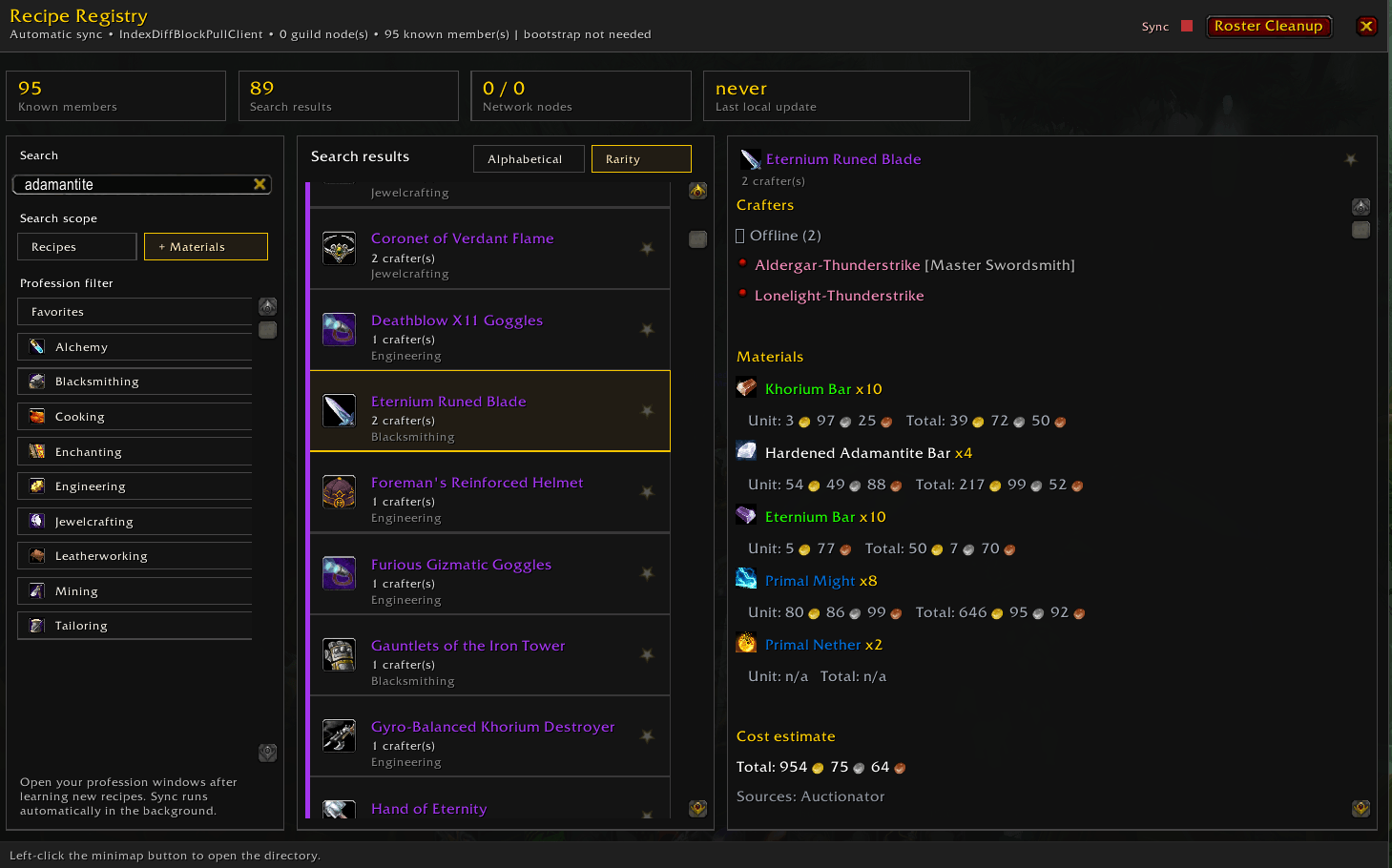
- Find a crafter in seconds — search a recipe, or a material you are holding, and see who in the guild can make it, online ones first.
- Zero upkeep — open your professions once; the directory fills and syncs itself between everyone running the addon.
- Your whole book in one table — every recipe your professions can learn, what you already know, and where to go for the rest.
- Tooltips that answer the question — hover almost any craftable item and see who can make it.
- Know the margin — material cost, sale price and profit, with TradeSkillMaster or Auctionator.
Search it like you think about it
Type the name of what you want. Or type a material you are sitting on and see what it turns into. Filter to one profession, sort by rarity — or, on Forever, by the skill level a recipe is learned at — star the crafts you ask about most and keep them on top. Categories and subcategories drill down through big professions without scrolling through hundreds of rows.
Know who to ask, and when
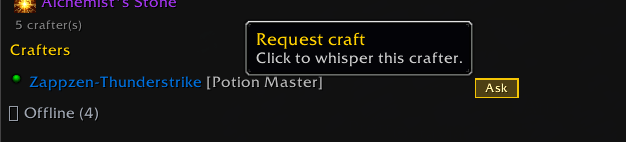
Every recipe lists the guildmates who know it, online ones first. One button whispers them. Another links the recipe to guild, party, raid or say — and hover almost any craftable item in the game and the tooltip quietly tells you who can make it, without opening anything.
See the whole book, not just what you know
The Collection tab is your own professions laid out end to end: every recipe they can learn, the ones you already know ticked off, and the rest showing the skill they ask against the skill you have. Each profession is headed with how far along you are — "Blacksmithing (185/385)" — so you can see the holes at a glance, and narrow the list to what you could go and learn today.
For the ones you are missing it tells you where to go: the trainer, the vendor, the drop or the quest, the zone, and on Forever the map coordinates too.
Know what a craft is worth before you make it
With TradeSkillMaster or Auctionator installed, the details panel adds what the materials cost, what the result sells for, and what is left over. Vendor prices are learned from merchants you visit, so vials, thread and spices are priced at what you actually pay instead of whatever the auction house is asking. One switch hides everything that comes out at a loss.
It keeps itself current
Open a profession once and it is recorded. From then on the addon shares with guildmates running it and takes their data in return, quietly, pacing itself so the game stays smooth and holding off during combat and instances. Learn a new recipe and it is in the directory within seconds — on Forever, without even opening the profession window.
A Guild members tab shows who else is running the addon and on which version, so you can tell someone out of date from someone who simply has not installed it.
Getting started
- Install it, and open each of your profession windows once.
- Open the window from the minimap button or with
/rr. - Ask a couple of guildmates to install it too — that is when it gets good.
The first sync takes a moment in a large guild. After that you can forget it is there.
Commands
Most people only ever need /rr. The rest is there when you want it:
| Command | What it does |
|---|---|
/rr |
Opens the main window |
/rr options |
Settings |
/rr rescan |
Queues a fresh profession scan |
/rr share guild |
Shares the selected recipe (also party, raid, say, reply) |
/rr prices <item> |
Checks market data for an item |
/rr adoption |
Prints who in the guild is running the addon |
Which game you are on
The Burning Crusade Classic Anniversary (2.5.x). The full set, including where every recipe is taught or sold — naming the trainer, vendor, drop or quest and the zone it is in — which content phase brings it, and the specializations that matter for picking the right crafter: Transmute Master, Armorsmith, Spellfire Tailor, Dragonscale Leatherworker and the rest.
WoW: Forever. Its own recipe database, built from that game's content rather than carried over from TBC: 2519 recipes across all twelve professions, with Fishing, Herbalism and Skinning included because on Forever they have recipes of their own. Where to learn each recipe, with map coordinates, is there and growing: Forever does not ship that information in its game files, so it is being collected in game, and the Collection tab says plainly that some of it is still missing. Content phases and specializations are TBC-only for now.
Pick it up from CurseForge and the right build installs itself. Installing by
hand, extract the zip into Interface/AddOns/ and keep the folder name the zip
came with.
Optional, not required
Everything above works on its own. TradeSkillMaster or Auctionator only add pricing — how good the prices are depends on how fresh your market data is.
Item names and icons can take a moment to appear the first time, while the game fills its own item cache.
Support the project
If Recipe Registry makes guild crafting smoother for you and your friends, you can help keep it maintained:
Thank you — it genuinely helps.
Feedback
Issues and ideas: GitHub Issues
Acknowledgments
Recipe Registry was originally inspired by GuildCrafts by dkruenbo. No GuildCrafts code is included in this project.
Recipe Registry Team
