Reborn Combat Text
- By
RebornCombatText-gallery-03-config.jpg
RebornCombatText-gallery-01-column.jpg
Description
Reborn Combat Text
Lightweight, secret-safe scrolling combat text for World of Warcraft Retail with spell icons, critical-hit emphasis and full control over how your damage is displayed.
What it shows
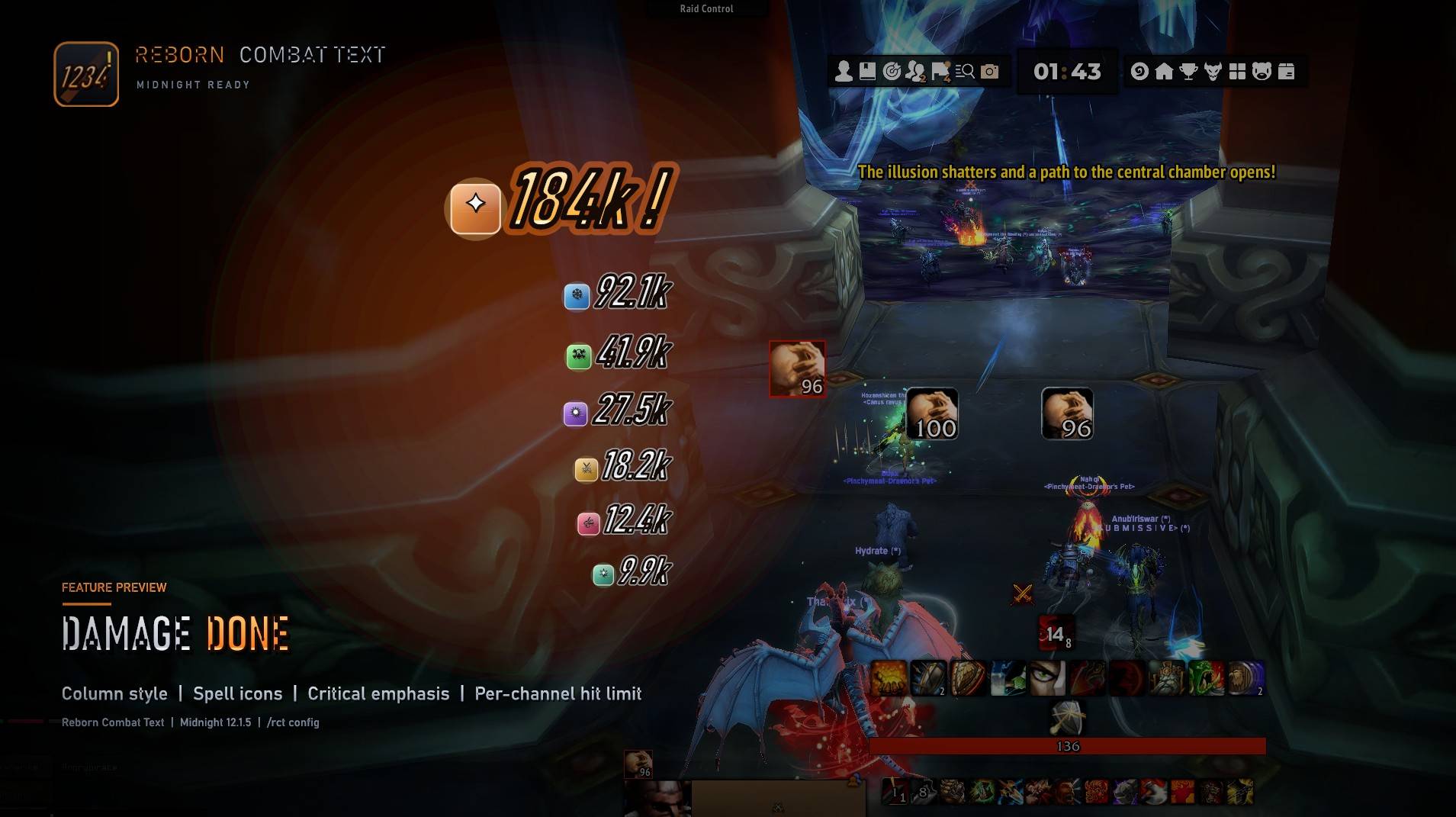
- Damage Done — your damage to your current target.
- Damage Taken — damage you receive.
- No group damage meter — it does not show party or raid members' damage separately.
In a group, Damage Done is approximate: the game does not expose the damage source through UNIT_COMBAT, so the addon attributes hits to you using your last cast, your pet, or targettarget.
Features
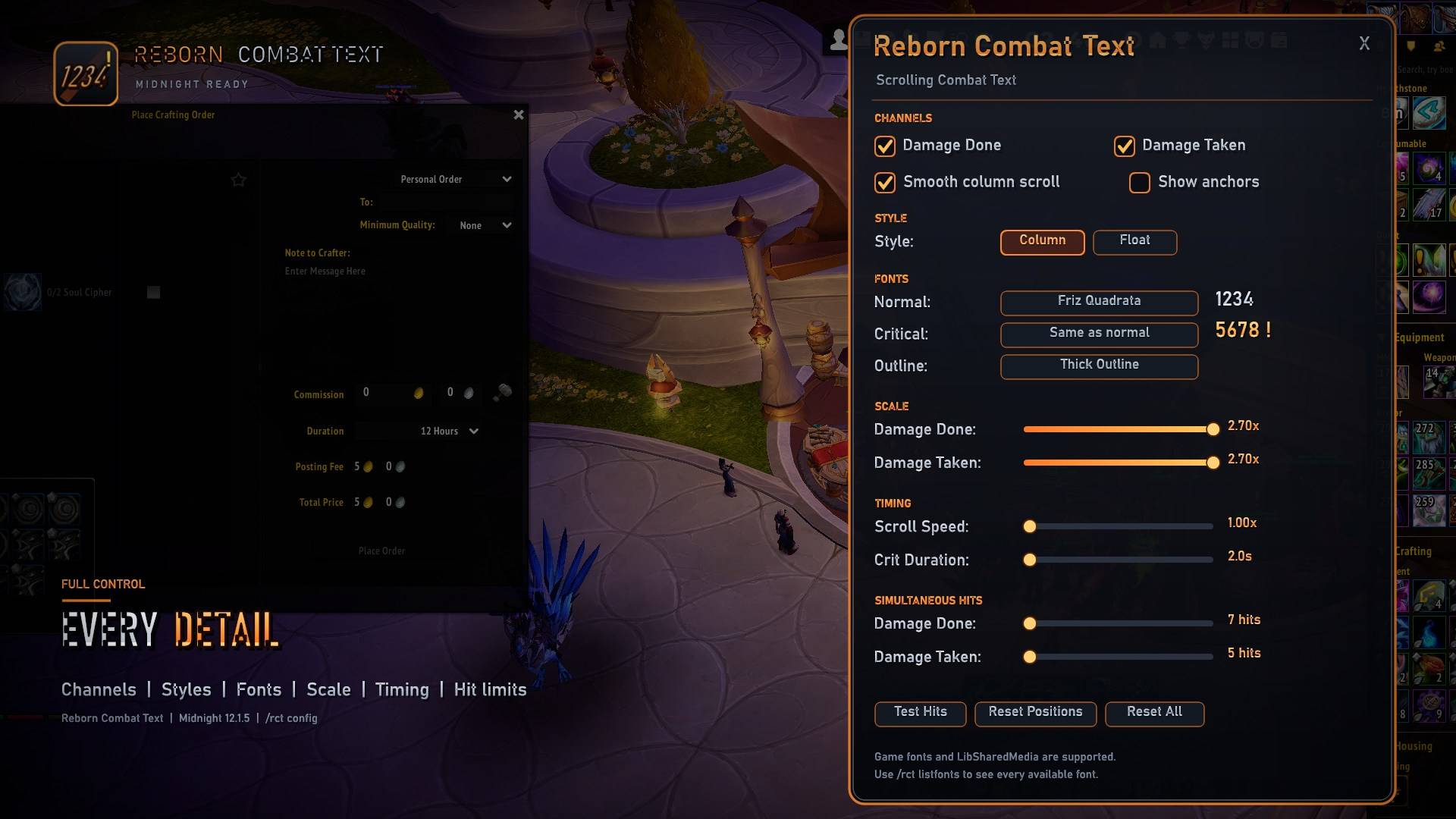
- Separate Damage Done and Damage Taken channels.
- Column and Float display styles.
- Spell icons, a melee icon and a safe fallback icon.
- Critical hits with a larger font, an optional separate critical font and configurable duration.
- Adjustable scroll speed.
- Per-channel limit for simultaneous hits (1–30).
- Draggable anchors with saved positions and per-channel scale.
- Game fonts plus optional LibSharedMedia fonts.
- In-game settings window and slash commands.
- Built for Midnight using
UNIT_COMBATandUNIT_SPELLCAST_SUCCEEDED; it intentionally does not registerCOMBAT_LOG_EVENT_UNFILTERED.
Installation
- Close World of Warcraft.
- Extract the RebornCombatText folder into:
World of Warcraft\_retail_\Interface\AddOns\ - Start the game and type
/rct config.
Optional: install LibSharedMedia-3.0 and a media pack to unlock additional fonts.
Commands
Main
/rct config— open the settings window/rct test— fire sample hits/rct help— show command help
Appearance
/rct style column— use the column style/rct style float— use the floating style/rct animate on|off— toggle smooth column movement/rct outline outline|thick|none|mono— set the text outline/rct font <name>— set the normal font/rct critfont <name>— set the critical font/rct critfont same— use the normal font for criticals/rct listfonts— list available fonts
Channels and timing
/rct done on|off— toggle damage done/rct taken on|off— toggle damage taken/rct maxdone 1-30— set the damage done hit limit/rct maxtaken 1-30— set the damage taken hit limit/rct speed 0.5-2— set scroll speed/rct crittime 1-10— set critical hit duration in seconds
Anchors and reset
/rct unlock— show the drag handles/rct lock— hide the drag handles/rct resetpos— reset anchor positions/rct reset— reset all settings
Alias: if /rct conflicts with another addon, use /reborncombattext.
Fonts
This is the Lite release and does not bundle third-party font files. It uses:
- Fonts shipped with World of Warcraft.
- Fonts registered by LibSharedMedia-3.0, if installed.
Install LibSharedMedia and a media pack if you want more font choices.
Compatibility
- World of Warcraft Retail, Interface
120105(Midnight). - Not intended for Classic clients.
- LibSharedMedia is optional.
Known limitations
UNIT_COMBATdoes not expose the damage source or spell ID. Damage done in a group is therefore approximated; some hits may be omitted or attributed imperfectly.- Icons use the last successful cast, a melee icon for swings, or a fallback icon when no spell is known.
- The addon intentionally does not register
COMBAT_LOG_EVENT_UNFILTEREDon Midnight.
Credits
Inspired by classic scrolling combat text addons. Not affiliated with SCT, SCT Reborn or MikScrollingBattleText.
License
MIT. See LICENSE. No third-party font files are included.
Support the project
Reborn Combat Text is free to download and use. If you would like to support development, you can leave a voluntary tip:
- PayPal: https://paypal.me/rcsf89
Tips are optional and do not unlock any extra features.
Reborn Combat Text Team