RealStats
- By
Your secondary stats against how the best players of your spec actually gear – with one-click gear optimization.
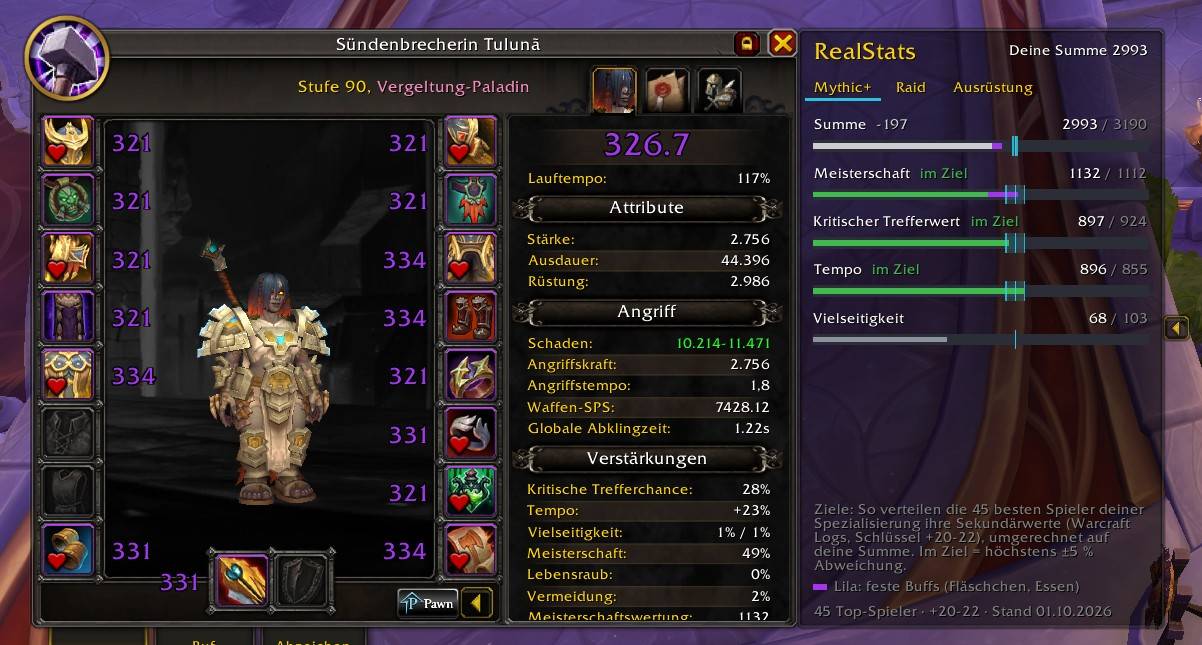
bild 1.jpg
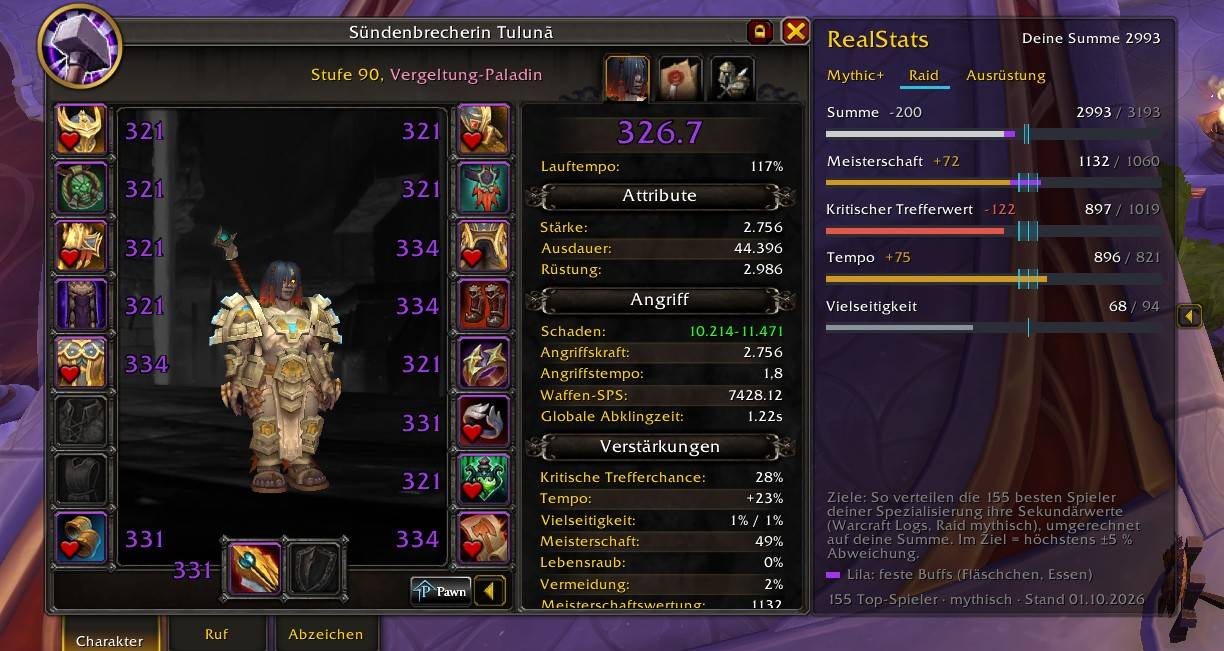
bild 2.jpg
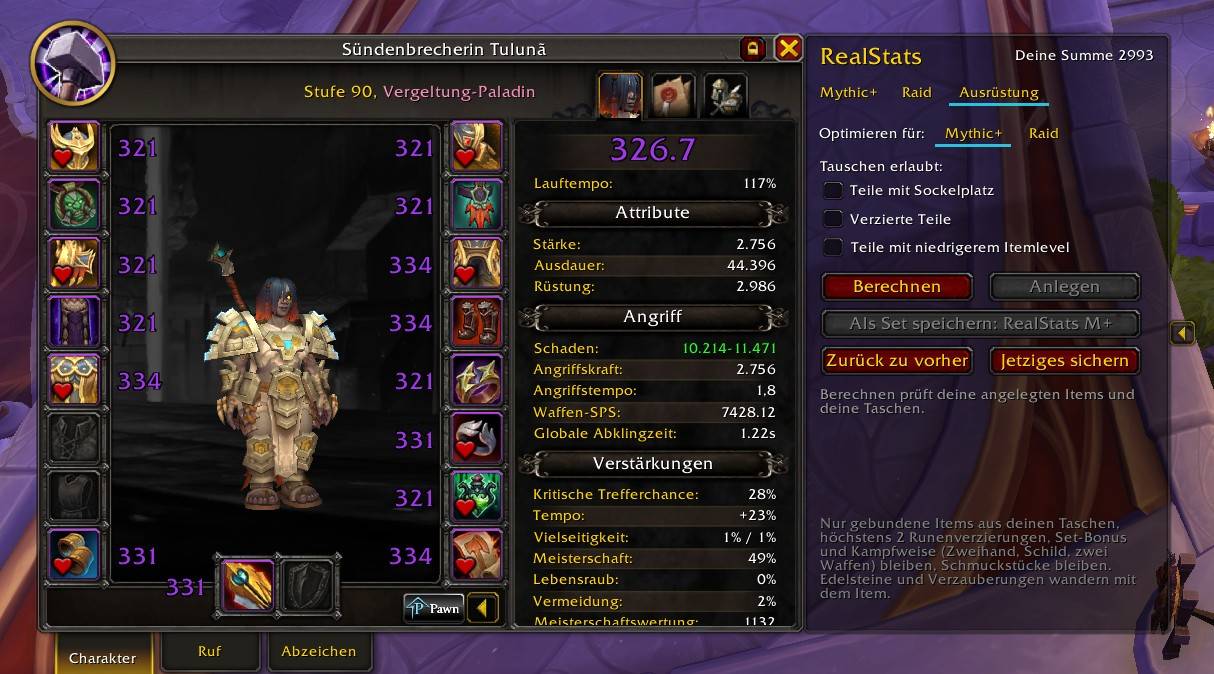
bild 3.jpg
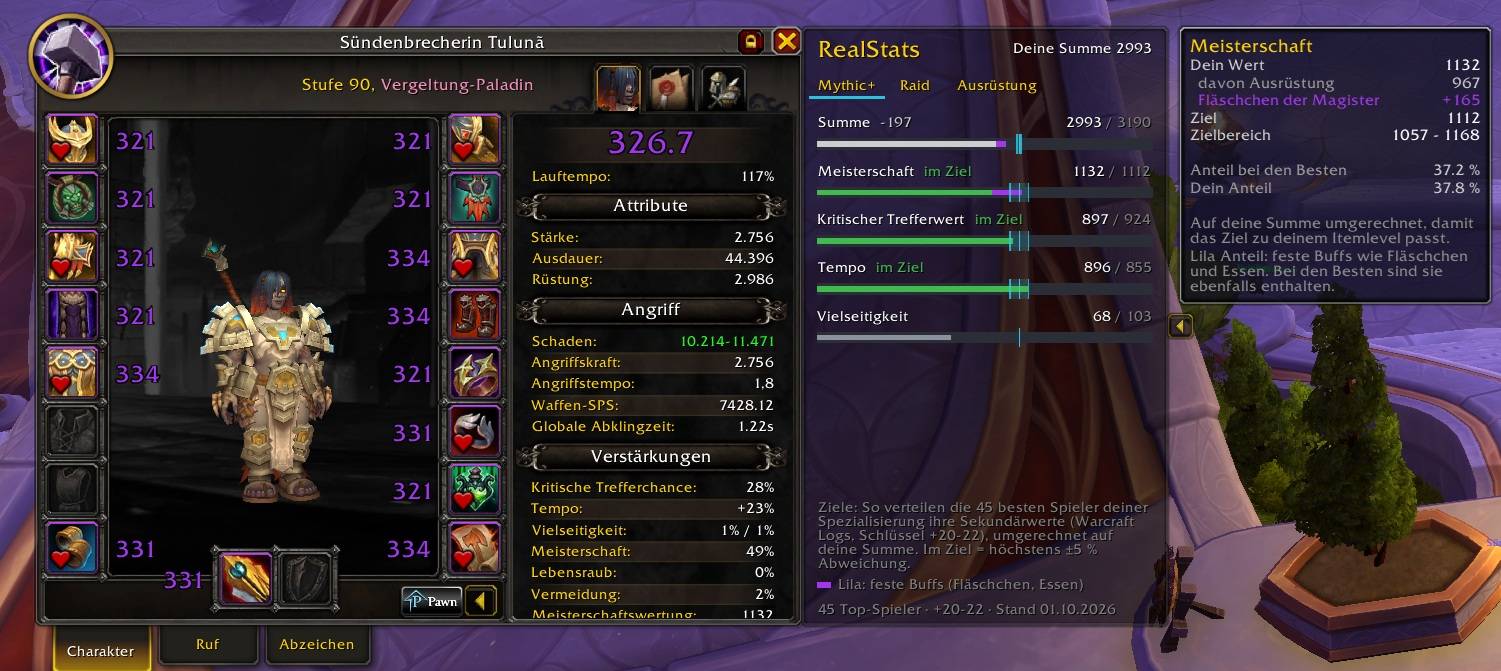
bild 4.jpg
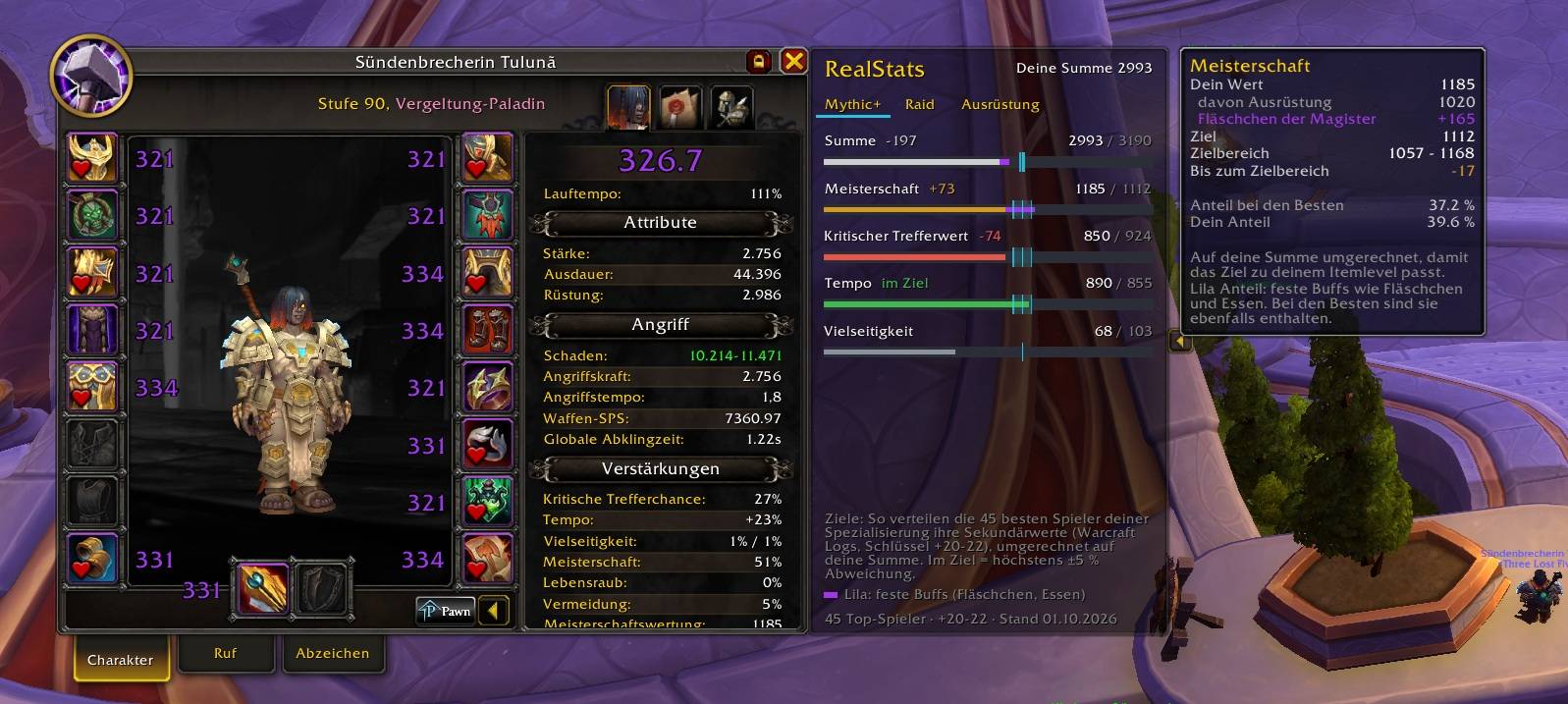
bild 5.jpg
Description
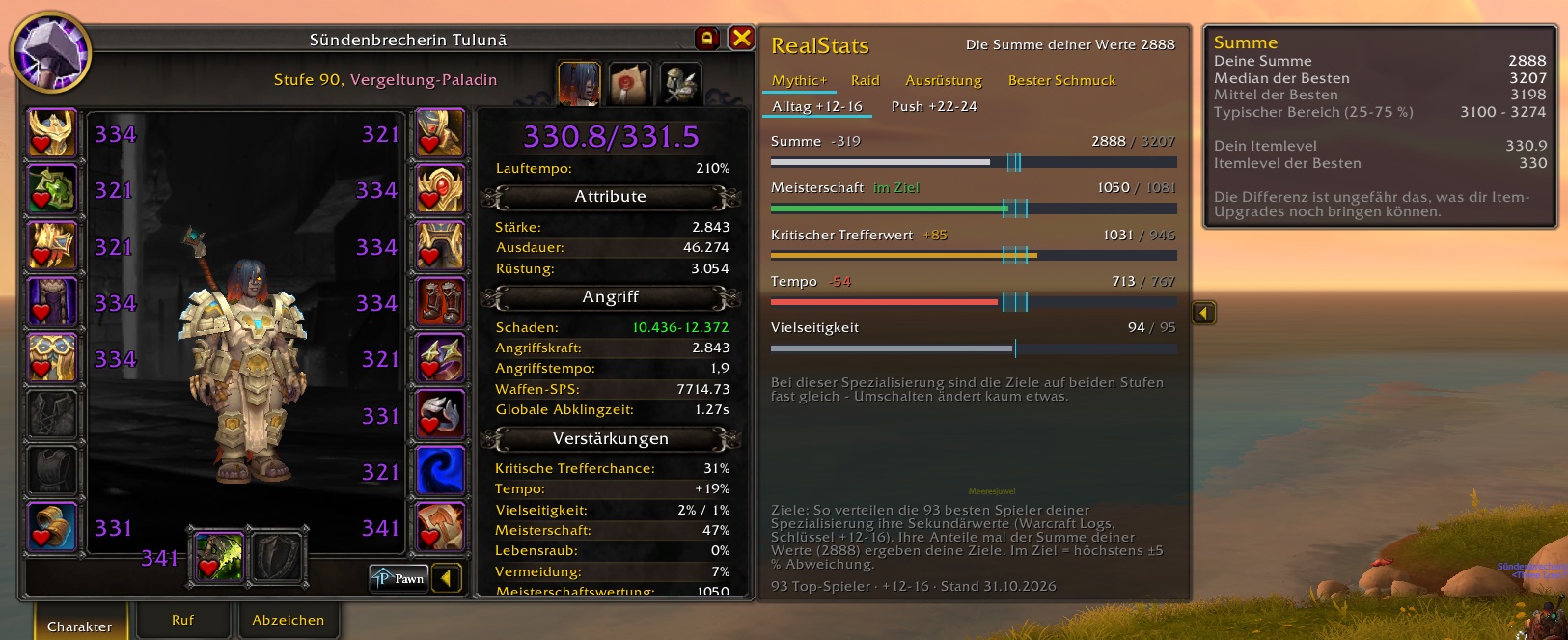
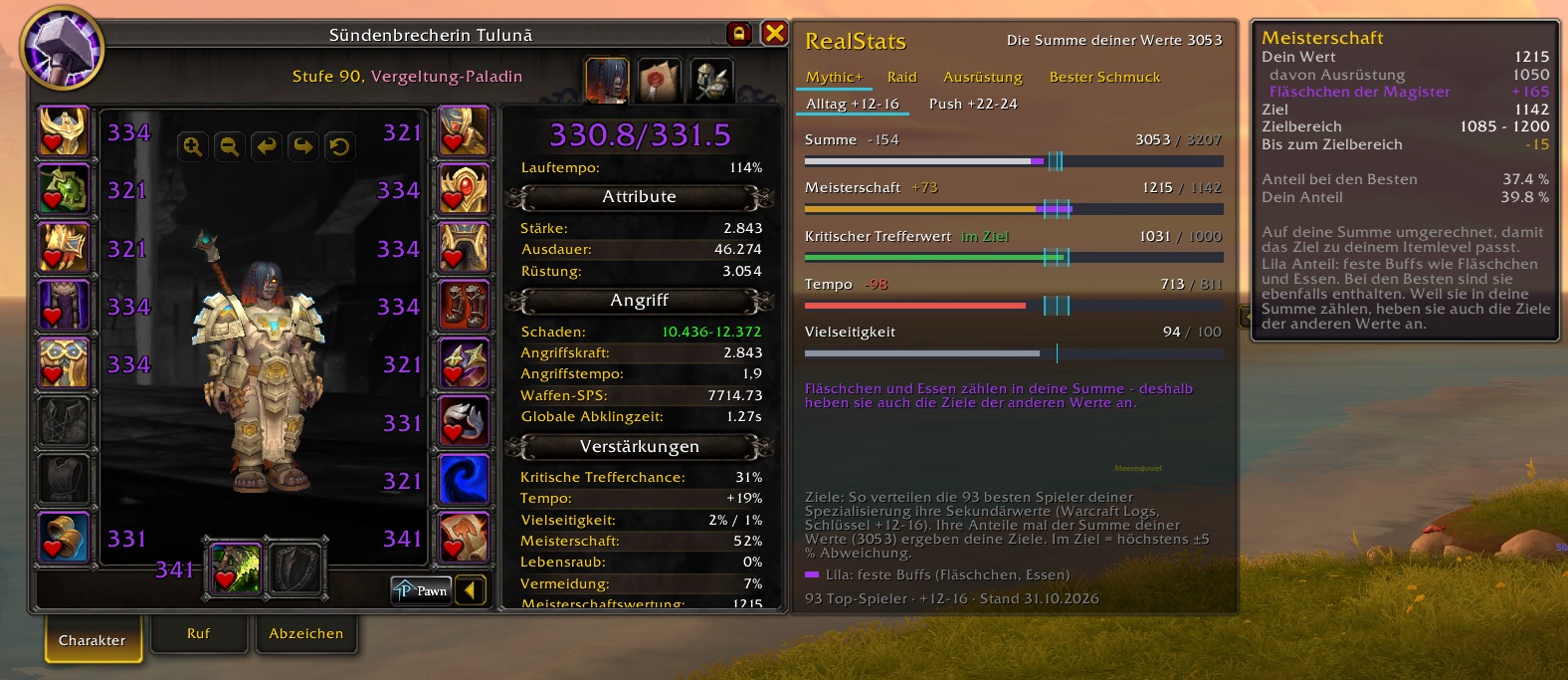
RealStats compares your Critical Strike, Haste, Mastery and Versatility with the stat distribution the best players of your specialization really run.
How the targets work
- Based on public top logs from Warcraft Logs – every class and specialization, updated every week.
- Their shares times your stat total give your targets, so they fit your item level.
- Each bar shows a ±5 % template. Inside it, the stat is in target.
- Stats the best players barely use (below 10 % share) only get a guide line.
- The Total row shows how far your stat sum is from the best players – roughly what item upgrades can still give you.
- The tooltip has the detail: your value, what of it comes from gear, the target, the target range, both shares – and how much you would have to shift to get back into the range.
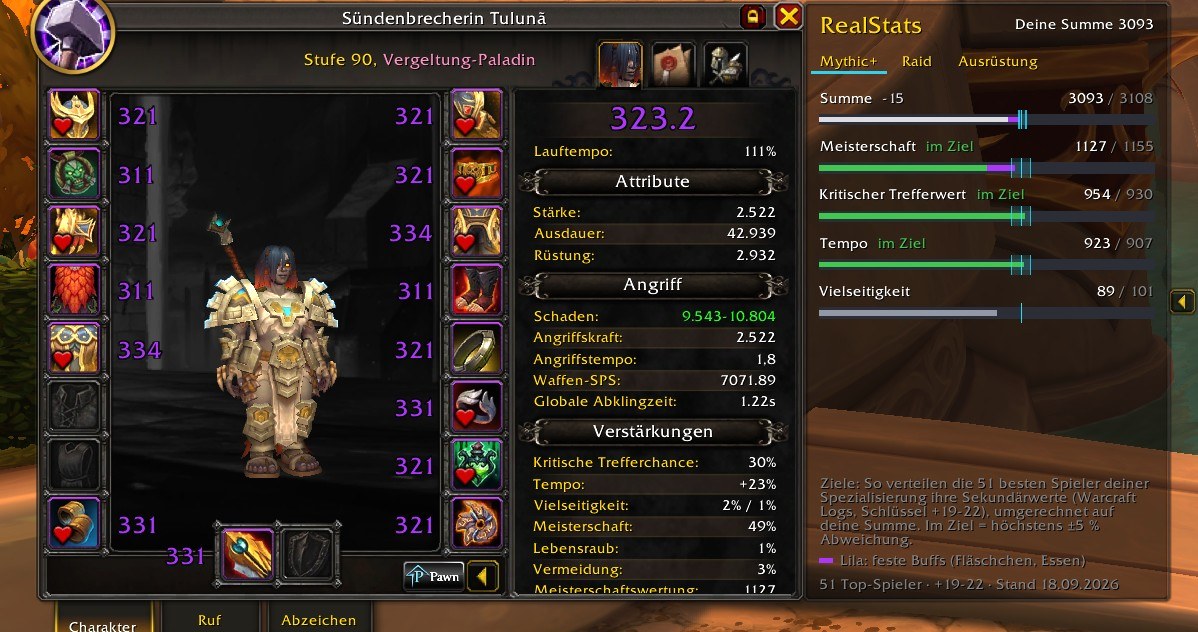
Two key levels for Mythic+
The line above the bars switches between Everyday keys (+12-16) and Push keys (the highest keys being run). Top logs come from players on very high keys – if you run +12 to +16, the everyday level fits you better. Everyday is preselected.
How much this matters depends on your specialization: for healers and tanks the order of the stats can change completely, for most damage dealers barely anything moves – and when both levels are nearly the same, RealStats says so. The choice is remembered per character and specialization and also applies to the gear optimizer and the trinket tab.
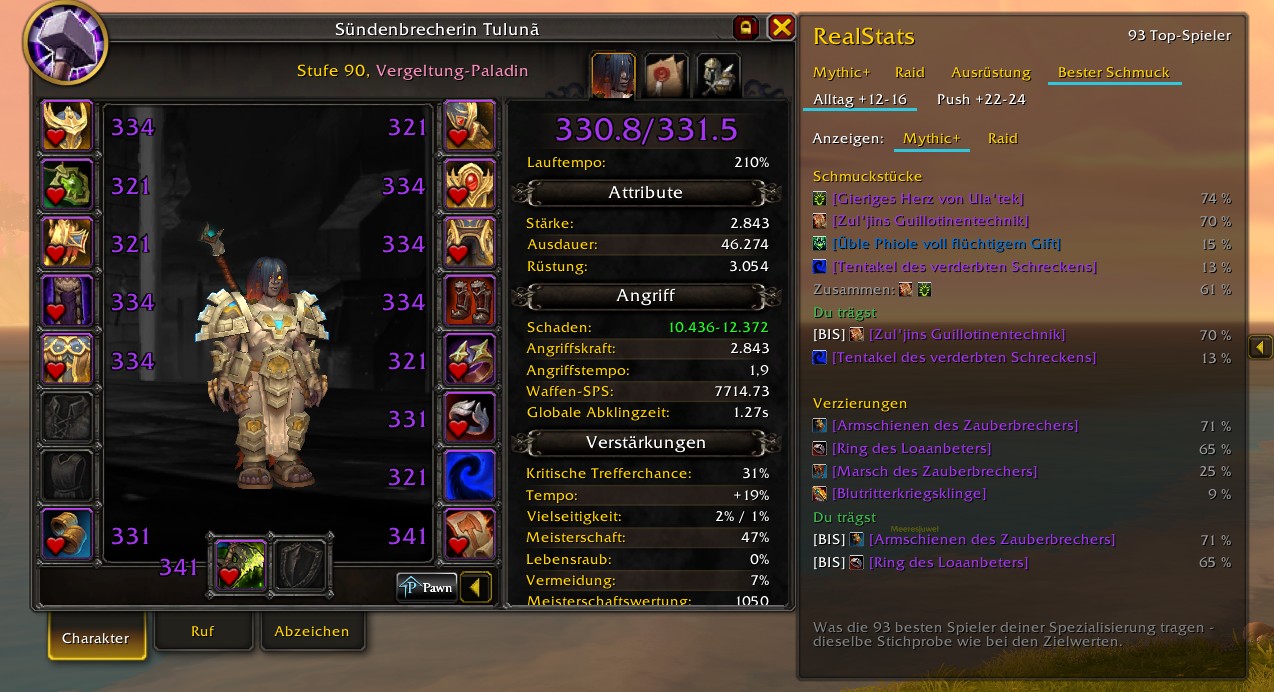
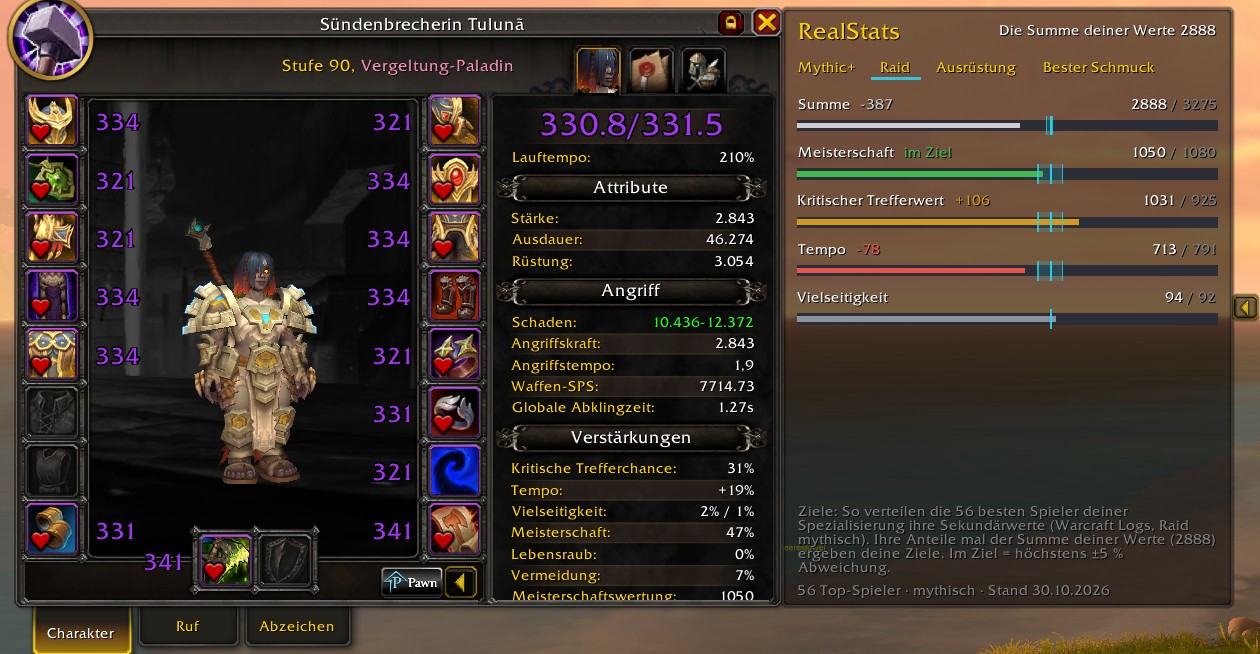
Tabs
- Mythic+ and Raid – separate targets for each.
- Best trinkets – which trinkets and embellishments the best players of your spec wear, in percent, next to what you wear yourself.
- Gear – finds the best combination of equipped items and items in your bags, equips it with one click and saves it as an equipment set – one set per key level ("RealStats M+", "RealStats M+ Everyday", "RealStats Raid"). Only bound items, at most 2 embellishments, set bonus and weapon style kept, trinkets untouched.
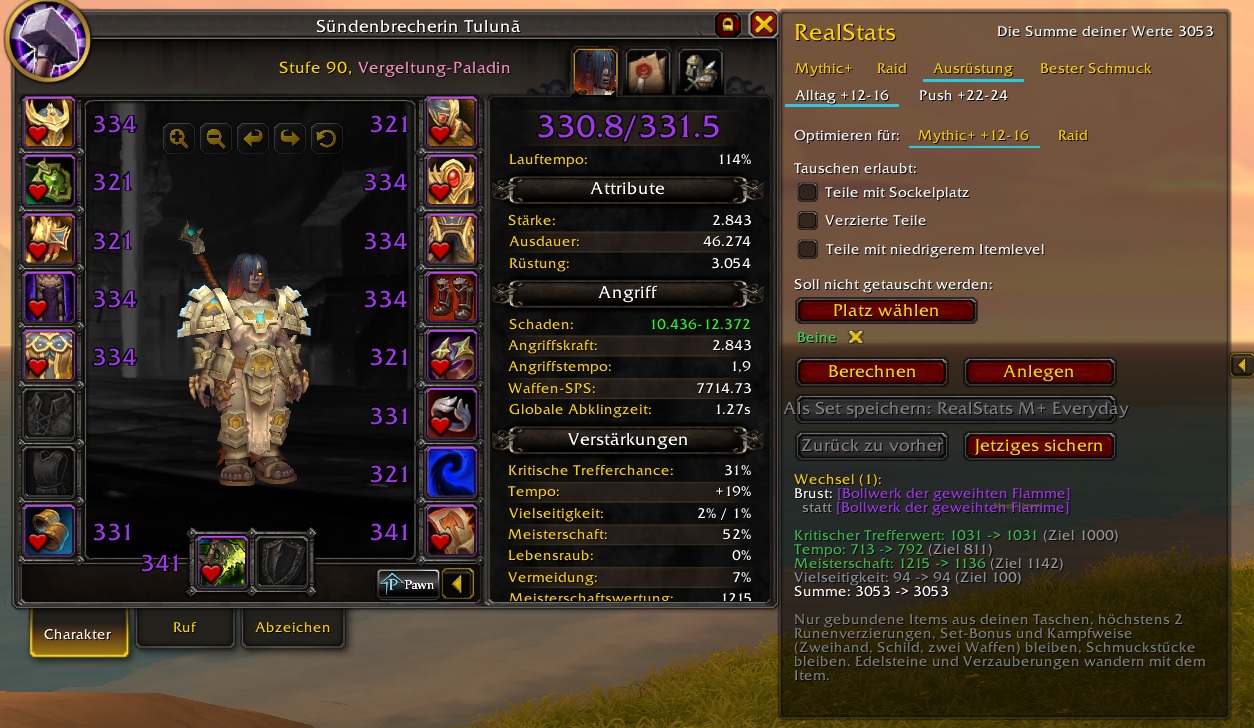
You decide what the optimizer may touch
Three check boxes, all in the same direction – ticked means it may be swapped, empty means it stays as it is. Saved per character and per specialization, and all three start empty, which is the careful setting:
- Items with a socket – so a socketed item is not replaced by one without, losing the gem.
- Embellished items – your embellishments stay where they are unless you allow otherwise.
- Items with lower item level – without this tick every swap keeps or raises your item level, so you never trade primary stat for a nicer split.
Keep single slots in place
Beyond the check boxes you can pick single slots — helmet, a ring, your weapon — that the optimizer must not touch. It then balances over the remaining ones. Saved per character and specialization as well.
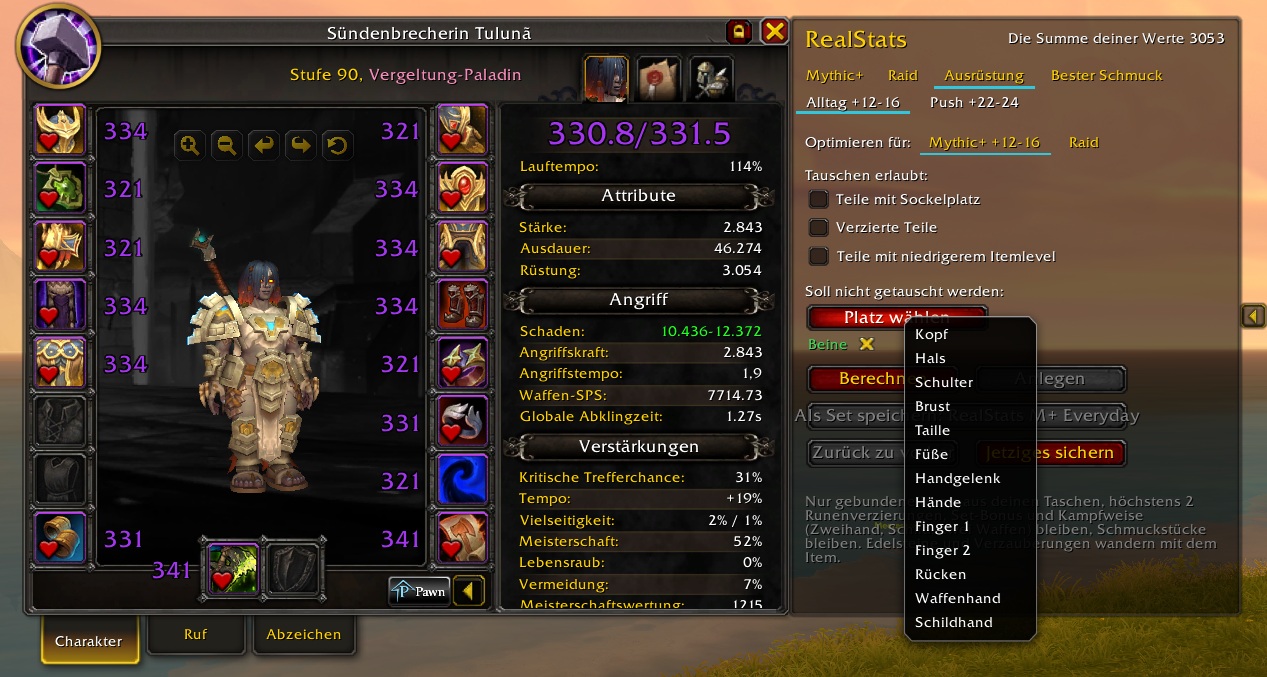
And back again
- Back to previous re-equips what you wore before the last change – the way back when you don't like the result.
- Save current stores what you are wearing right now as an equipment set.
- If a piece does not go on, RealStats tries once more by itself and otherwise tells you which slot and which item it was.
Also
- Flask and food show up as a purple piece of the bar, so you see what comes from gear. They count towards your stat total, so they also raise the targets of the other stats – RealStats says so under the bars while a buff is active.
- Docks next to the character window like a side panel and can be collapsed. Other addons that dock there as well are no longer covered up – they line up next to RealStats.
- Freezes in combat, so procs don't make the bars jump.
- English and German.
Performance & stability
- Nothing runs during combat – the window freezes and RealStats stops listening (tested: 3000 events in combat → 0 refreshes).
- No per-frame updates; bursts of events are merged into one refresh (tested: 1000 buff changes → 1 refresh).
- The gear calculation only runs when you press Calculate.
- Values that WoW 12.x hides ("secret values") are handled without Lua errors.
- More than 300 automated checks run before every release.
No commands, no settings: open the character window and RealStats is there.
Target data: Warcraft Logs (warcraftlogs.com). © 2026 Tuluna, all rights reserved.
RealStats Team