Reagent Linker
Reagent Linker is a lightweight addon that hooks into the Trade Skill and Craft UI elements and allows you to link a craft's reagents directly to your chat box.
If you have the chat box current open, and you click on a recipe from the list of recipes in the profession window while having the modifier key (shift by default) pressed, it will insert the name of the resulting item (or enchant), as well as the reagents for the craft into the chat box.
- <mod>+click the recipe.
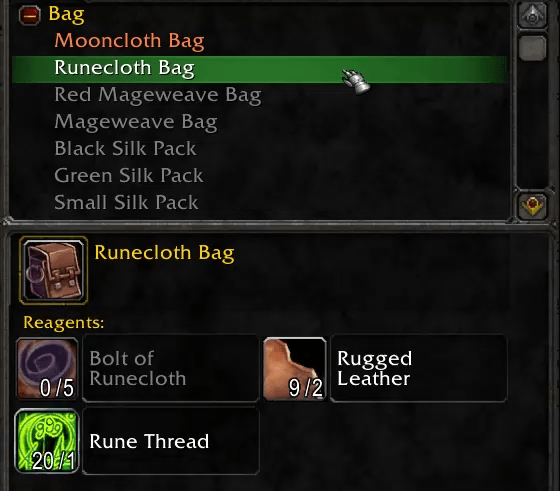
- The reagents get placed in the chat box.

- Press enter to send the message.

The resultant item and the reagents linked to chat will be functional chat links and clickable with the following caveats:
-
- Enchants do not have an ingame item link, so only the name of the enchant will be displayed.
- The chat box only allows five item links to be present in any given message, so if a recipe has more than four reagents then the additional items will sent in the same "[item name]" format, but will not be clickable links.

Note that the result is not clickable (enchanting) and the last reagent is not a link, but only pretending to be one (white instead of blue for a rare item).
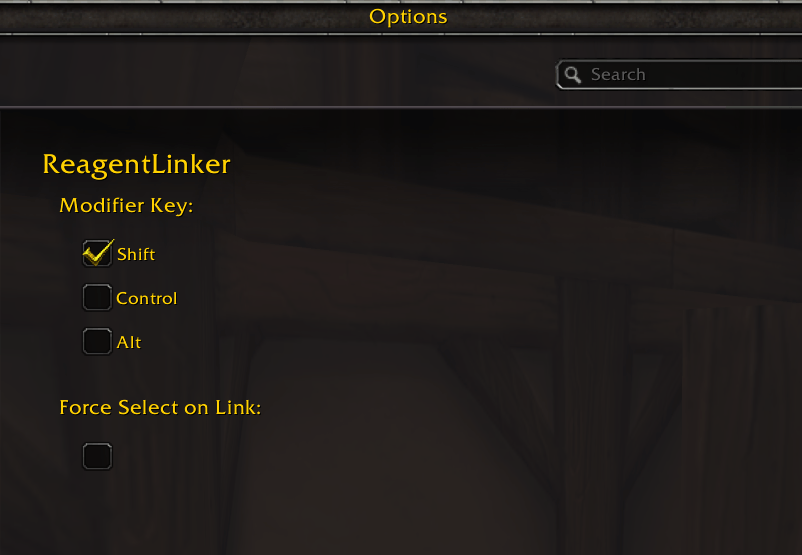
The Options > AddOns > ReagentLinker menu exposes settings for changing which modifier key(s) you want to be able to hold while clicking the recipe to link it, as well as an option to select the recipe when linking it (in the default WoW functionality, shift-clicking a recipe in the Trade Skill UI will not select the recipe).
Reagent Linker Team

Owner