ReadyCheckPull
- By
Screenshot_1.png
Screenshot_2.png
Screenshot_1.png
Screenshot_2.png
Screenshot_3.png
Screenshot_4.png
Screenshot_5.png
Screenshot_6.png
Screenshot_7.png
Description
ReadyCheckPull
ReadyCheckPull is a World of Warcraft addon that puts your most-used raid coordination tools into small, movable buttons directly on your screen — Ready Check, Pull Timer, Break Timer, and a Talents Reminder. No menus, no typing, one click away.
What does it do?
When you're leading a group or raid, the same actions repeat every single pull: check if everyone is ready, remind people to swap talents, count down before the boss, and manage breaks. This addon puts all of that into a compact button bar that sits on your screen wherever you want it.
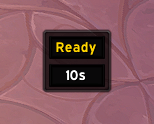
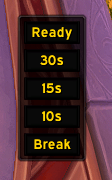
- Ready button — Sends a Ready Check to your entire group or raid instantly.
- Pull button(s) — Starts a countdown timer broadcast to everyone in your group using the native WoW API. Supports BigWigs for enhanced countdowns.
- Break button — Starts a break timer with BigWigs integration. If BigWigs is not installed, sends a chat message to the group with the return time.
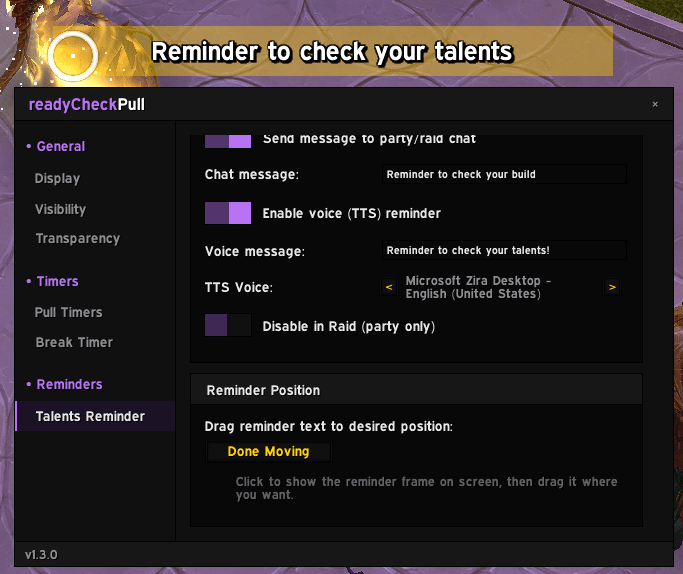
- Talents Reminder — When a Ready Check fires, automatically shows an on-screen message reminding your group to check their talents, sends a message to chat, and optionally speaks via Text-to-Speech.
How to use it
When you log in, a small button bar will appear on your screen. Drag it anywhere you like — near your raid frames, your action bars, wherever feels natural. Its position is saved automatically.
The buttons
| Button | What it does |
|---|---|
| Ready | Sends a Ready Check to the group |
| 10s (or your chosen time) | Starts a pull countdown of 10 seconds |
| Break | Starts a break timer and announces it to the group |
- While a pull countdown is active, all pull buttons turn into a Stop button — click it to cancel immediately.
- While a break is active, the Break button turns into a Stop button — click it to end the break early.
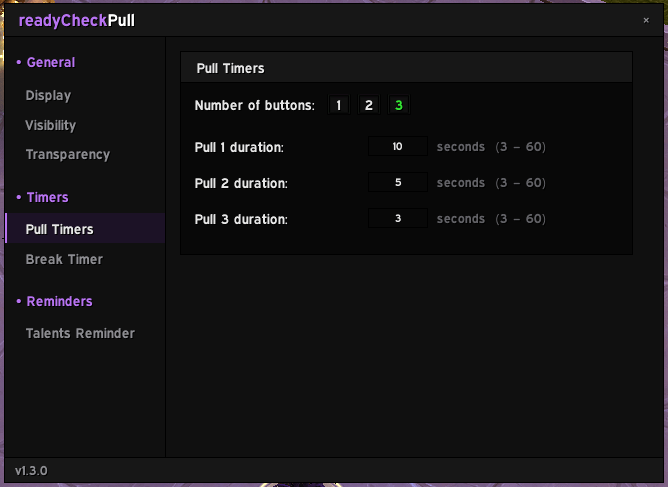
- You can have up to 3 pull buttons with different durations (for example: 10s, 5s, and 3s).
Moving the buttons
Click and drag the button bar to move it anywhere on your screen. Lock it in place through the settings to prevent accidental movement during a raid.
Settings
Type /rcp in chat to open the settings window.
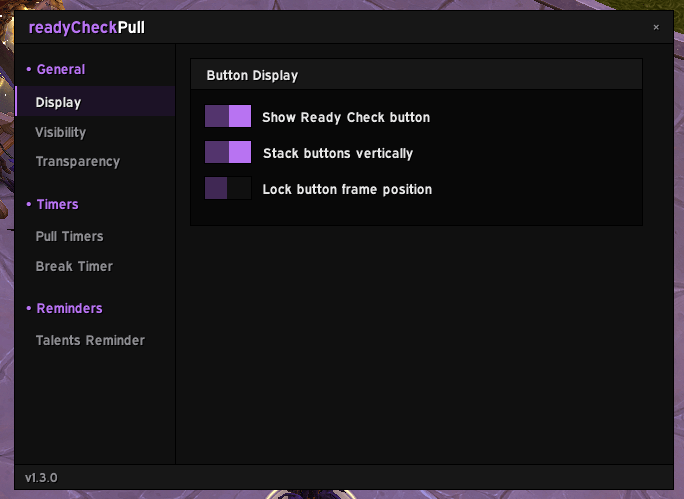
General
| Option | Description |
|---|---|
| Show Ready Check button | Show or hide the Ready button |
| Stack buttons vertically | Stack buttons on top of each other instead of side by side |
| Lock frame position | Prevent accidentally moving the button bar |
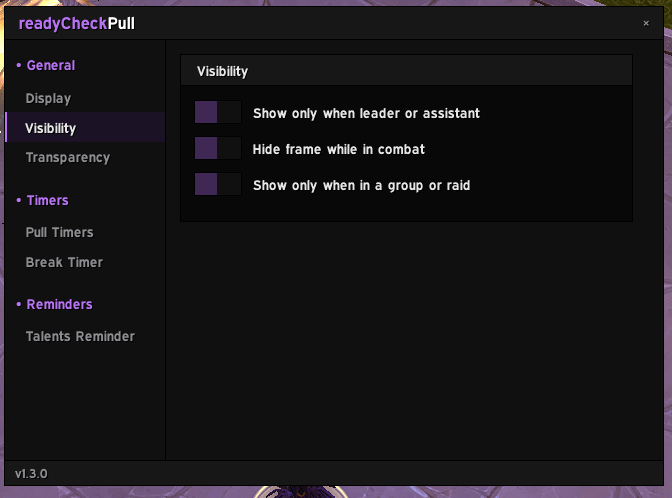
Visibility
| Option | Description |
|---|---|
| Show only when leader or assistant | Hides the bar automatically if you are not leading |
| Hide frame while in combat | Hides the bar when you enter combat |
| Show only when in a group or raid | Hides the bar while playing solo |
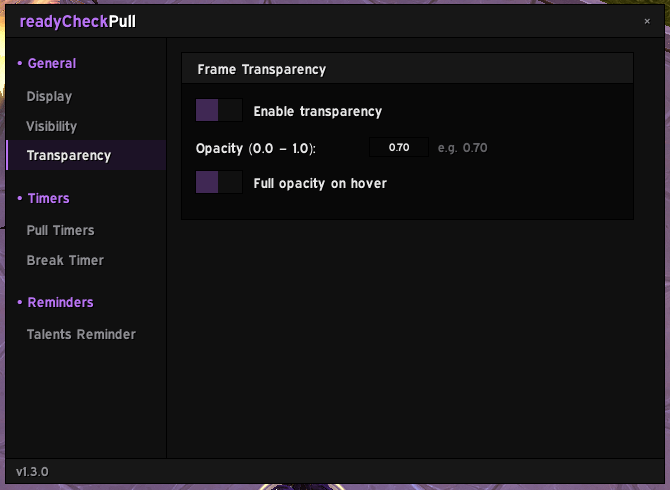
Transparency
| Option | Description |
|---|---|
| Enable transparency | Set the bar to a custom opacity level |
| Opacity | Value between 0.0 (invisible) and 1.0 (fully opaque) |
| Full opacity on hover | Bar fades back to full opacity when you mouse over it |
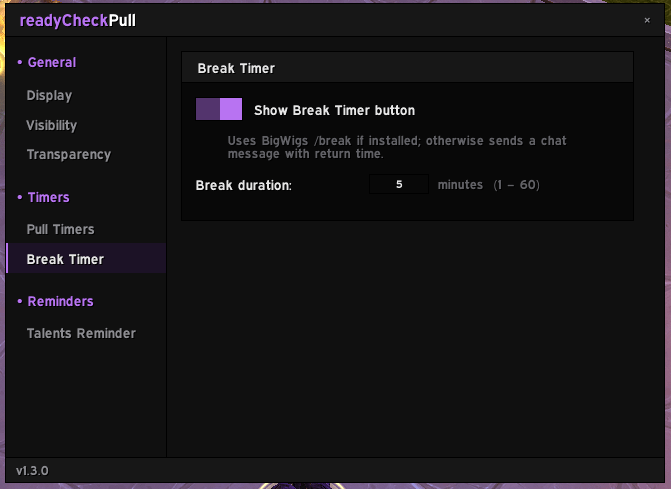
Timers
| Option | Description |
|---|---|
| Number of pull buttons | Choose between 1, 2, or 3 pull buttons |
| Pull timer durations | Set the countdown duration for each button (1–60 seconds) |
| Show Break Timer button | Show or hide the Break button |
| Break duration | How many minutes the break lasts (1–60 minutes) |
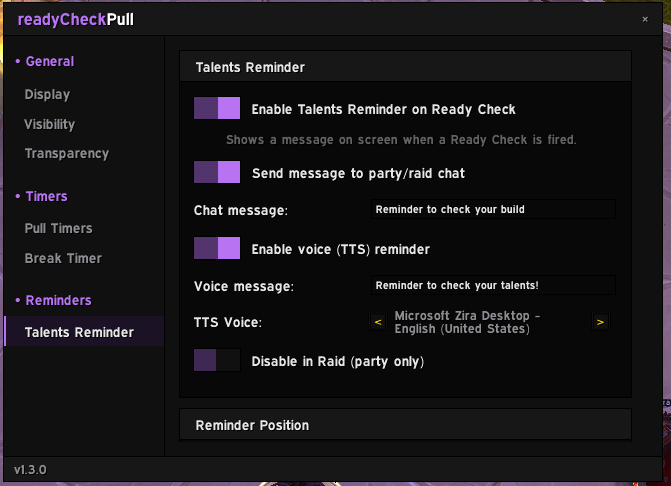
Talents Reminder
| Option | Description |
|---|---|
| Enable Talents Reminder | Shows on-screen text when a Ready Check fires |
| Send message to party/raid chat | Sends a configurable message to the group |
| Chat message | The message sent to chat (default: "Reminder to check your talents") |
| Enable voice (TTS) reminder | Reads the reminder aloud using Text-to-Speech |
| Voice message | The text spoken aloud (default: "Check your Talents") |
| TTS Voice | Choose between available system voices |
| Disable in Raid (party only) | Skips the reminder when you are in a full raid |
| Reminder position | Click Preview & Move to drag the on-screen text wherever you want |
Slash commands
| Command | What it does |
|---|---|
/rcp |
Opens the settings window |
/rcp lock |
Quickly locks or unlocks the button position |
/rcp tts |
Tests the Text-to-Speech reminder with your current settings |
/rcp changelog |
Opens the changelog window |
Requirements
- BigWigs (optional) — Enhances pull countdowns and enables the Break Timer integration. Everything works without it, but BigWigs is recommended for raid environments.
In short
If you're a raid leader, tank, or anyone who frequently calls readys and pulls — this addon saves you time and clicks every single raid night. Everything is in one small, movable bar on your screen, always one click away.
ReadyCheckPull Team