RCLootCouncil — Loot Drama
- By
Loot Drama companion addon for RCLootCouncil that integrates with the Loot Drama website to bring external loot priority data directly into your RCLC voting frames!
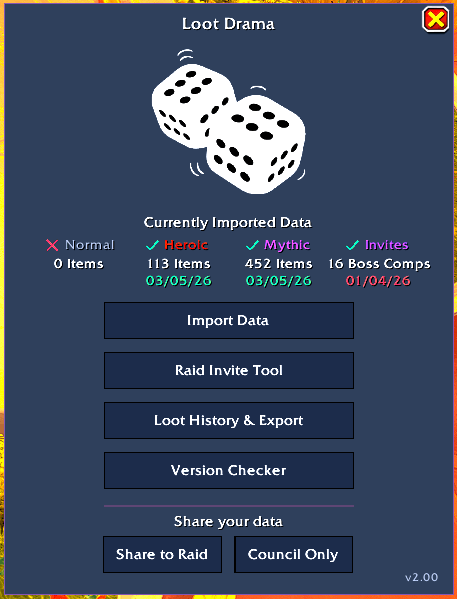
MainWindow.png
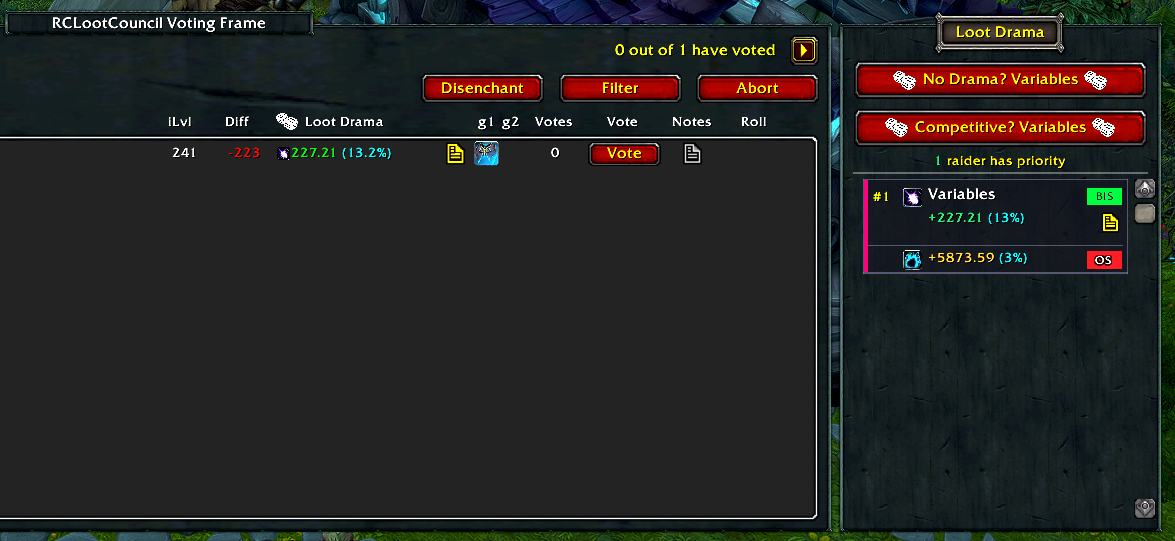
Integrates with RCLC to display Loot Drama data and present some automation buttons for speedy looting!
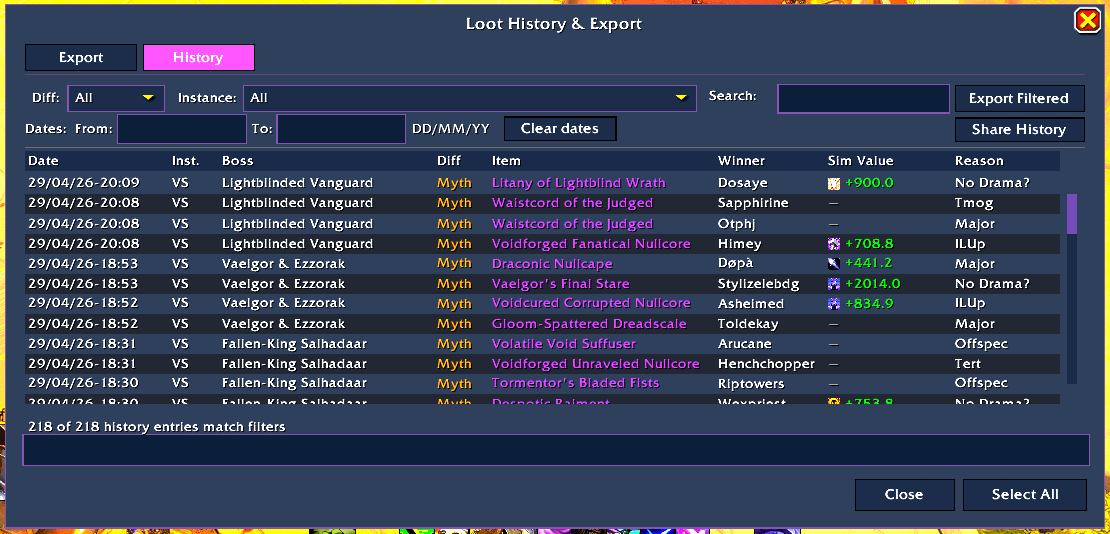
LootHistory.png
Description
Loot Drama is a companion addon for RCLootCouncil that pulls your guild's loot priority list from the Loot Drama website into your in-game raid. The addon doesn't do much on its own — you'll need a Loot Drama website account to set up your roster and priorities first. Once that's done, importing the data into the addon takes one click, and the rest is automatic.
During your loot session
- A Loot Drama column appears on the RCLC voting panel, showing each candidate's main-spec score and how big an upgrade the item would be for them
- A ranked priority panel sits alongside, listing every raider in priority order with their MS upgrade percentage, BIS status, off-spec values, and any notes from the website
- Two one-click award buttons for council leaders:
- No Drama? — awards to the highest priority holder on the website
- Competitive? — awards to whoever gets the biggest MS upgrade
- Raiders pressing Need/Greed see the data too if shared with them — the sim values for their main and off-specs appear right on the RCLC roll window.
Invite Tool
- Part of the export from the website is your full raid roster for the night, this allows you to invite, sort or purge your groups with a few quick clicks from
/ld inv
In-game sync — no extra software outside the game
Only one person needs to import. With a click, share the priority data to your loot council or to your entire raid, and everyone gets a local copy.
After your raid
- The Export tab produces a string you paste back into the Loot Drama website to update your priorities and keep a long-term loot record on your roster
- The History tab records every award the addon saw
Slash commands
/ld— open the main window/ld help— full command list
RCLootCouncil — Loot Drama Team