RC Rotations
Rotation helper that shows your next spells, using WoWSims rotations for every MoP class and spec, with a compact HUD, button flashing and easy rotation editing.
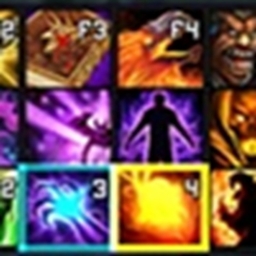
RCRotations tells you what to press next. A small HUD shows your next spell and the two after it, and the matching button on your action bar flashes (works with Blizzard bars, ElvUI, Bartender and other bar addons).
ROTATIONS FROM WOWSIMS
Every MoP Classic class and spec comes with rotations from WoWSims, the simulator the community uses to find the best rotation. They update automatically when WoWSims updates. Specs with more than one rotation (like Frost DK Obliterate or Masterfrost) let you pick which one you want.
TUNED FOR REAL PLAY
Simulators assume things you have to do yourself in game, so RCRotations adds them on top:
- Reminds you about your seal, presence, Curse of the Elements, Horn of Winter and Bone Shield
- Follows spell changes like Demonology's Metamorphosis, so the HUD matches your bars
- Shows the next spell coming off cooldown instead of an empty HUD
- Never suggests spells the game says you can't use right now
MAKE IT YOURS
- Right-click a suggestion to never suggest that spell again
- Import any rotation from wowsims.com in game with /rcr import
- RCRotations Workshop, a free Windows app: edit any rotation (turn lines on or off, reorder, add spells) and save it straight into the addon. Download: https://github.com/Rawcard/RCRotations/releases/tag/workshop
COMMANDS
/rcr - options
/rcr apl - choose your rotation
/rcr import - import a WoWSims rotation
/rcr style - compact or classic HUD
/rcr flash - change the button flash style
/rcr workshop - get the Workshop app
CREDITS
Based on Forever Rotation by Vohnka (MIT). Rotations from WoWSims MoP (MIT).
https://github.com/Rawcard/RCRotations
https://github.com/Rawcard/RCRotations/issues
RC Rotations Team