/rmfood
/rmtoys

Description
RazorTools A lightweight, modular World of Warcraft utility suite designed to declutter your action bars, track faction-wide inventory, streamline profession reagents, and enhance the default quest tracker.
Features
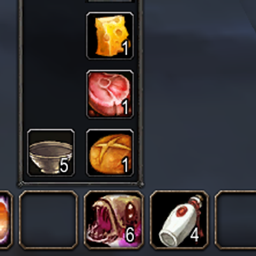
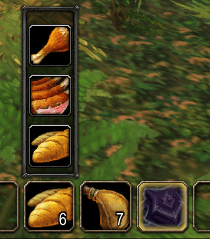
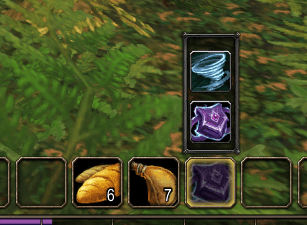
- Action Bar Flyouts: Pop-out menus for your available food, drinks, and favorite toys. Left-click your macro button to use the active item, or right-click to pick a new one and automatically update the button icon. Automatically expands inward from vertical or horizontal bars and closes when you click away.
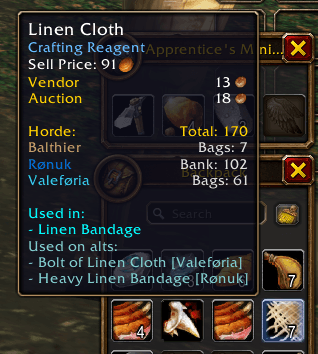
- Per-Faction Inventory: Displays bag and bank item counts across your characters directly inside item tooltips, separated by realm and faction (Horde: / Alliance:). Includes
/rt search <item>to search your faction's inventory from chat. - Profession Reagent Tooltips: Automatically indexes your learned recipes when you open a crafting window and displays a compact recipe count on reagent tooltips (
Used in X Recipes). Hold SHIFT while hovering to expand the full list grouped by profession and sorted by required level. - Quest Tracker Enhancements: Adds a Lvl sort button and an active quest counter (
Quests (X/40)) to the default objective tracker header, plus plays the classic "Job's done!" voice line upon completing a quest's objectives.
Quick Setup & Commands
- Flyout Macros: Create a macro (
/m) with the ? icon, paste#showtooltipfollowed by/rt food,/rt drink, or/rt toy, and drag it to your bar. /rtor/rt help— Open the in-game setup guide and command list/rt food— Open the Food flyout menu/rt drink— Open the Drink flyout menu/rt toy— Open the Favorite Toys flyout menu/rt search <item>— Search your faction's bags and banks for an item/rt scan— Force-sync your bags and currently open profession window/rt status— View cached professions for your current character/rt clear— Wipe cached profession recipes/rt remove <character>— Remove a deleted or inactive character from your saved data
RazorTools Team