RareTracker (RT)
- By
[DISCONTINUED] A project that contains all of the rare tracker modules, including the core module.
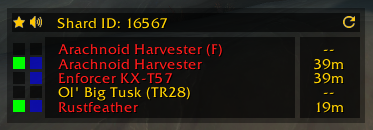
The user can mark rares as hidden in the */rt* option menu, such that only the rares you are interested in are shown.
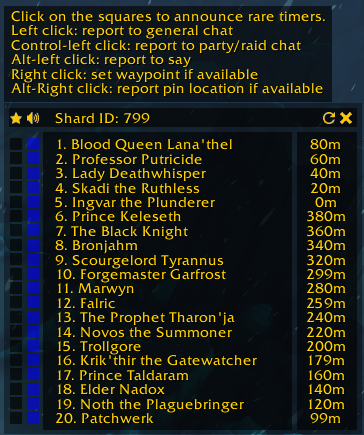
Functionality added during the Death's Rising update. The location of rares can now be reported separately from the rare status. Additionally, map pins are now used instead.
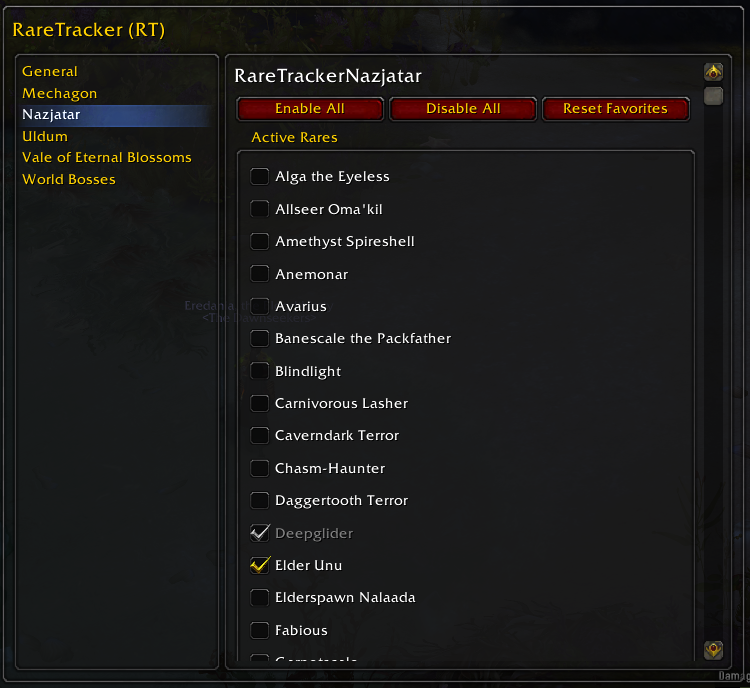
Each module provides a tab in which the user can mark which rares to hide. Favorite rares cannot be hidden.
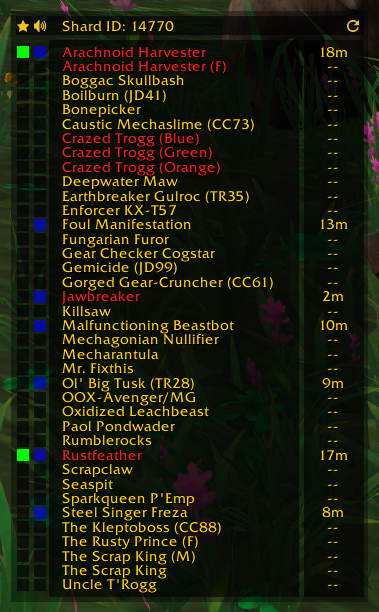
The RareTracker window shows timers for the rares that have been sighted by a RT user. Rustfeather and Arachnoid Harvester have been marked as favorites. A left click on the blue square besides a name reports the health or timer to general chat.
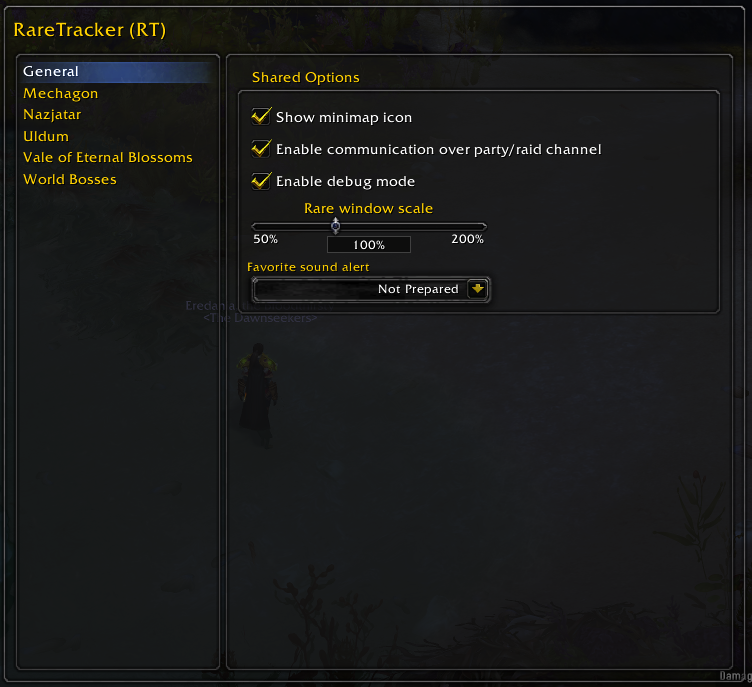
The general options provided by the addon, such as hiding the minimap button and favorite sound alert.
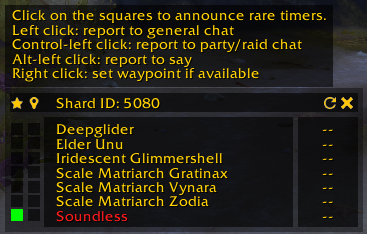
The user can report the status of a rare in the general chat, say or group channels by left clicking the leftmost square. Alternatively, a waypoint can be set by right clicking the leftmost square.
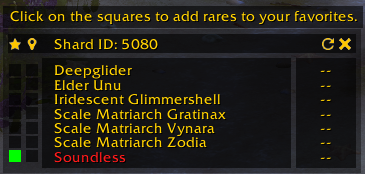
Rares can be marked as favorite by clicking the leftmost black square beside the name. Rares that are marked as favorite will trigger a sound alert when spotted.
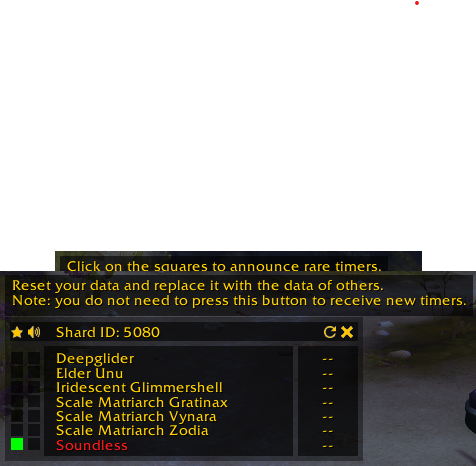
Refreshing is usually done automatically, but if you want to force a request, you can press the reload button besides the close icon.
Description
[DISCONTINUED] Broken by Patch 12.0 API Changes.
As of Patch 12.0 (Midnight), Blizzard has implemented a secret value system for unit identity and health data. Unfortunately. this addon relies heavily on reading unit names and health states to function, and therefore, its core logic and functionality is now completely blocked by the game engine.
I don't see a way to work around these restrictions. Therefore, I have decided that this is a good point to retire the project. Thank you to everyone that used this addon and for all the support over the years.
The RareTracker (RT) addon is a small addon that will automatically add newly available modules of my collection of rare tracker addons, used to track and share rare spawn timers in popular zones. The addon takes inspiration from the RareCoordinator addon authored by elvador, which is an addon that has served a similar purpose on the Timeless Isle. The RareTracker line of addons use a hidden chat channel to communicate with other clients located in the same shard, such that it can always provide the most up-to-date rare spawn timers.
Warning: the modules will not be added automatically when you download the addon directly from CurseForge. Unfortunately, this isn't something that can be changed, since the dependency system is a lot more convenient for the majority of the users--thus, you will need to download all the modules by hand instead.
Included modules
- RareTrackerCore (RT) as the core module
- RareTrackerMechagon (RTM) for Mechagon
- RareTrackerNazjatar (RTN) for Nazjatar
- RareTrackerUldum (RTU) for Uldum
- RareTrackerVale (RTV) for the Vale of Eternal Blossoms
- RareTrackerWorldBosses (RTWB) for World Bosses
- RareTrackerMaw (RTMW) for The Maw
- RareTrackerZerethMorthis (RTZ) for Zereth Mortis
- RareTrackerDragonflight (RTD) for the Dragonflight zones
- RareTrackerTimelessIsle (RTTI) for the Timeless Isle
- RareTrackerTheWarWithin (RTWW) for The War Within zones
Instructions
The RareTracker addons rely on a peer to peer network and as such, it will only function optimally if multiple players are using the addon simultaneously. The communication component will activate once the the player has targeted a non-player entity, or when a combat log event nearby has been processed: this step is required, since it enables the addon to extract an unique identifier for the shard.
Rare status frame
The status frame can be toggled on and off by pressing the minimap button. Alternatively, one can use the /rtc show and /rtc hide commands. The frame can be moved by dragging it to the desired position. The data in the status frame can be reset by pressing the refresh button located at the top right of the frame, which will repopulate the frame with the data of your peers. The options menu located in the interface options provides the option to ignore certain rares, such that they do not appear in your rare overview.
Favorites
Rares can be marked as favorites by enabling their check marks, located in the first column of the displayed table. Entities that are marked as favorite are announced through an auditory warning. Additionally, the rares that are marked as favorites are saved globally for the entire account.
Announcements
Rares can be announced by left-clicking the button in the second column of the frame: if the rare is alive, the health percentage and a set of coordinates will be written to general chat; otherwise, the addon will report the time that has passed since the rare has been seen last by one of the addon's users.
The user can also report to the party/raid chat by holding the control key in addition to left clicking on the announce button. Alternatively, a player can report to the say channel by holding the alt key while clicking the report button.
Waypoints
Upon targeting a rare, the player's coordinates will be passed to all users, such that they can easily find rares that do not have a fixed spawn point. Right clicking the button in the second column of the frame automatically creates a map location pin for the rare, if available. Alternatively, Alt-Right clicking will report just the location in the general chat.
Options Menu
The options menu can be opened by right clicking the minimap icon, or using the command /rt. In the option menu, the user can select the desired sound alert for the favorite warnings. Additionally, it provides options to hide the minimap, scale the window and disable the party/raid communication module. Moreover, it provides reset buttons for your favorites and the dynamically generated blacklist.
Requested Features
Scrape general chat to receive more update timers for rares: will not be added unless I find a reliable way to avoid spoofing of messages.Automated announcements: this request will not be supported, since blizzard changed the API to block this type of behavior.- An overview showing the kill status of rares by alts: little gain compared to a simple spreadsheet, but can be done if there is more demand for it.
Localization
I aim to provide localization for all languages, but I cannot do so alone--I would certainly appreciate help in making the appropriate translations! The following progress has been made so far:
- frFR: Partial localization has been provided by xfluxlr8pj63.
- zhCN: Partial localization has been provided by cikichen. The remaining localization strings have been provided by adavak @github.
- ruRU: Localization has been provided by dak1ne-4th @github.
RareTracker (RT) Team

Owner