RankClick
- By
Mouse and keyboard hover casting with selectable spell ranks, missing-buff highlights and optional cooldowns on compact group frames.
Screenshot 2026-10-11 155330.png
Screenshot 2026-10-11 155537.png
Description
RankClick combines mouse and keyboard hover casting, optional missing-buff highlights and a movable cooldown bar on Blizzard’s compact group frames in WoW Forever.
Choose the spell rank for each binding, color player frames when a configured buff is missing, and track selected spells in a separate cooldown bar. You can also keep the original Blizzard group UI visible while playing solo. All settings share one window.
Features
- Hover casting on compact party and raid frames, including group pets.
- Fixed spell ranks stored by spell ID, with no automatic rank substitution.
- Highest-available bindings stored by localized spell name.
- Spellbook drag and drop, a rank picker, and an editable binding list.
- Five standard mouse buttons and recorded keyboard inputs, with Alt, Ctrl and Shift combinations.
- Additional mouse controls can send keyboard inputs configured in the device software. No separate mouseover macros are needed.
- Shared settings window with Bindings, Missing buffs and Cooldowns tabs.
- Optional missing-buff colors with custom colors, opacity, rule priority, class filters and a mana-user filter.
- Optional movable cooldown bar with real remaining cooldowns, charges, saved position, locking and active-only display.
- Optional original Blizzard compact group frames while playing solo.
- Secure binding changes queued until combat ends.
- Its own settings database and detection of conflicting click-casting addons.
Getting started
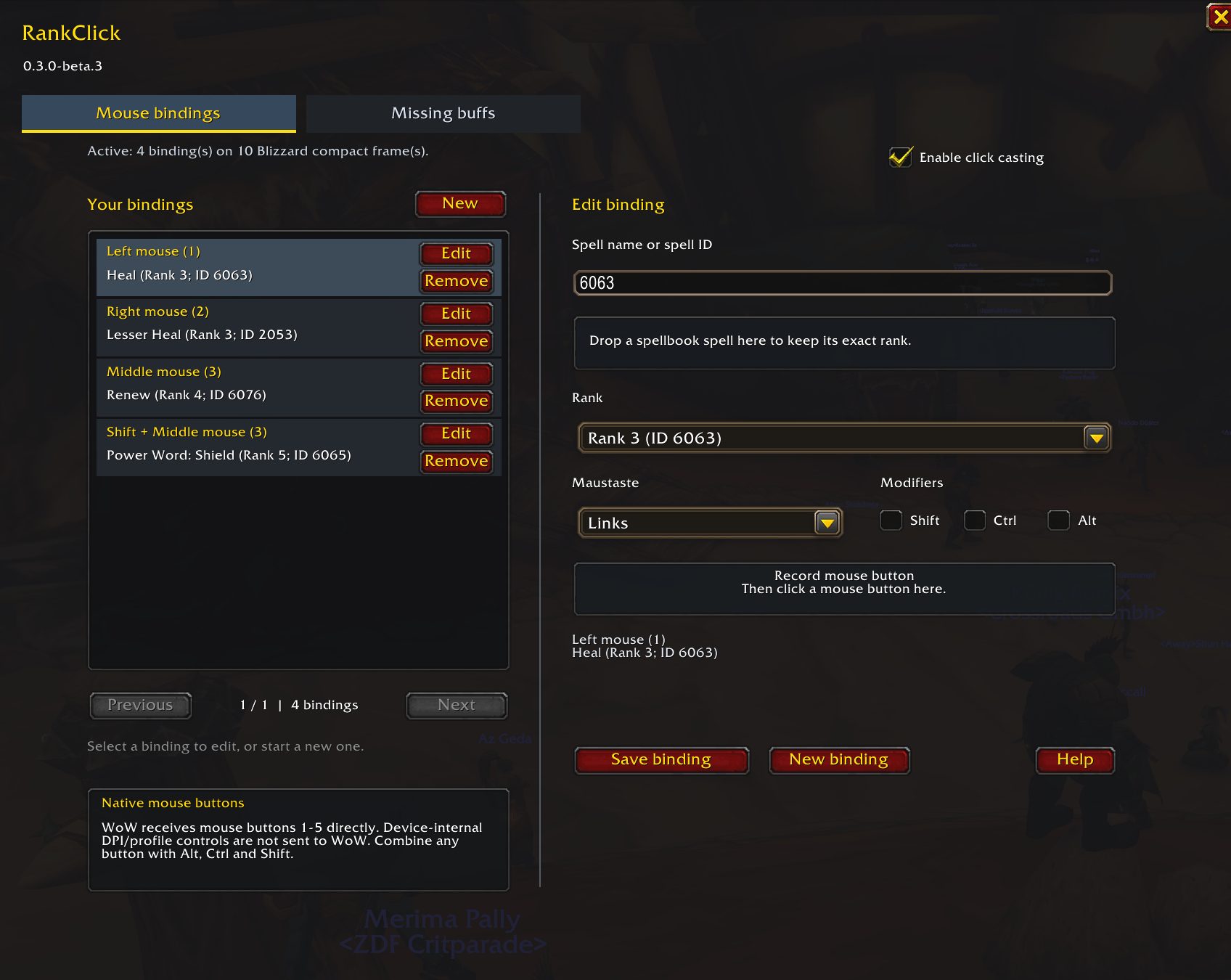
Disable other click-casting addons and reload. Type /rankclick or /rc. On the Bindings tab, enter a localized spell name or spell ID, or drag a spell from your spellbook into the editor. Click Record input, then press a keyboard key or click its recording area with a supported mouse button. Choose modifiers and rank, then click Save binding.
Use the binding while hovering the relevant compact group frame to cast on that unit. Outside supported frames, keyboard keys keep their normal WoW action. Configure additional mouse controls to send a keyboard input in your mouse software, then record the input WoW receives. Internal DPI/profile functions are only usable if the device sends a game-recognized input.
Missing buffs
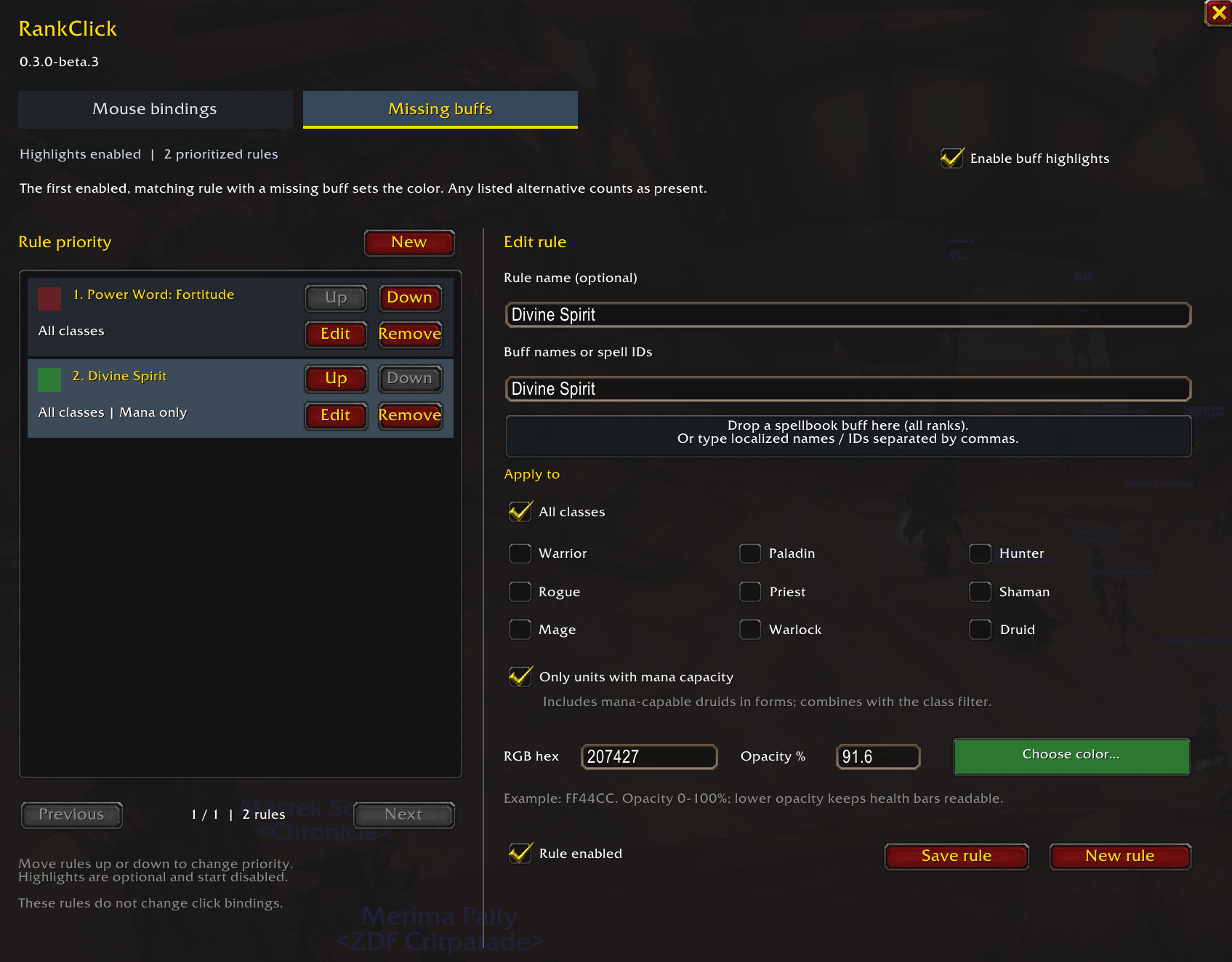
Switch to the Missing buffs tab, or use /rc buffs, to configure optional colored warnings on compact party and raid player frames.
- Drag a buff from the player spellbook onto the buff field or the labeled drop area. Its localized name matches all ranks.
- You can also type localized buff names or exact spell IDs. Additional drops append alternatives; any listed alternative counts as present.
- Limit a rule to selected classes, mana users, or both.
- Choose a color and opacity for each rule. The first applicable rule with a missing buff determines the color.
- Click Save rule, then enable Enable buff highlights when ready.
Missing-buff highlighting starts disabled and has its own enable switch. Pets and unavailable units are excluded from buff warnings. Existing bindings are retained.
Cooldown bar
For each spell you want to track, select Show cooldown in the binding editor and save. Open the Cooldowns tab or /rc cooldowns, then enable Show cooldown bar.
- Unlock Lock bar position, drag the handle and lock it again. Locking keeps the icons in place.
- Icons show remaining cooldowns and, where applicable, charges. Multiple bindings for the same exact spell rank share an icon.
- Optionally show only spells with an active cooldown or recharge.
- Cooldowns update even when the spell is cast from an action bar. The global cooldown alone is hidden.
- Ready means no spell cooldown is running; mana, range and target requirements still apply.
The cooldown bar starts disabled. It is a display only and does not cast spells or intercept clicks.
Group UI while solo
On the Bindings tab, enable Show Blizzard group frames while solo. This option starts disabled and requires Raid-Style Party Frames in Blizzard Edit Mode.
The original Blizzard compact party frame stays at its existing position and size. RankClick bindings and missing-buff colors also work on this frame. Blizzard retains control of group, raid and arena visibility and Edit Mode previews. Option changes made in combat apply after combat ends.
Compatibility
For WoW Forever 1.60.1, interface 16001. This beta supports Blizzard’s compact group frames. Pets must be visible in the game’s group-frame settings. It does not provide replacement unit frames, automatic migration from other addons, or support for third-party unit frames.
Disable ForeverClick, PartyClick and Clique before using RankClick. The engine pauses while any of those addons is loaded. Remove overlapping bindings in Blizzard’s built-in click-casting settings as well.
Keyboard inputs must be recognized by WoW. F13 could not be recorded or used in the tested Windows client.
Beta testing
Version 0.4.0-beta.6 passes 116 automated tests covering Lua syntax and behavior with simulated WoW APIs. Combat cooldown countdowns, moving and locking the bar, and Spirit highlights for other group members have also been confirmed in the live WoW Forever client. Solo visibility on/off and Lesser Heal through the original frame were tested live with 0 Lua errors during the monitored test. Group, raid and combat transitions for the solo option have been tested with simulated APIs; live transition testing is still welcome.
Please report client build, addon version, spell/rank, unit type, steps to reproduce and any exact Lua error in this project’s comments.
Author: Schieni
License: All Rights Reserved. Code and original artwork may be reused only with Schieni’s prior written permission. See the included license for details.
RankClick Team