RankBar
- By
PvP Rank Points and Honor bars for WoW Forever, with games-per-rank estimates, world PvP stats and a guild comparison.
Screenshot 2026-11-08 000808.png
Screenshot 2026-11-08 000820.png
Screenshot 2026-11-08 000824.png
Screenshot 2026-11-08 000828.png
Screenshot 2026-11-08 000831.png
Description
RankBar
PvP Rank Points and Honor bars for WoW: Forever, with an estimate of how many battlegrounds you need for your next rank.
Rank Points per match aren't published anywhere, so RankBar learns them from your own battlegrounds. A map's win and loss rates show
?until you've won or lost there once.
Features
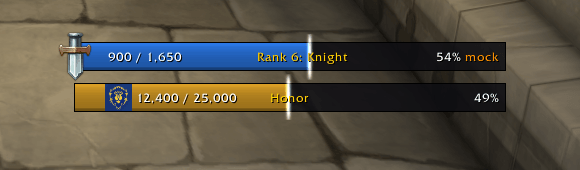
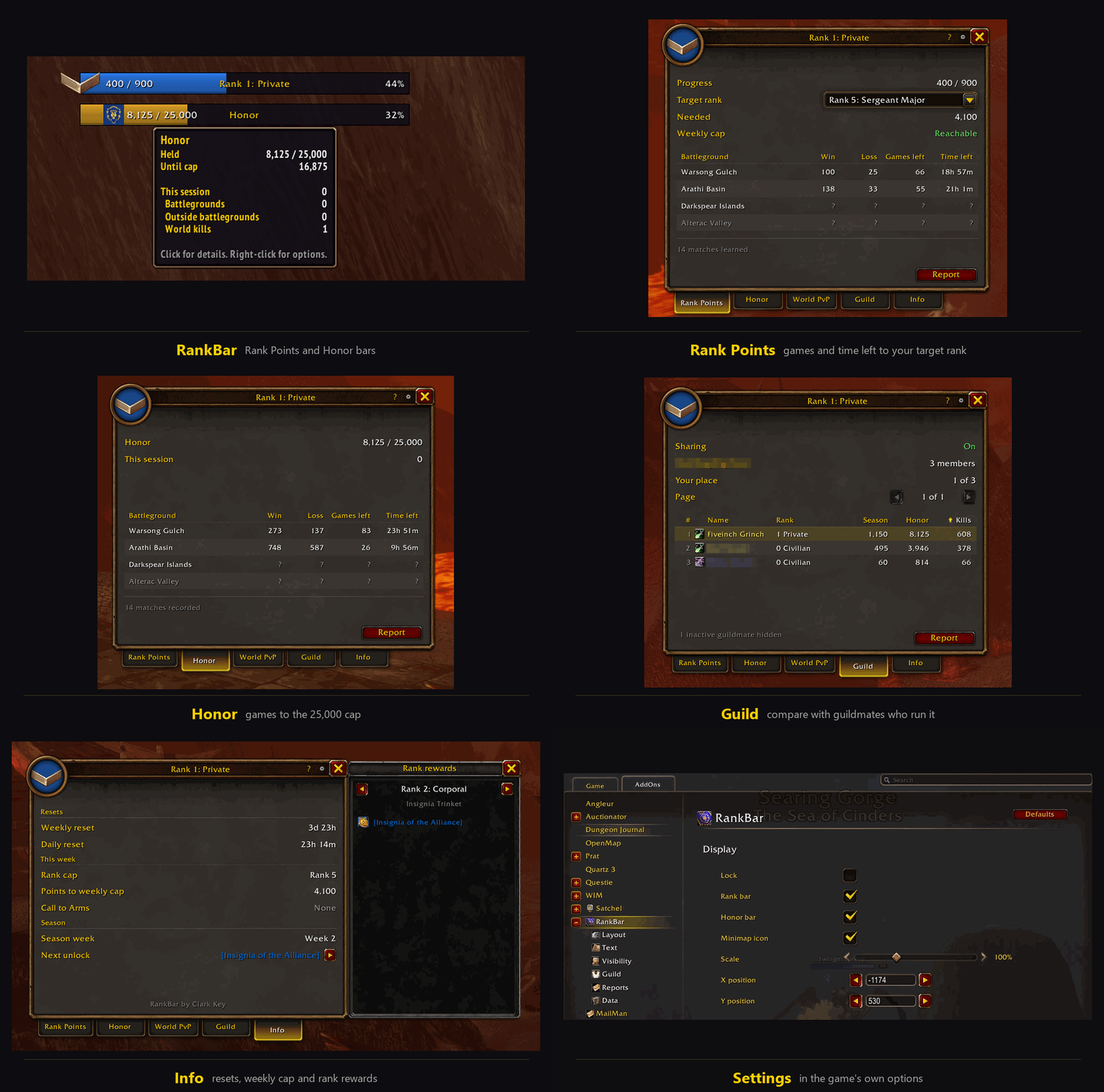
- Rank bar: your rank badge, progress through the current rank, and the weekly cap in the tooltip.
- Honor bar: Honor held against the 25,000 cap. It turns orange near the cap and red at it, with one chat warning.
- Popup: left-click either bar.
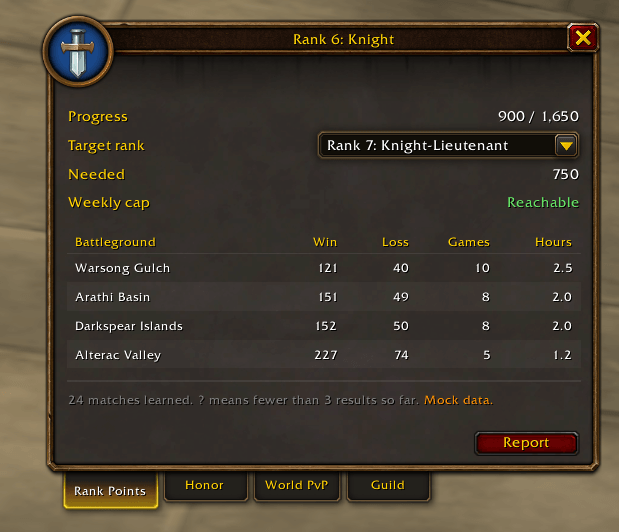
- Rank Points: pick a target rank to see the points needed, the weekly cap, and games and hours per battleground.
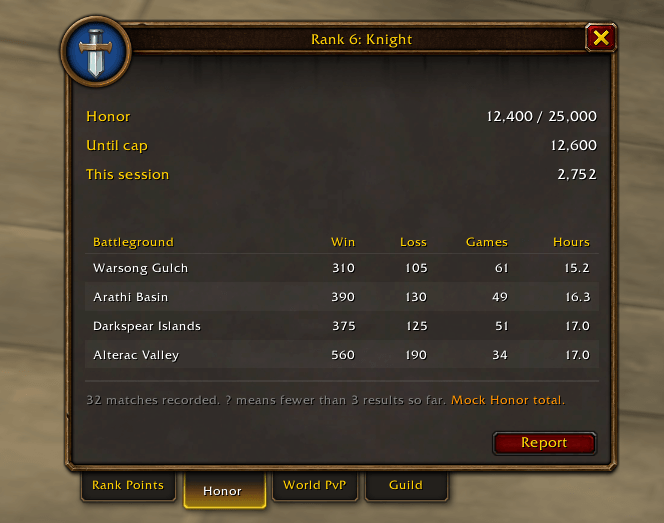
- Honor: Honor held against the cap, this session's Honor, and games to the cap per battleground.
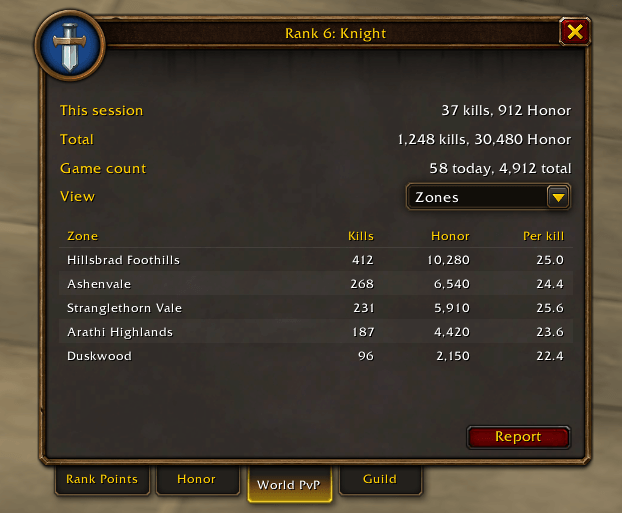
- World PvP: lifetime kills split into world and battlegrounds, plus every zone's kills and Honor, or kills by game day, in pages.
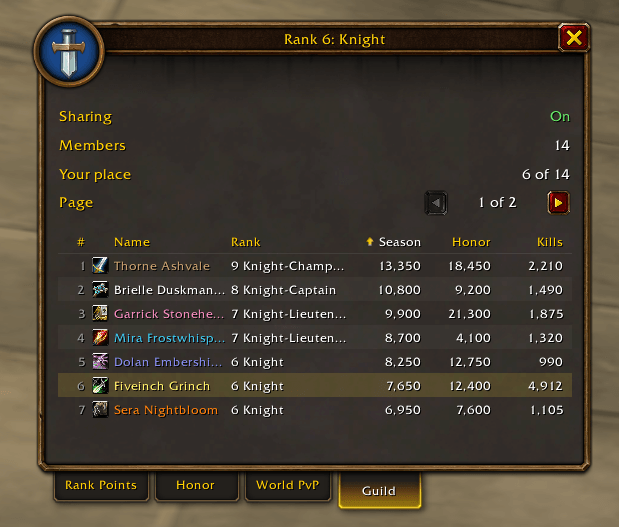
- Guild: compares rank, season total, Honor and kills with guildmates who run RankBar. Names show in class colors, 7 per page. Guildmates with no Rank Points, Honor or kills yet, like bank alts, are hidden unless you untick Hide inactive.
- Info: weekly and daily reset countdowns, this week's rank cap and points left to it, the Call to Arms battleground, the season week, and your next unlock. Its arrow opens a list of every rank's rewards: hover an item for its tooltip, click to try it on.
- Call to Arms: crossed swords mark this week's Call to Arms battleground in the battleground tables.
- Minimap icon: click to open RankBar, right-click for Settings, drag to move it. RankBar is also in the game's AddOns button by the minimap, so you can hide both bars and still open it.
- How it works: the ? in the popup's title bar explains what RankBar tracks and where each number comes from.
- Chat reports: each tab can post its results to Guild, Party, Raid or Say, after a confirmation. Write your own text for each, with variables like
{rank}or{total}for the numbers, and choose whether to add your win-loss record or points per match per battleground. The game blocks addon chat during battlegrounds, so Report is greyed out there. - Settings: under Esc, Options, AddOns, RankBar. The main page holds the bars, minimap icon, scale and X and Y position. Sections underneath cover Layout, Text, Visibility, Guild, Reports and Data.
- Right-click either bar: lock, fade, hide in combat, report World PvP, reset position and settings.
Guild sharing and privacy
With Share with guild on, the default, RankBar sends your character name, rank, season total, Honor, lifetime kills, faction and class to guildmates who also run RankBar. It uses hidden addon messages on the guild channel. The game holds those during battlegrounds, so sharing pauses there and catches up when you leave. Turn it off in Settings, under Guild. Nothing is ever sent anywhere else, and chat reports go out only when you click Report and confirm.
Commands
/rankbar or /rb opens the popup. Add one of these for more:
config: open the settingslock,unlock: stop or allow dragging the barsscale <n>: resize the barsreset: move the bars back to the default spotrank on,rank off: show or hide the rank barhonor on,honor off: show or hide the Honor barkills [days]: list your daily kill historymatches [n]: list recorded battlegroundsdefault <map> <win/loss> <points>: set your own starting estimate for a maperrors: list errors RankBar caught
License
Copyright (c) 2026 Clarke Collective. All rights reserved. You're welcome to download and use RankBar; please don't copy, modify or reupload it without permission. Versions before 1.3.1 were released under the MIT License.
Feedback
Found a bug or have an idea? Leave a comment here. If something breaks, /rankbar errors lists what RankBar caught, which helps a lot in a report.
RankBar Team