
RandomGreeting
- By
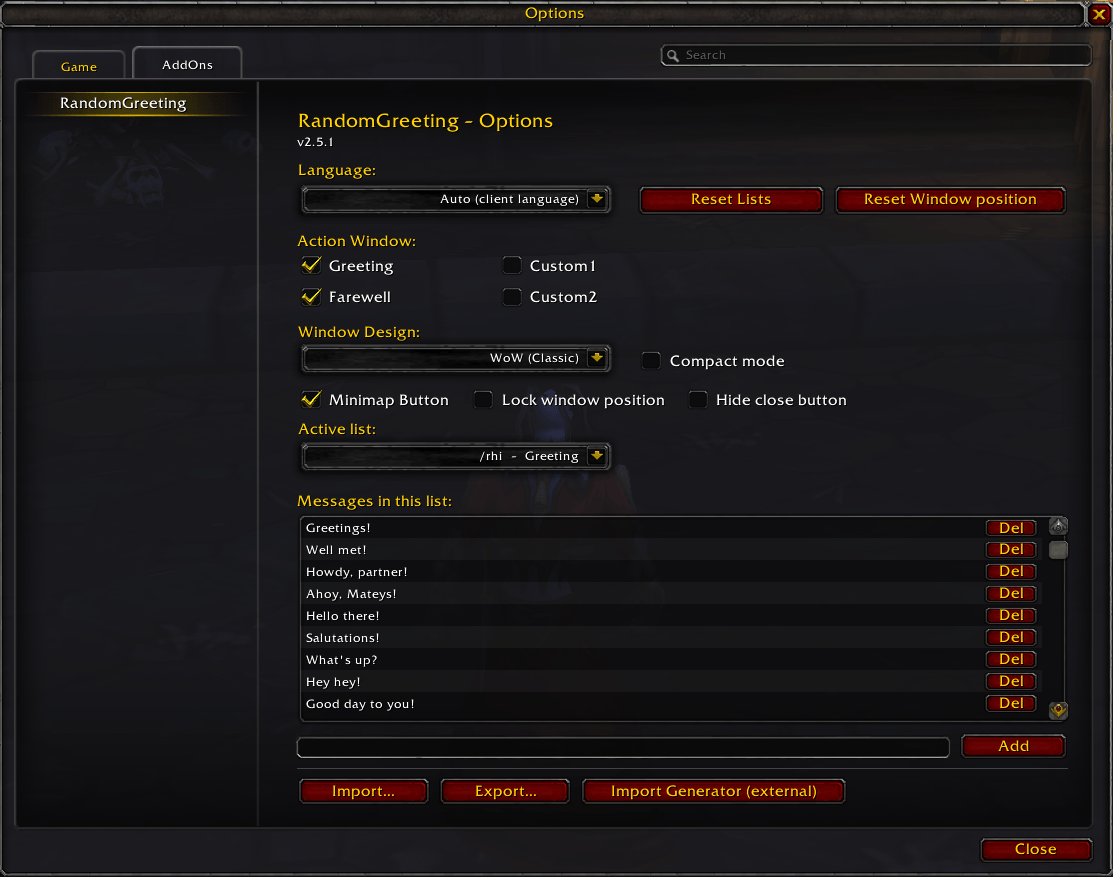
English options
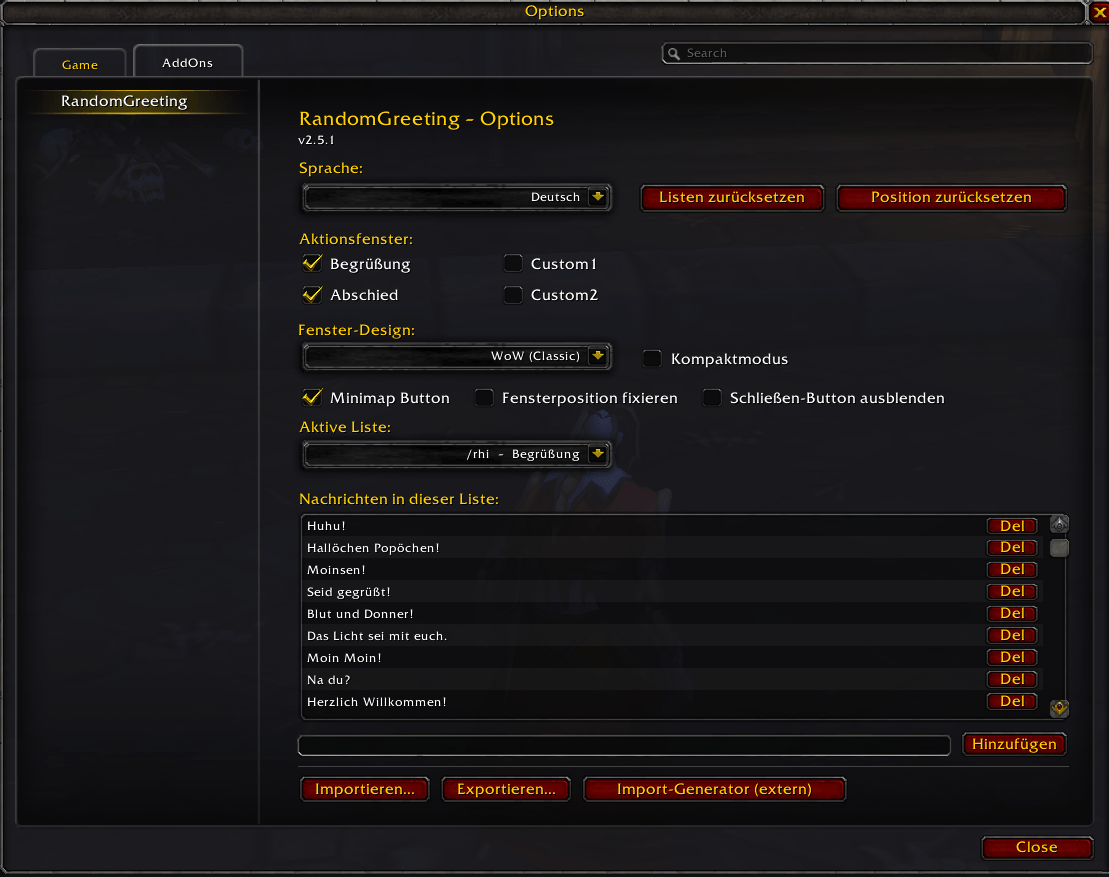
German options
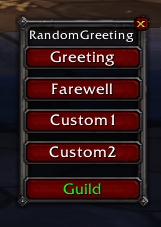
Full Size Window - WoW theme - all buttons
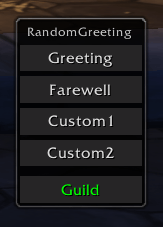
Full Size Window - modern theme - all buttons
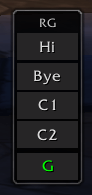
Compact Window - modern theme - all buttons
Description
RandomGreeting
Tired of always typing the same "hi" or "bye" when you join or leave a group? RandomGreeting spices up your chat with a random, funny message — automatically posted to the right channel, every time.
🌟 Key Features
Smart No-Repeat Rotation
The addon cycles through your entire list before repeating any message. No more accidental spamming of the same joke!
Context-Aware Channel Detection
Just type /rhi or /rbye and the addon automatically detects whether you're in a Raid, Party, or alone and posts to the correct channel.
Four Independent Lists
Manage hi, bye, and two fully custom lists (/rcustom1, /rcustom2) — each with its own rotation, commands, and optional custom label.
Import / Export
Share your message lists with friends via a compact import string (RG2:LIST:msg1;;msg2;;...). A built-in copy/paste dialog makes it painless.
Use the Import Generator to create and edit your import strings directly in the browser.
Fully Customizable — In-Game
Add, remove, or reset messages at any time without leaving the game. Restore the built-in defaults for /rhi and /rbye with a single command.
Minimap Button
A small icon on the minimap gives you quick access to everything:
- Left-click — toggle the Action Window open/closed
- Right-click — open the Options panel
- Drag — reposition the button around the minimap
- Can be hidden via the Options panel if you prefer a cleaner minimap
Action Window
A compact floating window right in your game UI. Click a button to instantly post a random message from the corresponding list — no commands needed. The window is freely draggable and remembers its position per character.
- Toggle individual list buttons (Hi, Bye, Custom 1, Custom 2) on or off in the Options panel
- Cycle through channels (Say / Guild / Party / Raid) directly in the window
- Compact mode — halves the window width and uses short labels (Hi / Bye / C1 / C2) and single-letter channel codes (S / G / P / R) for a minimal footprint
- Lock position — prevent accidental dragging
- Hide close button — keep the window clean and dismissible only via the minimap button
Two Themes
Choose the look that fits your UI — switchable per character in the Options panel:
- WoW (Classic) — the familiar Blizzard dialog style
- Modern (dark) — a sleek dark background with a thin border
Huge Starter Pack
Ships with 50+ hilarious German and English greetings and farewells. A few examples:
🇩🇪 Tschüsseldorf · Ciao Kakao · Bis Spätersilie · Sayonara Carbonara · Adieu Mathieu · Goodbayern · Huhu! · Hallöchen Popöchen! · Moinsen!
🇬🇧 Don't let the murlocs bite! · Safe travels! · For the Horde! · Well met! · Greetings! · Until next time! · Howdy, partner!
🚀 Commands
All four lists share the same sub-commands. Replace /rhi with /rbye, /rcustom1, or /rcustom2 as needed.
| Command | Description |
|---|---|
/rhi |
Send a random greeting to your current group |
/rhi s / g / p / r |
Force Say / Guild / Party / Raid |
/rhi w [name] |
Whisper a specific player |
/rhi list |
Show all messages with their IDs |
/rhi add [text] |
Add a new message to your rotation |
/rhi remove [id] |
Remove a message by its ID |
/rhi clear confirm |
Delete all messages (requires confirmation) |
/rhi reset confirm |
Restore the built-in default messages |
/rhi import |
Open the import dialog (paste a share string) |
/rhi import [string] |
Import directly from a share string |
/rhi export |
Open the export dialog (copy your list) |
/rhi help |
Show a quick command overview |
/rcustom1 label [name]and/rcustom2 label [name]let you rename the custom lists to anything you like (e.g. "Warlock Portal Quips").
Global import shortcut:
/rg import [string] — auto-detects the target list and imports into the correct slot.
Options panel:
/rg options — opens the Options panel (or right-click the minimap button).
💾 Technical Info
- SavedVariables:
RandomGreetingDB(account-wide — messages, settings, minimap position) - SavedVariablesPerCharacter:
RandomGreetingCharDB(per character — Action Window position, theme, compact mode, lock, minimap visibility, close button) - Supports: Classic Era / Classic Hardcore (1.15.x) and TBC Anniversary (2.5.x) — tested and verified on these versions
- No libraries required — pure Lua, zero dependencies
Make your greetings memorable with RandomGreeting!
RandomGreeting Team
