RaidMap
- By
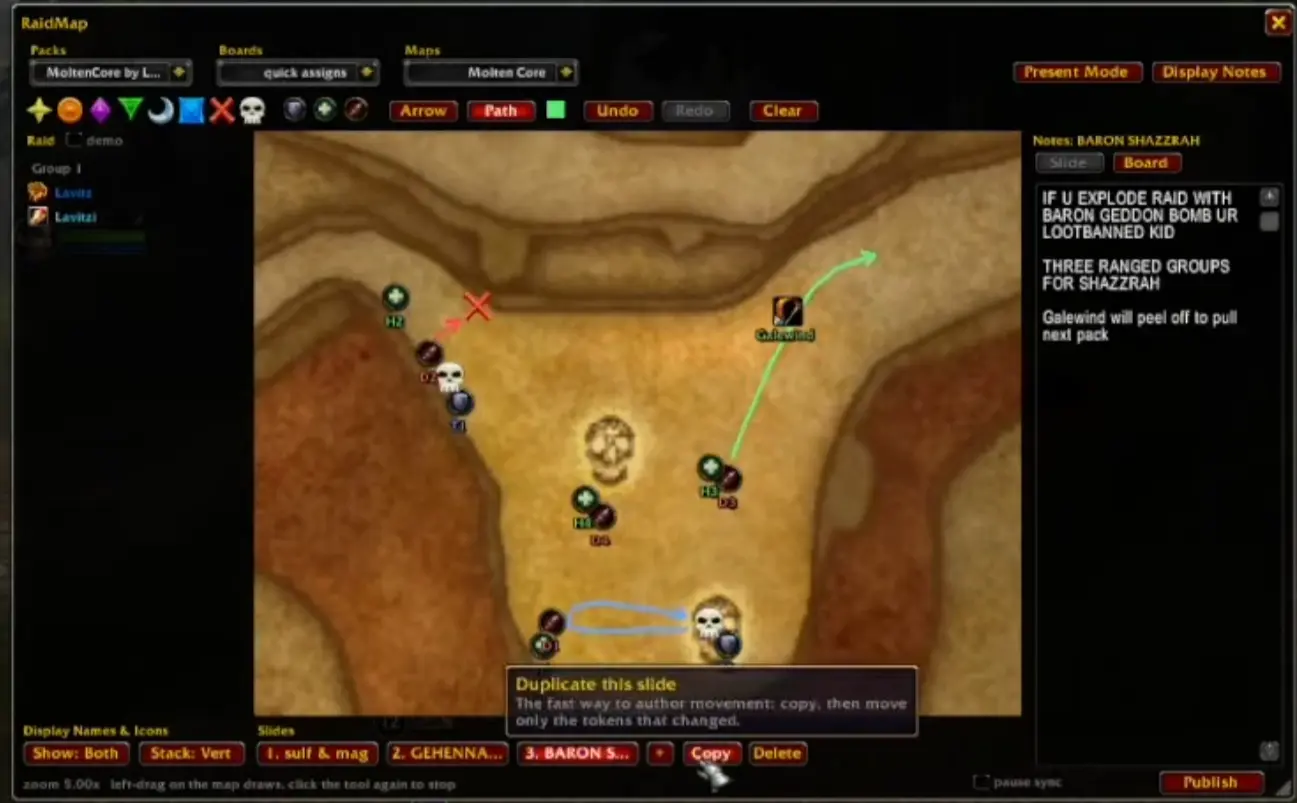
Easily manage visual raid assignments on maps. Put markers, role tokens and your raiders' names on the game's own maps, split a fight into slides, write notes beside them, and share the pack to your raid (or export online).
Description
An easy-to-use WoW addon for managing visual raid assignments on maps.
Put markers, role tokens and your raiders' names on the game's own maps, split a fight into slides, write notes beside them, and share the pack to your raid (or export online).
Using it
Type /rm (or /raidmap) to open the editor.
- Pack > Board > Slide. A pack is what you share ("BT guild"), a board is one boss, a slide is one phase. The three dropdowns across the top pick the pack, the board and the map; the strip under the map holds the slides.
- Tokens. Click a raid marker or a role icon in the toolbar to add it at the centre of the view, or drag it onto the map. Drag names out of the raid list on the left the same way. Role tokens number themselves (T1, T2, H1...) and mean the same thing to anyone you share with; names only mean something to your own raid.
- Mouse. Left-drag moves a token, right-click deletes it. Right-drag pans the map and the wheel zooms. Each slide remembers its own framing.
- Notes sit beside the map, per slide or for the whole board.
- Present opens a compact read-only view, which is what raiders want open: it cannot be edited by accident and it follows whoever is presenting.
Sharing
- In your raid or party: the leader and assistants press Publish. Everyone with the addon receives the pack, and follows along as the presenter changes slides.
- Anywhere else: the pack menu has Export string and Import string for pasting through Discord, and Link in chat for a clickable link that fetches the pack from you.
Commands
| Command | What it does |
|---|---|
/rm |
Open or close the editor |
/rm present |
Open or close the read-only view |
/rm publish |
Send the current pack to your group |
/rm restore |
Bring back the pack that the last incoming update replaced |
/rm reset |
Put the window back in the middle of the screen at its default size |
RaidMap Team